Spork3245
Well-Known Member
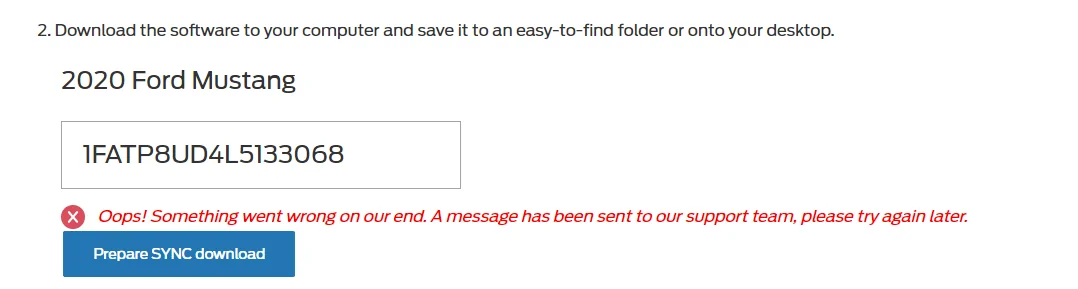
SameI'd love to confirm on my own, but of course, I can't D/L the update ...


SameI'd love to confirm on my own, but of course, I can't D/L the update ...

It's weird a download is breaking, the VIN seems to be a pretty simple lookup, I guess maybe they're bundling it on the fly and it's being key'ed to your VIN?Same

I don't think I have nav.... sounds dumb but I've always used Waze from day 1. My options were only 301a and A10. Guess I need to look at my window sticker. lolThat's good news. Same here, 15 and done. By the way forgot if you had nav. If yes are you going to reload the maps to show 1.19 on your about screen?
I can confirm after a ride this morning. I tried Apple CarPlay with Apple Maps and Waze, nothing showed on gauge cluster. Same result using Waze thru Sync, no directions in gauge cluster.I mentioned this a few pages ago and was told it isn’t true. Unless the capability has been added but it’s not functional yet (ie: the carplay apps need to update?)
The thought is that Ford is “adjusting” the files to stop the infinite reboot issue that some people are experiencing... or their servers are just bugged. Definitely one of thoseIt's weird a download is breaking, the VIN seems to be a pretty simple lookup, I guess maybe they're bundling it on the fly and it's being key'ed to your VIN?

So lame. That was the only 3.4 feature I was really looking forward to. I wonder if it works via android auto?I can confirm after a ride this morning. I tried Apple CarPlay with Apple Maps and Waze, nothing showed on gauge cluster. Same result using Waze thru Sync, no directions in gauge cluster.

As I mentioned in the discussion early on, it only works with AA. At least for now......So lame. That was the only 3.4 feature I was really looking forward to. I wonder if it works via android auto?
Oh, it's f***ing Maurice installing a patch ...The thought is that Ford is “adjusting” the files to stop the infinite reboot issue that some people are experiencing... or their servers are just bugged. Definitely one of those
So lame. That was the only 3.4 feature I was really looking forward to. I wonder if it works via android auto?

Thanks, I must have missed that post.As I mentioned in the discussion early on, it only works with AA. At least for now.


Turn off auto updates.Now, does v3.4 fix the pop-up every time you start the car saying that Ford Diagnostics is watching you? Every time I start my car in 3.3, it comes up with a pop-up, which is BEYOND annoying. Like, for the 1000th time, I know and I don't care...
Oh, that is the auto updates pop-up?? But there isn't auto updates anyway...LOLTurn off auto updates.
That is an awesome list! Would you be able to make a list of all the items outside of the voice commands?Here you go. This is relative to v3.3, and mainly hits the more "visible" items if you know they're there...
General
- "Please say a command." prompt is now removed. Quicker to speak, but still wait for the beep after the chime as the mic isn't hot until after it plays.
- Error messages have been cut down, drastically so for the primary ones. You get a mulligan first time of "Please try again", then it'll prompt with more real work examples.
- The prompt drop outs from v3.3 are almost totally eliminated. They can still happen in specific scenarios but it's night and day difference.
Audio
- When games (NCAA, MLB, NFL, NBA, NHL) are broadcasting on SXM, and SYNC is notified, users can now say "Turn on the Detroit Lions Game" to switch to the broadcast channel. If you're sourced to SXM, a sample command will display on screen when the game broadcast data has started to roll in.
- USB media can now be browsed at any time, so long as a Bluetooth device isn't the active source. If you do try to with Bluetooth, you should now get an error prompt telling you that it won't work for Bluetooth devices.
- USB media browsing can now be generic requests, e.g. "Browse The Eagles" vs "Browse Artist <X>".
- Numerous added commands phrases for all sources, e.g. "Listen to 88.7", "Switch to The Highway", "Change the Radio to SXM 2", "Source USB", "Show Music by The Beatles", "Turn on some Rock Music", etc.
Phone
- You can now reply to a specific message number, "Reply to Message <#>", or using the name of the contact (only for the more recent message), "Reply to Tom".
Navigation
- Response to "Find a Place/POI" is now faster after the initial search in a particular city. You should notice faster response to the command in all subsequent searches for that city.
- "Find the nearest <Brand Name>" auto selects the nearest one. Categories still provide a list as they can be more generic requests.
- When searching for a POI, if the user says "Change Search Area", you can now say a city and state like "Detroit, Michigan". In English this covers US and Canadian cities. Requires 19Q1 nav voice data.
- Added ability to search for a POI or address in any city from the main menu. "Find a Place/an Address in Detroit, Michigan". Not required to stay the state/province, but it'll pull the result that's in state if there is one. Same as above, in English it covers US and Canadian cities.
Climate
- Temperature commands now will not prompt yes/no to confirm if the system has high confidence in what was said.
- You can just say the temp now, "74 Degrees", for examples.
Analytics / Diagnostics
- Now that v3.4 has this capability, you can have it submit mis-recognitions (the "Please try again" type error prompts) automatically to Ford. You need to enable the Diagnostics option, along with Send failed voice commands option to enable the recordings to go in. I use those to add command variants, etc. as needed.

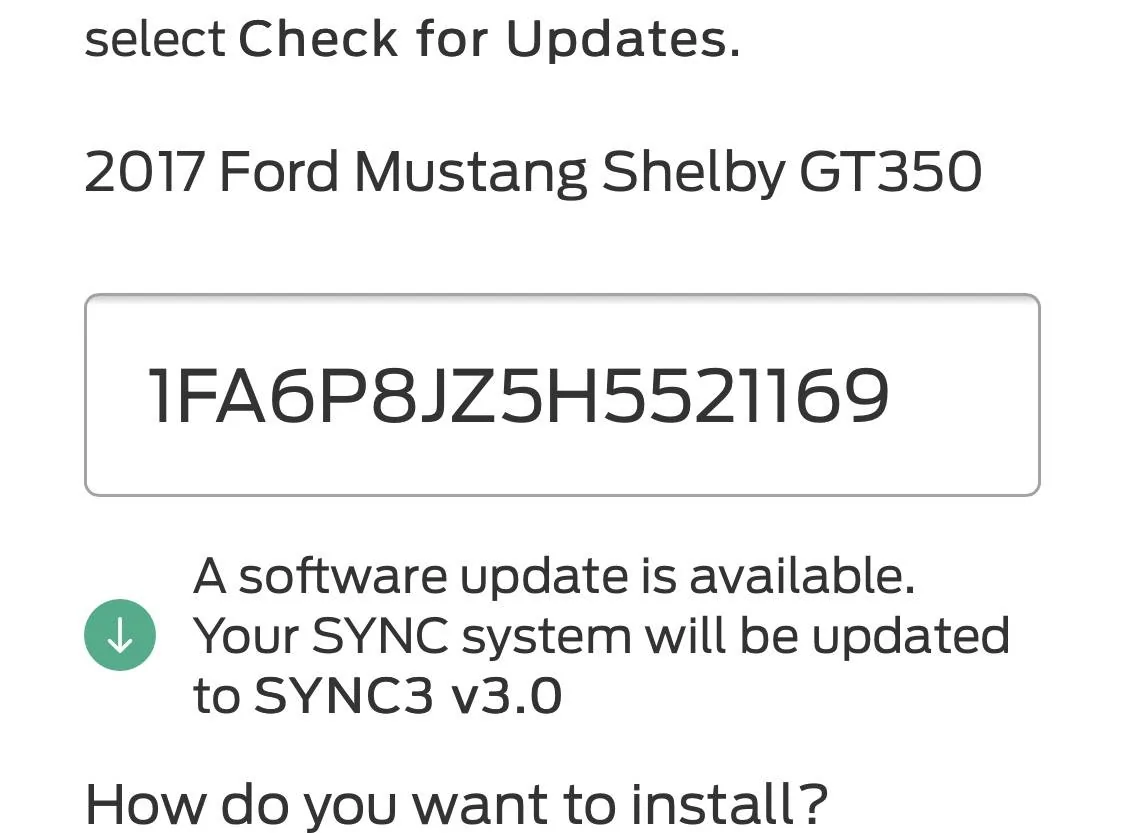
Got the same exact thing. Put in my VIN, says an update to 3.4 is ready, then it asks how I wanna download it, then I select USB and when clicking on "prepare my download," it says the "OOPS" message. :(
Yeah... That didn't work :(