Bit_the_Bullitt
Well-Known Member
Still nobody has seen the issue with the Android Auto showing no distance nor time left in the cluster (and instead showing "--km and --min" even though it's set to miles)?


It was there. It just didn't show on 3.3.Looked to me like my 1 19 map update did not work until I installed 3.4 sync.
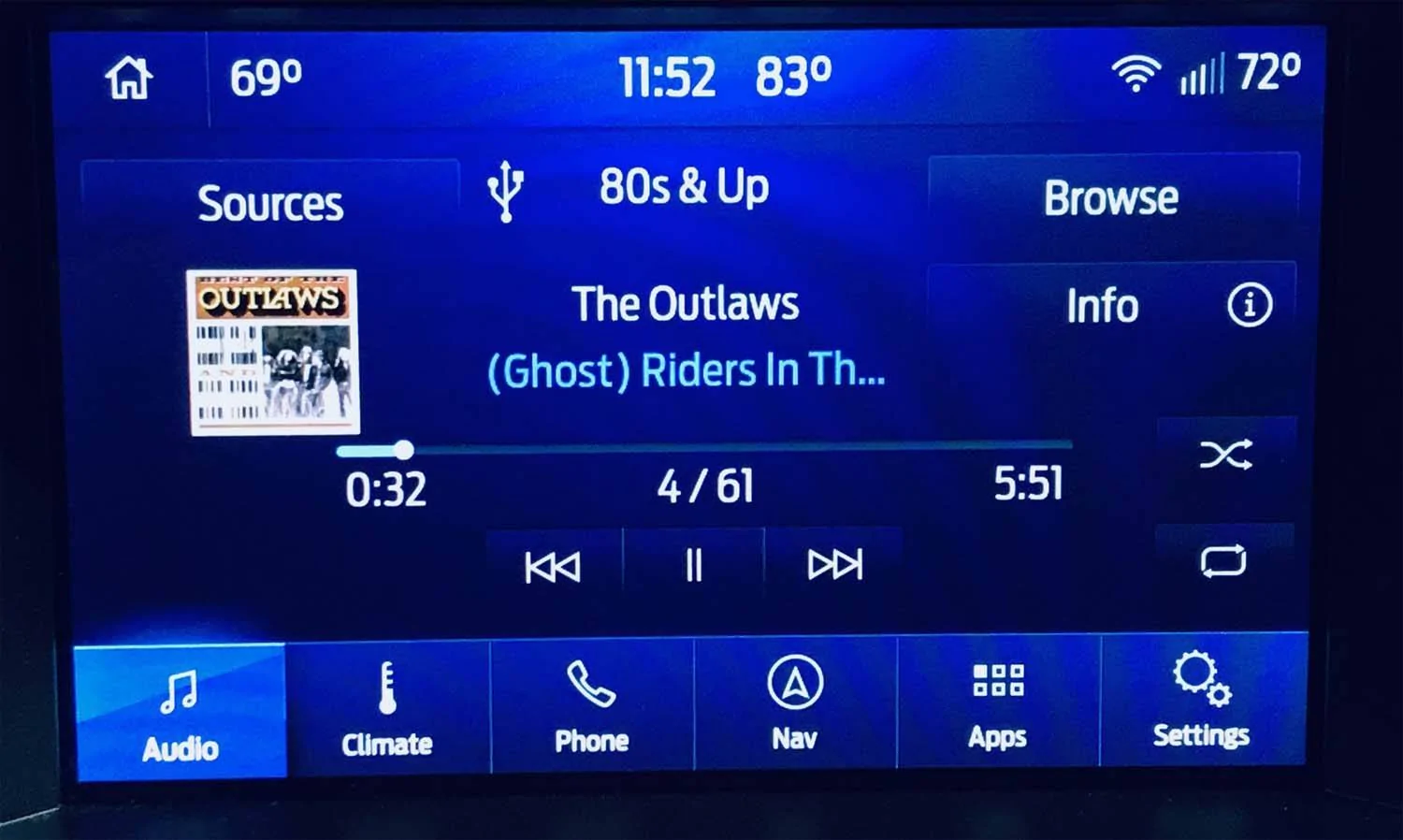
I had that problem with my USB drive after updating. I reformated the USB drive and put all the songs back on and that fixed it.Absolutely horrendous update for music lovers. First of all, when playing my music through the USB port the new audio screen on 3.4 is a huge step backward. Can the album artwork get ANY smaller?

Then, worst of all, Sync will not allow browsing playlists anymore! When I do a New Search I first got the message "For your safety certain functions have been disabled" . Okay, so I tried searching for playlists when I was stopped and all I get is "Browsing Currently Unavailable." Originally I would get that error message while indexing which would last a minute or two, but with the 3.4 update I was getting that message after 20 minutes.
Am I the only one with these problems?
Upgraded from cyanlabs. No Problems. Thanks!No, officially, at least. You need to read the other 596 posts to understand.
Only kidding. Your cars final version is 3.0 build 19205 (or something like that). 3.4 is only for those 2018 midyear cars and after that came with 3.2.
Now if you really want it, you can go to cyanlabs.com and get it from them.
Haven't listened to my USB music since updating, since I still have XM, and typically just stream Spotify. But will try next time I use the car. I wouldn't like that either.Then, worst of all, Sync will not allow browsing playlists anymore! Am I the only one with these problems?
Thanks for the suggestion! I did that, but unfortunately it didn't make any difference. Maybe we can roll back the update?Haven't listened to my USB music since updating, since I still have XM, and typically just stream Spotify. But will try next time I use the car. I wouldn't like that either.
Did you try reformatting your USB, and downloading your music again? Hopefully that was the issue. Good luck. I'll post my results too.
 .
.
I haven't gotten into FORSCAN yet, but I think I'm going to tackle that, just for things like this. Thank you!Just read on another thread here that Sync3.4 just doesn't let you do that anymore. And of course you still can't input any nav destinations either. I don't know if you can go back to Sync3.3. However, as I mentioned on the other thread, you should be able to program via FORScan the European Sync3.4 version, which doesn't have those stupid restrictions. The drawbacks are it disables automatic 911 calling in case of an accident, disables TravelLink, and uses some weird nav symbols, including speed limit ones. If you don't mind that, it'd be the easiest way to deal with that, I think.
If you're interested in trying that, the country code for Sync is on APIM 7D0-02-01 **** xxxx xxxx. The US is 5553, which my car (and all other US cars) have. Canada is 4341, and the EU is 5753. The only 'problem' is the spreadsheet hasn't been updated, and doesn't say it works with Sync 3.3 or 3.4, so it might not work... but I really doubt the country codes changed, since 5553 is still the same on my Sync3.4 (just checked it for you). And the worst that could happen is you just put the 5553 code back, and problem solved. Hope this helps, brother
. Plus you can do many other changes that will allow you to enjoy your car more, like disabling stupid chimes, the double-honk, changing Sync animations and colors, etc. And most importantly, checking codes, and doing service procedures like ABS bleeding, plus resetting modules.
I'll save you from reading over 600 posts. Just do it. Yes, the possibility is there. But though-out this entire thread I think, maybe, one or two issues. Everyone else was just fine. Take your time, read and then reread the instructions until you know it by heart. Then plug in the USB & go.I downloaded the Cyan Labs Sync installer and set up a USB drive with 3.4.20196. I currently have 3.0.19205. I'm very nervous about the possibility of bricking my Sync. Has anyone had any problems doing this specific upgrade?


Alright, I'll do it. Thanks!I'll save you from reading over 600 posts. Just do it. Yes, the possibility is there. But though-out this entire thread I think, maybe, one or two issues. Everyone else was just fine. Take your time, read and then reread the instructions until you know it by heart. Then plug in the USB & go.
Your radio doesn’t have Sync 3. You cannot upgrade to 3.4 because you do not have 3.3. Not sure where you are getting this information but you may want to consider calling Ford.I have the base 4" screen radio. Ford says my SYNC system will be updated to SYNC3 v3.4.20136. Will this even make a difference to the base system? Does the car have to actually be running or can you just turn the ignition on like when using ForScan?