OP
OP

Tomster
Beware of idiots
- Thread starter
- #226
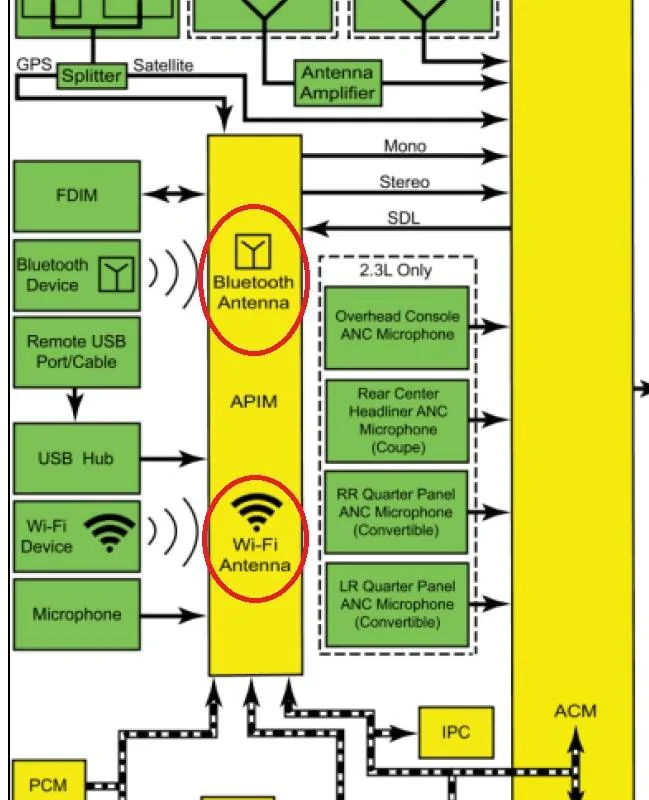
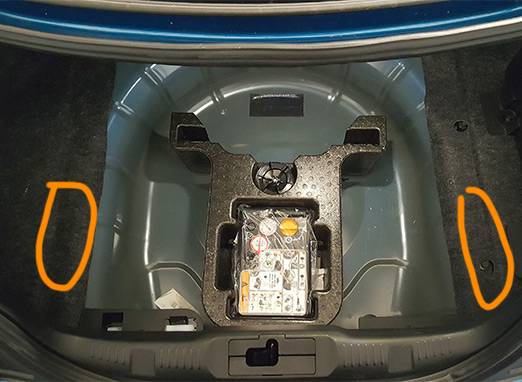
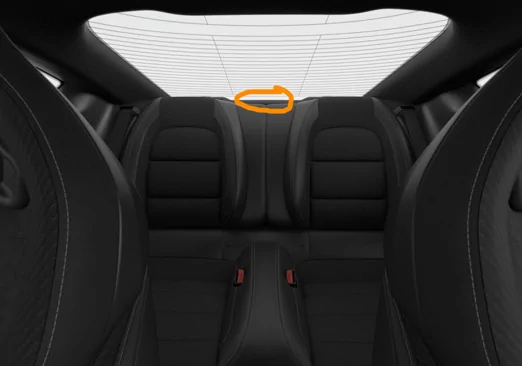
I think you know this, but from the open trunk view, the two antennas to the right and left are the cellular antennas. The one forward of the stick shift in the console is your Bluetooth. The one rearward aft of the rear seats is the TCU transmitting wifi.Ok, new learnings about antenna locations:
There is a lot of RF chatter and it's a bit difficult to discern what's what, but between pulling the fuse and turning different options on and off, a few things have been narrowed down.
______________________________________________________
Thanks to previous diagrams, I was quickly able to located extremely strong signal from two antennas (circled). They are below the sheetmetal, so access would be from below the car:

When vehicle hotspot is turned on, these two above are pulsing to beat the band. They are very, very strong. Each one is at least 4x-5x stronger even through the metal than my high-powered home Wi-Fi router. I do not know what purpose they serve other than creating the in-car Wi-Fi hotspot network, if any. I was unable to detect any RF from these locations except when hotspot was on.
______________________________________________________

In the rear package tray is clearly the 4G antenna. When refreshing FordPass data or locking/unlocking doors, it sounds exactly like a mobile phone sending/receiving a text.
It phones home precisely every 2min 5sec with a packet of data that sounds like a large quantity of text or small photograph.
I pulled the fuse during one of these transactions and the signal stopped immediately. It is at this time that I'd again like to assert that pulling the fuse is the easiest way to kill the 4G communication (presuming your car has the TCU on its own circuit like my 2019 GT350).
______________________________________________________

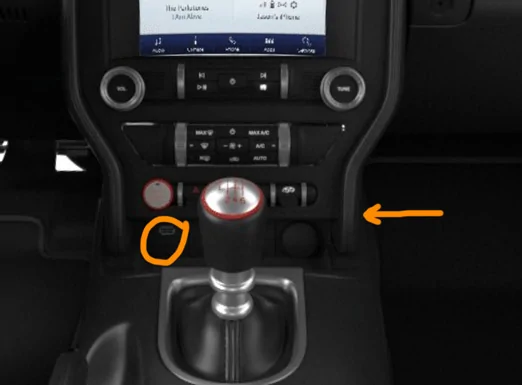
Disregard the arrow for now (more on that at the very bottom of this post).
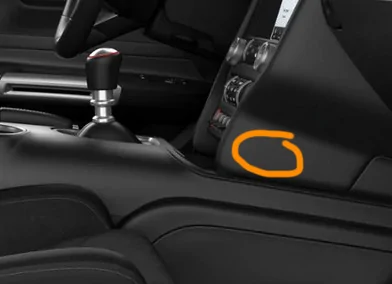
Circled is the location of possibly two antennas, one almost certainly being the bluetooth antenna.
First note that while these are strong signals for close range, the strength of the signals seems to me to be something that could communicate at a maximum distance similar to bluetooth devices or a low-mid power router.
What is very confusing is that there is distinct strange chatter approx every 15sec from the circled location even with bluetooth turned off. This chatter is what I previously interpreted as Wi-Fi scans, which is probably inaccurate (it just occurred to me that scanning for Wi-Fi is entirely passive).
I am 1) unable to flip enough switches on and off to get this strange chatter to stop or change its pattern, and I am also 2) unable to locate any source of RF following a press of the Wi-Fi scan button. The strange sound every 15 sec from the circled spot sounds different from the bluetooth scans that also originate from precisely that spot.
I would need to connect to Wi-Fi and attempt to update the unit to identify the location of the Wi-Fi antenna, which is something I'm not going to dive into at this time.
The arrow points to another possible location where different chatter is heard, but I am not 100% confident, it's a little confusing. Here it is circled:

______________________________________________________
I will be happy to do any further testing, though I can't think of anything else at this time other that the Wi-Fi antenna location.
I'll back you up on your findings.
Do you have a shark fin or a low profile antenna?
Sponsored




 and that's certainly what it is.