K4fxd
Well-Known Member
You take two points in the table column and have the software blend them together so it is a smooth transition.Interpolate? Not sure how that's done.
Sponsored

You take two points in the table column and have the software blend them together so it is a smooth transition.Interpolate? Not sure how that's done.

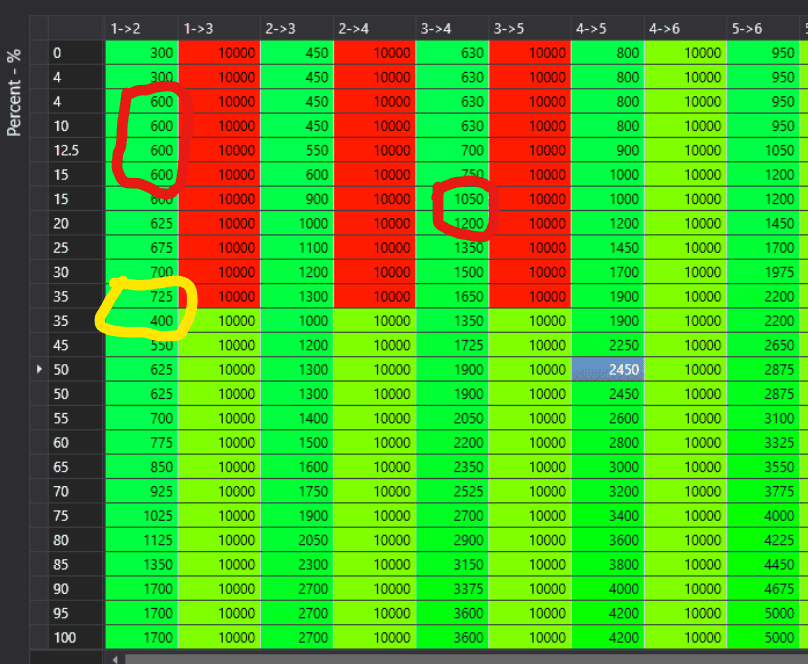
They will ignore youThat's a good start. I almost always past this table into excel to graph and problem areas jump out at you when you use a line chart. I don't mean to pick nits, but the circled areas will cause some minor issues. The red ones trigger a shift to a gear that it will immediately shift out of, so in effect it will still skip-shift. You could lower them but then the spacing between shifts will be wonky (2-3 and 3-4 only 50 rpm apart). Again, plotting them in excel makes these issues easier to see and edit. The yellow part shows a decrease in shift rpm as pedal increases, so it should be changed to make it a constant increase.

Some time back I resolved a bizarre issue with the Roush F150 OS where the downshift 100% pedal row, and only that row, was somehow affecting/corrupting the entire associated column. That took me forever to figure out. I was able to resolve it by simply putting 0's in the 100% row and then suddenly the table worked fine. My buddy, who is a hex wiz, figures there's some sort of table call address error in the logic. PCMTec suggested I let Roush know, which I declined. Can you imagine how that phone call would have gone?
Roush does some strange stuff. And they deny they touch the trans schedule(s). And seeing what you point out leaves one to scatch their heads as to why the non linear rpm.They will ignore you
Look at several Ford auto trans tunes. All have that quirk.And seeing what you point out leaves one to scatch their heads as to why the non linear rpm.

" I must have put a decimal point in the wrong place or something. I always do that. I always mess up some mundane detail."My buddy, who is a hex wiz, figures there's some sort of table call address error in the logic.
That's why things bounce off the atmosphere." I must have put a decimal point in the wrong place or something. I always do that. I always mess up some mundane detail."

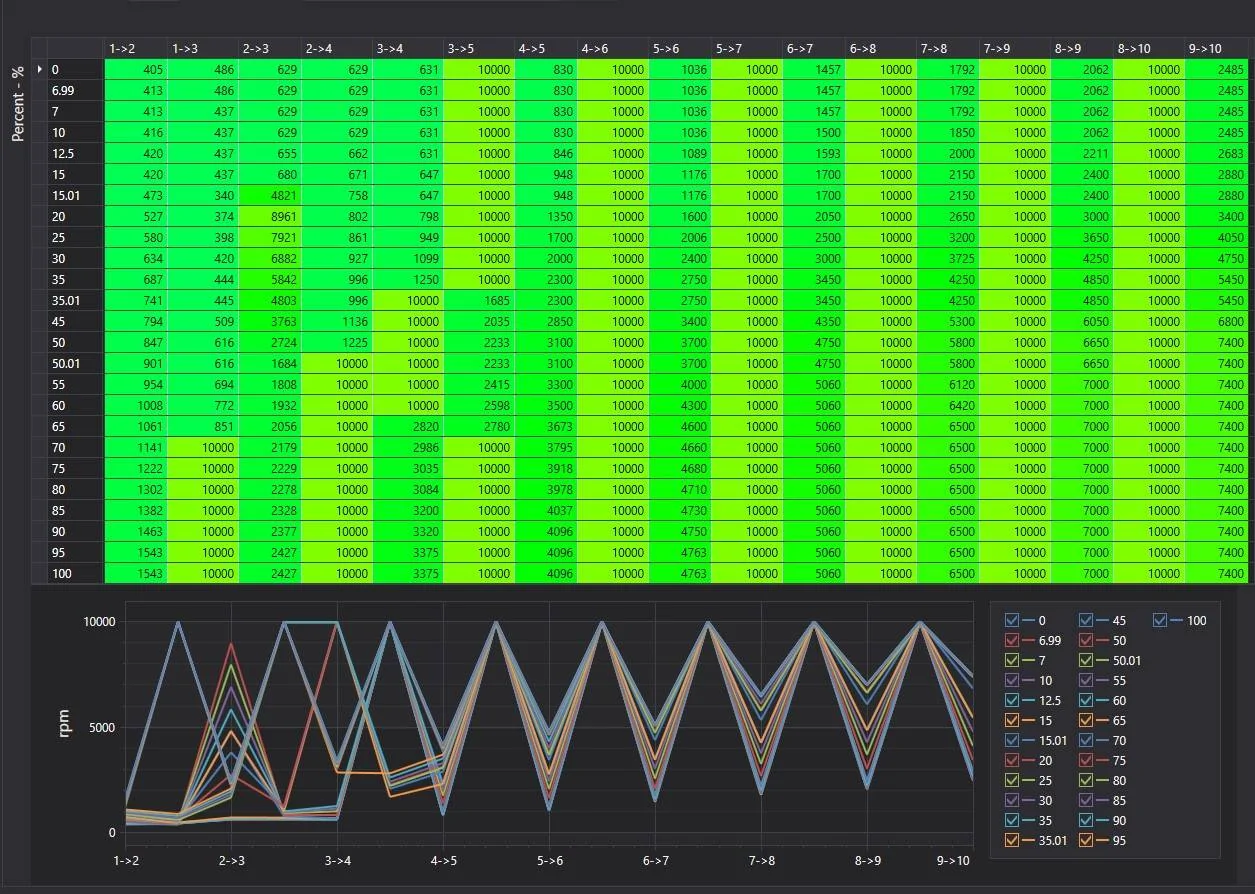
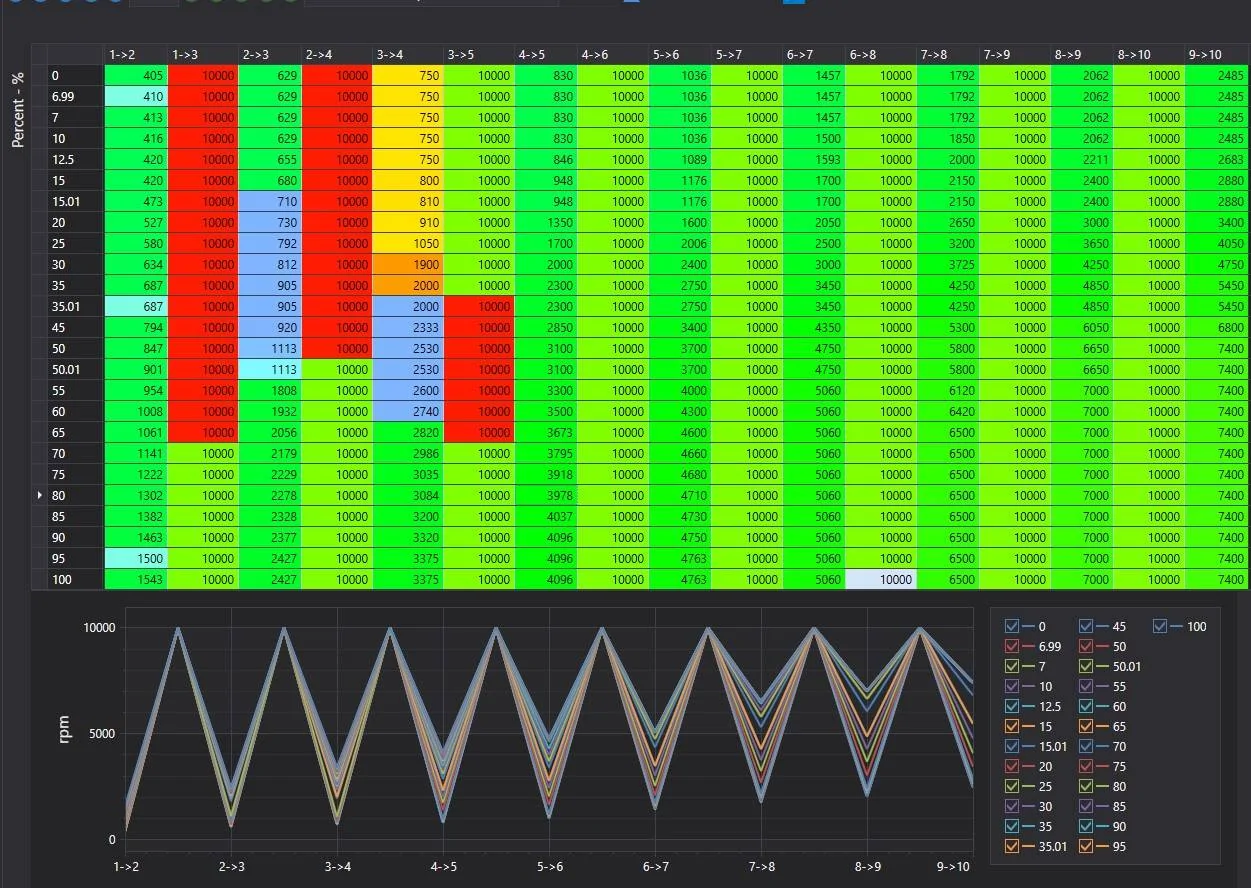
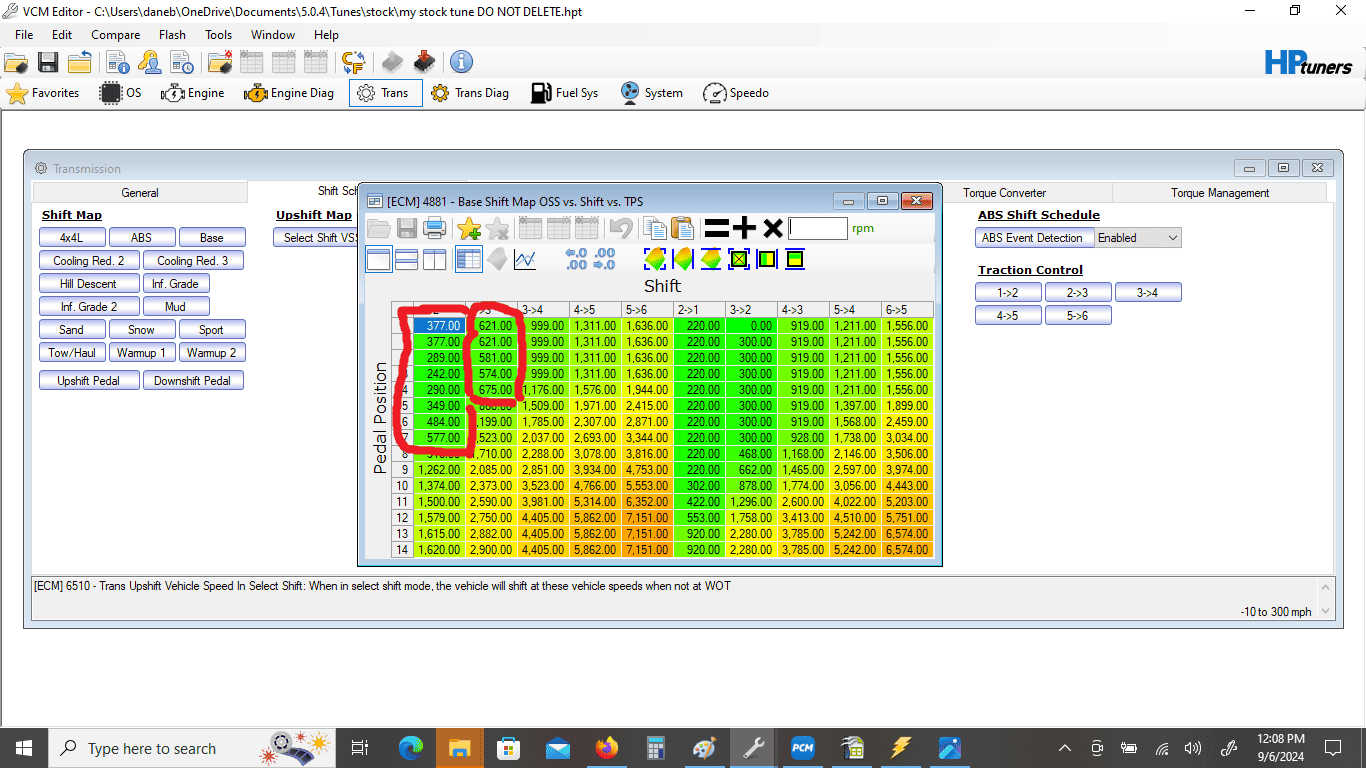
I did it manually. I tried the smooth the column function but the numbers seemed high. Now to figure out where the torque management tables are for alt 1 and two and compare them to normal mode for the 3 4 and 4 5 shift. See if I understand what is going on in thereYou have a couple of big jumps but that should work just fine. Save a copy of the stock table so if you don't like it you can put it back.
Rpm is os rpm and not engine rpm?I did it manually. I tried the smooth the column function but the numbers seemed high. Now to figure out where the torque management tables are for alt 1 and two and compare them to normal mode for the 3 4 and 4 5 shift. See if I understand what is going on in there
yesRpm is os rpm and not engine rpm?
That table is trans oss, or driveshaft rpm. There is another wot shift point table that is in engine rpm and it picks the lower of the two to trigger the shift.The
Rpm is os rpm and not engine rpm?
Not for me....@Autopart101 looks like an ok first pass. Just keep in mind that even after I’ve been doing this for years I never expect anything to work right on my first try. With pcmtec, a reflash is just 30 seconds away, and I’ve been know to pull over on side of the road for a reflash. Don’t sweat trying to get it perfect on the first try because it usually won’t happen.
I was trying to get my Roush truck torque response, shift points, tcc lock points, and shift firmness just a certain way. It’s actually pretty hard to get all those interacting right together if you’re picky. I think it took a 20++ iterations but when I finally got it, it’s totally worth it.