Official Ford Sync3 3.4 Release

el-guapin

Well-Known Member
Joined
Oct 30, 2018
Threads
33
Messages
913
Reaction score
381
Location
LSU - Geaux Tigers!
Website
www.tesla.com
Vehicle(s)
1949 UFO
I have 3.4 now, but cannot find that Calm Screen button anywhere.

This feature needs to be enabled with Forscan. But your APIM needs to be a newer model or have the latest calibration. Change 7D0-02-03 xxxx-xx to xCxx-xx in the US or x6xx-xx in EU.US gets Calm Screen and EU gets Radio logos and Calm Screen.
 

ktp1598

Well-Known Member
Joined
Dec 23, 2014
Threads
23
Messages
571
Reaction score
136
Location
Mount Washington, Ky
First Name
Bobby
Vehicle(s)
2019 Kona Blue California Special
Master reset seems to fix a lot of bugs.
 

Elp_jc

Well-Known Member
Joined
May 2, 2020
Threads
48
Messages
3,527
Reaction score
805
Location
USA
Vehicle(s)
None
The may have taken it down temporarily to fix something, like the looping.
Thanks brother; I'll wait a few more days and keep checking then. My car is only 2 months old, and came with Sync 3.3-19052 from the factory, so the latest build for 3.3. I updated the maps from 1.18 to 1.19, but have the issue it still shows 1.18. At least I got from Ford the confirmation email I needed from that update, so will be able to download the files again after updating to Sync 3.4, to finally show 1.19 in there. We'll see :).

Master reset in the settings or hold power and forward arrow together for several seconds?
The latter is to reset the APIM, which erases every setting. So don't do that unless that's what you really want:D. After updating to Sync 3.4, will do a master reset immediately, to clear all the known 'issues' that are resolved with that reset. Then download the 1.19 maps again.

This feature needs to be enabled with Forscan. But your APIM needs to be a newer model or have the latest calibration. Change 7D0-02-03 xxxx-xx to xCxx-xx in the US
Hey guapote (ha ha), will I have to do that too on my 2019 Bullitt? Haven't seen that mentioned before. Thank you.
 

Elp_jc

Well-Known Member
Joined
May 2, 2020
Threads
48
Messages
3,527
Reaction score
805
Location
USA
Vehicle(s)
None
Did it work on your car? If yes, then it should work on mine too, since it's newer than yours (K7979). What happens if I enable that field now that I have 3.3? I ask because my FORScan license is about to expire. Thx.
 

el-guapin

Well-Known Member
Joined
Oct 30, 2018
Threads
33
Messages
913
Reaction score
381
Location
LSU - Geaux Tigers!
Website
www.tesla.com
Vehicle(s)
1949 UFO
Did it work on your car? If yes, then it should work on mine too, since it's newer than yours (K7979). What happens if I enable that field now that I have 3.3? I ask because my FORScan license is about to expire. Thx.
Yes. I went through the process of updating my APIM but kept getting a download error on the calibration files. Turns out my APIM already had the latest calibration. Not sure what would happen if you make the change on 3.3. try it. You can always switch it back. As for the Forscan license expiring, just get another. There is no limit. You can purchase a longer lasting license to avoid having to get a new license every two months.
 

kipp

Member
Joined
Mar 14, 2019
Threads
1
Messages
9
Reaction score
5
Location
Baton Rouge, LA
First Name
Kipp
Vehicle(s)
2018 Mustang GT Convertible
After having some time with Sync3 3.4 today... I think I like 3.3 and lower better. The UI doesn’t seem as clean, IMO. Am I alone on this? If I had an Android phone I’d probably not care simply for google maps directions being in the gauge cluster, but since that’s not available for iOS devices for whatever reason, here we are. :crazy:
Admittedly, it does seem to run/react a tiny bit faster than v3.3 did. Is there a list anywhere of Sync3 compatible (phone) apps? I know Pandora and Waze.
This is my concern, I'd like others opinions on the UI clean factor and also, it appears from pictures that more of the song titles will be truncated, can anyone confirm?
Thanks
 

Mustangpursuit

Well-Known Member
Joined
Jan 17, 2017
Threads
57
Messages
1,565
Reaction score
623
Location
California
Vehicle(s)
Mustang GT/CS 2019
Vehicle Showcase
1
This was probably the most flawless update for me, I have my trusty 16gb exfat USB stick, booted up car, and placed usb stick in and took about 15 minutes and also went back to the site to confirm my upload from 3.3 to 3.4

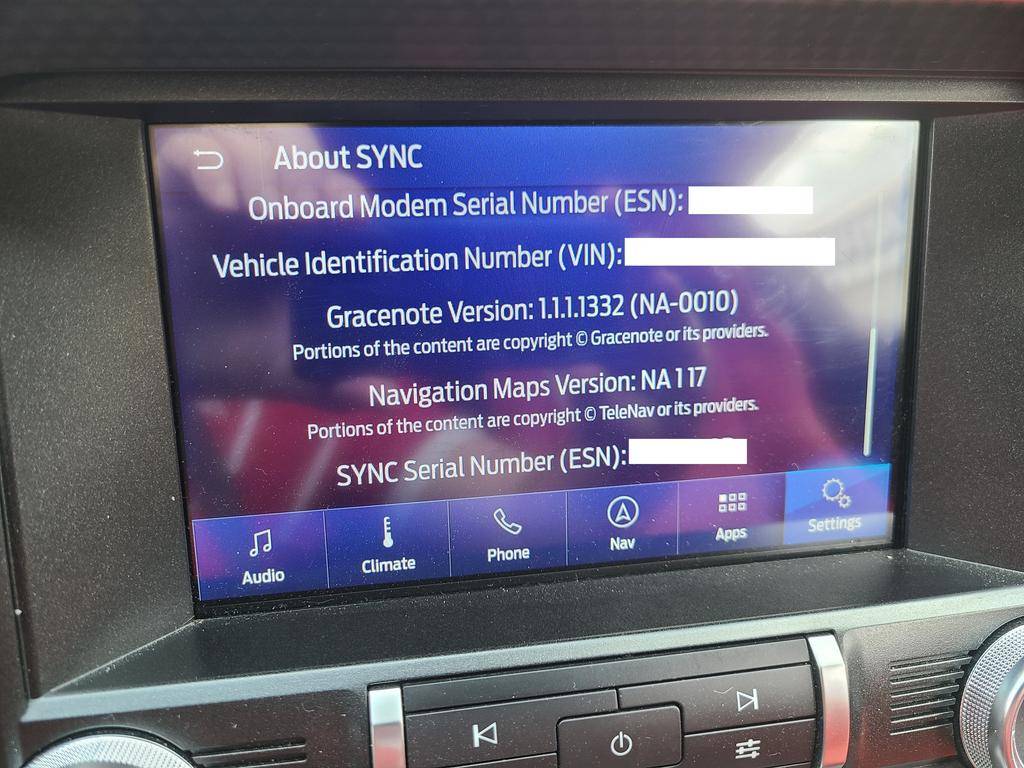
But the next part was better than expected. I went to download my complimentary map update, my 2019 had 117 so I got a complimentary 119. I put it all on the same stick of course deleted and reformatted, along with license file etc.

I placed USB stick in and started car and I had to go to work, so my drive was only 20 minutes though, when stick was in it warned do not turn car off or pull out stick. I could not wait so I left the stick in and turned car off. and locked doors and went to work (I could see the usb flashing still....)

I returned to car at end of shift, started car and could see already see it now at 119 maps version and the updating notification popped back up and stick continued to be reading/writing. When I got home and parked, message popped up saying 1st part of installation finished and will be rebooting for next part and keep stick in port. I decided to be patient and waited around 15-20 minutes in my driveway, and then it now said update complete and remove usb.

No issues so far so on my side, I did not need to keep car on the entire time for map update? It was able to continue as long as you did not remove the usb stick and waited for final message saying that installation was complete and now instructed to remove usb, might be misleading to some since it quickly at beginning of update did change the map version in the settings menu, might give false sense that it was updated already, but the install seemed to need to do more install phases still.
 

R3troGT

Well-Known Member
Joined
Dec 3, 2013
Threads
3
Messages
117
Reaction score
102
Location
Etobicoke, Ontario
First Name
Martin
Vehicle(s)
2019 Mustang GT Premium Coupe - 2019 RAM 1500 BH
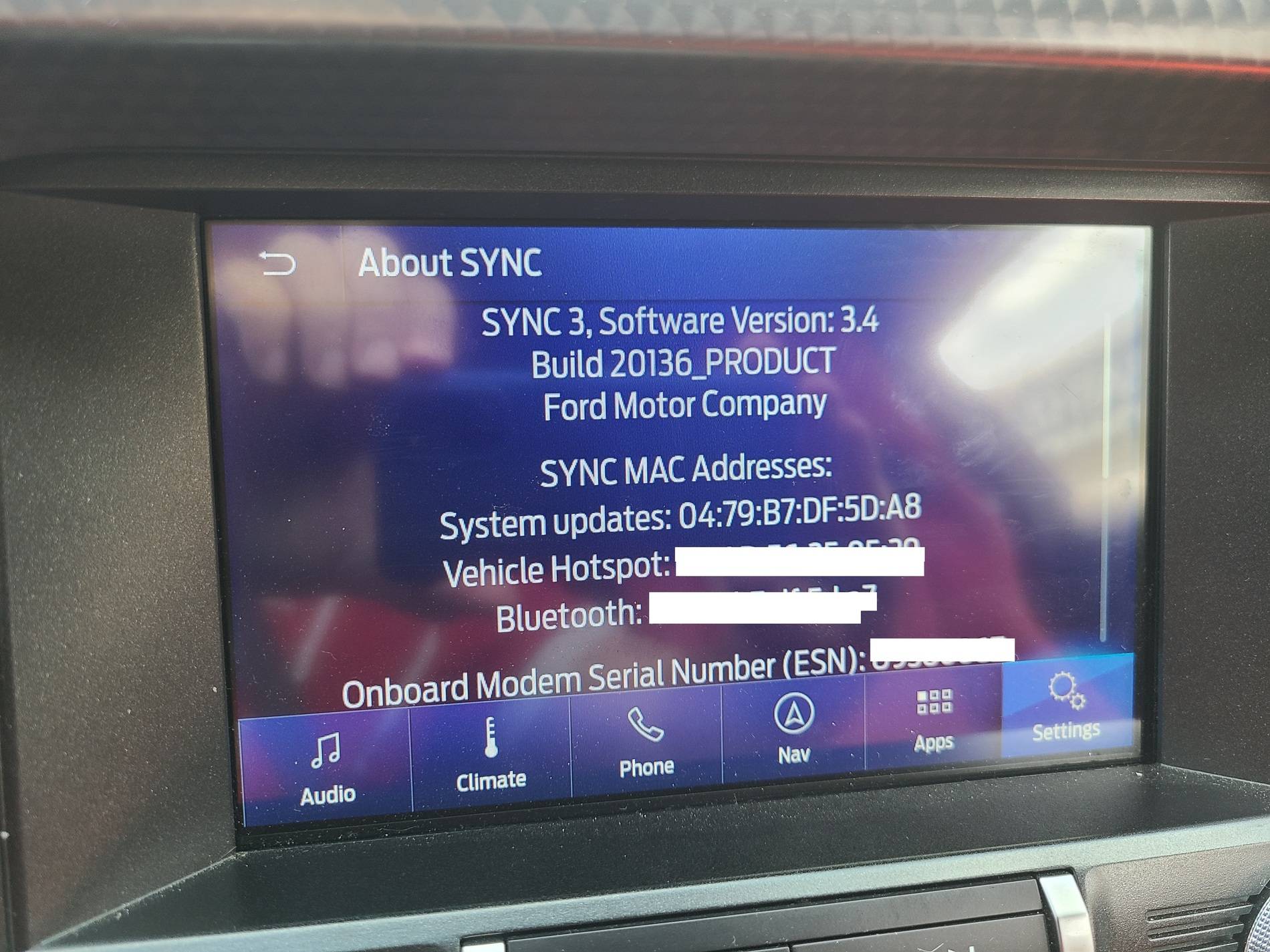
I updated my car today to 3.4. Zero issues downloading it and updating the car. Let it do it's thing while going for a cruise around the neighborhood. Took about 20 minutes.

l47nrQn.jpg

Pd3jNam.jpg
 

Bikeman315

Well-Known Member
Joined
Apr 12, 2015
Threads
581
Messages
16,183
Reaction score
21,909
Location
Myrtle Beach, SC
First Name
Ira
Vehicle(s)
2019 Mustang GT/CS, 2021 Volvo XC60

R3troGT

Well-Known Member
Joined
Dec 3, 2013
Threads
3
Messages
117
Reaction score
102
Location
Etobicoke, Ontario
First Name
Martin
Vehicle(s)
2019 Mustang GT Premium Coupe - 2019 RAM 1500 BH

Elp_jc

Well-Known Member
Joined
May 2, 2020
Threads
48
Messages
3,527
Reaction score
805
Location
USA
Vehicle(s)
None
Haven't checked today if 3.4 is finally ready for my car, but looks like the endless loop error was fixed, correct? That'd be great, since I don't feel like messing with that file to add a delay. Will check right now.

EDIT: Just tried, and same crap: Your 3.3Sync-19052 is up to date. Oh well. Will keep trying.
 

Bullit69

Well-Known Member
Joined
Jul 29, 2020
Threads
0
Messages
113
Reaction score
66
Location
Texas
First Name
Manny
Vehicle(s)
19 Mustang GT Premium Convertible
Will the WiFi update not work ? I tried to update mine via WiFi and it will not commence the update.

I chose the scan for updates, but it never does, it does the scan but nada....

Will I have to do it via usb? Can you guys please point me to the map update thread?
Thanks!
 
 
Top