Sponsored

Sync 3 upgrade - now it's forgetting settings

illadvised

Well-Known Member
Joined
Jun 19, 2021
Threads
10
Messages
191
Reaction score
124
Location
San Diego
First Name
Brian Spilner
Vehicle(s)
2015 GT - 6R80 - Paxton 2200SL
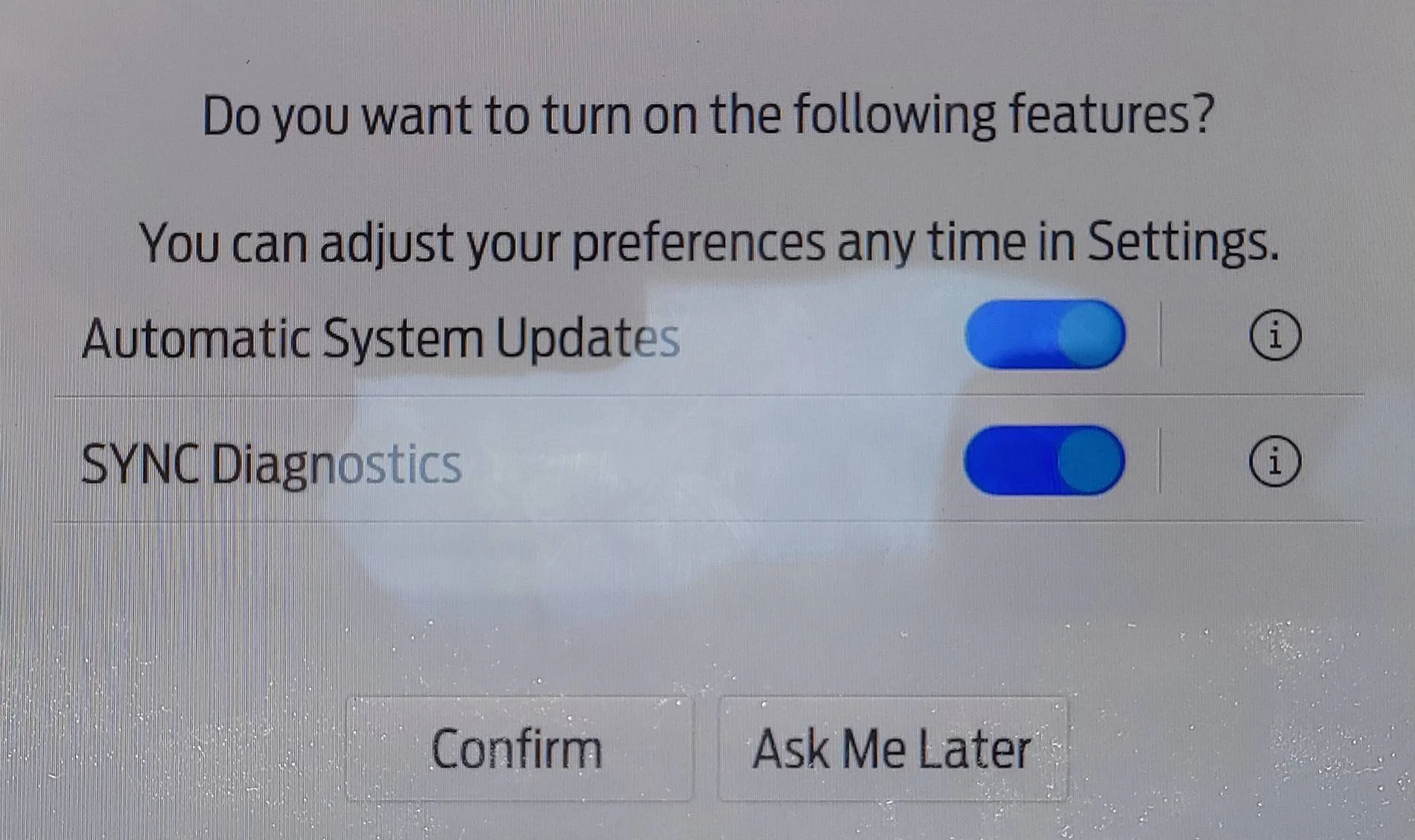
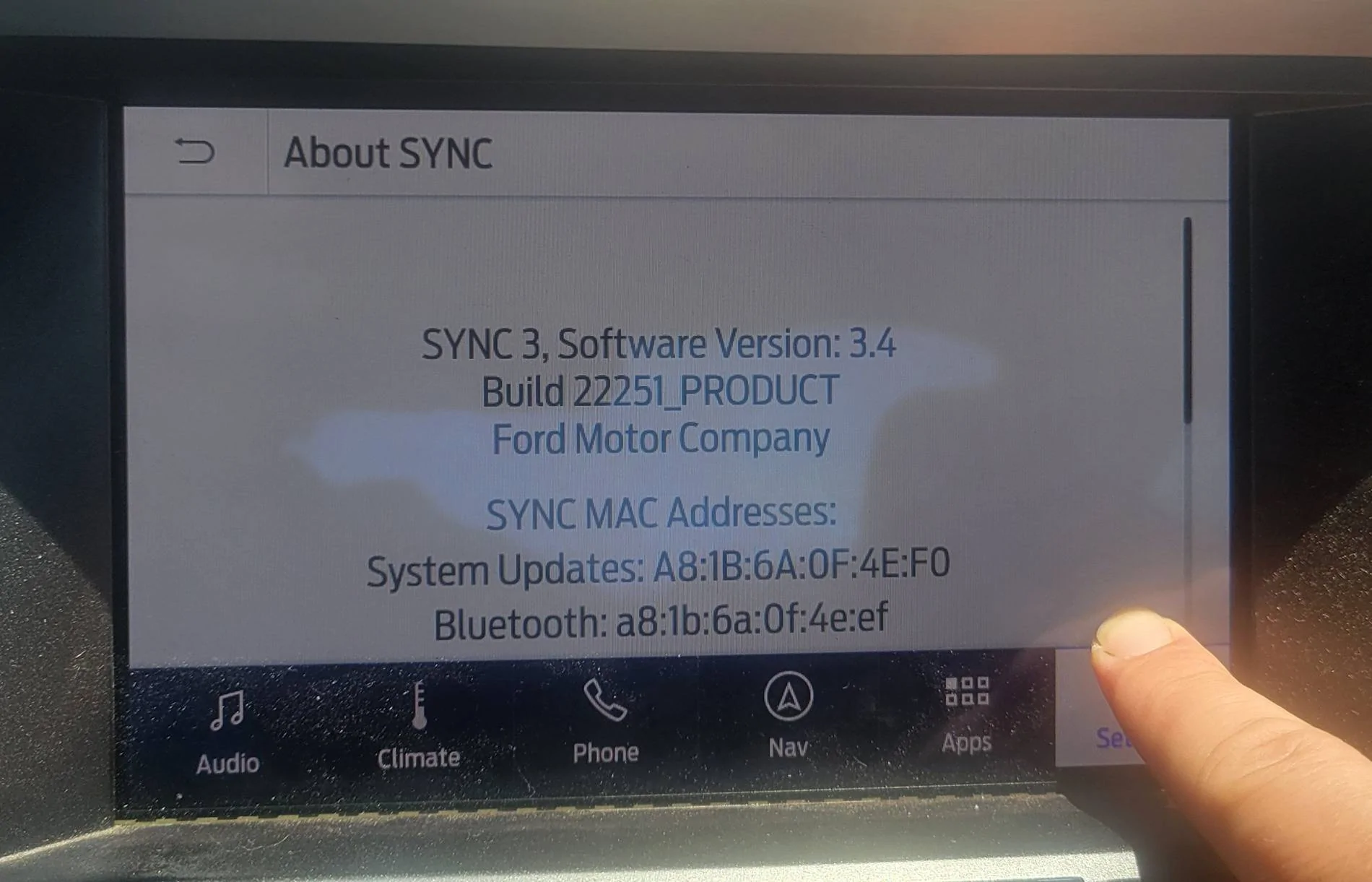
I have a 2015 mustang and I upgraded the sync 2 to a sync 3 last year. It worked great until recently, now it's forgetting the USB thumb drive and this automatic updates window comes up every other time I start the car.

It also has to index my usb drive every time this happens so I can't use syncs voice features for a while. I've tried a master reset and that didn't fix anything

Any ideas?

20240718_125855.webp


20240725_123109.webp
Sponsored


GTP

Deutsche Pony
Joined
May 27, 2015
Threads
260
Messages
5,973
Reaction score
3,846
Location
Indy
Website
www.BambergAudio.com
First Name
Philip
Vehicle(s)
2019 GT PP1 A10 Outrageous Orange HPDE mods
At first I thought the title meant you upgraded the software and not the hardware.

I had the same symptoms as you - those screens plus it would not remember some settings. I upgraded the software version and that fixed it.

Why doesn't Sync3 retain my settings?
 

Postal Bob

Well-Known Member
Joined
Dec 28, 2020
Threads
10
Messages
861
Reaction score
1,078
Location
Long Island, NY
First Name
Bob
Vehicle(s)
2019 Shelby GT350
Ford just released a customer satisfaction program, 24B47, on this exact issue. They say the fix is to have the sync software updated at the dealer for free. Or just do it yourself and save the time wasted at the dealer.
 

Postal Bob

Well-Known Member
Joined
Dec 28, 2020
Threads
10
Messages
861
Reaction score
1,078
Location
Long Island, NY
First Name
Bob
Vehicle(s)
2019 Shelby GT350
The letter I received said that the dealer will update the sync software. Pretty straight forward letter.
 

Sponsored

lenFeb

Well-Known Member
Joined
Dec 31, 2019
Threads
30
Messages
956
Reaction score
846
Location
USofA
First Name
Len
Vehicle(s)
2019 Shelby GT350 #K0110
I update SYNC 3 with the latest version from the Ford website. This is a new version that I have after the update:

SYNC Generation SYNC 3

SYNC Version3.4.23188

Do I need a dealer visit for an update or it's the same software update?
 

MidnightStars

Well-Known Member
Joined
Sep 13, 2022
Threads
19
Messages
228
Reaction score
140
Location
West Texas
Vehicle(s)
2016 Mustang GT
Highly recommend using CyanLabs and manually upgrading to a version of SYNC 3 you like. You can get the newer Sync 3 versions (found on 2018+ I believe) on older Sync 3 systems as well, even though Ford themselves do not allow it OTA or through their website.

OTA/Ford's own methods kind of... suck imo...

Here's a starting point. Let me know what you'd like if you want more info, it's quite easy & to the point: https://cyanlabs.net/applications/syn3updater/

It even lets you update the maps. Managed to fix my maps that got bricked for over five years since having the car, and Ford wanted me to wait a few months to get a new bloody module in.
 

S550HPP

Well-Known Member
Joined
Jun 6, 2024
Threads
32
Messages
1,954
Reaction score
1,025
Location
PDC
Vehicle(s)
2022 HPP Vert
Dealer has updated my problematic sync 3 multiple times over last two years all settings erased. I will try cyan labs
 
OP
OP
illadvised

illadvised

Well-Known Member
Joined
Jun 19, 2021
Threads
10
Messages
191
Reaction score
124
Location
San Diego
First Name
Brian Spilner
Vehicle(s)
2015 GT - 6R80 - Paxton 2200SL
To all,

I used the sync3updater on the cyanlabs website and it seemed to fix my issue

I am not able to update on ford's website because I upgraded my sync 2 to sync 3

Thanks guys
Sponsored


Top