Sponsored

SYNC 3 swap, It's all in here

Status
Not open for further replies.

StangTime

Well-Known Member
Joined
Apr 16, 2019
Threads
81
Messages
3,594
Reaction score
4,091
Location
Ontario 🇨🇦
First Name
Todd
Vehicle(s)
19' GT PP1 Manual
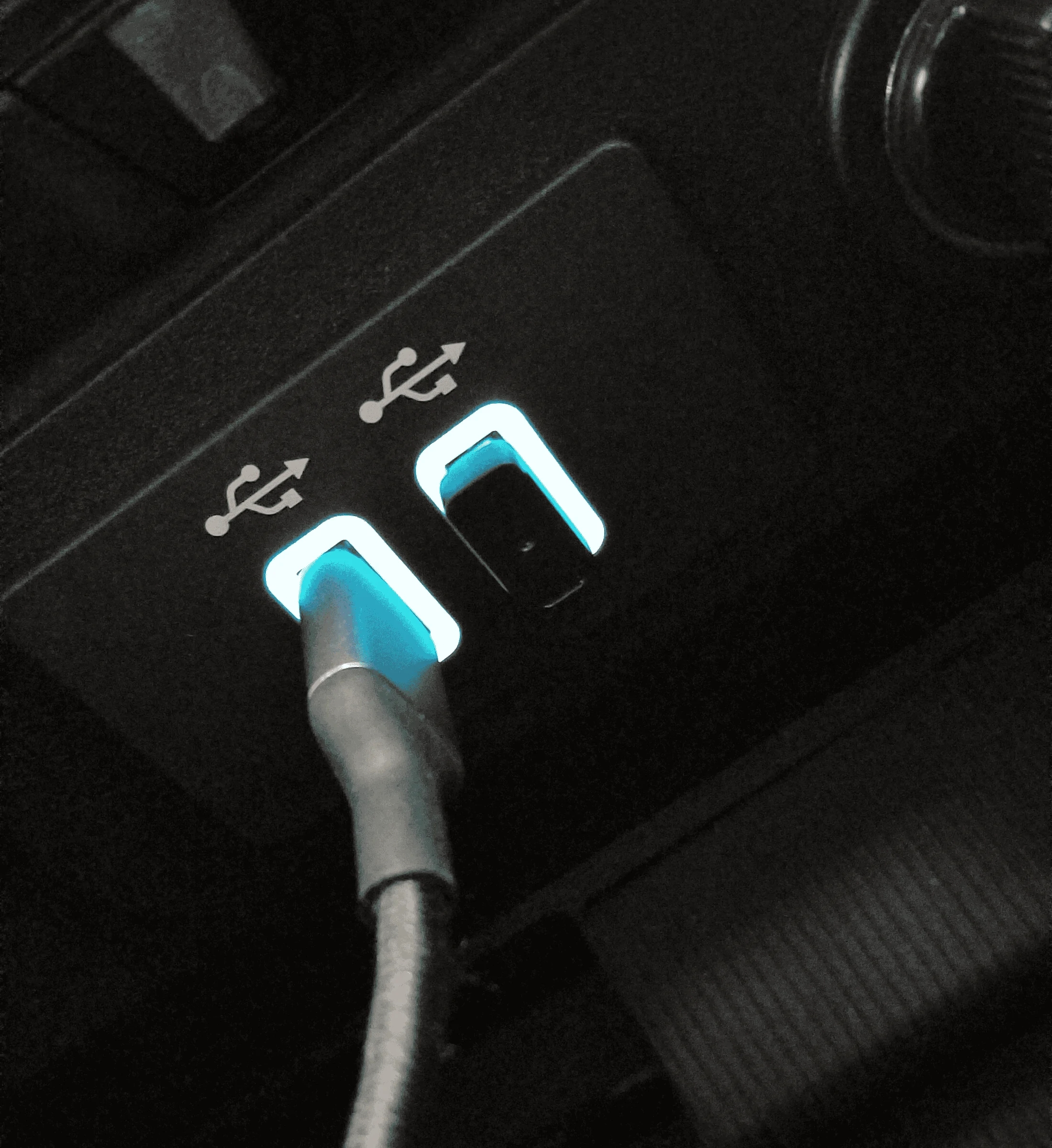
That's an engineering number, not a part number. Order a HC3Z-19A387-F

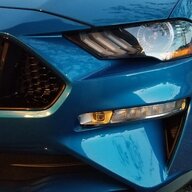
The blue lights are not that bright though. They're the same as what you probably have.
:like: My camera oversaturates LED lights in near darkness. Makes them look brighter.
Sponsored


MidnightStars

Well-Known Member
Joined
Sep 13, 2022
Threads
19
Messages
228
Reaction score
140
Location
West Texas
Vehicle(s)
2016 Mustang GT
If you're running Sync 3.0 use a media module from a 2017-18 F150.
I can't find much online about, "HC3T-14F014-BE" (might not be the correct last digits) - any ideas?


Thanks! Looks like EXACTLY what I'm going for - are those blue LED's ? Could use some extra light in the center console..
If I could kiss the two of y'all right now, I would. You have no idea how long I've been aching for something like that. I'm honestly surprised it's plug & play just like that.

Thank you.

Good to know! So I wouldn't get any closer to having my USB stick + Motorola MA1 hidden in my center console. Dang.

Is there a 2xUSB module that allows CarPlay/AA, even if I lost front USB functionality ?
Got the same setup myself--MA1 + USB. Having either one of them visible upfront has been irritating for the PAST YEAR 🤣
 

BlownGP

Well-Known Member
Joined
Jan 25, 2016
Threads
34
Messages
1,159
Reaction score
316
Location
Houston/Baton Rouge
First Name
Steven
Vehicle(s)
Pontiac, Ford, Dodge
Got a 15 here. I was under the impression that it was only CarPlay that needed an updated usb port and that android auto was fine? Am I wrong?

I hope changing that is not too hard. Are there any car shops besides a dealer that would do the whole process? I think I can do it but don’t want to lol
My ford touch doesn't have either. You need Sync 3, Usb hub etc.
 

Sampson42084

New Member
Joined
Sep 3, 2023
Threads
0
Messages
2
Reaction score
0
Location
Philadelphia suburbs
First Name
Matt
Vehicle(s)
2015 ford mustang
Hey guys looking for some advice I bought a gt350 bezel and apim I've found out that the bezel won't work would the apim work with a different bezel or do I need to get both thanks
 

MidnightStars

Well-Known Member
Joined
Sep 13, 2022
Threads
19
Messages
228
Reaction score
140
Location
West Texas
Vehicle(s)
2016 Mustang GT
I have this dual USB hub in my console: HC3Z-19A387-F

1693400726401.png
Say, I got myself one of those just now (and works no problemo), but I am curious.

Any idea why the OEM unit w/ a single USB port has 2x mini-B connections on its backend, while this part only has 1x? Feels like it shoud be the reverse!
 

Sponsored

OP
OP
HextallS550

HextallS550

Well-Known Member
Joined
Jan 2, 2017
Threads
19
Messages
1,182
Reaction score
668
Location
Dearborn, MI
Vehicle(s)
2017 GT
Because the APIM was engineered to accept only 2 USB inputs due to the current draw of multiple devices.
So, you have the dual local USB A version and the single local USB A version with remote USB A. On Mustang the remote location is under the Start/Stop button.
 

Dragon115

New Member
Joined
Oct 3, 2023
Threads
0
Messages
2
Reaction score
0
Location
Hawii
First Name
bob
Vehicle(s)
Ford Mustang 2016 V6
Hey is it possible to use a 2019 apim, acm, and bezel in a 2016 base car? Have the hellhorse harness and usb parts from ford just not sure about the compatibility.
 

analogman

Well-Known Member
Joined
Oct 26, 2014
Threads
31
Messages
259
Reaction score
290
Location
Massachusetts
Vehicle(s)
2015 Mustang GT PP
For those that have done this Sync 3 retrofit, how do you update the maps?

Driving lately has the system increasingly telling me to turn onto streets that no longer exist. It’s time for an update.

How do you do that?

Thanks!
 

analogman

Well-Known Member
Joined
Oct 26, 2014
Threads
31
Messages
259
Reaction score
290
Location
Massachusetts
Vehicle(s)
2015 Mustang GT PP

Sponsored

BlownGP

Well-Known Member
Joined
Jan 25, 2016
Threads
34
Messages
1,159
Reaction score
316
Location
Houston/Baton Rouge
First Name
Steven
Vehicle(s)
Pontiac, Ford, Dodge
Thank you! It looks useful, but it calls for a machine running Windows to do it, which I don’t have (all Apple all the time).

I’d be happy just to update the maps on my current Sync 3 system.
Might need to search around the site and see if it's possible.
But that is the best way to update it. Just did my Mustang and Wifes MKZ. Very easy
 
OP
OP
HextallS550

HextallS550

Well-Known Member
Joined
Jan 2, 2017
Threads
19
Messages
1,182
Reaction score
668
Location
Dearborn, MI
Vehicle(s)
2017 GT
Thank you! It looks useful, but it calls for a machine running Windows to do it, which I don’t have (all Apple all the time).

I’d be happy just to update the maps on my current Sync 3 system.
Except that Ford knows about that website and has taken steps to mitigate what they are distributing. This is why we never use hacked software on customers products and give customers access to legitimate software updates.
 

MrWilliams2

Member
Joined
Oct 14, 2023
Threads
1
Messages
8
Reaction score
8
Location
USA
Vehicle(s)
2020 GT
Picked up a 2020 GT this weekend that already has the sync 2 -> sync 3 upgrade. It seems there is an issue with the audio balance faders (front to back, left to right). I can move the fader, but it almost immediately reverts back to full front right side only. It does sound like the audio is coming from both the left and right sides, but I have no audio coming from the rear. Anything I can do to remedy this?
 

Kcarter88

Member
Joined
Oct 30, 2023
Threads
2
Messages
8
Reaction score
4
Location
Tennessee
First Name
Kenny
Vehicle(s)
2019 Mustang GT
Picked up a 2020 GT this weekend that already has the sync 2 -> sync 3 upgrade. It seems there is an issue with the audio balance faders (front to back, left to right). I can move the fader, but it almost immediately reverts back to full front right side only. It does sound like the audio is coming from both the left and right sides, but I have no audio coming from the rear. Anything I can do to remedy this?
im having this issue along with these others

-activate volume control animation
- fix locked sound settings (able to adjust for a second then reset back to max settings, also same for balance and is locked at surround and cant change to stereo)
- compass always facing north

If anyone has a fix
Sponsored

 
Status
Not open for further replies.


Top