

Bikeman315
Well-Known Member
- Joined
- Apr 12, 2015
- Threads
- 583
- Messages
- 16,195
- Reaction score
- 21,917
- Location
- Myrtle Beach, SC
- First Name
- Ira
- Vehicle(s)
- 2019 Mustang GT/CS, 2021 Volvo XC60
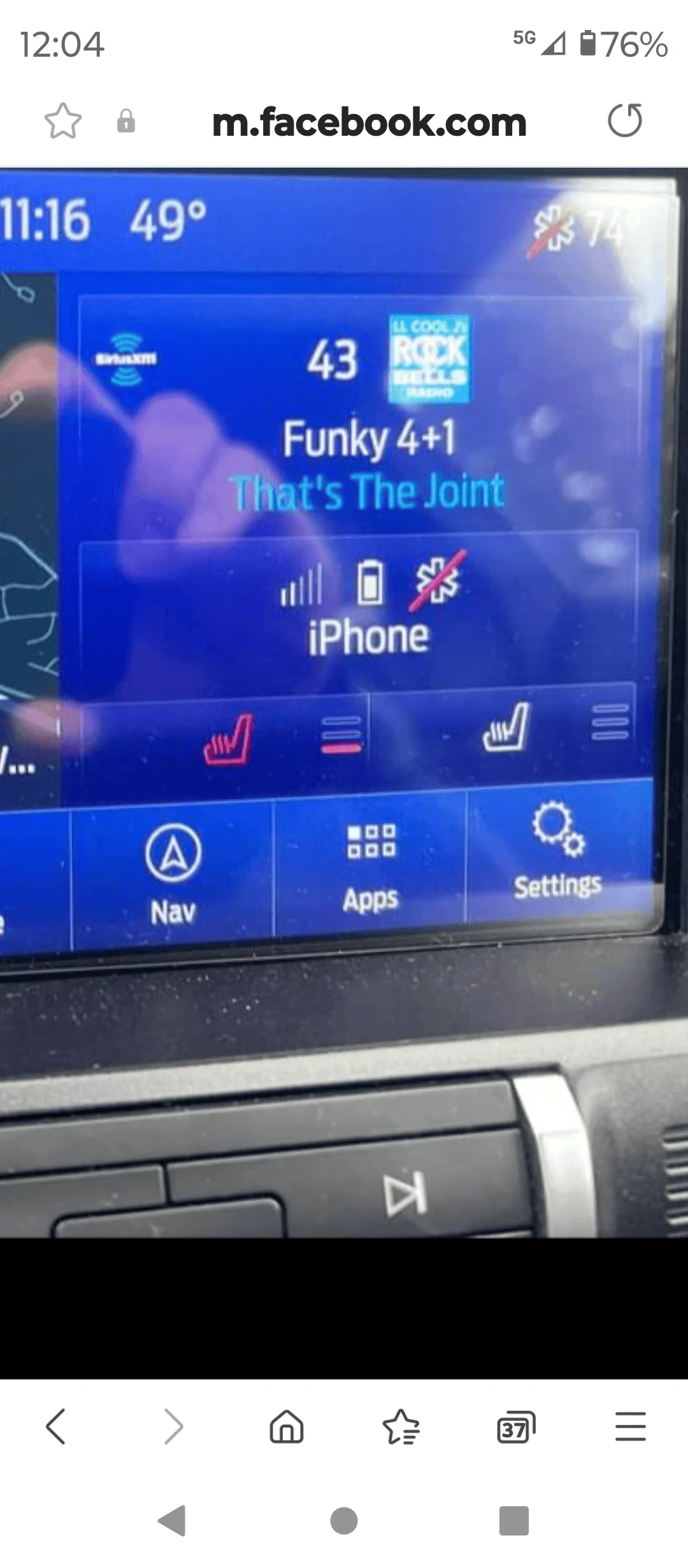
I seem to recall this was an issue that could be resolved with a switch in Forscan. I do not have these in my 19 And honestly, never bothered to check it out.With the latest update are you now able to adjust heated seats as in this picture?

Gregs24
Well-Known Member
- Joined
- Aug 31, 2018
- Threads
- 23
- Messages
- 4,833
- Reaction score
- 3,100
- Location
- Wiltshire UK & Charente FR
- First Name
- Greg
- Vehicle(s)
- Mustang V8 GT, Ford Kuga PHEV
That has always been something you could add using Forscan. I have the heated steering wheel 'switch' there, although you can have all three. I'm surprised the update has done that - mine didn't.With the latest update are you now able to adjust heated seats as in this picture?

GP70
Well-Known Member
This is not a picture of my screen. Someone posted it after the update, guessThat has always been something you could add using Forscan. I have the heated steering wheel 'switch' there, although you can have all three. I'm surprised the update has done that - mine didn't.
they had used forscan. I initially thought it was part of the update.
Gregs24
Well-Known Member
- Joined
- Aug 31, 2018
- Threads
- 23
- Messages
- 4,833
- Reaction score
- 3,100
- Location
- Wiltshire UK & Charente FR
- First Name
- Greg
- Vehicle(s)
- Mustang V8 GT, Ford Kuga PHEV
Ahh OK - yes needs to be activated in ForscanThis is not a picture of my screen. Someone posted it after the update, guess
they had used forscan. I initially thought it was part of the update.

WD Pro
Well-Known Member
- Joined
- Jan 18, 2018
- Threads
- 132
- Messages
- 6,807
- Reaction score
- 13,649
- Location
- United Kingdom
- Vehicle(s)
- Lime GT
- Vehicle Showcase
- 1
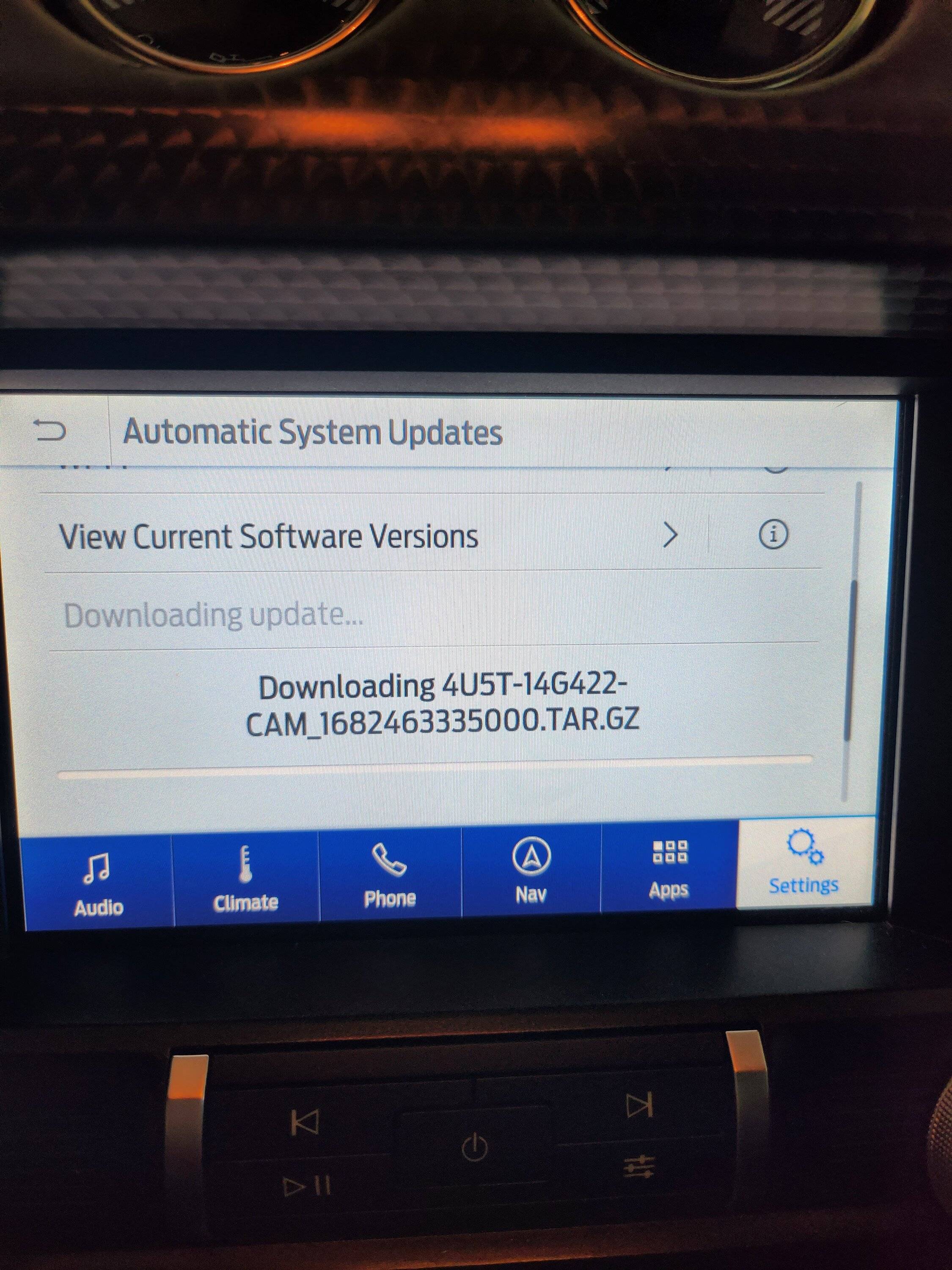
I wish it did tell you what it was up to …It is a 3 part update for maps.
It does a reboot between maps and voice files, then a small clean up event at the end. Unfortunately it doesn't tell you what it is doing.
Mine did pretty much the opposite of what the instructions said, I thought it was screwed, but it updated perfectly and glitch free (I think for the first time ever
 )
)If it makes a difference, it’s the first time I’ve downloaded via apple rather then Microsoft ?
WD


19gtaz
Well-Known Member
- Joined
- Oct 23, 2020
- Threads
- 39
- Messages
- 599
- Reaction score
- 484
- Location
- Arizona & South Dakota
- Vehicle(s)
- 2021 Mach 1 and 2013 Boss 302
nyone's guess. Obviously all the other modules - BCM, PCM, IPC, ABS, you name it - were awake, so they must have had a fair share of it. But I have no idea how much that share was.
A home computer uses, I believe, between 150 and 300 watts, depending on load. Let's say 150 W if you're just browsing the internet and not doing anything CPU-extensive. 150 W at 12 V means 12.5 A. So, what I'm seeing in the car isn't actually much more than a home computer, but rather in line with it.
I measured my laptop while viewing 4k ultra HD and it is consuming 47 watts at most, 12 watts at the least, depending on how much the video scene is moving. It runs on a 65 watt power supply, so 65 w at 12 volts means 5.4 amps max, I recently updated my 19 GT sync with a 5 amp charger on it. Because of mistakes it took around a half hour or more and went from 12.6 to 12.2 volts so I think it was almost keeping up. I thought you might find this interesting. Again thanks for all the help.I don't know. That was the total current draw with the accessory power turned on, climate control off, headlights off (though the DRLs were on), audio off, doors closed, and Sync doing its update. Exactly how much of that was due to Sync alone is anyone's guess. Obviously all the other modules - BCM, PCM, IPC, ABS, you name it - were awake, so they must have had a fair share of it. But I have no idea how much that share was.
A home computer uses, I believe, between 150 and 300 watts, depending on load. Let's say 150 W if you're just browsing the internet and not doing anything CPU-extensive. 150 W at 12 V means 12.5 A. So, what I'm seeing in the car isn't actually much more than a home computer, but rather in line with it.
And what I did was copied the individual files in the SyncMyRide folder instead of copying the whole folder. Eventually I got it to update when I corrected my mistake.

Bullitt0819
Well-Known Member
- Joined
- Jan 15, 2019
- Threads
- 28
- Messages
- 569
- Reaction score
- 262
- Location
- Modesto, CA
- First Name
- Bob
- Vehicle(s)
- 2019 Bullitt Mustang
[O/T] Couple of questions for the Illuminati:That has always been something you could add using Forscan. I have the heated steering wheel 'switch' there, although you can have all three. I'm surprised the update has done that - mine didn't.
1) How is this done if Forscan? I have FS installed with a suitable OBDII dongle, but have only used it to read codes; it isn't apparent to me how I can change settings (telling me to RTFM is acceptable, but I haven't found a lot of documentation for FS).
2) Why would anyone dig through a screen menu to change seat heat/cool settings? Don't all 'Stangs have real buttons on the environment panel?
Bikeman315
Well-Known Member
- Joined
- Apr 12, 2015
- Threads
- 583
- Messages
- 16,195
- Reaction score
- 21,917
- Location
- Myrtle Beach, SC
- First Name
- Ira
- Vehicle(s)
- 2019 Mustang GT/CS, 2021 Volvo XC60
EDIT: Actually I just remembered this thread. You can use search to dig further into it.[O/T] Couple of questions for the Illuminati:
1) How is this done if Forscan? I have FS installed with a suitable OBDII dongle, but have only used it to read codes; it isn't apparent to me how I can change settings (telling me to RTFM is acceptable, but I haven't found a lot of documentation for FS).
2) Why would anyone dig through a screen menu to change seat heat/cool settings? Don't all 'Stangs have real buttons on the environment panel?
https://www.mustang6g.com/forums/threads/modifying-as-built-data-guide.61773/
I cannot answer your first question but the second is fairly easy. Folks want what they don’t have and want to get rid of what they do not want. Personally I prefer physical buttons but to each there own.
Bullitt0819
Well-Known Member
- Joined
- Jan 15, 2019
- Threads
- 28
- Messages
- 569
- Reaction score
- 262
- Location
- Modesto, CA
- First Name
- Bob
- Vehicle(s)
- 2019 Bullitt Mustang
Many thanks Bikeman!
Also, thanks to Vlad for providing the Interrogator app. It worked exactly as described, produced the XML file which the Ford servers accepted (well, I got a green check mark). When I first log on to the Ford Owners' site it shows, on the updates button that my car is 'Updated,' but when I enter my VIN to (double-)check I get "We apologize for the error. We are working to correct it and request you try again later." It's been that way for several days, way to go Ford
Also, thanks to Vlad for providing the Interrogator app. It worked exactly as described, produced the XML file which the Ford servers accepted (well, I got a green check mark). When I first log on to the Ford Owners' site it shows, on the updates button that my car is 'Updated,' but when I enter my VIN to (double-)check I get "We apologize for the error. We are working to correct it and request you try again later." It's been that way for several days, way to go Ford
19gtaz
Well-Known Member
- Joined
- Oct 23, 2020
- Threads
- 39
- Messages
- 599
- Reaction score
- 484
- Location
- Arizona & South Dakota
- Vehicle(s)
- 2021 Mach 1 and 2013 Boss 302
I installed Build 23188 from USB and it was successful. I looked on the Ford website and they still show me as 21194. It has been 4 days. When connected to wifi and I check for updates it said there was an update and started installing. Should I stop it? And how do I get Ford updated?
 n
n

BlkMach10510
Well-Known Member
I updated mine with a usb, it took about 5 minutes and then checked for update using wi-fi and ford was informed.I installed Build 23188 from USB and it was successful. I looked on the Ford website and they still show me as 21194. It has been 4 days. When connected to wifi and I check for updates it said there was an update and started installing. Should I stop it? And how do I get Ford updated?n
19gtaz
Well-Known Member
- Joined
- Oct 23, 2020
- Threads
- 39
- Messages
- 599
- Reaction score
- 484
- Location
- Arizona & South Dakota
- Vehicle(s)
- 2021 Mach 1 and 2013 Boss 302
When I check for update by wifi, it starts downloading. I need to know if I should let it do it. The Ford website has not updated even though the car has.I updated mine with a usb, it took about 5 minutes and then checked for update using wi-fi and ford was informed.
BlkMach10510
Well-Known Member
have you turned off the car, locked it. Make sure it is off. Then you can get back in and start the car again, this is to complete the update. Now check the update.When I check for update by wifi, it starts downloading. I need to know if I should let it do it. The Ford website has not updated even though the car has.
Last edited:
19gtaz
Well-Known Member
- Joined
- Oct 23, 2020
- Threads
- 39
- Messages
- 599
- Reaction score
- 484
- Location
- Arizona & South Dakota
- Vehicle(s)
- 2021 Mach 1 and 2013 Boss 302
The car updated, it's Ford that thinks it has not.have you turned off the car, locked it. Make sure it is off. Then you can get back ina nd start the car again, this is to complete the update. Now check the update.
Similar threads


- Replies
- 20
- Views
- 4,397


- Replies
- 2
- Views
- 4,065

- Replies
- 79
- Views
- 27,996
