Official Ford Sync3 3.4 Release

StangTime

Well-Known Member
Joined
Apr 16, 2019
Threads
81
Messages
3,594
Reaction score
4,091
Location
Ontario 🇨🇦
First Name
Todd
Vehicle(s)
19' GT PP1 Manual
Tried to get actual pictures of the Lincoln 3.4 theme but my cell phone is being a dick and won't focus on the screen. I kinda like it but there's certain aspects I don't like. The volume overlay that pops up on screen when you rotate the knob or change the temperature looks kinda bland. I really miss having the overlay change color depending on the mode. I.E red for volume change, blue for temperature change, etc. Why ford took that away in 3.4 is unforgivable.

I will dig up my Foscan notes and try the codes. Then post them here.
 

m3incorp

Well-Known Member
Joined
Feb 6, 2020
Threads
22
Messages
4,603
Reaction score
3,125
Location
Georgia/Colorado
First Name
James
Vehicle(s)
2019 Mustang GT Premium with Roush Phase 2, 2023 Audi A5
Tomorrow morning I will put the car on the charger and go for round two with the map updates. I already used the download that erases the navigation from the system (lost voice controls) and have completed the upgrade to Sync 3.4. I have the newest USB with the map files ready to go....but since I typically don't drive the car during the week, will hook it up to the charger and insert the map USB in the morning.
 

m3incorp

Well-Known Member
Joined
Feb 6, 2020
Threads
22
Messages
4,603
Reaction score
3,125
Location
Georgia/Colorado
First Name
James
Vehicle(s)
2019 Mustang GT Premium with Roush Phase 2, 2023 Audi A5
Shhh don't spoil our dreams. I have to laugh because you are 100% correct...... well almost, I lost my Nav voice commands when I initially installed the update...so that is my excuse for installing again. :)

Let's be honest. You WANT to, you don't HAVE to.
You know the update is there by the files, but want to update 1 cosmetic digit from an 8 to a 9 in display text only.
 

Elp_jc

Well-Known Member
Joined
May 2, 2020
Threads
48
Messages
3,527
Reaction score
805
Location
USA
Vehicle(s)
None
will hook it up to the charger and insert the map USB in the morning.
Me too :). Was going to do it today, but garage was as hot as outside (105). No thank you. Ha ha. Will do it tomorrow too. And after that, just have to change the interface to get rid of that awful blue Sync interface. Let's see which interface Stang Time finds the best alternative :D. Already updated the FORScan license today, since I also need to add the 'calm screen' to Sync 3.4. Don't even know what it does, but sounds cool. Ha ha.
 

StangTime

Well-Known Member
Joined
Apr 16, 2019
Threads
81
Messages
3,594
Reaction score
4,091
Location
Ontario 🇨🇦
First Name
Todd
Vehicle(s)
19' GT PP1 Manual
Me too :). Was going to do it today, but garage was as hot as outside (105). No thank you. Ha ha. Will do it tomorrow too. And after that, just have to change the interface to get rid of that awful blue Sync interface. Let's see which interface Stang Time finds the best alternative :D. Already updated the FORScan license today, since I also need to add the 'calm screen' to Sync 3.4. Don't even know what it does, but sounds cool. Ha ha.
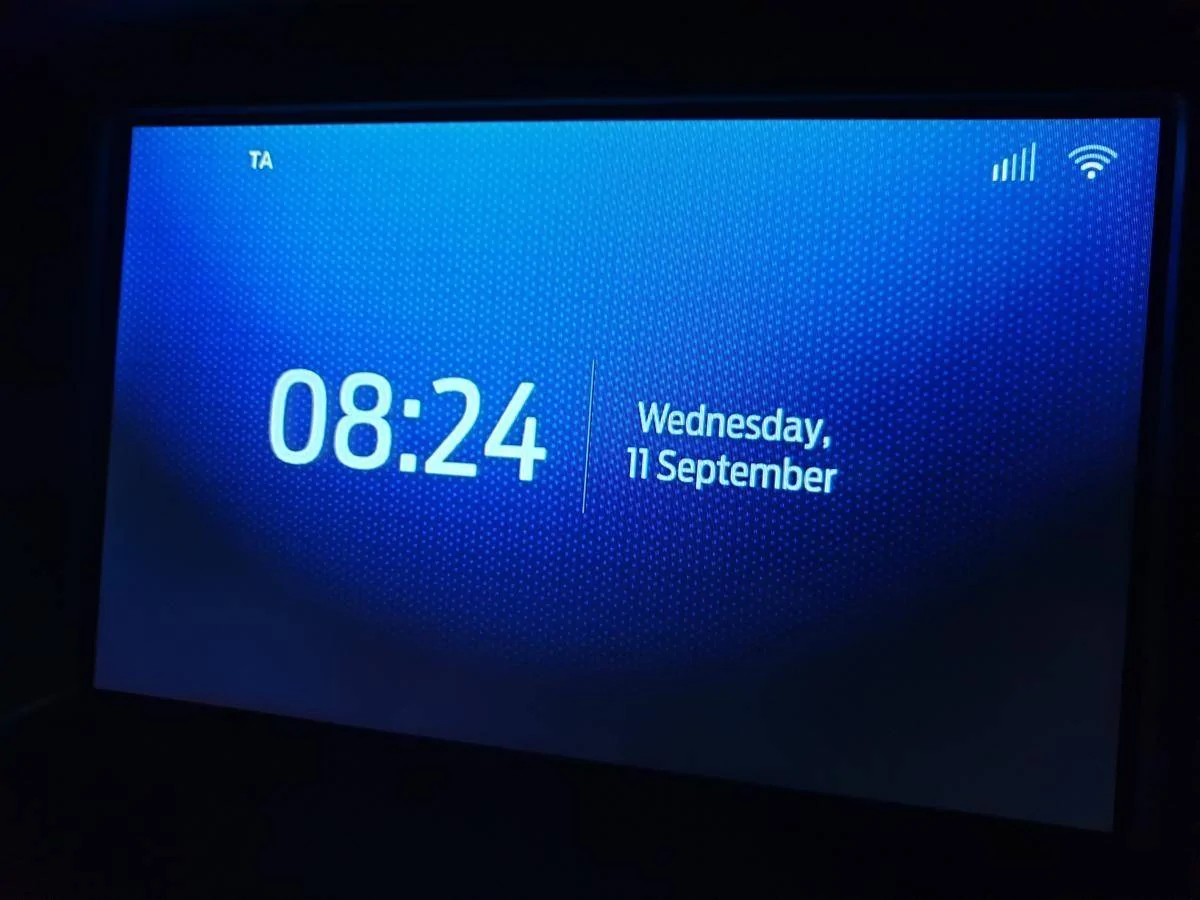
Calm screen looks like this (not my car):
3.4 calmscreen.webp


So I went through the themes last night in test mode and ran out of time to actually find the right codes for Forscan programming. All themes are blue except for the Lincoln versions. There could be subtle differences within the menus. I think the themes are setting the animations for the different vehicle models.

Now from what I have learned about the APIM theme programming it may not be possible to combine the Mustang animation with the Lincoln theme. I'm finding conflicting information about this and will likely need to experiment with the codes.
 

dconfer

Well-Known Member
Joined
Dec 30, 2014
Threads
0
Messages
140
Reaction score
15
Location
PA
Vehicle(s)
2019 Mustang GT
Mine doesn't have the calm screen. Would love to have it.
 

Bullit69

Well-Known Member
Joined
Jul 29, 2020
Threads
0
Messages
113
Reaction score
66
Location
Texas
First Name
Manny
Vehicle(s)
19 Mustang GT Premium Convertible
So just to sum it up, I’ll need a USB drive and will need to download the updates from Ford or Cynlabs?

thanks for the responses fellas!
 

m3incorp

Well-Known Member
Joined
Feb 6, 2020
Threads
22
Messages
4,603
Reaction score
3,125
Location
Georgia/Colorado
First Name
James
Vehicle(s)
2019 Mustang GT Premium with Roush Phase 2, 2023 Audi A5
Me too :). Was going to do it today, but garage was as hot as outside (105). No thank you. Ha ha. Will do it tomorrow too. And after that, just have to change the interface to get rid of that awful blue Sync interface. Let's see which interface Stang Time finds the best alternative :D. Already updated the FORScan license today, since I also need to add the 'calm screen' to Sync 3.4. Don't even know what it does, but sounds cool. Ha ha.
View attachment 497519

Beware that even on a charger, and in accessory mode, the car will shut down after about 45 minutes to save battery. I went out to the garage and it had just shut down. I hit the accessory to turn back on and the screen said system updated.....but it didn't say remove USB, so I didn't do anything and then the system updating popped back up on the top of screen. I will see how it goes, and if the interruption caused any problems.

I had removed the navigation completely before starting the update....it did something before it shut down, because the maps are showing now, as it shows system updating.

Edit....after restarting and letting it do it's thing.

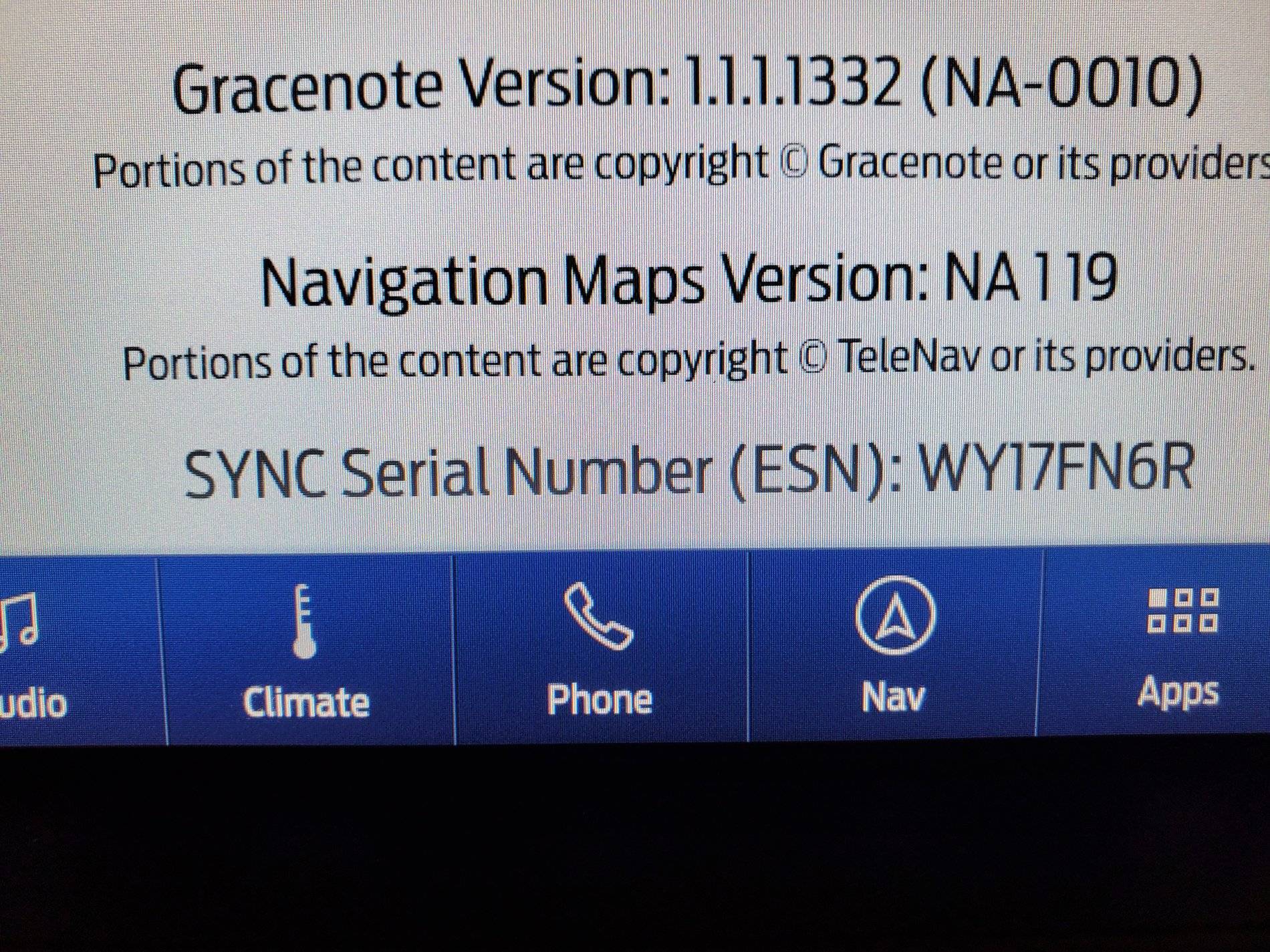
Shows the right maps.....but guess what, I still don't have Nav Voice Commands. I think that accessory shut down must have something to do with it. Guess I'll give it another try later.

Does anyone know how to make the car not shut off while in accessory mode? I know how to do it for the engine.
Map 1.19.jpg
 

Attachments

  • 0 bytes Views: 0
Last edited:

UofMEngineer

Well-Known Member
Joined
Oct 14, 2015
Threads
2
Messages
233
Reaction score
124
Location
Michigan
Vehicle(s)
22' FE, 20' FE
It'd definitely be nice indeed. To call my wife, which I have as 'wife' on my contacts for safety purposes, is a PITA.
Do you mean it doesn't reco if you try to use voice?

View attachment 497519 Shows the right maps.....but guess what, I still don't have Nav Voice Commands. I think that accessory shut down must have something to do with it. Guess I'll give it another try later.
Check IVSU Versions diag. It's possible it's there now, but didn't mount. Master reset clears that up.
 

m3incorp

Well-Known Member
Joined
Feb 6, 2020
Threads
22
Messages
4,603
Reaction score
3,125
Location
Georgia/Colorado
First Name
James
Vehicle(s)
2019 Mustang GT Premium with Roush Phase 2, 2023 Audi A5
Thanks, I forgot to check that. I have to go for a ride, so I'll let it do the update again while driving.

Do you mean it doesn't reco if you try to use voice?


Check IVSU Versions diag. It's possible it's there now, but didn't mount. Master reset clears that up.
 

Spork3245

Well-Known Member
Joined
Dec 21, 2017
Threads
41
Messages
1,514
Reaction score
704
Location
NJ
Vehicle(s)
2019 GT Premium PP1 w/Magneride
So just to sum it up, I’ll need a USB drive and will need to download the updates from Ford or Cynlabs?

thanks for the responses fellas!
Since your 19 officially supports 3.4, don’t use the hacked (Cyan Labs) version, otherwise, correct.
 

Elp_jc

Well-Known Member
Joined
May 2, 2020
Threads
48
Messages
3,527
Reaction score
805
Location
USA
Vehicle(s)
None
Mine doesn't have the calm screen. Would love to have it.
Here's the FORScan code somebody posted, but haven't tried it yet: APIM 7D0-02-03 xCxx xx. Let us know if it works :).

Does anyone know how to make the car not shut off while in accessory mode?
I posted about this issue in the past; you probably missed it :). You need to catch the 'countdown screen' before the system shuts off about the 45 minute mark, and if you turn ignition off then back on quickly, it continues. I barely caught it last time, so didn't have time to read the full screen message, and try clicking on the 'okay' button before shutting the ignition off and back on. Maybe there's no need to turn ignition off. Let's try to catch it early this time :D. But even if the countdown doesn't stop, turning ignition off then on worked perfectly for me twice (F-150 & Bullitt), including voice commands, so no worries. Hope this helps.

Do you mean it doesn't reco if you try to use voice?
I haven't tried that, to be honest. But will try it next time :). I rarely talk while driving anyway, but sometimes just need to ask something quickly. Problem is it takes a lot of distraction to get to 'W', so just don't do it until I stop. Thanks brother.

EDIT: Just started the download, and set my phone's timer at 43 min :).
 
Last edited:

UofMEngineer

Well-Known Member
Joined
Oct 14, 2015
Threads
2
Messages
233
Reaction score
124
Location
Michigan
Vehicle(s)
22' FE, 20' FE
I rarely talk while driving anyway, but sometimes just need to ask something quickly. Problem is it takes a lot of distraction to get to 'W', so just don't do it until I stop. Thanks brother.
Yeah, voice should be faster, assuming you don't have a load of contacts that sound similar to "wife". Short names tend to be a little more problematic in that respect.
 

Elp_jc

Well-Known Member
Joined
May 2, 2020
Threads
48
Messages
3,527
Reaction score
805
Location
USA
Vehicle(s)
None
All themes are blue except for the Lincoln versions. Now from what I have learned about the APIM theme programming it may not be possible to combine the Mustang animation with the Lincoln theme. I'm finding conflicting information about this and will likely need to experiment with the codes.
Thank you very much for doing this, brother. I just tried night mode, and it's the same awful blue except the map, so unfortunately, not an option anymore. Hope you find a way to permanently set it to gray with the Mustang animation. If not, I'd be okay with the Lincoln version you find most appealing... but I'd like to disable the Lincoln animation if possible, for an OEM approach. I disabled the animation on my ex-2018 F-150 Platinum for quicker booting (called in FORScan 'quick boot'), but didn't work on the Bullitt. If you find a way to do that with 3.4, it'd be awesome. Screen boots much quicker that way, and with a 'wrong' animation, double reason to disable it. Ha ha. Thanks again for doing this.
 

StangTime

Well-Known Member
Joined
Apr 16, 2019
Threads
81
Messages
3,594
Reaction score
4,091
Location
Ontario 🇨🇦
First Name
Todd
Vehicle(s)
19' GT PP1 Manual
Thank you very much for doing this, brother. I just tried night mode, and it's the same awful blue except the map, so unfortunately, not an option anymore. Hope you find a way to permanently set it to gray with the Mustang animation. If not, I'd be okay with the Lincoln version you find most appealing... but I'd like to disable the Lincoln animation if possible, for an OEM approach. I disabled the animation on my ex-2018 F-150 Platinum for quicker booting (called in FORScan 'quick boot'), but didn't work on the Bullitt. If you find a way to do that with 3.4, it'd be awesome. Screen boots much quicker that way, and with a 'wrong' animation, double reason to disable it. Ha ha. Thanks again for doing this.
I won't have time to play with the Forscan codes until the weekend. As you suggested, maybe the best way is to use quick boot and the Lincoln theme. :thumbsup:
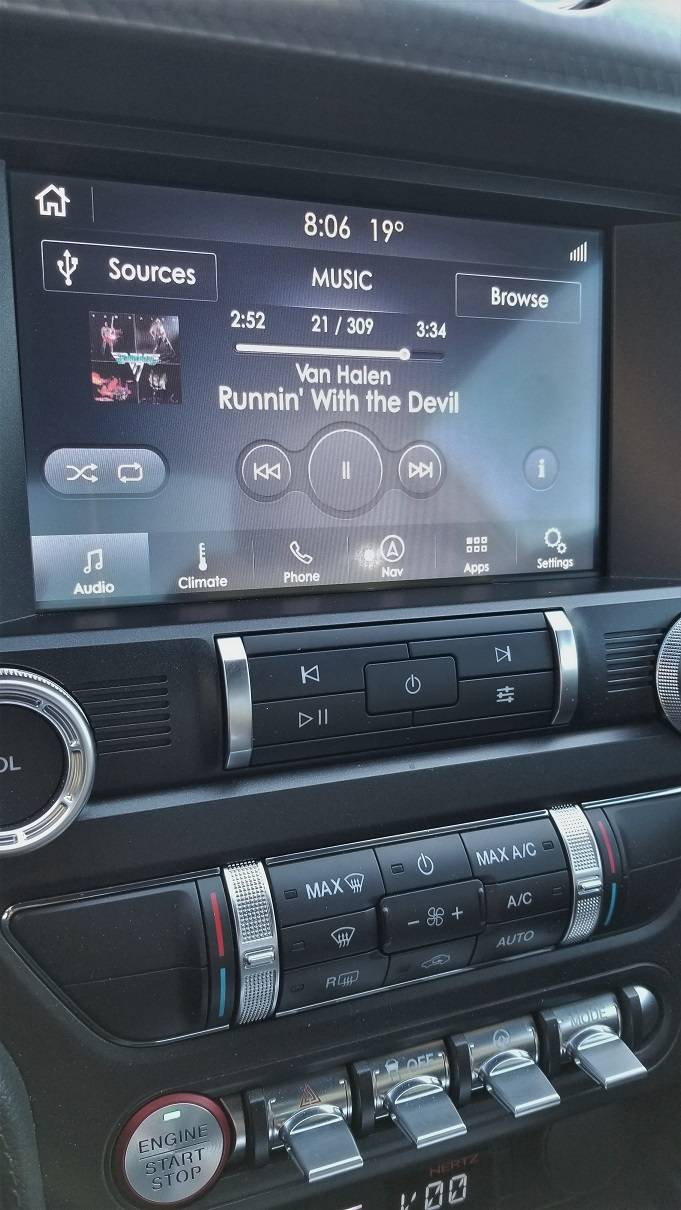
Here's pic of the audio screen in dark mode during the day:
20200813_080607.jpg
 
 
Top