Sponsored

Well, Damn what would you do?

oneaussie

Active Member
Joined
Mar 3, 2022
Threads
6
Messages
32
Reaction score
16
Location
Merced California
First Name
Paul
Vehicle(s)
16 Mustang GT, 14 Mustang, 70 AAR Cuda
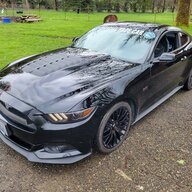
Iv'e had my 16 GT in a shop for the last week getting the A/C fixed. The owner calls me today and asked if I had another key fob. I said no, he then proceeds to tell me that the office was broken into and all the keys were stolen. He will replace key fob, but now I have someone running around town with my key who can access it at any time and drive off. Can I do anything to stop this? Thanks in advance. Auss 😡
Sponsored

 
Last edited:

Cordero1

Well-Known Member
Joined
Nov 28, 2021
Threads
8
Messages
1,101
Reaction score
1,073
Location
Kansas
First Name
Vic
Vehicle(s)
2021 Mustang
Install an alarm 🤷
 

HoosierDaddy

Well-Known Member
Joined
Jan 2, 2016
Threads
263
Messages
4,581
Reaction score
8,988
Location
Winchestertonfieldville (ok, Scottsdale), AZ
First Name
Randy
Vehicle(s)
2016 GT Premium PP, 2023 Tesla Model 3 Performance, 1978 Trans Am WS6, etc.
Probably not a DIY, but I would expect there is a way to unpair all fobs from a car.
 

Sponsored

young at heart

Well-Known Member
Joined
Apr 1, 2021
Threads
73
Messages
1,887
Reaction score
2,780
Location
Deep South
Vehicle(s)
20 GT vert, 24 Dark Horse HP Tremec, 24 Dark Horse HP A10
Accept that it’s gonna get real messy and be glad it wasn’t worse. Several years ago myself and a friend attended a concert in a bad section of downtown ATL (is there ever a good section?) and the venue required legal packers to surrender their hardware to be kept in their safe until the show was over. We made a quick decision and stupidly went along. But at some point during the show a disgruntled ex-employee who was familiar with their safe broke in and jacked every single piece in the safe.

It wouldn’t be possible to explain here the disaster that ensued but I’m convinced that a couple of APD bozos and ATF operatives made their careers over the incident.
 

AvalancheSVT

Banned
Banned
Banned
Joined
May 20, 2022
Threads
22
Messages
936
Reaction score
1,296
Location
houston, tx
First Name
Douglas
Vehicle(s)
2022 Mustang GT PP1 6spd
their insurance should cover it so don't feel bad about it. they should've kept the keys secured.
 
OP
OP
oneaussie

oneaussie

Active Member
Joined
Mar 3, 2022
Threads
6
Messages
32
Reaction score
16
Location
Merced California
First Name
Paul
Vehicle(s)
16 Mustang GT, 14 Mustang, 70 AAR Cuda
Accept that it’s gonna get real messy and be glad it wasn’t worse. Several years ago myself and a friend attended a concert in a bad section of downtown ATL (is there ever a good section?) and the venue required legal packers to surrender their hardware to be kept in their safe until the show was over. We made a quick decision and stupidly went along. But at some point during the show a disgruntled ex-employee who was familiar with their safe broke in and jacked every single piece in the safe.

It wouldn’t be possible to explain here the disaster that ensued but I’m convinced that a couple of APD bozos and ATF operatives made their careers over the incident.
LoL. Its sounds like you have a few stories. to tell, would be interesting to hear.
 

Sponsored

smokescreens

Well-Known Member
Joined
Jan 1, 2021
Threads
63
Messages
577
Reaction score
581
Location
michigan
First Name
jason
Vehicle(s)
2014 impala, 2017 HD. 2018 Royal C mustang gt pp1
Like the others said. Its going to be paid by the shops insurance (not that it matters anyway) but insist on a new keyfob and code to render the other fob useless. I know there is a module box in the car that talks to the key fob. Not sure if that needs to be swapped out or not to be 100% secure. I would call the dealer for sure.

I would also make the shop pay to tow your car to the dealer today. That way your car is not at the shop any longer while your original fob is still active.
 

SHOdaddy68

Well-Known Member
Joined
Feb 2, 2021
Threads
5
Messages
365
Reaction score
345
Location
Washington State
First Name
Daryl
Vehicle(s)
2015 GT PP Premium w/Recaro
Anytime the keyless system is changed all remotes must be present for the vehicle to recognize and store. When the dealer codes and ads the new fob to the system they will remove any missing remotes from the memory. The only thing that will still work is the actual cut key inside the stolen remote. If the perp actually finds your Stang, it will manually open the door which will immediately trigger the alarm system and will not start the car. The only way to keep that from happening is to re-key the door and glove box cylinders.
 

fmc_smt

Well-Known Member
Joined
Jun 4, 2018
Threads
39
Messages
1,293
Reaction score
2,622
Location
Cottonwood , Arizona
Vehicle(s)
2015 gt , 2015 Escape , 2015 F250
Vehicle Showcase
1
To erase to key all keys have to be deleted when programing , problem is when you erase all keys you need 2 new key to be able to program . Looks like said shop is buying 2 keys to get the original key out of the module .

Anti-Theft Key Programming - Scan Tool
Programming

NOTE:
Make sure the passive key battery(ies) measure at least 2.5 volts. A passive key with a depleted battery only starts the vehicle when in the backup starting location. The RKE functionality remains inoperative until the key battery is replaced.

NOTE: In order to gain module security access, the diagnostic scan tool must have an active Internet connection. A hardwired connection is strongly recommended.

NOTE: When programming keys, the RKE transmitter and the PATS portion of the key are programmed at the same time.

NOTE: Common anti-theft security access choices are:

    • Program Additional Key
    • Erase and Program Keys
    • Parameter Reset
    • Customer Spare Key Programming Enable/Disable
    • NOTE: Unlimited Key Mode should only be used for fleet vehicle purposes. The RKE function only operates for the first 2 keys programmed when the Unlimited Key Mode is enabled. Enabling the Unlimited Key Mode disables the RKE function until an Erase and Program Keys function is carried out. Disabling the Unlimited Key Mode restores the RKE function without the need to erase and reprogram keys.
      Unlimited Key Mode ON/OFF (vehicles without push-button start only)
    • Program Unlimited Key Code (vehicles without push-button start only)


  1. Using a diagnostic scan tool, establish a session with the vehicle.
    Refer to: Diagnostic Methods (100-00 General Information, Description and Operation).
  1. NOTE: If the perimeter alarm activates when a diagnostic scan tool is connected and no valid programmed keys are available, carry out the following steps:
      • If equipped with a keyless entry keypad, enter the keyless entry keypad code to allow a diagnostic scan tool session to be established. Proceed to Step 3 further below.
        • If not equipped, allow the alarm to activate for 10 minutes, which is followed by a 1 minute access window where a diagnostic scan tool session can be established. Proceed to the following steps:
      • To avoid nuisance from the horn, remove the horn fuse.
      • Using a diagnostic scan tool, establish a session with the vehicle. If equipped with push-button start, it is necessary to use the blank path vehicle identification method (tear tag).
      • Select TOOLBOX>Body>Security>PATS Functions, but do not select the check mark box to proceed further.
      • If equipped with a hood latch switch, and the hood is open for battery charging purposes, place the hood latch in the closed position.
      • Latch the striker in the driver door to prevent a door ajar condition from being reported to the BCM and leave the driver door open to allow access to the DLC and ignition switch or push to start button. Make sure all other doors, liftgate, luggage compartment lid, and tailgate are closed.
      • If the exterior lights are not flashing to indicate an alarm event, disconnect and reconnect the battery.
      • Select PATS Functions and then select the appropriate function to erase keys. Select the corresponding check marks until the screen displays indicating 2 keys need to be programmed to start the vehicle. Select the check mark on this screen to continue. An error may be reported on the next screen. Ignore this error. Exit from this diagnostic scan tool function and select PATS Functions a second time. Proceed until either a screen is displayed which advises to turn the ignition on or the main PATS Functions menu is displayed. Do not select the check mark on this screen or proceed any further.
      • The process of requesting to erase keys with the diagnostic scan tool initiates a 10 minute timer in the BCM which must conclude before the 1 minute DLC access window occurs.
      • Reinsert the horn fuse after the exterior and interior lights stop flashing. This occurs within 4-5 minutes of when a command to erase keys was sent from the diagnostic scan tool. After another 5-6 minutes (9-11 minutes from the initial point of diagnostic scan tool DLC access), the horn chirps once to indicate the 1 minute data link access time period has begun. Immediately proceed to step 5. If the single horn chirp is not heard, carry out the procedure again starting at step 1.

  2. NOTE: Depending on the diagnostic scan tool power settings, it may be required to provide an occasional mouse/keypad input to prevent power saver mode from being entered and the diagnostic scan tool session being interrupted during the 10 minute period before the 1 minute access window. Also make sure a technician service publication website session is active and has not timed out on the laptop or PC being used for this procedure.
  1. Using a diagnostic scan tool, select TOOLBOX>Body>Security>PATS Functions.
  1. Select the appropriate procedure and follow the on-screen instructions.
  1. NOTE: While programming keys, the diagnostic scan tool may display an error message indicating an error has occurred. Ignore this error and proceed to program the keys. The alarm may trigger on some vehicles after the first key has been programmed. Ignore the alarm and proceed to program the second key.
    When the “Gaining Security Access” screen appears, make sure the diagnostic scan tool is connected to the Internet and select "Yes" to continue. If directed to this step from the above alarm activation steps for vehicles without a keyless entry keypad, select “Erase Keys.”
  1. Select Dealership or Aftermarket and enter a valid username and password when prompted.
  1. NOTE: If programming a passive key (vehicles with push-button start), refer to the Owner Literature for the passive key backup starting location. The passive key must be oriented correctly in this location to successfully program.
    Return to the diagnostic scan tool window and follow the on-screen instructions. The door locks and hazard flashers cycle to indicate when a key is successfully programmed. Start the vehicle; if it does not start, select PATS Programming and carry out a parameter reset or module initialization for the BCM , the PCM or the ABS module as necessary. If the vehicle still does not start, carry out the procedure again starting at step 1. If after the second attempt the vehicle does not start, refer to step 8 below.
  1. NOTE: If the above steps did not allow keys to be successfully programmed starting at the 7th bullet point under step 2 above perform the following alternate steps:
      • Remove the horn fuse to avoid nuisance from the alarm.
      • Select TOOLBOX > Body > Security > PATS Functions, but do not select the check mark box to proceed further.
      • Disconnect and reconnect the battery, then open and close the driver door to start the 10 minute alarm event. To prevent the alarm from stopping after 5 minutes have elapsed, the BCM requires an ajar switch input. Open the driver door at the 4.5 minute mark from the time the alarm event started. At the 10 minute mark, the exterior and interior lights stop flashing (and if the horn is still connected, it will emit a single chirp) to indicate that the 1 minute data link access period has begun. Ignition ON (for vehicles with push-button start, push the button once).
      • Select Erase and Program Keys and then immediately proceed to step 5 above.

  2. Return to the diagnostic scan tool window and follow the on-screen instructions.
Sponsored


Top