Sponsored

Latest Sync 3 Map Update

marks

Well-Known Member
Joined
Jun 26, 2014
Threads
108
Messages
2,698
Reaction score
536
Location
Essex
Vehicle(s)
2017 Mustang GT Race Red Manual
Not sure the need to update Ford maps when just use Google Maps or Waze on Sync 3?
 

Splash

Well-Known Member
Joined
Jan 13, 2019
Threads
10
Messages
226
Reaction score
82
Location
Worcester
First Name
Gary
Vehicle(s)
Mustang Ecoboost 2017, Ford Fiesta ST200.
Not sure the need to update Ford maps when just use Google Maps or Waze on Sync 3?
Personally I find Android Auto to be very flakey on Android 9, some times it works and other times it drops out after 10 mins and without stopping and rebooting the car it won't come back. Knowing that I have the latest sync maps is reassuring. And hey it's free, just a little effort to get them on the car.
 

Flamesey

Well-Known Member
Joined
Aug 14, 2017
Threads
4
Messages
553
Reaction score
121
Location
South Wales UK
Vehicle(s)
MY19 Fastback V8 5.0 Race Red White Stripes Custom Pack 2 Magneride Spoiler Ebony
Just seen there is a map update for my MY19 so I’ll have a go at downloading it tonight, fingers crosssed I can update the car
 

Sponsored

Flamesey

Well-Known Member
Joined
Aug 14, 2017
Threads
4
Messages
553
Reaction score
121
Location
South Wales UK
Vehicle(s)
MY19 Fastback V8 5.0 Race Red White Stripes Custom Pack 2 Magneride Spoiler Ebony
No success first attempt...tried to do an auto download linking it to my house wifi, seemed to work but then the website asked for a log reference on the stick, which of course- no stick! Now the website says download available WTF... I'll try and download it to a stick!
 

Splash

Well-Known Member
Joined
Jan 13, 2019
Threads
10
Messages
226
Reaction score
82
Location
Worcester
First Name
Gary
Vehicle(s)
Mustang Ecoboost 2017, Ford Fiesta ST200.
No success first attempt...tried to do an auto download linking it to my house wifi, seemed to work but then the website asked for a log reference on the stick, which of course- no stick! Now the website says download available WTF... I'll try and download it to a stick!
It's easier with a stick. It's a 25gb download and really you have to go for a drive to do it and there is a key cycle in the middle.
 

Flamesey

Well-Known Member
Joined
Aug 14, 2017
Threads
4
Messages
553
Reaction score
121
Location
South Wales UK
Vehicle(s)
MY19 Fastback V8 5.0 Race Red White Stripes Custom Pack 2 Magneride Spoiler Ebony
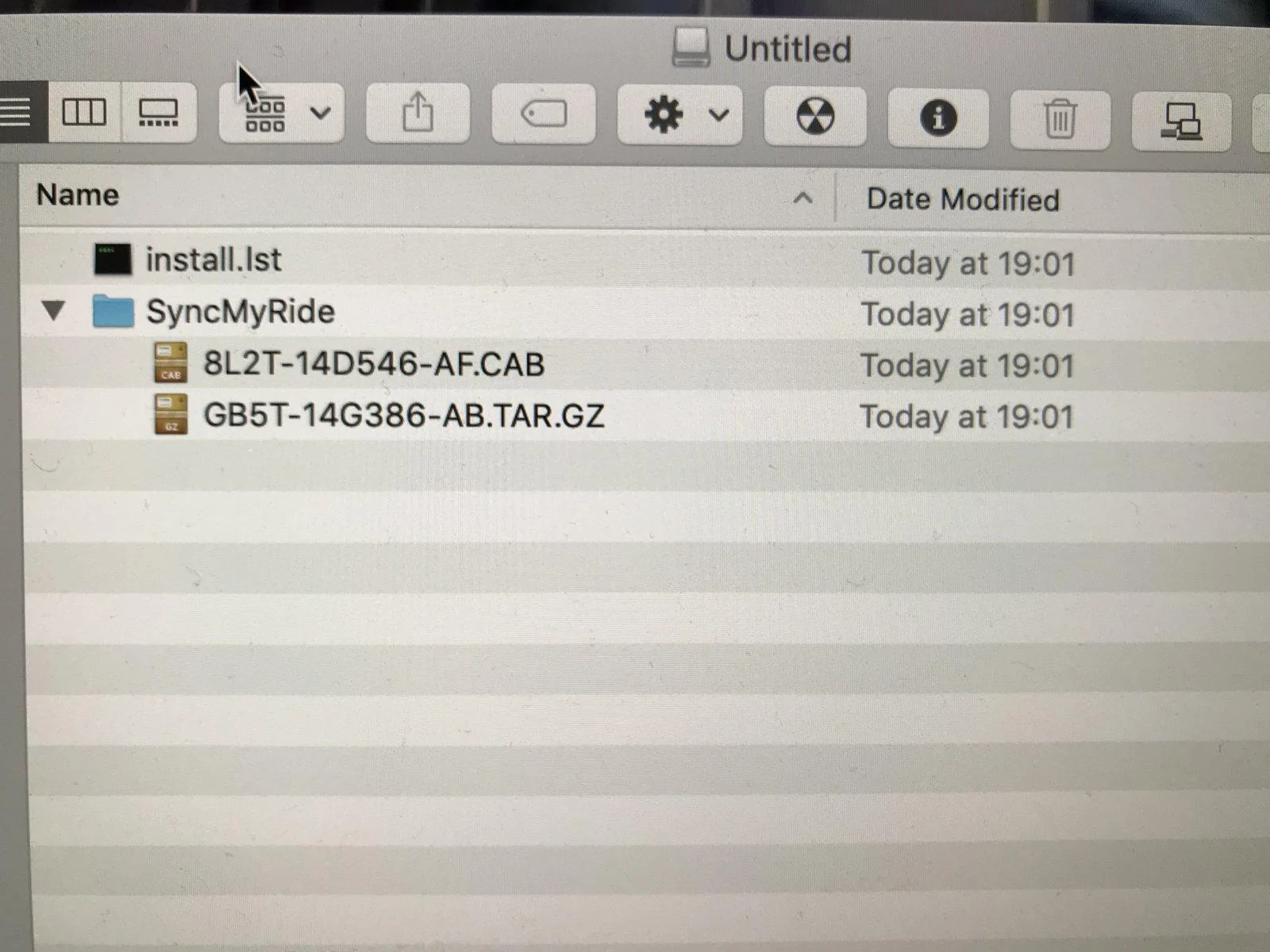
No no chance. First off I’ve got an iMac so first off I had to research the net how to format the stick then I had to go on the net to download the unarchiver. Did that, opened everything into a folder. Instructions say only put on the stick a folder syncmyride, (2 different folders downloaded) a file auto install.lst...nope only a file install.lst and supposed to be one file dontindx.msa. Nope that’s not downloaded. Anyway, I copied all the stuff unzipped to the reformatted disc...nope Error.
 

Splash

Well-Known Member
Joined
Jan 13, 2019
Threads
10
Messages
226
Reaction score
82
Location
Worcester
First Name
Gary
Vehicle(s)
Mustang Ecoboost 2017, Ford Fiesta ST200.
files.webp


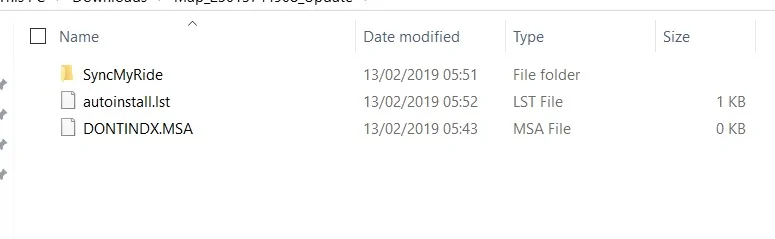
Have you formatted the stick to exFAT? When you extract the zip archive it should like like this. you put those in the root of the stick, then when the car fires up it will read the stick and autoinstall.lst will run (or it should anyway.)

The FAQ has these instructions for MAC (I don't know anything about fruit computers.)

Mac users 1. Insert your USB flash drive into your computer’s USB port 2. Open Finder 3. Right-click on your USB drive and select ‘Get info’ 4. Under Format, you should see ‘exFAT’ Displayed

I haven't updated mine yet (with this update) but i think when i did it before christmas it would only run from the usb port in the centre arm rest. I don't think it worked from the one under the climate controls.
 

Sponsored

Flamesey

Well-Known Member
Joined
Aug 14, 2017
Threads
4
Messages
553
Reaction score
121
Location
South Wales UK
Vehicle(s)
MY19 Fastback V8 5.0 Race Red White Stripes Custom Pack 2 Magneride Spoiler Ebony
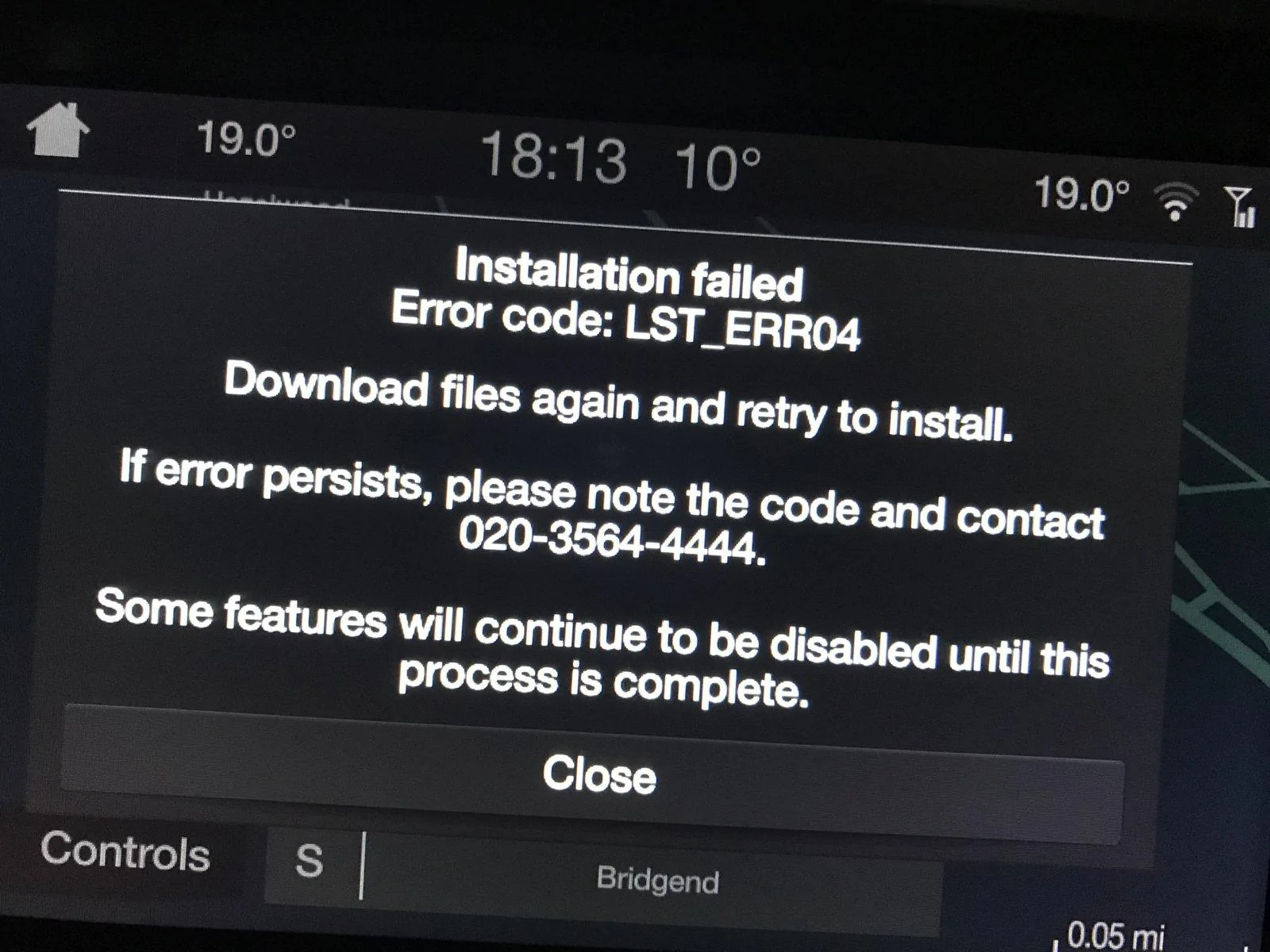
Even more weird. Thought I’d breach my employers internet policy and download on my work PC. This time just 1 syncmyride folder and the install.lst. When the syncmyride folder was opened not as much stuff as my Mac. Thought I’d cracked it although there is no .msa file. Nope same error message. Disc is good and reformatted, maybe this missing .msa file is at fault and it’s not me :computerrage::computerrage::computerrage::curse:
 

Splash

Well-Known Member
Joined
Jan 13, 2019
Threads
10
Messages
226
Reaction score
82
Location
Worcester
First Name
Gary
Vehicle(s)
Mustang Ecoboost 2017, Ford Fiesta ST200.
i'm at a loss to be honest. i'm not sure if the install is specific to you. But the one I have was 24,431,215 kb (zipped) and just over 25Gb expanded.
 

Flamesey

Well-Known Member
Joined
Aug 14, 2017
Threads
4
Messages
553
Reaction score
121
Location
South Wales UK
Vehicle(s)
MY19 Fastback V8 5.0 Race Red White Stripes Custom Pack 2 Magneride Spoiler Ebony
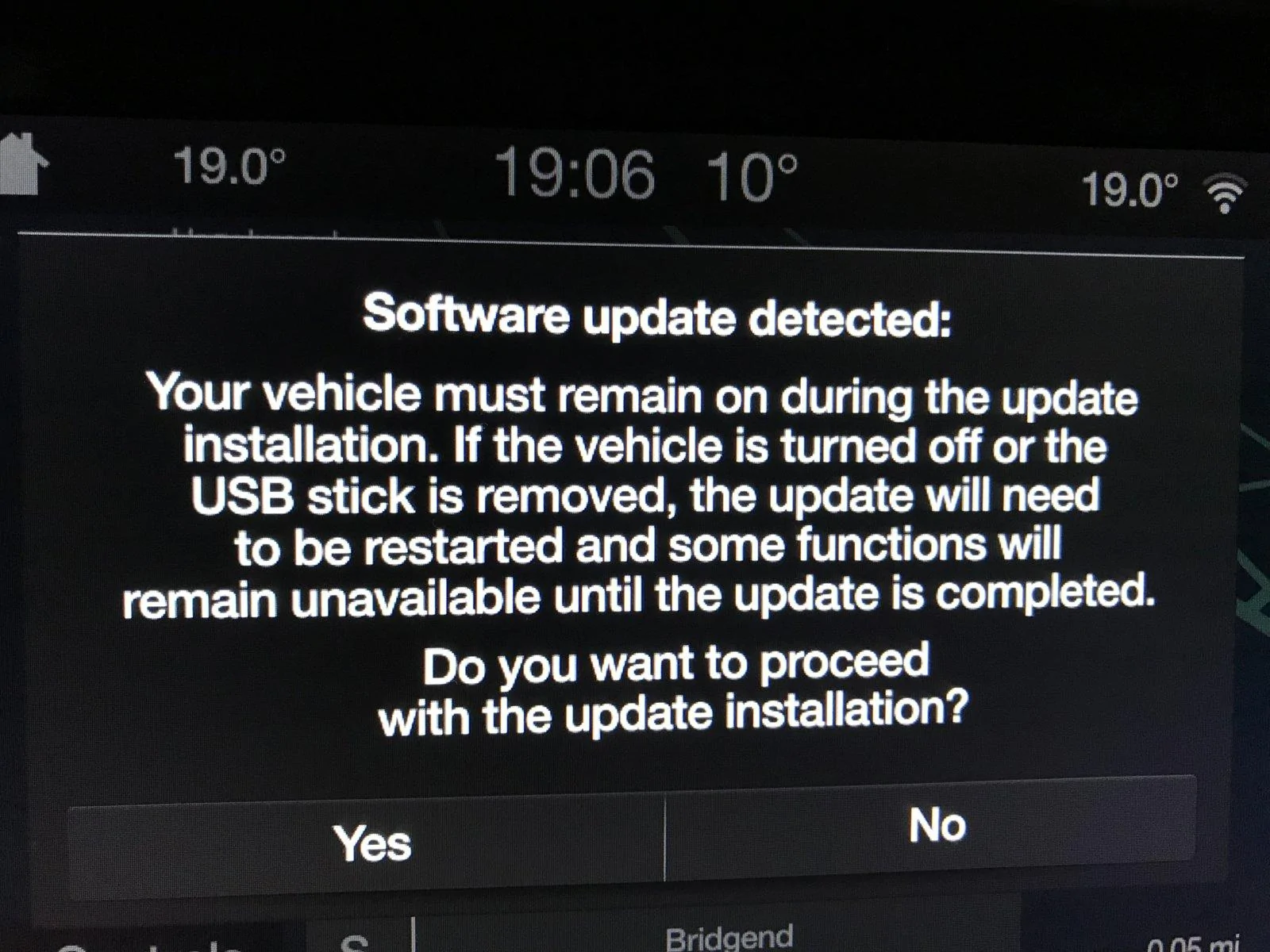
Did another disc but same message. It recognises there is an update from the disc but it must be this missing file from Ford
5770566D-F24B-4E9B-A647-8D5F97BD1087.webp
3D71C123-CFF5-4A57-90C5-AE02ED7896B1.webp
 

Flamesey

Well-Known Member
Joined
Aug 14, 2017
Threads
4
Messages
553
Reaction score
121
Location
South Wales UK
Vehicle(s)
MY19 Fastback V8 5.0 Race Red White Stripes Custom Pack 2 Magneride Spoiler Ebony
i'm at a loss to be honest. i'm not sure if the install is specific to you. But the one I have was 24,431,215 kb (zipped) and just over 25Gb expanded.
No this one is very small kB only
 
OP
OP
inky5.0

inky5.0

Well-Known Member
Joined
Aug 4, 2018
Threads
3
Messages
88
Reaction score
36
Location
Chesterfield, UK
First Name
Ian
Vehicle(s)
Ford Mustang 5.0GT Fastback
files.webp


Have you formatted the stick to exFAT? When you extract the zip archive it should like like this. you put those in the root of the stick, then when the car fires up it will read the stick and autoinstall.lst will run (or it should anyway.)

The FAQ has these instructions for MAC (I don't know anything about fruit computers.)

Mac users 1. Insert your USB flash drive into your computer’s USB port 2. Open Finder 3. Right-click on your USB drive and select ‘Get info’ 4. Under Format, you should see ‘exFAT’ Displayed

I haven't updated mine yet (with this update) but i think when i did it before christmas it would only run from the usb port in the centre arm rest. I don't think it worked from the one under the climate controls.
Odd, mine worked ok from the main one under the heater controls - I thought that was the correct one to use...
Sponsored


Top