Sponsored

SYNCIII Android Auto Update??

Torinate

Well-Known Member
Joined
Feb 18, 2018
Threads
87
Messages
2,037
Reaction score
943
Location
Ontario
Vehicle(s)
2016 GT Convertible
Checking now.
Sponsored


Freedom

Well-Known Member
Joined
Feb 18, 2016
Threads
29
Messages
1,065
Reaction score
320
Location
California
Vehicle(s)
'16 GT, '22 Tesla Model 3, '22 F-150 Lightning
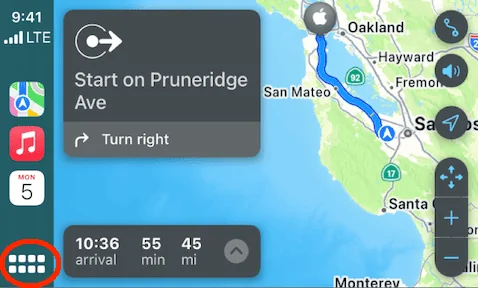
Check on your phone to ensure Carplay is allowed to update. My screen looks like the one above on any car I get in that allows Carplay.
if you choose press any of the apps say Apple Maps, itll make it full screen. To go back to side by side view press the bottom left "8 squares" thing twice.
 

Torinate

Well-Known Member
Joined
Feb 18, 2018
Threads
87
Messages
2,037
Reaction score
943
Location
Ontario
Vehicle(s)
2016 GT Convertible
There already is Apple CarPlay. I have it in my 2016 GT/CS. It is just a module that you replace in the center console.
Yes. The USB hub. I did that a few years ago and use Apple CarPlay all the time. It’s the display itself that looks different. Maybe it’s the maps. What maps are you using for the display above?
 

Vlad Soare

Well-Known Member
Joined
Jan 21, 2020
Threads
67
Messages
3,641
Reaction score
4,464
Location
Bucharest, Romania
First Name
Vlad
Vehicle(s)
2020 Mustang GT 6MT
It's not the maps. The split screen is part of the basic CarPlay interface and depends only on the iOS version. It will work with any compatible map app. I use it with Waze, for instance.

When you're using an app full-screen, it looks like this.

fd9daf7b487537ef24e78e7724a509fc.png


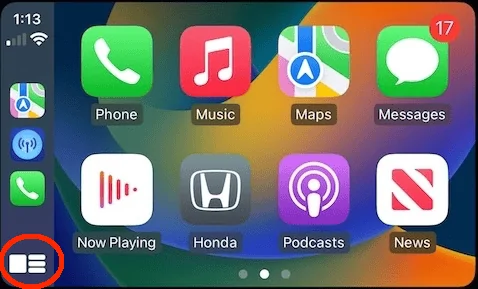
The icon in the bottom left corner will take you back to the app grid:

carplay-wallpaper-ios-16.jpg copy.png


Once you're in the app grid, you'll notice that the look of that icon has changed. Now if you touch it again it will take you to the split screen.
 

Sponsored

Crew4991

Well-Known Member
Joined
Sep 11, 2020
Threads
14
Messages
1,240
Reaction score
2,573
Location
Phoenix Arizona / Denver Colorado
First Name
Crew
Vehicle(s)
Ford Mustang GT/CS, Dodge Viper SRT10
It's not the maps. The split screen is part of the basic CarPlay interface and depends only on the iOS version. It will work with any compatible map app. I use it with Waze, for instance.

When you're using an app full-screen, it looks like this.

fd9daf7b487537ef24e78e7724a509fc.png


The icon in the bottom left corner will take you back to the app grid:

carplay-wallpaper-ios-16.jpg copy.png


Once you're in the app grid, you'll notice that the look of that icon has changed. Now if you touch it again it will take you to the split screen.
Dang Vlad looks like you got 17 unread text messages, someone is trying to get a hold of you... Who are you avoiding?? 🤣🤣🤣

Excellent information! 💯
 

Christurek

Well-Known Member
Joined
Aug 18, 2019
Threads
14
Messages
147
Reaction score
239
Location
Southern California
First Name
Chris
Vehicle(s)
2018 Mustang GT
Vehicle Showcase
1
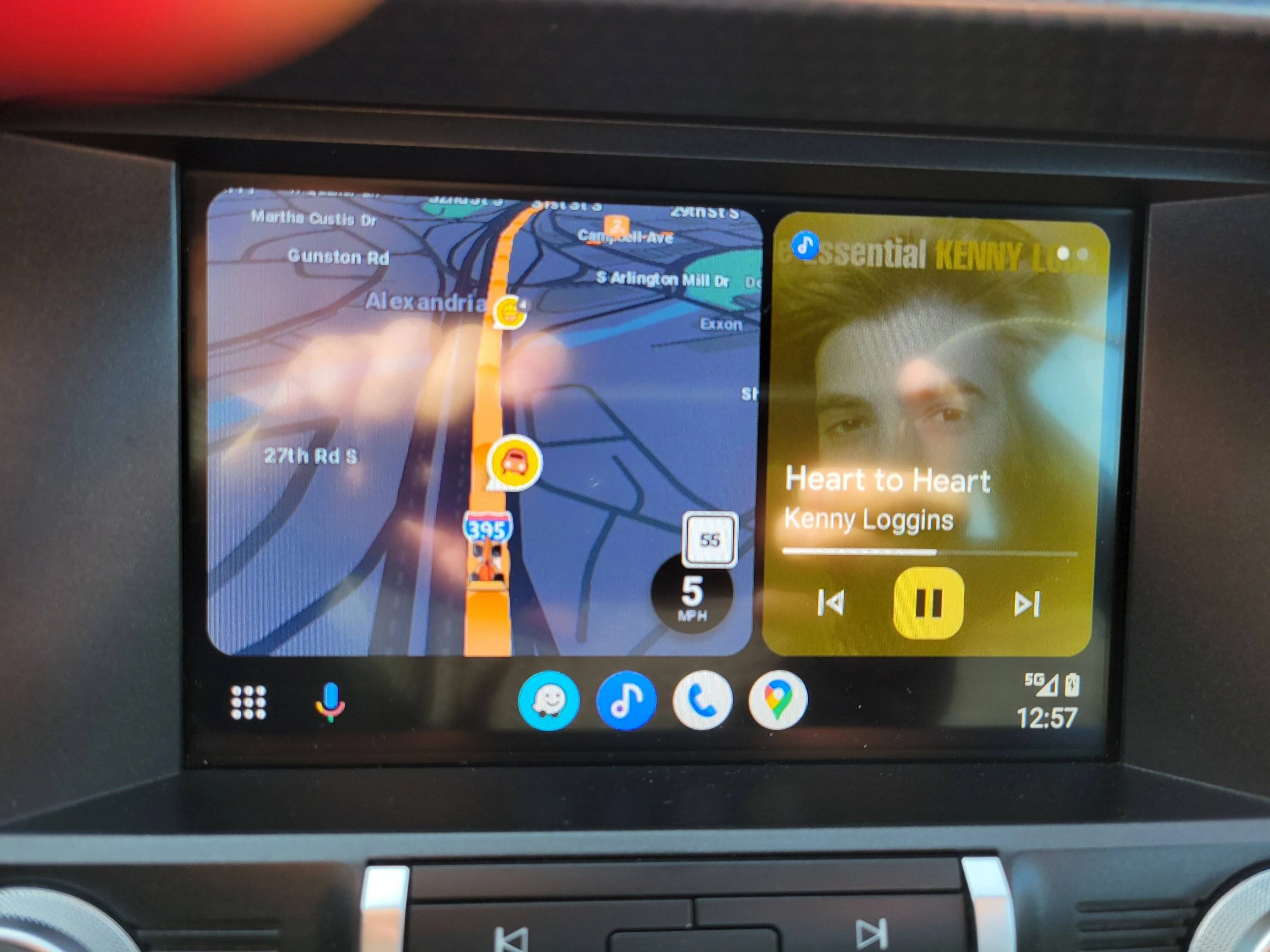
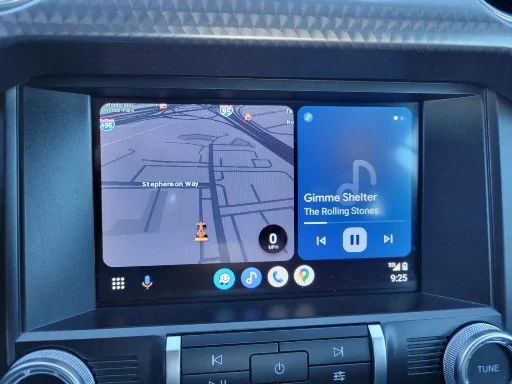
When did this happen? The split/tri-screen? When did this happen?

I get the split screen, with GPS on the left, and media on the right. And then when there's an alert, the media screen will split to display it, creating a tri-screen. Also, those media control buttons actually work!!!

This is really, really great. Best ever. Dear Lord, please don't let Ford change this. Just leave it be.

2024-01-03 004.jpg


2024-01-03 003.jpg
This was an android update, not sync. Ford has nothing to do with how android auto shows up on your screen.
 

shogun32

Well-Known Member
Joined
Feb 8, 2019
Threads
92
Messages
16,223
Reaction score
14,019
Location
Northern VA
First Name
Matt
Vehicle(s)
'19 GT/PP, '23 GB Mach1, '12 Audi S5 (v8+6mt)
Vehicle Showcase
2
This was an android update, not sync. Ford has nothing to do with how android auto shows up on your screen.
Indeed. Ford prides itself on hindering AA display and responsiveness. They call them new releases. I call it, you people should stop writing software at all, for the good of humanity.

Sponsored


Top