Sponsored

New Navigation map update June 29th

el-guapin

Well-Known Member
Joined
Oct 30, 2018
Threads
33
Messages
913
Reaction score
381
Location
LSU - Geaux Tigers!
Website
www.tesla.com
Vehicle(s)
1949 UFO
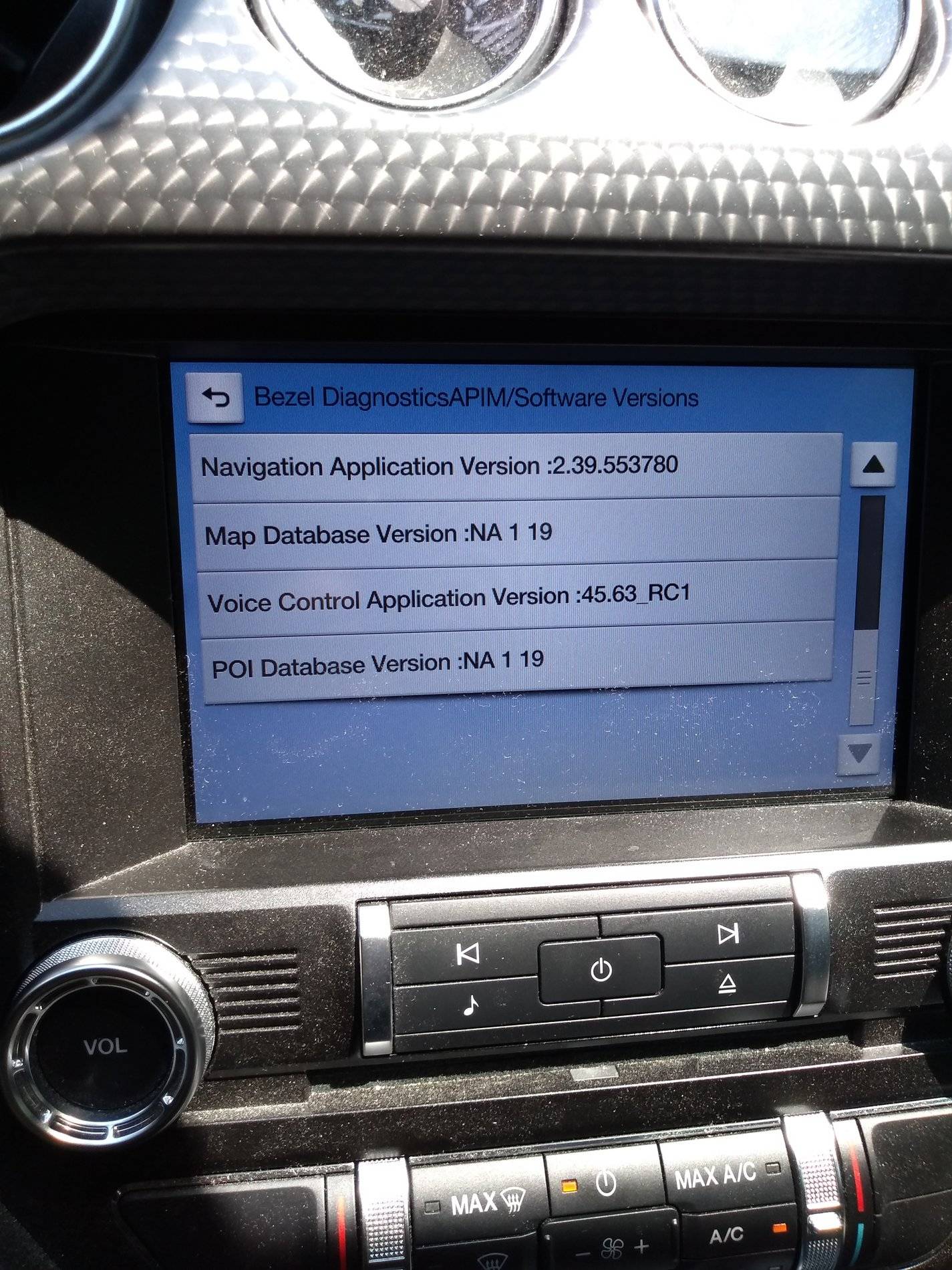
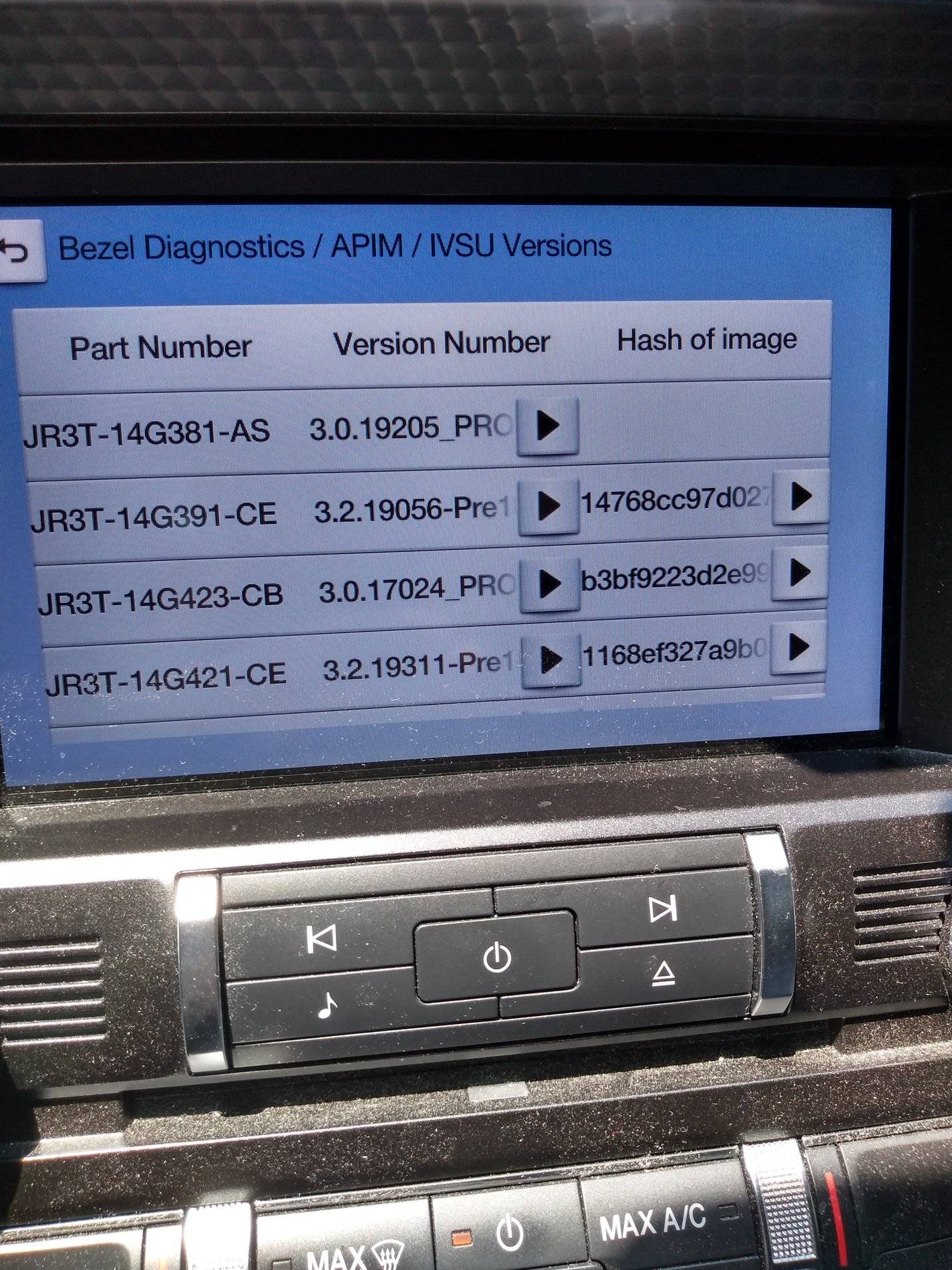
My car is a 2018 with Sync 3.0. Nav voice control isn't working. Here are the files per bezel diagnostics. I don't know what, if anything, is actually missing. Note that I have not done a second master reset after it looked like the process ran "OK" yesterday after I did the first master reset.

2018 Mustang GT - No Nav Voice Control.jpg


Thanks!
Take a pic of the IVSU version screen.
Sponsored


DickR

Well-Known Member
Joined
Dec 10, 2014
Threads
3
Messages
1,400
Reaction score
512
Location
Raleigh
Vehicle(s)
2018 Ruby Red GTPP MagneRide 301A 10A and 1997 GT
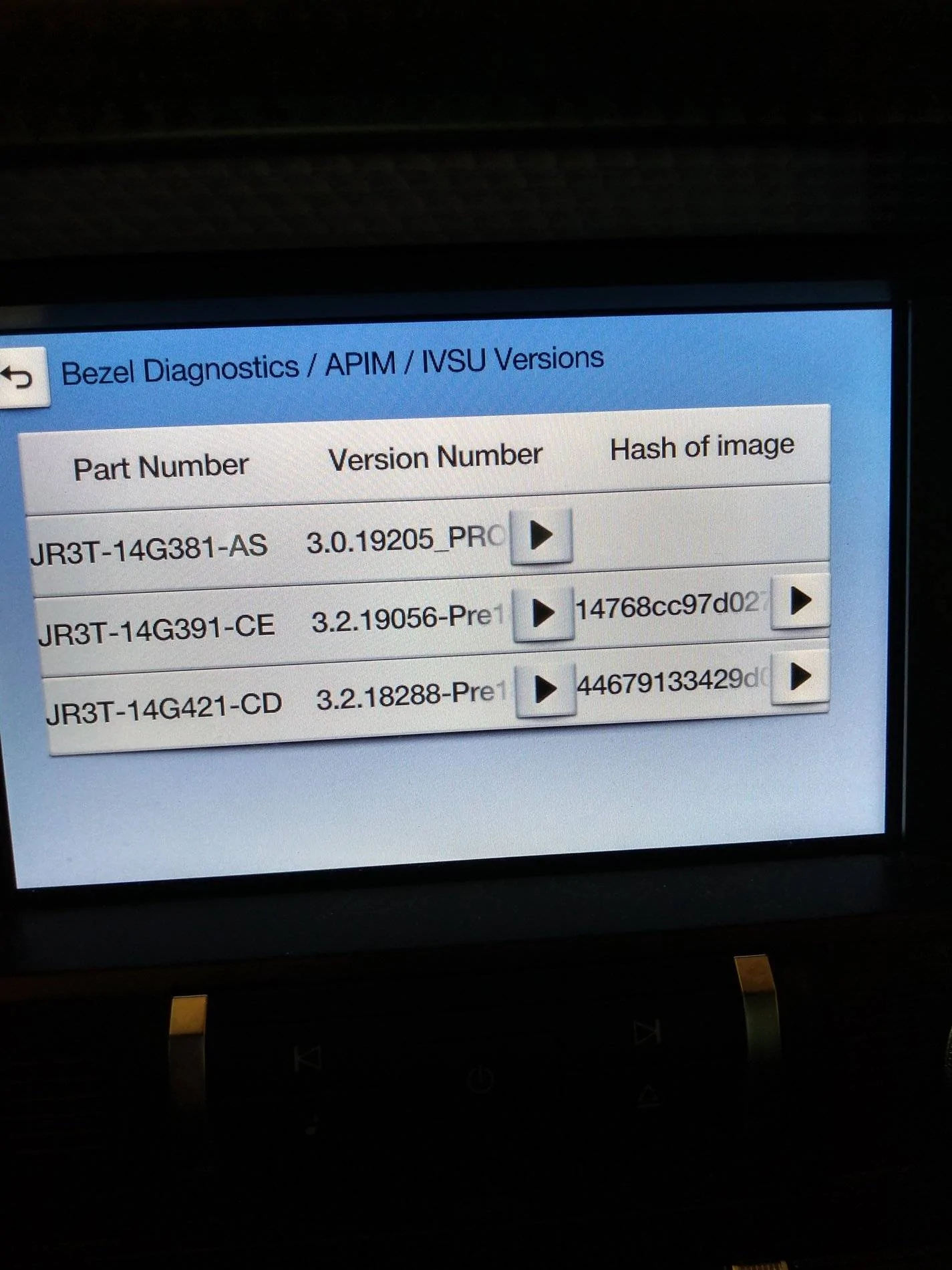
Here is the IVSU screen. Car was running with the radio on.

The car is a "base" GT PP1 automatic with 301A, Nav, automatic, and magneride. No other electronic options.

Thanks guys!
2018 Mustang GT - No Nav Voice Control-IVSU.webp
 

DickR

Well-Known Member
Joined
Dec 10, 2014
Threads
3
Messages
1,400
Reaction score
512
Location
Raleigh
Vehicle(s)
2018 Ruby Red GTPP MagneRide 301A 10A and 1997 GT
What is the best way to get it to actually try the install again and have it actually work this time?

Thanks!
 

el-guapin

Well-Known Member
Joined
Oct 30, 2018
Threads
33
Messages
913
Reaction score
381
Location
LSU - Geaux Tigers!
Website
www.tesla.com
Vehicle(s)
1949 UFO
What is the best way to get it to actually try the install again and have it actually work this time?

Thanks!
Well, I would start by verifying the contents of the USB stick. There a plenty of post in this thread showing what should be there. Def make sure XXXXX-14G422-XX is there. Then start the update process over. If you don't have a batt charger, then leave your car running. Make sure auto shut down is deactivated. The "remove USB" message will come up a few times but will disappear in a few seconds. DO NOT remove USB. Process should take about 1hr. After that you should see the "....remove USB" message but this time it will remain on screen until you actually remove the USB. Power down. Restart. check IVSU screen. Try VC and report back.
 

Sponsored

DickR

Well-Known Member
Joined
Dec 10, 2014
Threads
3
Messages
1,400
Reaction score
512
Location
Raleigh
Vehicle(s)
2018 Ruby Red GTPP MagneRide 301A 10A and 1997 GT
Well, I would start by verifying the contents of the USB stick. There a plenty of post in this thread showing what should be there. Def make sure XXXXX-14G422-XX is there. Then start the update process over. If you don't have a batt charger, then leave your car running. Make sure auto shut down is deactivated. The "remove USB" message will come up a few times but will disappear in a few seconds. DO NOT remove USB. Process should take about 1hr. After that you should see the "....remove USB" message but this time it will remain on screen until you actually remove the USB. Power down. Restart. check IVSU screen. Try VC and report back.
The file is on the usb.
I just realized that during one of the update attempts it did flash the "remove USB" message too fast to read and therefore I terminated the process per the instructions since I think it got rid of the "downloading software message" at the top of the display.
I'll try a master reset with the car on a charger this time and just let it try to do it's thing for a long time whether or not the screen reads downloading software like it does at first.
Thanks again!
 

DickR

Well-Known Member
Joined
Dec 10, 2014
Threads
3
Messages
1,400
Reaction score
512
Location
Raleigh
Vehicle(s)
2018 Ruby Red GTPP MagneRide 301A 10A and 1997 GT
Well, I would start by verifying the contents of the USB stick. There a plenty of post in this thread showing what should be there. Def make sure XXXXX-14G422-XX is there. Then start the update process over. If you don't have a batt charger, then leave your car running. Make sure auto shut down is deactivated. The "remove USB" message will come up a few times but will disappear in a few seconds. DO NOT remove USB. Process should take about 1hr. After that you should see the "....remove USB" message but this time it will remain on screen until you actually remove the USB. Power down. Restart. check IVSU screen. Try VC and report back.
It worked!!!!!
Thanks to all of you who provided input I found a combination which started the installation again and actually completed it!!! Nav voice control appears to work properly in a driveway test. It responds to Nav voice prompts just like it should.
I had to first do a master reset to get the system to start the process. After that it responded as the instructions indicated. This time I put in on a charger rather than run the engine for an hour or more in 95 degree heat.
Also rather than wait only 15 seconds after pulling the USB and turning off ACC power I followed the suggestion someone posted to leave it off for several minutes.
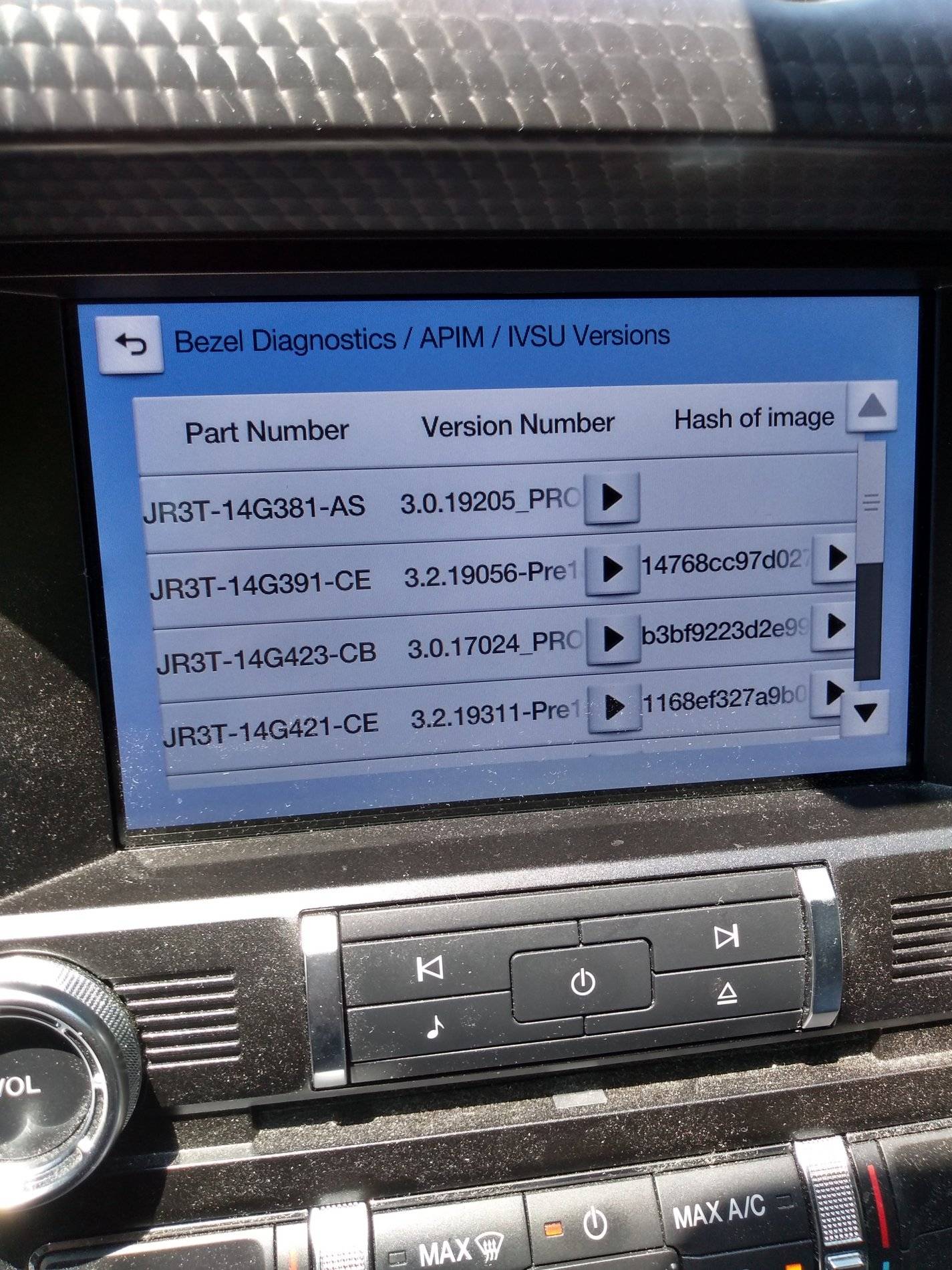
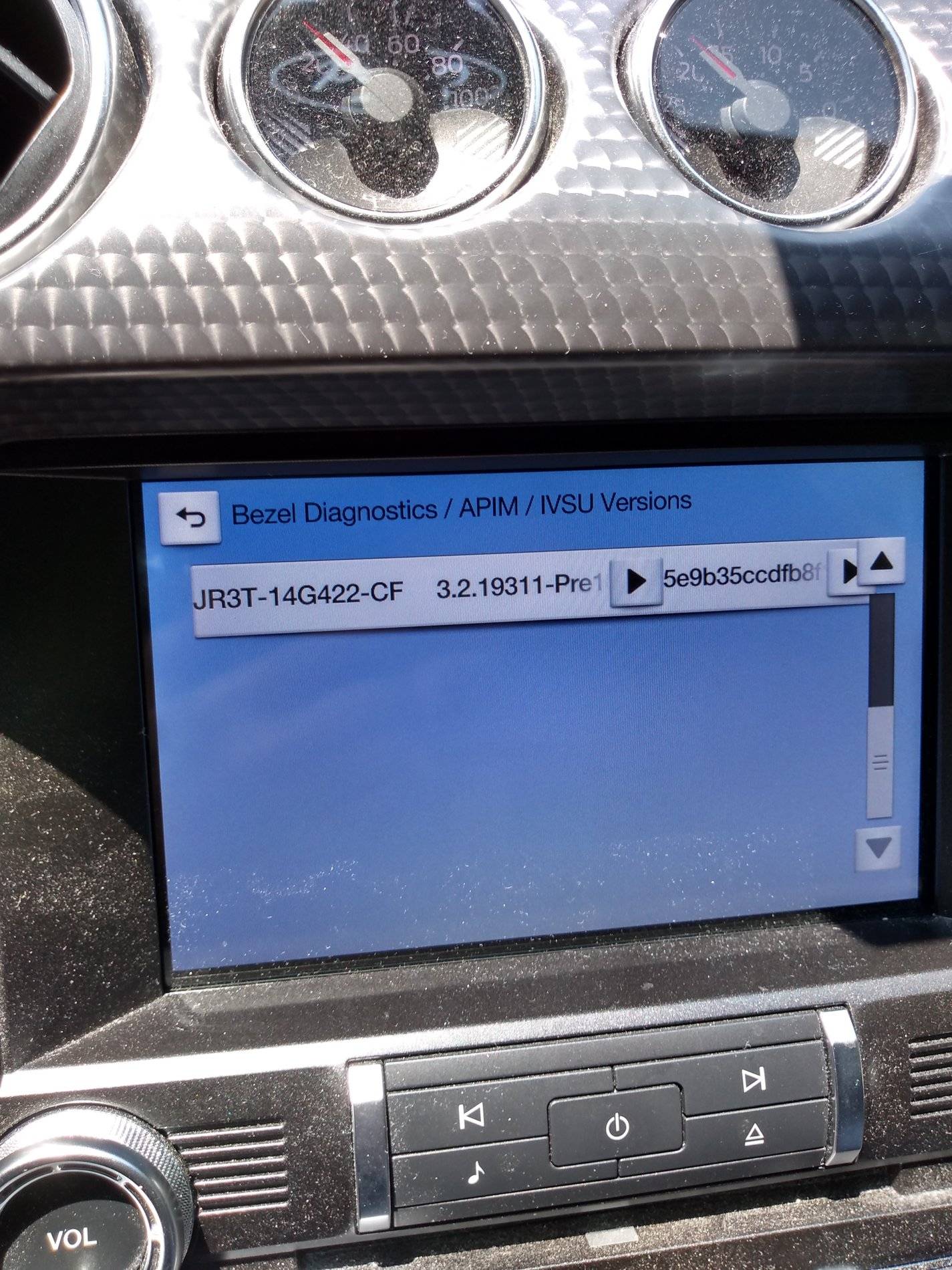
Then after the restart I entered bezel diagnostics and found 5 files including "422" on the second page of IVSU. NOTE that the slider which allows seeing the second page only stayed visible the very first time I accessed the IVSU screen.
Then as noted above I did a driveway test of Nav voice with positive results.
2018 Mustang GT - Fixed Voice Control-IVSU screen 1 with slider.jpg
2018 Mustang GT - Fixed Voice Control-IVSU screen 2 with slider.jpg
2018 Mustang GT - Fixed Voice Control-IVSU screen 1 NO slider.jpg
 

Bikeman315

Well-Known Member
Joined
Apr 12, 2015
Threads
581
Messages
16,183
Reaction score
21,909
Location
Myrtle Beach, SC
First Name
Ira
Vehicle(s)
2019 Mustang GT/CS, 2021 Volvo XC60
It worked!!!!!
Thanks to all of you who provided input I found a combination which started the installation again and actually completed it!!! Nav voice control appears to work properly in a driveway test. It responds to Nav voice prompts just like it should.
I had to first do a master reset to get the system to start the process. After that it responded as the instructions indicated. This time I put in on a charger rather than run the engine for an hour or more in 95 degree heat.
Also rather than wait only 15 seconds after pulling the USB and turning off ACC power I followed the suggestion someone posted to leave it off for several minutes.
Then after the restart I entered bezel diagnostics and found 5 files including "422" on the second page of IVSU. NOTE that the slider which allows seeing the second page only stayed visible the very first time I accessed the IVSU screen.
Then as noted above I did a driveway test of Nav voice with positive results.
That's fantastic. It looks like with a lot of assistance from our fellow members we are getting this all sorted out. Us 3.3 users will still not get the correct version on our "about" screens but that really is of no relevance as long as the files are there and the voice control works.

I just may do this tomorrow. :like:
 

UofMEngineer

Well-Known Member
Joined
Oct 14, 2015
Threads
2
Messages
233
Reaction score
124
Location
Michigan
Vehicle(s)
22' FE, 20' FE
It worked!!!!!
Thanks to all of you who provided input I found a combination which started the installation again and actually completed it!!! Nav voice control appears to work properly in a driveway test. It responds to Nav voice prompts just like it should.
I had to first do a master reset to get the system to start the process. After that it responded as the instructions indicated. This time I put in on a charger rather than run the engine for an hour or more in 95 degree heat.
Also rather than wait only 15 seconds after pulling the USB and turning off ACC power I followed the suggestion someone posted to leave it off for several minutes.
Then after the restart I entered bezel diagnostics and found 5 files including "422" on the second page of IVSU. NOTE that the slider which allows seeing the second page only stayed visible the very first time I accessed the IVSU screen.
Then as noted above I did a driveway test of Nav voice with positive results.
2018 Mustang GT - Fixed Voice Control-IVSU screen 1 with slider.jpg
2018 Mustang GT - Fixed Voice Control-IVSU screen 2 with slider.jpg
2018 Mustang GT - Fixed Voice Control-IVSU screen 1 NO slider.jpg
Good to see you got it figured out before I got back. :)
 

Sponsored

DickR

Well-Known Member
Joined
Dec 10, 2014
Threads
3
Messages
1,400
Reaction score
512
Location
Raleigh
Vehicle(s)
2018 Ruby Red GTPP MagneRide 301A 10A and 1997 GT
Good to see you got it figured out before I got back. :)
Would you have recommended a different approach than what I did with the master reset first and then inserting the USB?

Also do you have any idea why the IVSU slider went away?

Thanks again!
 

UofMEngineer

Well-Known Member
Joined
Oct 14, 2015
Threads
2
Messages
233
Reaction score
124
Location
Michigan
Vehicle(s)
22' FE, 20' FE
Would you have recommended a different approach than what I did with the master reset first and then inserting the USB?

Also do you have any idea why the IVSU slider went away?

Thanks again!
No, you didn’t really need to do the MR prior to install. The problem is the stick was pulled one step early. That’s why you had no voice or gracenotes and those are last to go.

IVSU slider is probably just some UI glitch for that screen.
 

DickR

Well-Known Member
Joined
Dec 10, 2014
Threads
3
Messages
1,400
Reaction score
512
Location
Raleigh
Vehicle(s)
2018 Ruby Red GTPP MagneRide 301A 10A and 1997 GT
Unfortunately every time I tried starting again following the instructions it either wouldn't start at all or would quickly get partially through and then flash an error code.

I also tried the "soft" reset with the same results.

Only doing a master reset would actually get the process to run properly and even it didn't work previously but did this morning.
 

UofMEngineer

Well-Known Member
Joined
Oct 14, 2015
Threads
2
Messages
233
Reaction score
124
Location
Michigan
Vehicle(s)
22' FE, 20' FE
Unfortunately every time I tried starting again following the instructions it either wouldn't start at all or would quickly get partially through and then flash an error code.

I also tried the "soft" reset with the same results.

Only doing a master reset would actually get the process to run properly and even it didn't work previously but did this morning.
Possible some files may have been left over from the previous attempt and the MR wiped them out.
 

Fasteddiec

Well-Known Member
Joined
Jun 6, 2019
Threads
4
Messages
162
Reaction score
77
Location
South Florida
First Name
Ed
Vehicle(s)
2019 Mustang GT Premium convertible
Update. Got a call on Friday the dealer wants my car back on Monday to run some test on the APIM. After reading thru some of the 150 forum it sounds like it didn't finish. So I just got back from a ride. Put the usb drive back in and it started the update again. After about 20 minutes the message came up that it finished the update. Left it sit for a few minutes. It didn't reboot so I clicked on the continue. Tried my nav voice and it didn't work. So I pulled over shut the car off and waited for about 4 minutes. Restarted the car let the system reboot and settle down. Hit the voice button said navigation it responded of course. Said go home and bam it routed me home. Cancelled that with voice it cancelled. Told it to find an address and it did. Tried all the other voice commands and they all work. So I can cancel the appt in the morning. After I got home I left the car sit for about 1/2 hour and tried again. It still works.
Great news!!
Sponsored


Top