Sponsored

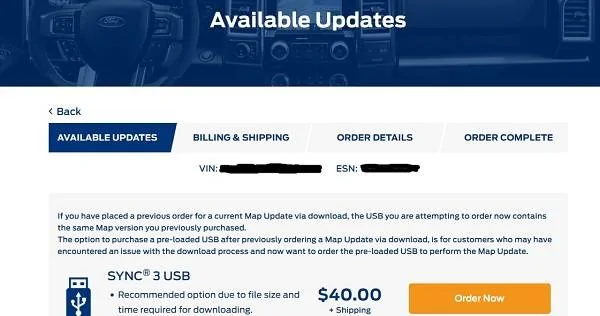
New Navigation map update June 29th

NeedForGreen

Well-Known Member
Joined
Aug 8, 2019
Threads
33
Messages
758
Reaction score
519
Location
FL
Vehicle(s)
2019 Mustang GT
Yes. The first time it popped up it litterly stayed on for seconds. The system then rebooted. Then the system update started again. When it was done I didn't see the pop up. It was a message up on the top right I had to press. Then I got the 2nd pop up.
Sponsored


 

Bikeman315

Well-Known Member
Joined
Apr 12, 2015
Threads
581
Messages
16,183
Reaction score
21,909
Location
Myrtle Beach, SC
First Name
Ira
Vehicle(s)
2019 Mustang GT/CS, 2021 Volvo XC60
Well after seeing some people having success with just letting the update go longer after the first message of it being done I took the plunge. I decided to drive around for a bit. Saw the update finished message then it rebooted. Got the 2nd system update message. Took about 60 mins and all went well. Voice navigation works. I didn't even bother to see if it showed the correct maps version or not.
Glad it went well for you. Maybe it’s time to take my USB drive out of the desk drawer and give it a shot.
 

Elp_jc

Well-Known Member
Joined
May 2, 2020
Threads
48
Messages
3,527
Reaction score
805
Location
USA
Vehicle(s)
None
I called Ford customer service, asking for an update on my case number, and had to hang up with the imbecile that took my call. Now I know why it has such a bad reputation. Ha ha. Anyway, my car is working fine, so no way I'd do the whole damn thing all over again just to show the correct version, so will wait for the eventual 3.4 update, and see what happens then. Thanks to this forum, I know that's the best solution to our 'problem'. I was trying to get another map version free, but won't try again :).
 

hws52

Well-Known Member
Joined
Oct 22, 2018
Threads
0
Messages
105
Reaction score
42
Location
Ohio, USA
First Name
Henry
Vehicle(s)
2018 Mustang GT Premium
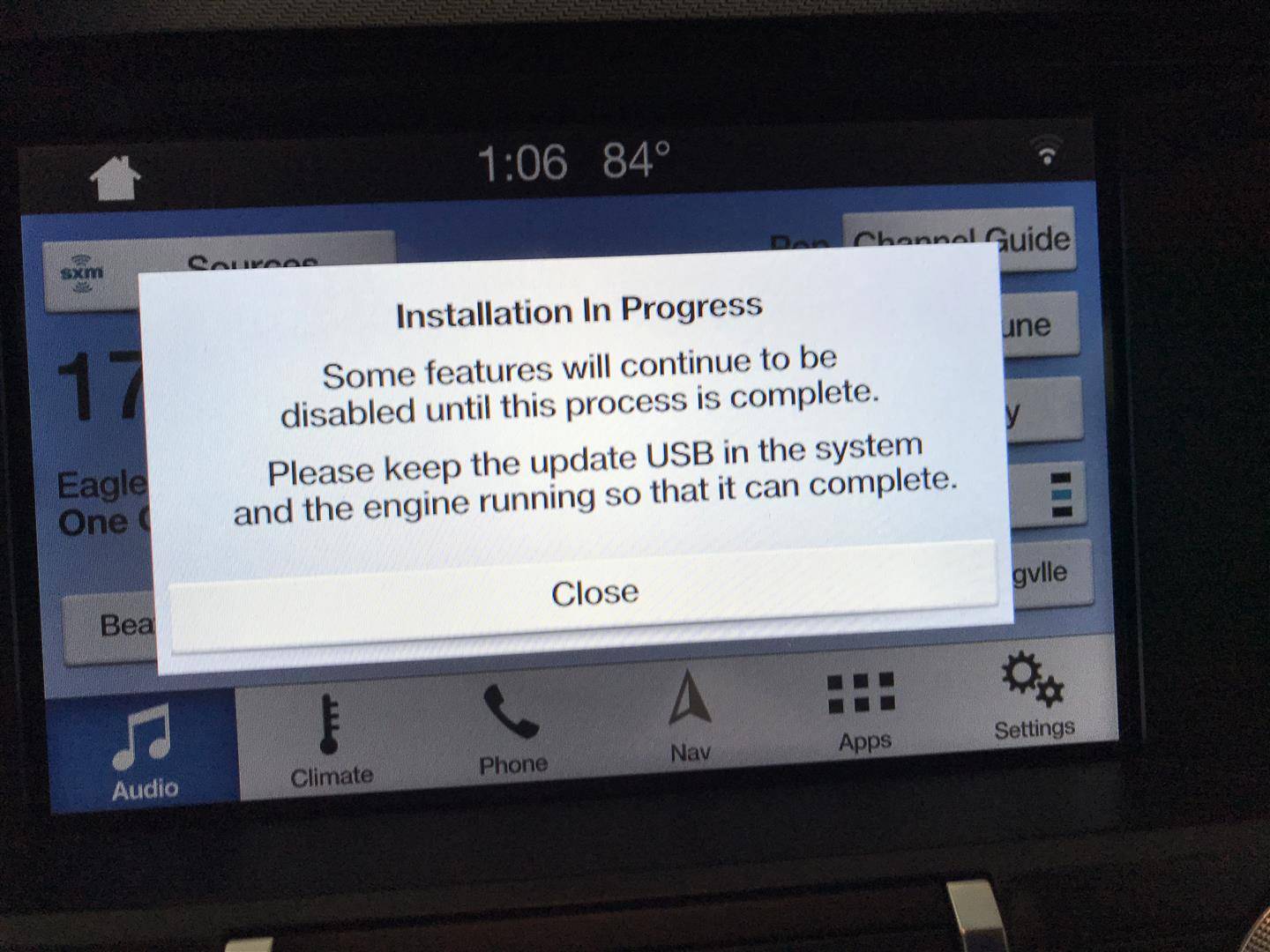
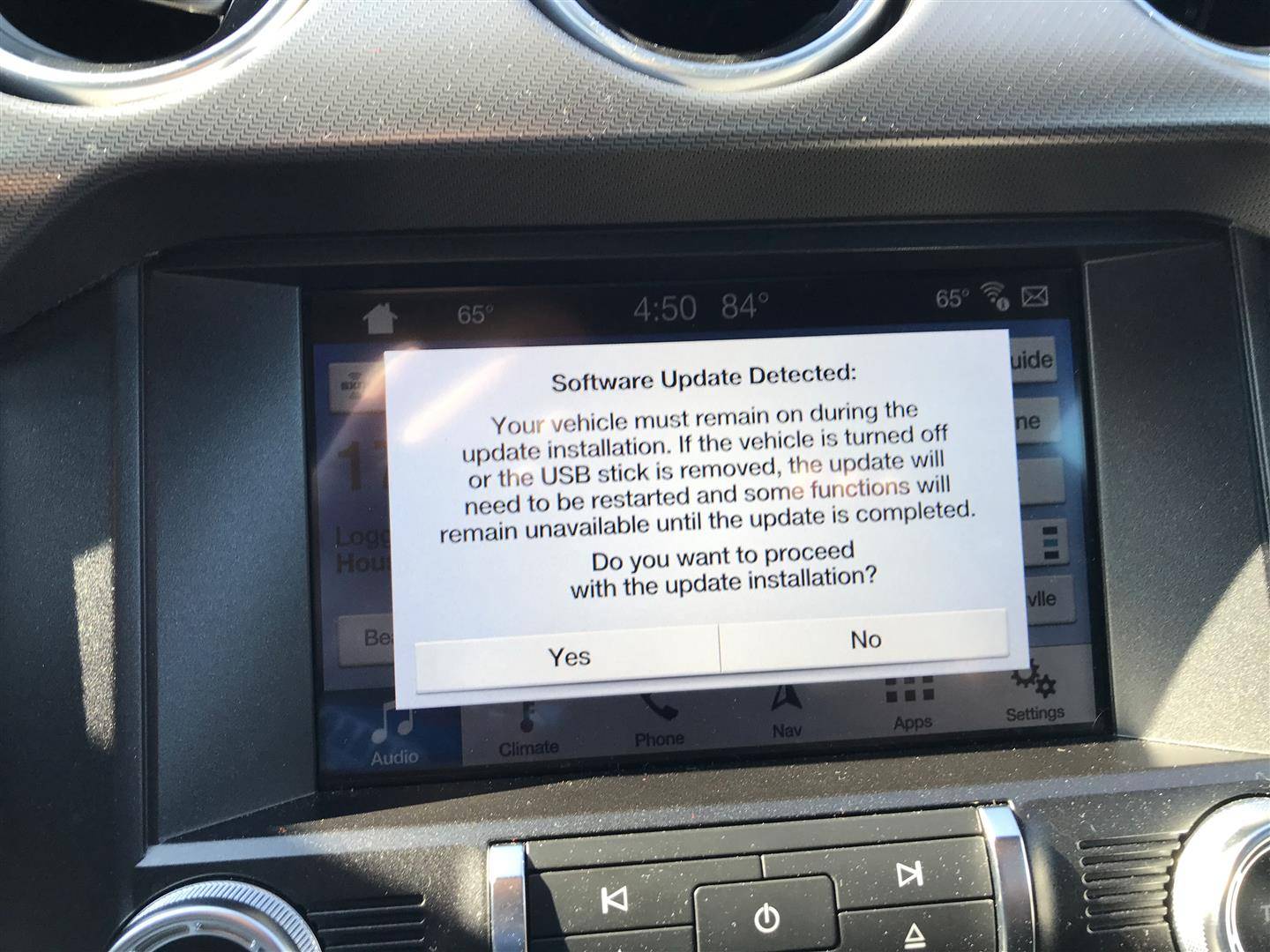
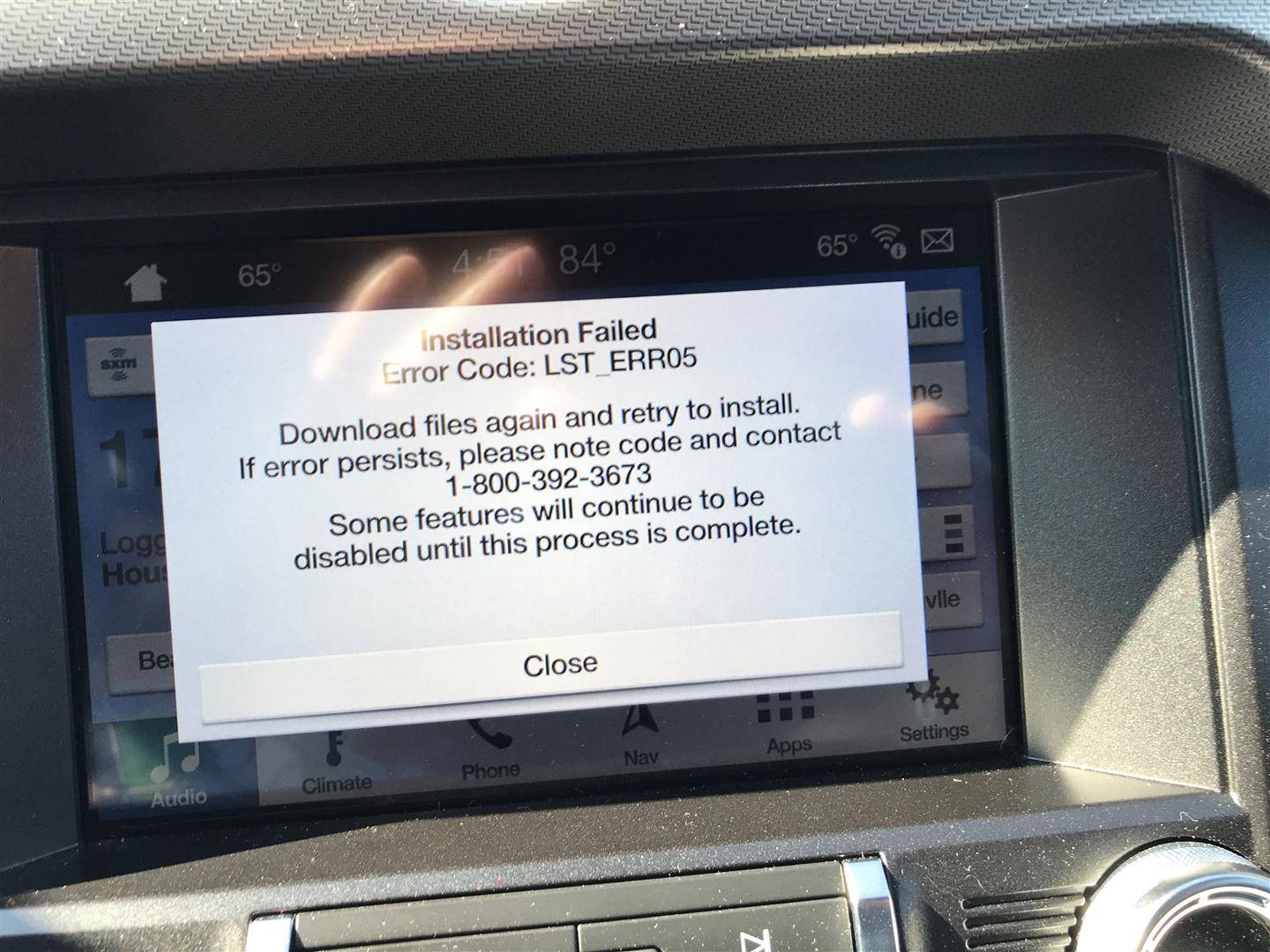
My sob story. Tried to update my maps on my '18 GT, from 1 18 to the new 1-19. Something glitches and the system shut down, Now when I start the car I get a message window, (see #1). If I put my usb with the files in I get a message window,(see #2), then click "OK", I get message error window (see #3). If I plug the usb in before starting I get #2, then #3. The map version does show 1 19 and the maps seem ok except that voice commands for nav get no response. I called the help line and they have escalated it up but I'll probably end up taking it to the dealer. Any Ford techs or any other suggestions on how to reset the maps? I also did a master reset on Sync but that only wipes out phone, media, and preferences. Does nothing for the maps.
1.jpg
2.jpg
3.jpg
 

Sponsored

hws52

Well-Known Member
Joined
Oct 22, 2018
Threads
0
Messages
105
Reaction score
42
Location
Ohio, USA
First Name
Henry
Vehicle(s)
2018 Mustang GT Premium
I did the update back in February. I took a photo of the sync screens so I would have the vin and esn. After I did the update looks like I already had version na 1.18 on my system before the update. Now my voice recognitions don't work for the nav part only. Was hoping for a new version of the maps. Maybe it would fix my problems.
Mine messed up too. I was on 1 18 and it now shows 1 19 but I get error message when I start up and voice recognition in nav also doesn't work. I have a open case that has been escalated but I'll probably end up having to take it in.
 

hws52

Well-Known Member
Joined
Oct 22, 2018
Threads
0
Messages
105
Reaction score
42
Location
Ohio, USA
First Name
Henry
Vehicle(s)
2018 Mustang GT Premium
Is this able to be updated if you have a 2019 that was force installed to sync 3.4? It says i have map version NA118 now.. so i'm guessing it's already up to date?

I dont want to end up forcing myself back to 3.3 with the map update if so.
new map v is 1 19
 

Sponsored

NeedForGreen

Well-Known Member
Joined
Aug 8, 2019
Threads
33
Messages
758
Reaction score
519
Location
FL
Vehicle(s)
2019 Mustang GT
I checked what my version says today after the update went through yesterday. It doesn't say 1 19 or even 1 18. It says 1 17. How did it go backwards? Geez lol
 

el-guapin

Well-Known Member
Joined
Oct 30, 2018
Threads
33
Messages
913
Reaction score
381
Location
LSU - Geaux Tigers!
Website
www.tesla.com
Vehicle(s)
1949 UFO
Mine messed up too. I was on 1 18 and it now shows 1 19 but I get error message when I start up and voice recognition in nav also doesn't work. I have a open case that has been escalated but I'll probably end up having to take it in.
Most likely due to:
1) corrupt files on USB
2) USB removed to soon, 14G422 did not get install.
What version Sync3 are you on?
 

hws52

Well-Known Member
Joined
Oct 22, 2018
Threads
0
Messages
105
Reaction score
42
Location
Ohio, USA
First Name
Henry
Vehicle(s)
2018 Mustang GT Premium
I just went to check for an update. I get a ESN is invalid message.
I went through hell with the last Sync 3 update so this doesn't surprise me one bit. lol
You have to use the Sync s/n under Maps, not th Modem ESN


Top