HoosierDaddy
Well-Known Member
- Thread starter
- #1
Was bored and decided this was the absolutely worst time to build a PC due to chip prices.
Wasn't going to let that stop me. I have absolutely no need for a new PC. My 2019 build is still awesome for my needs. But If I was going to build a new one, it would have to last at least 10 years.
I don't do games, so always end up paying for a lot of features/capabilities/"aesthetics" I'll never use just to get the ones I care about.
Has to be built like a tank with overbuilt under-stressed components. Has to be fast enough to meet needs for 10+ years. I might not want to build another PC in my 90s. Has to generate ZERO human discernable sound regardless of load, just like it's predecessor.
Here's the components I chose:
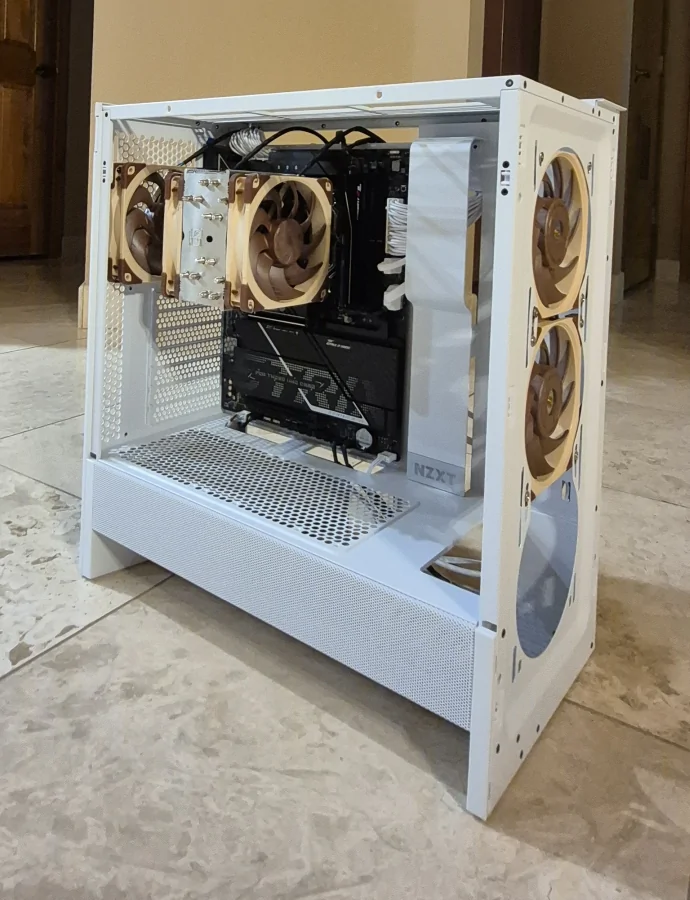
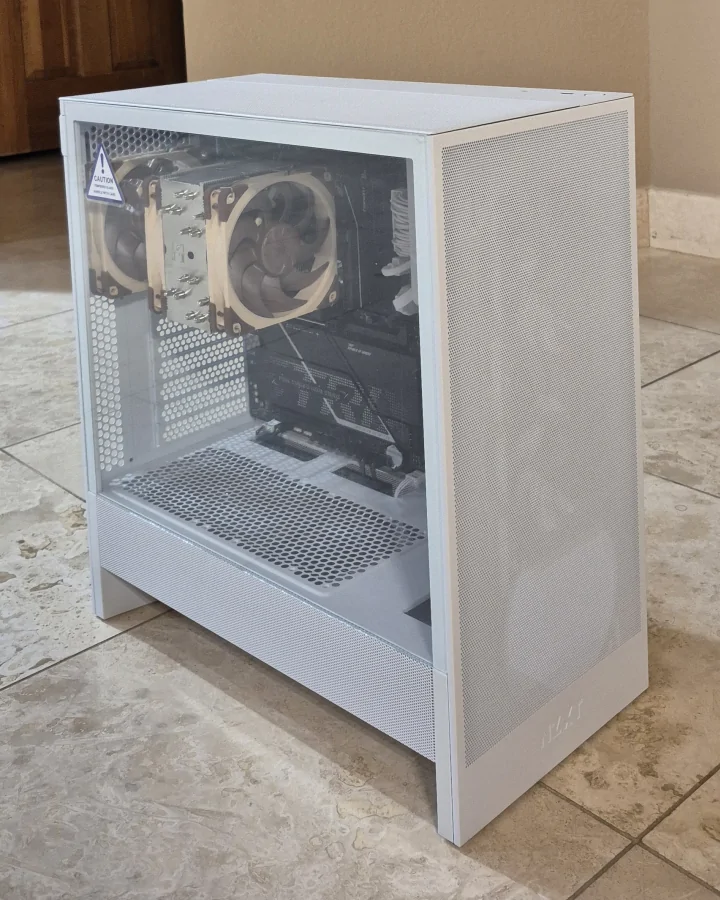
Mid tower case: NZXT H5 Flow (2024). I did not care for an NXZT case I used for a ~2010 build but this one is perfect for my use. The Flow 5 is my first build that did not have front 5.2" bays for optical and hot swappable SATA hard drives. But hot swappable external USB bays with UASP are as fast or faster as in case SATA speeds so going that way. And I use a Blue Ray drive so seldom I'll just use the external USB drive I have for tablets. Those differences eliminate power and data cables for each in the case.

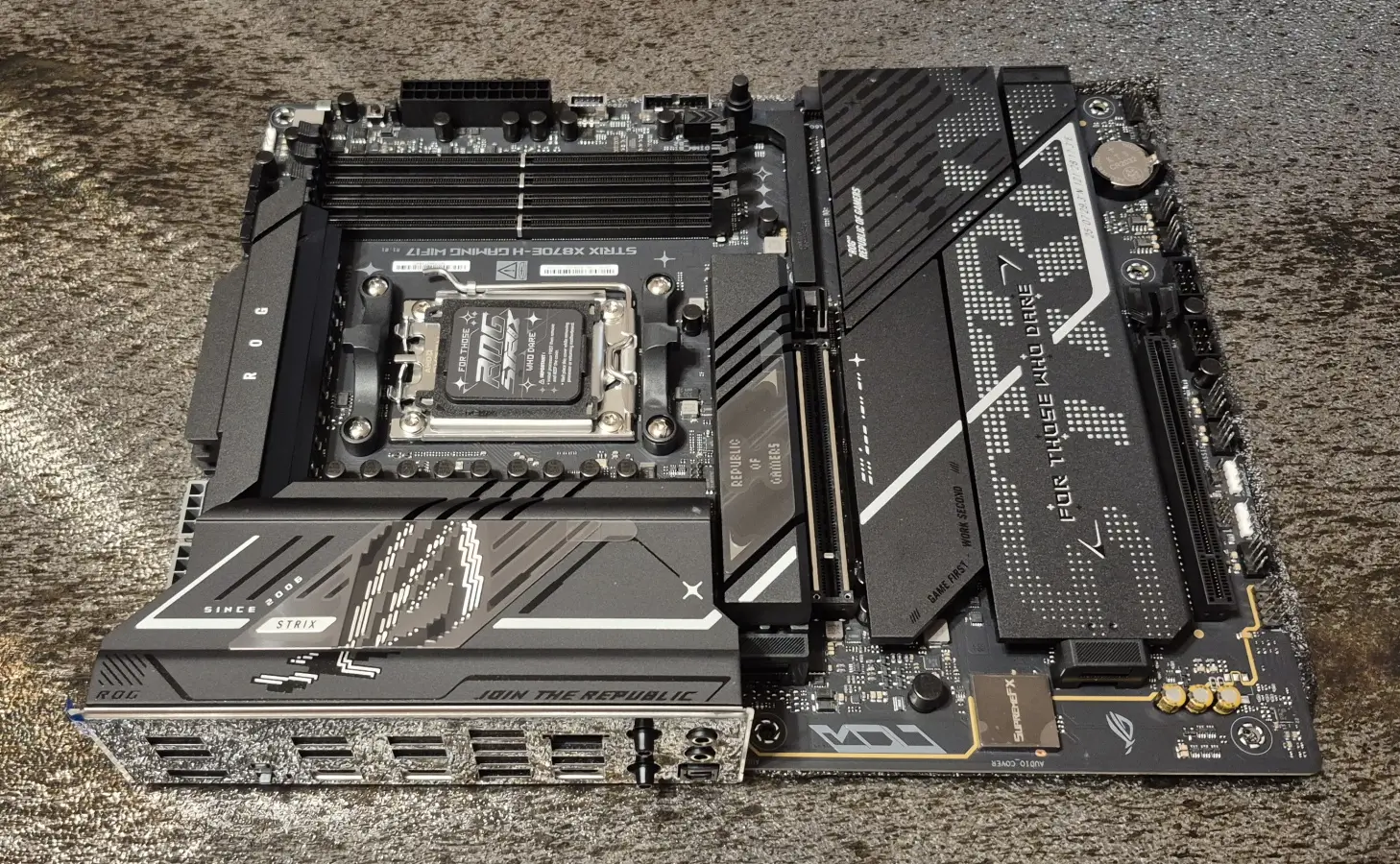
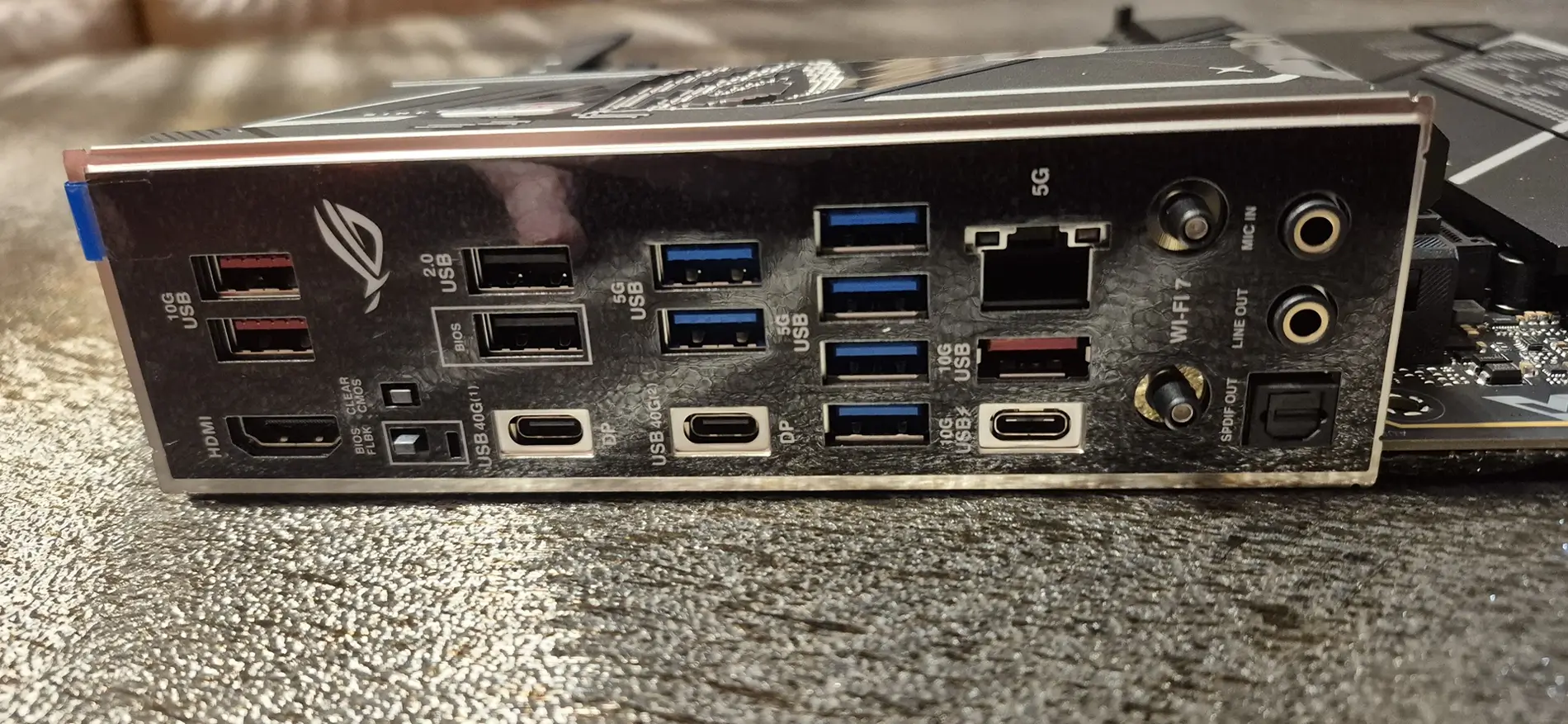
Motherboard: ASUS ROG STRIX X780E-H. So much I don't need but checks the boxes I do need. This will be my first AMD build.


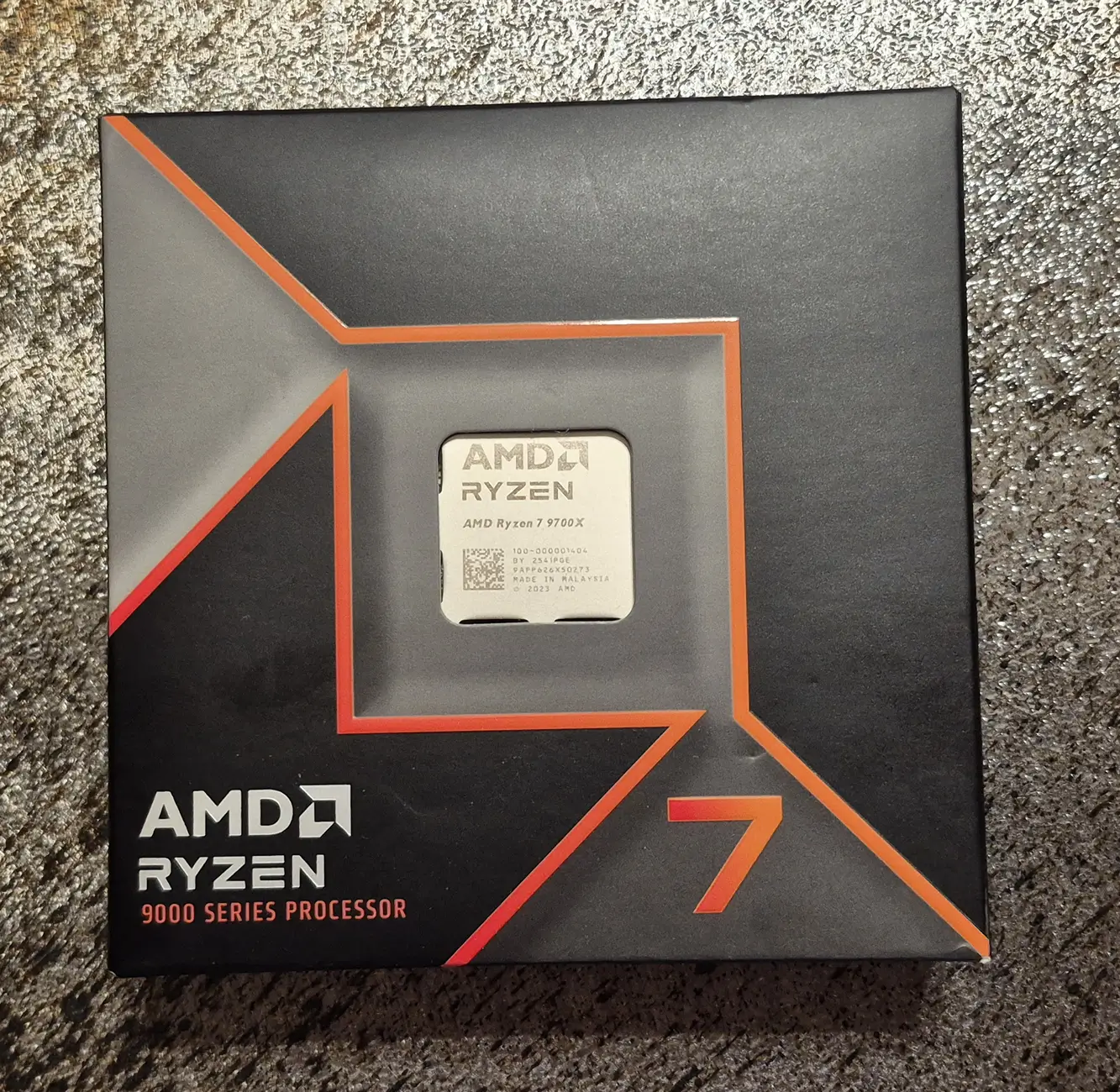
CPU: AMD Ryzen 7 9700X. Will be running it at 65W to minimize heat.

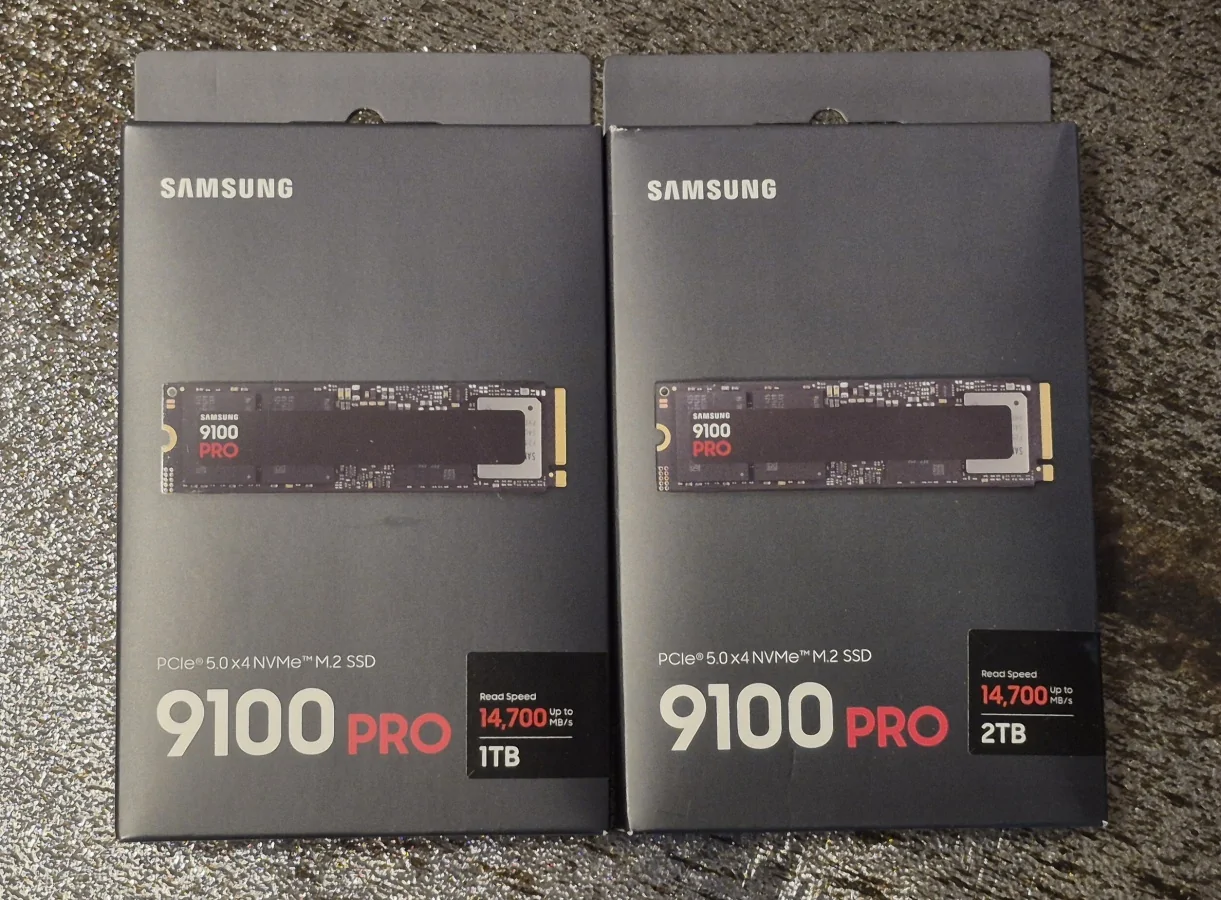
Storage: Two Samsung 9100 NVMe M.2 drives, a 1TB and a 2 TB. These will run at PCIe 5.0 speeds up to 14,700 Mb/s simultaneously.

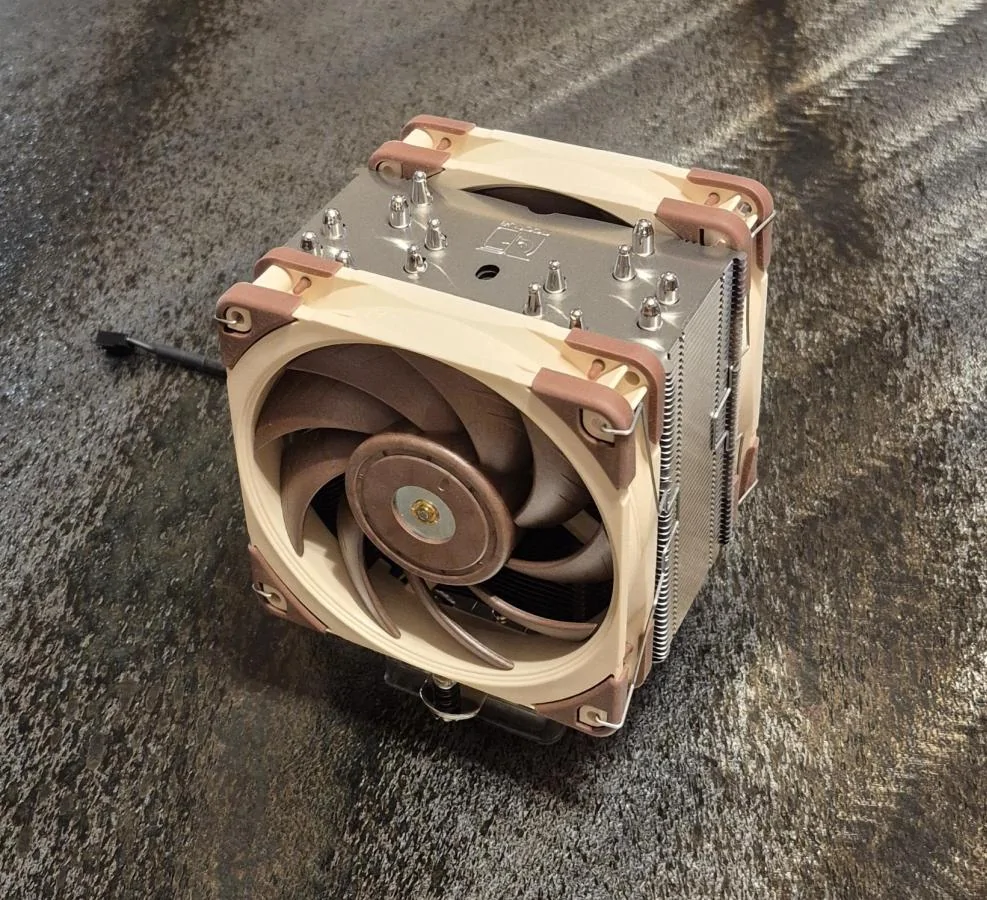
Cooler: Noctua NH-U12A.
This cooler includes two Noctua case fans attached to the tower.
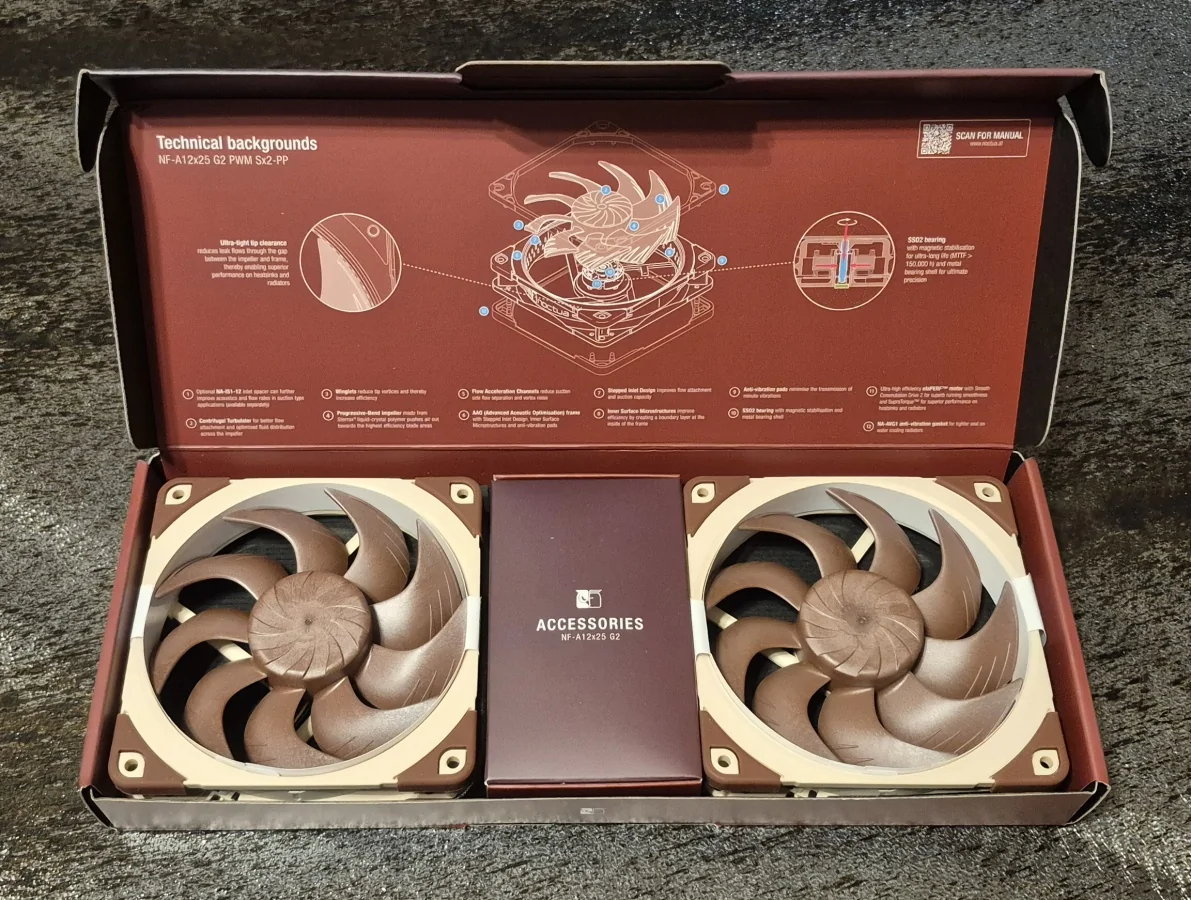
Noctua has released an improved version of that size case fans BUT have not announced a version of the cooler with those fans due to lack of production capacity. In this build the cooler fans will run faster than case fans. So..... I will be removing these fans from the cooler and using them for the front of the case. I purchased a pair of the Gen 2 fans to use on the cooler. When bought in pairs, the two fans operate at slightly different RPMs for improved acoustics of air flow thru the tower. I also bought a single to replace the factory NZXT rear fan. Stock fans still on in this pic.

The pair of Gen 2s for the cooler:

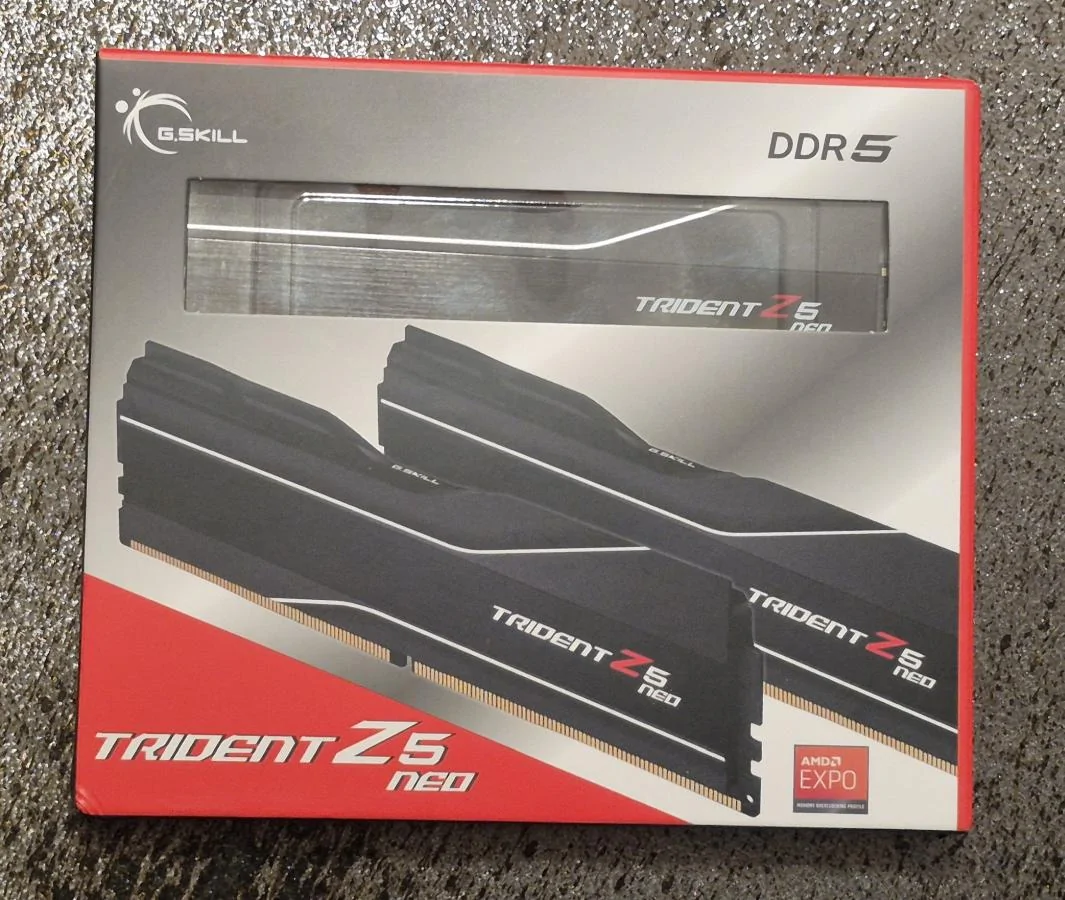
Memory: G.Skill 32GB (2x16) DDR5 6000 CL30. Were hard to find without RGB.
 +
+
No video card at all.
Power supply may seem confusing. I'm using a Seasonic Prime Ultra 650 watt Titanium from a 2019 build I use. I'm replacing it in the old build with a new Focus GS 750 watt Gold. Nothing available today provides cleaner power than the 2019 Seasonic Titanium EXCEPT their models for 1300 watts or higher. Just insane overkill wattage and price for a PC that will barely use 200 watts. Since the 2019 build is going into semi-retirement, a new 750 watt gold power quality is enough.
I had never heard the Titanium fan kick in since installed 7 years ago. Which was the goal for that build. When I pulled it from the 2019 build for this new one, the fan blades had not one spec of dust on them. Plus still has 5 years of the 12 year warranty left.
For icing on the cake, Seasonic did not change PS socket pinouts in all these years. That meant I did not have to also move cables from the old build to the new or replace the extensive amount of power cables in the old build. And for icing on the icing, I ordered the 750 watt in white so all the cables will match the white case.
Let the games begin!
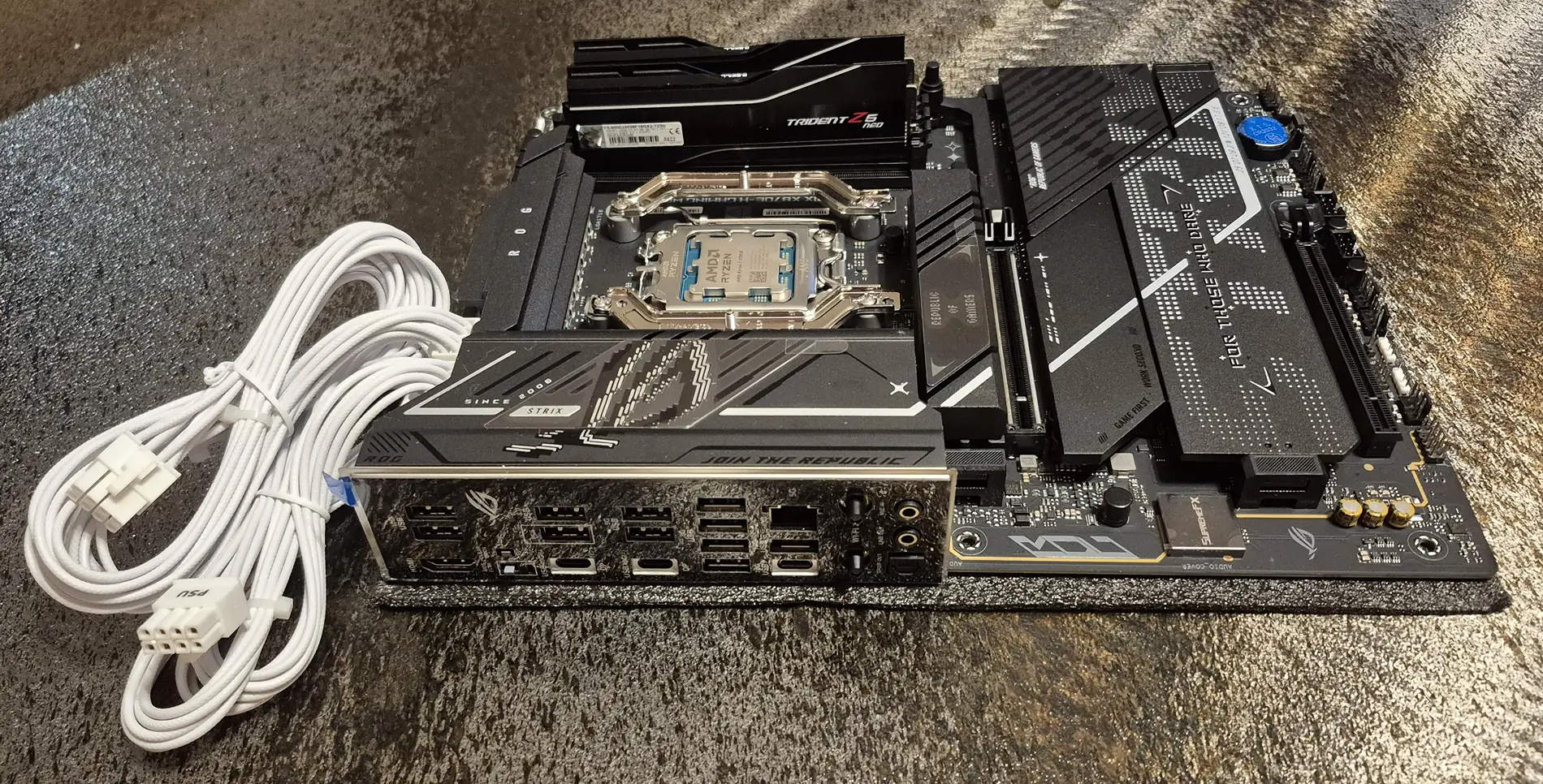
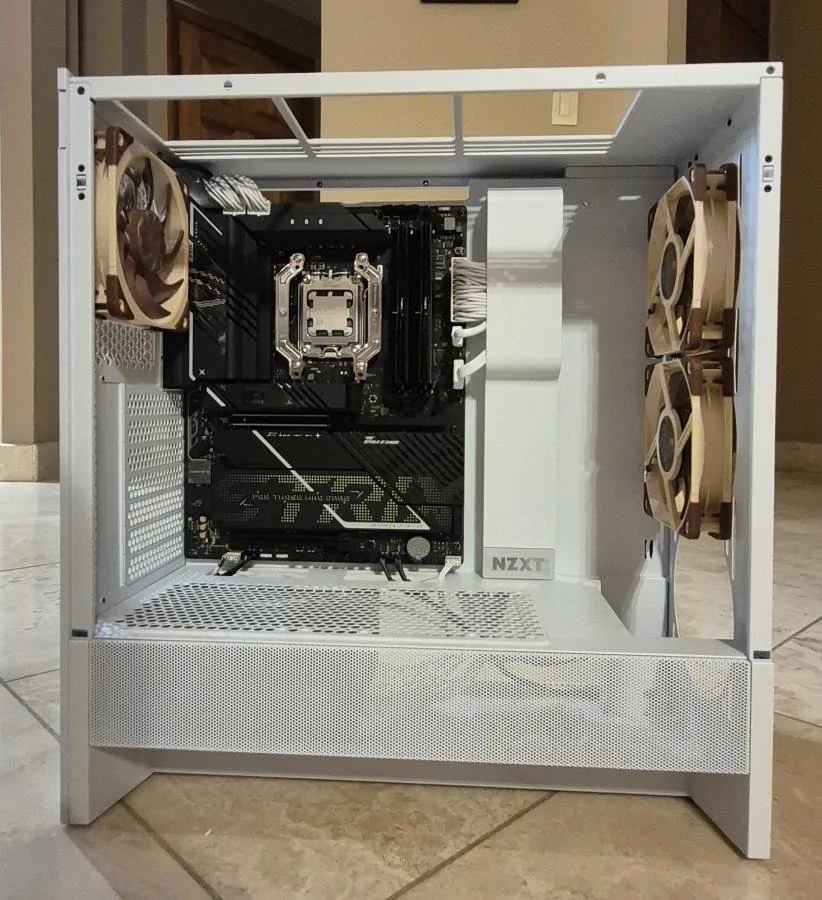
Motherboard fully populated with CPU, cooler mount, memory and NVMe M.2s. NVMes under MB heat sinks to right of CPU. CPU power cables on left preinstalled due to difficulty accessing the ports when MB in case. Cooler mount installed offset 7mm (to right in pic) since Ryzen 7 9100X is hottest that distance from center.

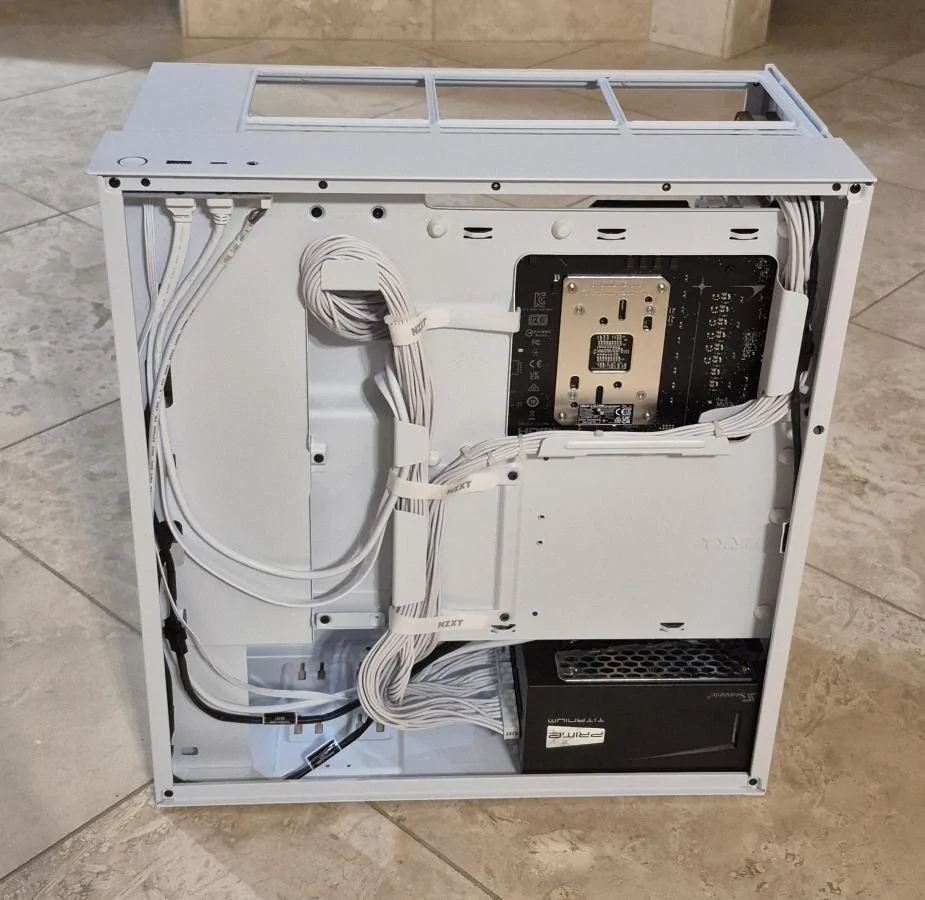
Case with power supply, fans and motherboard and all cabling done (motherboard power on right of CPU, case audio 3.5 and rear fan PWM on lower left, front fans PWMs and case power/reset on lower right, 20Gbs case USB and 5Gbs case USB on right under motherboard power). What a change in cabling from the 2019 build! 2019 had all those mechanical drives. None of them were used more than 1/2% of the time but they each had data and power cables in the case and all in front of the MB and in the air flow. The much fewer power cables are all hidden behind the front compartment and there are zero drive data cables.

Back view showing cabling:

Front 3/4:

Rear 3/4:

Only thing left is the cooler tower and its fans. Tackling that fresh on a new day along with installing front, top and both side panels.
Wasn't going to let that stop me. I have absolutely no need for a new PC. My 2019 build is still awesome for my needs. But If I was going to build a new one, it would have to last at least 10 years.
I don't do games, so always end up paying for a lot of features/capabilities/"aesthetics" I'll never use just to get the ones I care about.
Has to be built like a tank with overbuilt under-stressed components. Has to be fast enough to meet needs for 10+ years. I might not want to build another PC in my 90s. Has to generate ZERO human discernable sound regardless of load, just like it's predecessor.
Here's the components I chose:
Mid tower case: NZXT H5 Flow (2024). I did not care for an NXZT case I used for a ~2010 build but this one is perfect for my use. The Flow 5 is my first build that did not have front 5.2" bays for optical and hot swappable SATA hard drives. But hot swappable external USB bays with UASP are as fast or faster as in case SATA speeds so going that way. And I use a Blue Ray drive so seldom I'll just use the external USB drive I have for tablets. Those differences eliminate power and data cables for each in the case.
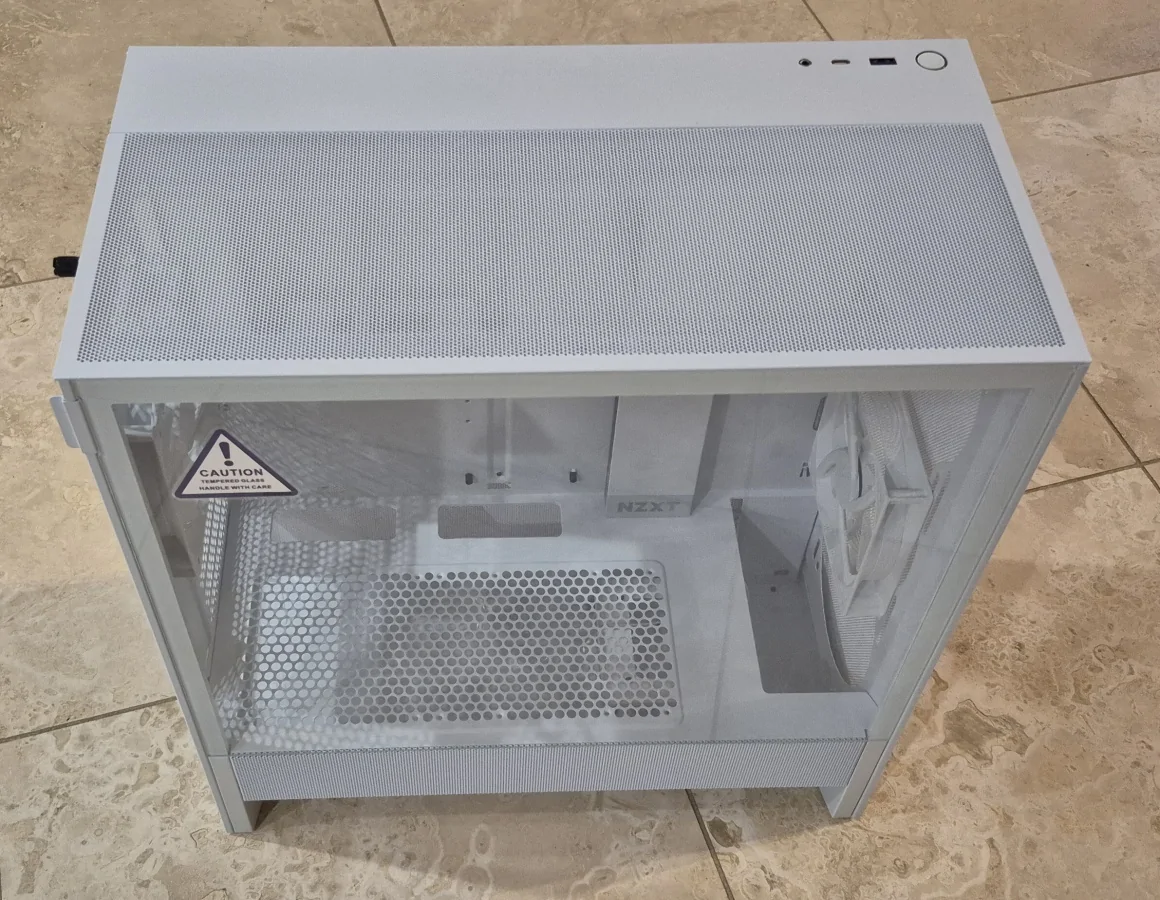
Motherboard: ASUS ROG STRIX X780E-H. So much I don't need but checks the boxes I do need. This will be my first AMD build.
CPU: AMD Ryzen 7 9700X. Will be running it at 65W to minimize heat.
Storage: Two Samsung 9100 NVMe M.2 drives, a 1TB and a 2 TB. These will run at PCIe 5.0 speeds up to 14,700 Mb/s simultaneously.
Cooler: Noctua NH-U12A.
This cooler includes two Noctua case fans attached to the tower.
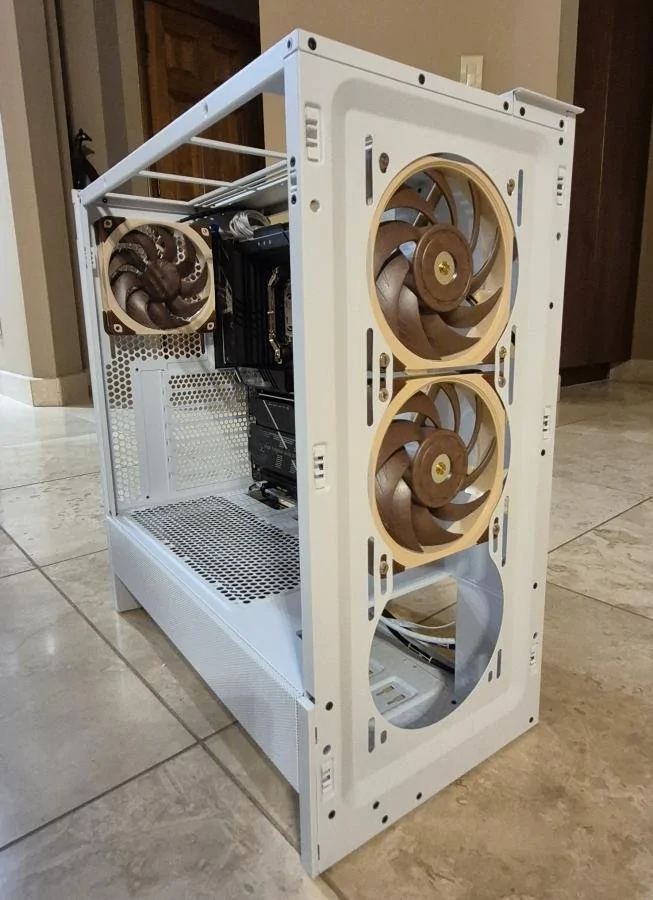
Noctua has released an improved version of that size case fans BUT have not announced a version of the cooler with those fans due to lack of production capacity. In this build the cooler fans will run faster than case fans. So..... I will be removing these fans from the cooler and using them for the front of the case. I purchased a pair of the Gen 2 fans to use on the cooler. When bought in pairs, the two fans operate at slightly different RPMs for improved acoustics of air flow thru the tower. I also bought a single to replace the factory NZXT rear fan. Stock fans still on in this pic.
The pair of Gen 2s for the cooler:
Memory: G.Skill 32GB (2x16) DDR5 6000 CL30. Were hard to find without RGB.
No video card at all.
Power supply may seem confusing. I'm using a Seasonic Prime Ultra 650 watt Titanium from a 2019 build I use. I'm replacing it in the old build with a new Focus GS 750 watt Gold. Nothing available today provides cleaner power than the 2019 Seasonic Titanium EXCEPT their models for 1300 watts or higher. Just insane overkill wattage and price for a PC that will barely use 200 watts. Since the 2019 build is going into semi-retirement, a new 750 watt gold power quality is enough.
I had never heard the Titanium fan kick in since installed 7 years ago. Which was the goal for that build. When I pulled it from the 2019 build for this new one, the fan blades had not one spec of dust on them. Plus still has 5 years of the 12 year warranty left.
For icing on the cake, Seasonic did not change PS socket pinouts in all these years. That meant I did not have to also move cables from the old build to the new or replace the extensive amount of power cables in the old build. And for icing on the icing, I ordered the 750 watt in white so all the cables will match the white case.
Let the games begin!
Motherboard fully populated with CPU, cooler mount, memory and NVMe M.2s. NVMes under MB heat sinks to right of CPU. CPU power cables on left preinstalled due to difficulty accessing the ports when MB in case. Cooler mount installed offset 7mm (to right in pic) since Ryzen 7 9100X is hottest that distance from center.
Case with power supply, fans and motherboard and all cabling done (motherboard power on right of CPU, case audio 3.5 and rear fan PWM on lower left, front fans PWMs and case power/reset on lower right, 20Gbs case USB and 5Gbs case USB on right under motherboard power). What a change in cabling from the 2019 build! 2019 had all those mechanical drives. None of them were used more than 1/2% of the time but they each had data and power cables in the case and all in front of the MB and in the air flow. The much fewer power cables are all hidden behind the front compartment and there are zero drive data cables.
Back view showing cabling:
Front 3/4:
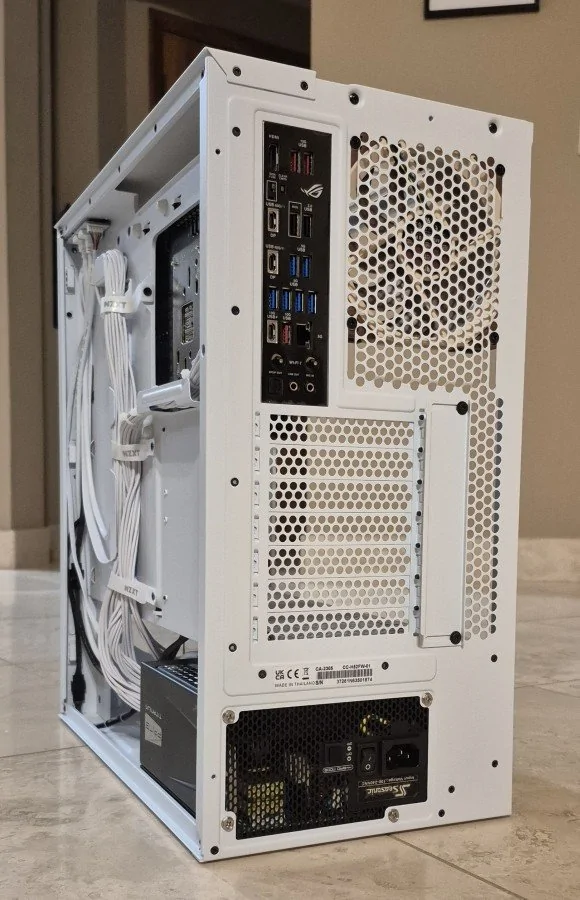
Rear 3/4:
Only thing left is the cooler tower and its fans. Tackling that fresh on a new day along with installing front, top and both side panels.
Sponsored
Last edited: