Ed M
Well-Known Member
CarPlay in iOS13 will allow that, but Ford would need to update their software. I.e. don’t hold your breath...That would be awesome.
Sponsored

CarPlay in iOS13 will allow that, but Ford would need to update their software. I.e. don’t hold your breath...That would be awesome.
Do you know if something like would/could be supported by Android Auto?CarPlay in iOS13 will allow that, but Ford would need to update their software. I.e. don’t hold your breath...

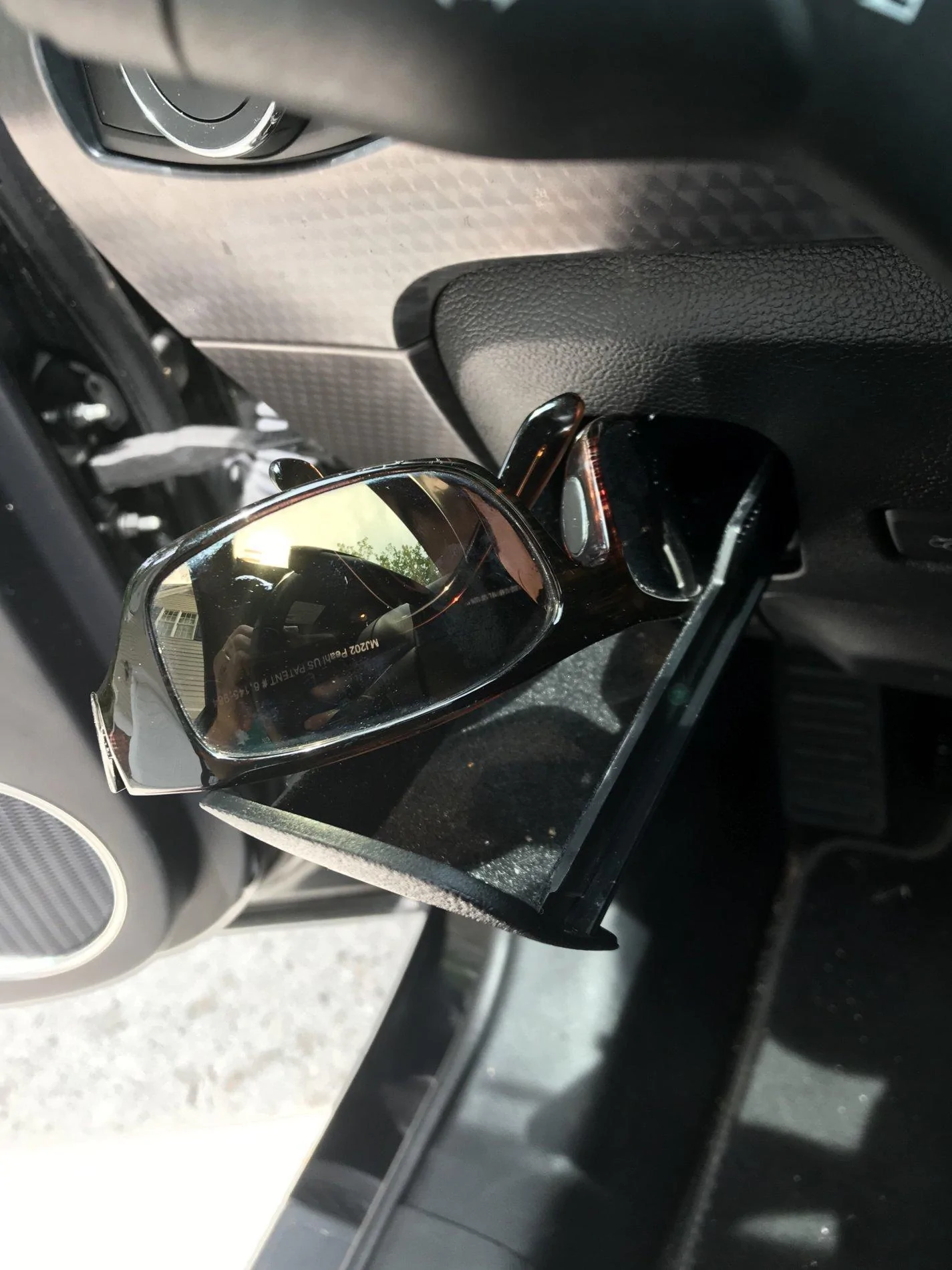
I put mine lenses down (or up), it's got felt down there.Y'all must have tiny heads. My sunglasses don't come close to fitting in the "sunglasses holder".

I tried that - lenses down, the temples catch when opening or closing the drawer. Lenses up, they scrape across the top of the opening. My sunglasses are kind of big and wrap-around, so they must not have been their design point.I put mine lenses down (or up), it's got felt down there.

I've put aviators in there...

same thing with my Android, you need a quality cable.When I went to buy my Mustang my CarPlay wouldn’t work. The dealership rightly identified some 3rd party lightning cables cause this issue. I then connected to a ($24) Apple OEM cable and all worked fine.
Ankr cables work with CarPlay as well.When I went to buy my Mustang my CarPlay wouldn’t work. The dealership rightly identified some 3rd party lightning cables cause this issue. I then connected to a ($24) Apple OEM cable and all worked fine.

Yes, my son’s 2009 Honda Accord will do this with his Android phone.That would be awesome.

How?Discovered recently on my 2019 that you can turn on the radio without your key fob, or turning on the ignition.

I just press the power button centered below the nav screen.How?
Open NAV screen to full display by pressing NAV softkey on screen:I just press the power button centered below the nav screen.