

Sponsored

Sync update issues

el-guapin

Well-Known Member
Joined
Oct 30, 2018
Threads
33
Messages
913
Reaction score
381
Location
LSU - Geaux Tigers!
Website
www.tesla.com
Vehicle(s)
1949 UFO
I updated mine and also the map to 1.19 but still shows 1.18, contacted the map people since I paid for the usb, but they are totally useless and told me contact Ford Sync told me contact the map people, they also said they checked and I have 1.19 but my question is my Bullitt has no modem so are they really checking or just saying it because I purchased the map update.
Check the info on these threads
Official Ford Sync3 3.4 Release

New Navigation map update June 29th
Sponsored


mAkI

Well-Known Member
Joined
Jun 2, 2019
Threads
25
Messages
162
Reaction score
44
Location
Los Angeles, Ca
First Name
Moiz
Vehicle(s)
2019 Bullitt
I updated mine and also the map to 1.19 but still shows 1.18, contacted the map people since I paid for the usb, but they are totally useless and told me contact Ford Sync told me contact the map people, they also said they checked and I have 1.19 but my question is my Bullitt has no modem so are they really checking or just saying it because I purchased the map update.
You can update for free by following ford's website from here help.ford.com/update-sync/

Didn't know people were paying for the update
 

steve2150

Well-Known Member
Joined
Jan 20, 2018
Threads
44
Messages
182
Reaction score
20
Location
Punta Gorda, Florida
First Name
Stephen
Vehicle(s)
2019 Mustang Bullitt 2020 Mustang Ecoboost Premium
You can update for free by following ford's website from here help.ford.com/update-sync/

Didn't know people were paying for the update
reason I bought it was they said you get support, a total lie.
 

Elp_jc

Well-Known Member
Joined
May 2, 2020
Threads
48
Messages
3,527
Reaction score
805
Location
USA
Vehicle(s)
None
I updated mine and also the map to 1.19 but still shows 1.18
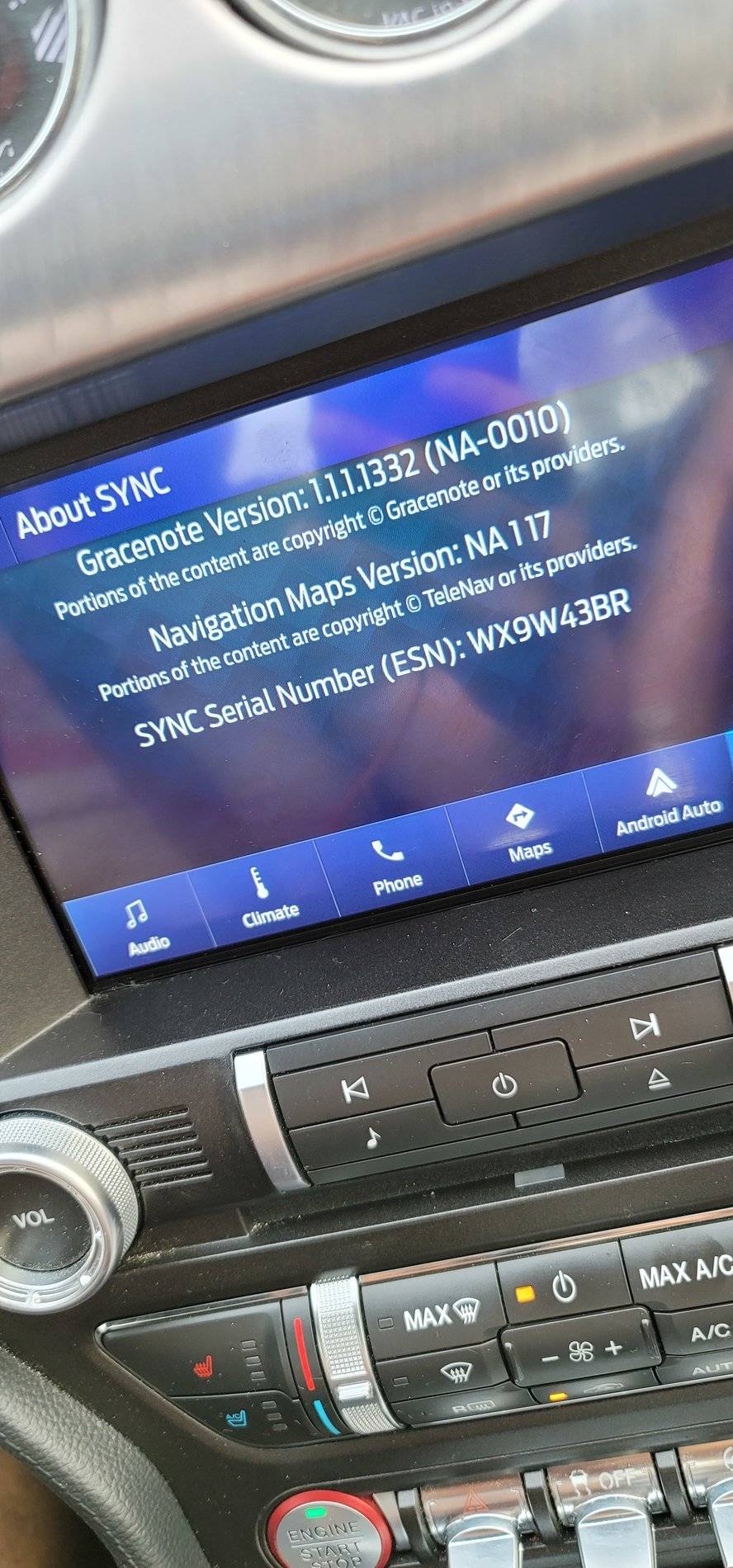
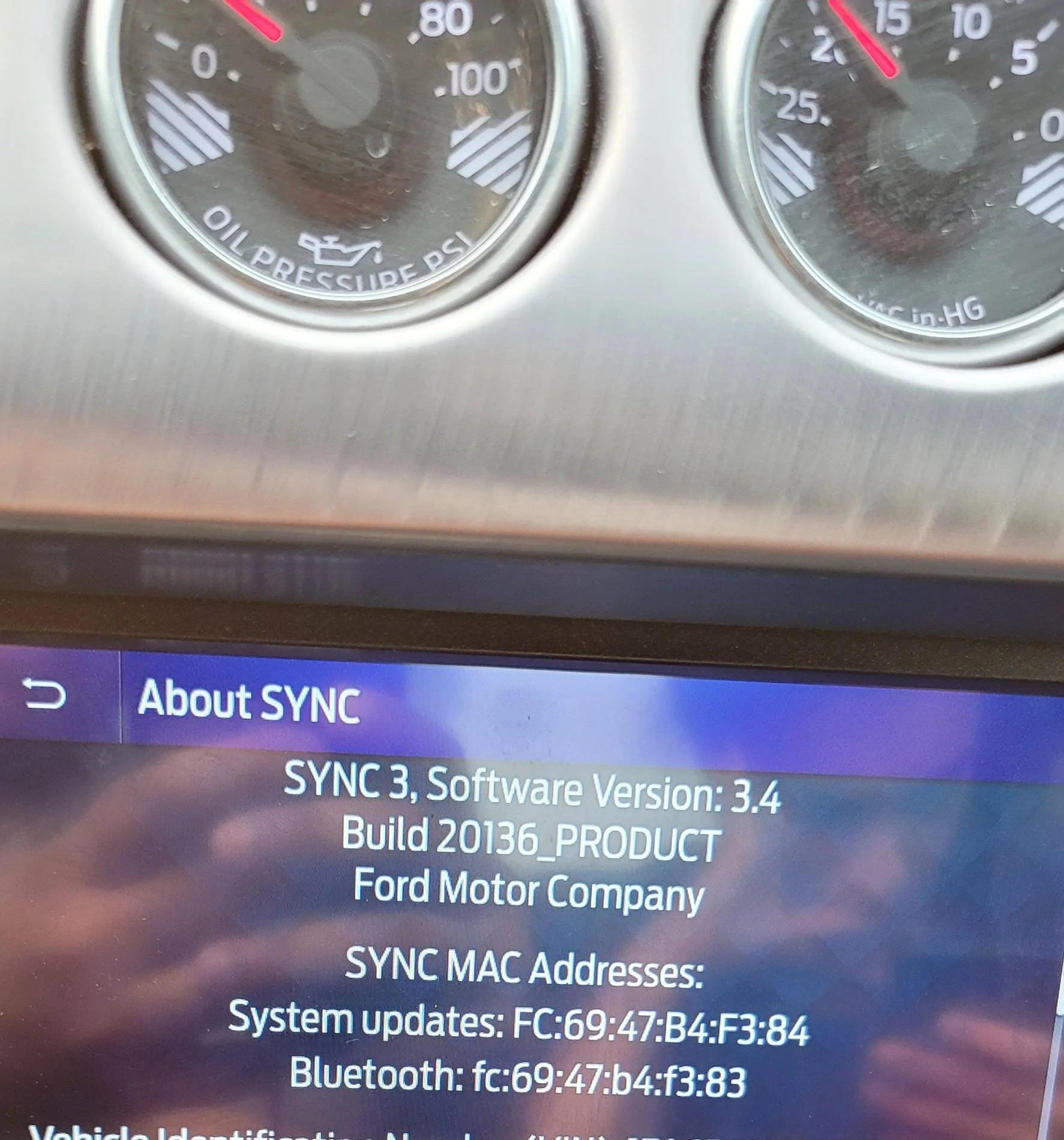
That's what happened to many of us, who did the update before Sync 3.4 became available. You need to update Sync from version 3.3 to 3.4... and then update the 1.19 maps AGAIN, so they show 1.19. It's a PITA, but the only way for everything to be the way it should be. Hopefully you're not as anal as me, and can leave it alone. Ha ha. Be aware Sync 3.4 is all freaking blue, so if you don't like that (many of us didn't), you'd also have to change the theme to the gray Lincoln MY20, but it'd be very easy for you now that many of us have it running :). And if you don't want ANY blue at all, meaning no pony or Ford animations, there's an excellent alternative: The Ford Peformance animation (our Bullitts have FP parts), which goes perfect with the gray theme. Hope this helps.
 

mAkI

Well-Known Member
Joined
Jun 2, 2019
Threads
25
Messages
162
Reaction score
44
Location
Los Angeles, Ca
First Name
Moiz
Vehicle(s)
2019 Bullitt
Am I missing something? I don't know how to check the maps version but it was a huge file over a gig and it said maps are included in it
 

Sponsored

Elp_jc

Well-Known Member
Joined
May 2, 2020
Threads
48
Messages
3,527
Reaction score
805
Location
USA
Vehicle(s)
None
Go to 'settings', then 'general', then scroll to the bottom, and click on 'about Sync'. You should see the map version, and lower still, the Sync version + build (a 5-digit number). Post what you have.
 

Elp_jc

Well-Known Member
Joined
May 2, 2020
Threads
48
Messages
3,527
Reaction score
805
Location
USA
Vehicle(s)
None
You're missing the Sync version and its build code. Scroll down, or up; it should be there.

And you have on older version of maps than I had; mine was 1.18. But once you update Sync to 3.4, and download the 1.19 maps again, it'd show correctly on that screen. All Sync 3.3 versions have an issue that won't show the correct map version.
 

mAkI

Well-Known Member
Joined
Jun 2, 2019
Threads
25
Messages
162
Reaction score
44
Location
Los Angeles, Ca
First Name
Moiz
Vehicle(s)
2019 Bullitt
You're missing the Sync version and its build code. Scroll down, or up; it should be there.

And you have on older version of maps than I had; mine was 1.18. But once you update Sync to 3.4, and download the 1.19 maps again, it'd show correctly on that screen. All Sync 3.3 versions have an issue that won't show the correct map version.
Is there a site to download maps from?

20200912_173652.webp
 

Elp_jc

Well-Known Member
Joined
May 2, 2020
Threads
48
Messages
3,527
Reaction score
805
Location
USA
Vehicle(s)
None
You have the latest Sync update, so you're good there. Just need to download the 1.19 maps and they'll show correctly after that. I erased the confirmation email I received from Ford, since it updated correctly. When I found out it didn't show the correct version, I had to ask Ford for the confirmation email again, so I could download it a second time. If you have to call Ford too, ask for Sync tech support. If you haven't downloaded the new 1.19 maps yet, then just go to the owner.ford.com website, and download it from there... hopefully free. Good luck.
Sponsored


Top