sonic
Well-Known Member
With the factory tune back in anything else needs to be done with Lund and make sure he has the proper strategy code.. not sure if loading as built data will change that or not
Sponsored

Here you go guys. Here's the step by step with the IDS tool, laptop, Windows 7. Note that I need a bit more time to put the text with the 30 screen images:
1. Click start new session.
2. Click “all other”.
3. Click check mark to proceed.
4. Enter VIN Number.
5. Select NO.
6. Select new unique identifier.
7. Enter Tear Tag or Part Number from PCM.
8. Select vehicle (Mustang).
9. Vehicle specification, select YES.
10. Click check mark (no need to enter RO or odometer) to proceed.
11. Select tool box icon (red/gray).
12. Select module programming.
13. Select PCM.
14. Click check mark to proceed.
15. Enter VIN Number.
16. Select YES for as built data select.
17. Select CONNECTED for internet connection.
18. Select green check mark to look on network for file.
19. Select green check mark to look on the internet for the file (may vary with IDS level).
20. Click check mark to proceed (states ignition off).
21. Click check mark to proceed (states for new PCM installed).
22. Click check mark to proceed (states to turn ignition on).
23. Click check mark to proceed (states battery voltage must be correct and all accessories off).
24. Click CONFIRM to proceed pass warning about multiple bar graphs during flashing.
25. Click check mark to proceed (states to turn ignition on).
26. Erasing ECU begins.
27. PCM programming begins.
28. Click check mark to proceed (states to turn ignition on).
29. Click check mark to proceed (states calibration has been loaded).
30. Click check mark to proceed (states to get a new label for PCM).
31. Click check mark to proceed (states module is not in vehicle). Note this is only if module is on bench vs vehicle.
32. Exit program.
This was done on the bench (not in vehicle) and we did not turn key on/off. But if in the vehicle, follow the on screen commands.
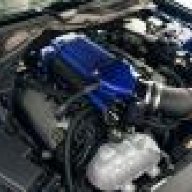
It used as built through the network. I sent teambeefcakes a email hopefully he will get back with me soon because now I'm stuck with a car that doesn't run.With the factory tune back in anything else needs to be done with Lund and make sure he has the proper strategy code.. not sure if loading as built data will change that or not
Just let me know. I got the id1000 injectors installed and so far it's running pretty well. Haven't got in boost yet, just about to start logging.That's great news I can't wait to here your thoughts on the new tune. I have always read the roush tune was pretty conservative I'm hoping for much improved performance. If the offer still stands I will have to come out to ft worth now that you got it sorted.
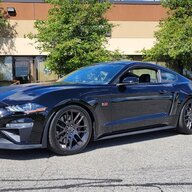
So awesome that you finally got it.Okay finally I got the tune to download. I had to install the sct software on my work computer it wouldn't work with wifi for some reason. The tune is now installing! What a nightmare.

Keep us posted on the difference between the tunes.I got the id1000 injectors installed and so far it's running pretty well. Haven't got in boost yet, just about to start logging.
Ill be adding a 73mm pulley from the 85mm one i have now. ill let you all know how it goes.Keep us posted on the difference between the tunes.
Are you going with a smaller pulley as well?
Yes I'm going to hook up with boosted4life here shortly he is at a local ford dealer. Can't waitcody, just get hooked up with the right guy at one of these dealerships, and you'll be ready to rock the tune!