donmcgowen
Well-Known Member
Thanks Patrick. I didn't think of that. I will do it.Have you posted it in the Classifieds?
Sponsored

Thanks Patrick. I didn't think of that. I will do it.Have you posted it in the Classifieds?
On the UI Style there's some other option and one says "NO AC" I wonder if that option will stop the Mode button from triggering the damn Blast of AC lol. I haven't tried it yet...Here's what Google came up with.
Hmmm. I'm not home to try it. Been helping my dad wrap up an engine swap in his 05 Mustang.On the UI Style there's some other option and one says "NO AC" I wonder if that option will stop the Mode button from triggering the damn Blast of AC lol. I haven't tried it yet...
To answer your question... Yes, You can already update the Radio and the Bluetooth one without being root if you install my custom ROM.I'm still able to change the background through NovaLauncher, and I'm still not rooted. I'm scared to root, I've had alot of bad luck lately lol I'm wondering, with these new launchers @StangATX is making, will we be able to eventually do them without rooting?

But you have to be rooted first, correct?You need Nova installed and then remove the Chinse launcher and install the new one.
yesBut you have to be rooted first, correct?
K, going out to do that now. Custom ROM is successfully installed

K, going out to do that now. Custom ROM is successfully installed
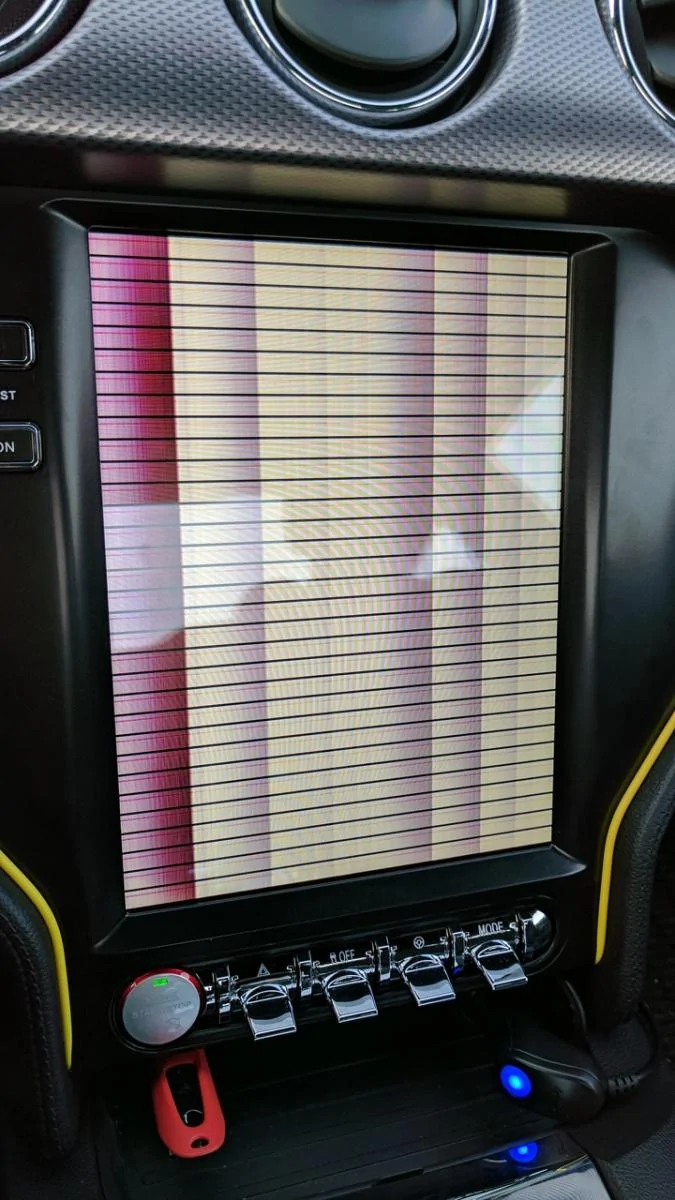
do you need to be rooted to install the custom rom?Tesla's APK Manager is updated. I added the Custom ROM to the "Update Firmware" folder.
Now that my car is all hacked up, couple of questions (I have an EcoBoost Premium model):
- The original "brain" unit (with the CD player) has two of those antenna-type connectors (yellow and black). The PDF guide only shows 1 red connector, which is from the base model I assume. Any thoughts on what these are and how I can hook it back up correctly?
- On the back of my original 8" touch screen, only one mini-USB connector plugs in. Seeing as how the Tesla brain unit (brown connector cable) expects two mini-USB connectors, how should I solve this?
- My car comes with the backup camera pre-installed, which connection would that be and how does it plug into the Tesla-unit?
Thanks in advance for the help!
I like it! Could you do a yellow version please?Got a new Launcher up! I won't show screenshot of it because It's a surprise lol. I'll let y'all see what's different... If you like it know that I can change (what you'll see) to your choice(Well, I'll build different ones and you'll download the closest one you'd like). Everybody has different taste...
https://drive.google.com/file/d/0Byxyxl1zasPMVmRuVkpTZG9PbGs/view?usp=sharing
I can change colors yes. I was waiting on someone to post what the difference was and screenshot for everybody lol. Anyways... I'm planning on create one with different colors. You'll just have to download the one you want. (red already done). I did green first to make it look like the LEDs lol. I'll let you know whenever Yellow is up! To get the MPH shift on the bottom you'll have to go to your settings and I forgot where it asked where you want the screen to show up. UP or DOWN. Just select DOWN.I like it! Could you do a yellow version please?
On a side note, on Patrick's launcher that's like the Autohaus one, is is possible to change it so the big mph shifts and displays under the radio app when it's open on half the screen?
And a third question while I'm at it, the big play/pause button on the main launcher screen, I'm pretty sure it used to actually play or stop the radio or BT music that was playing, no? Since I rooted, pressing it with the radio playing just changes FM to AM...
I never used the Play button... I can't tell lol.


