swamp_gas
Member
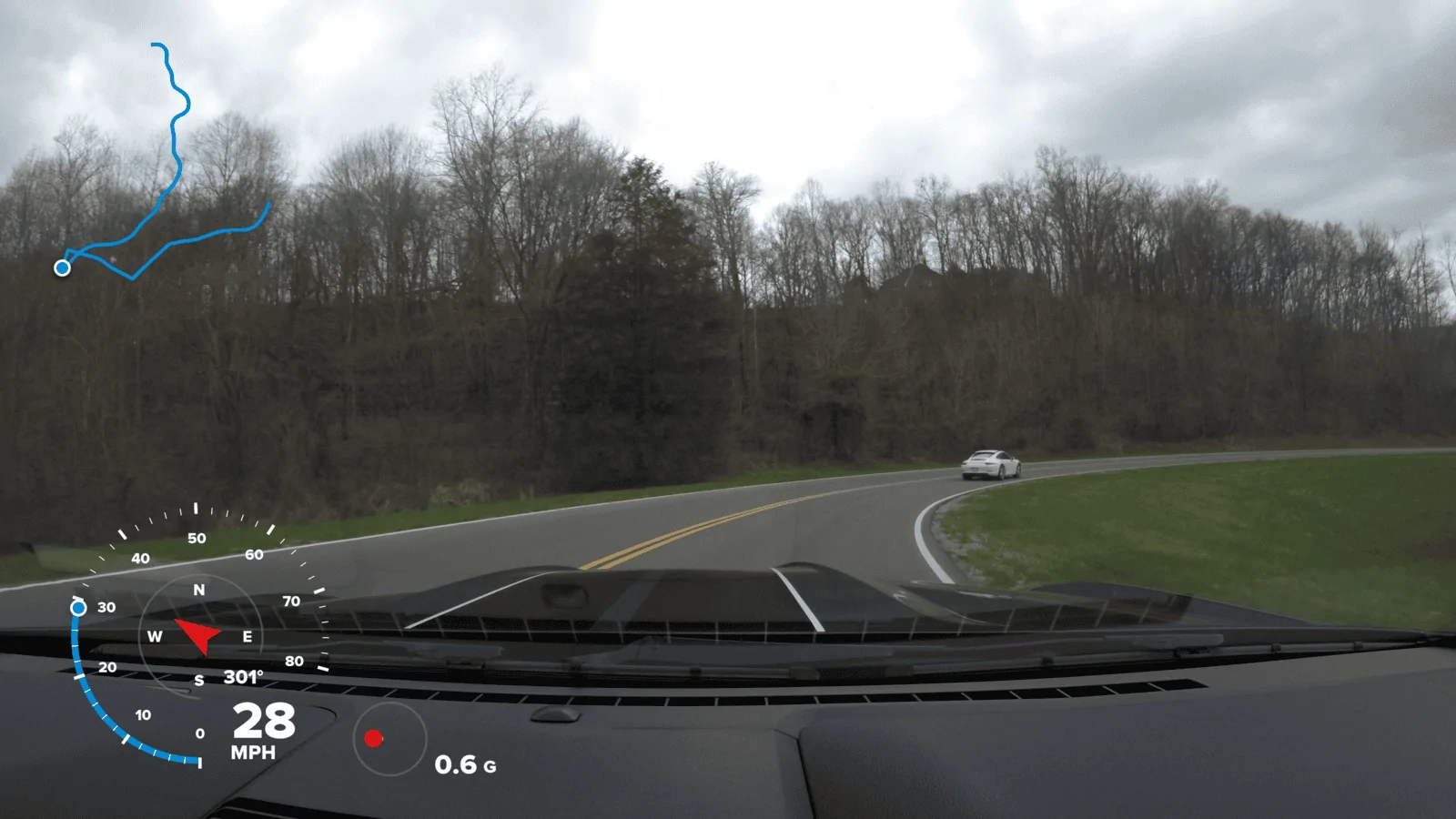
That particular screen is the GoPro Hero 5 Black. Today, it's a good bargain that never overheated on me as far as I can recall. 4K, 30FPS, external powered mic, RAW audio files enabled. If you enable GPS, then you can overlay that info in the GoPro Quik editing software. You can also change and select which info that you want to display. If you add an external mic, and enable the RAW audio, then you can add that RAW track in after you add the overlay. To do that, I usually use mkvmerge software after adding the overlay. It will both add/remove audio, and allow a quick cut on the file at specific time stamps or frames at the same time. Leaving the AAC default audio track in the file will also allow max compatibility if you transfer the file between devices or share the physical file with the haters in your life, but then you can set the PCM/WAV/RAW track as the default and listen to the car rumble at higher bitrate. I need to pick up an external audio recorder at some point. The Rode Mics I have are dual mono, but an external audio device would probably provide a better quality stereo audio, but at the expense of adding in editing time. If you add too much editing time, you won't be consistent with reviewing your clips and it won't be as enjoyable an experience. Prime example: waiting forever for the Fusion 360 to stitch. I know I have good stuff, but don't feel like waiting an eternity, so it sits there gathering dust.@swamp_gas What camera/app is that last pic with the telemetry? That's badass.
Sponsored