
Sponsored

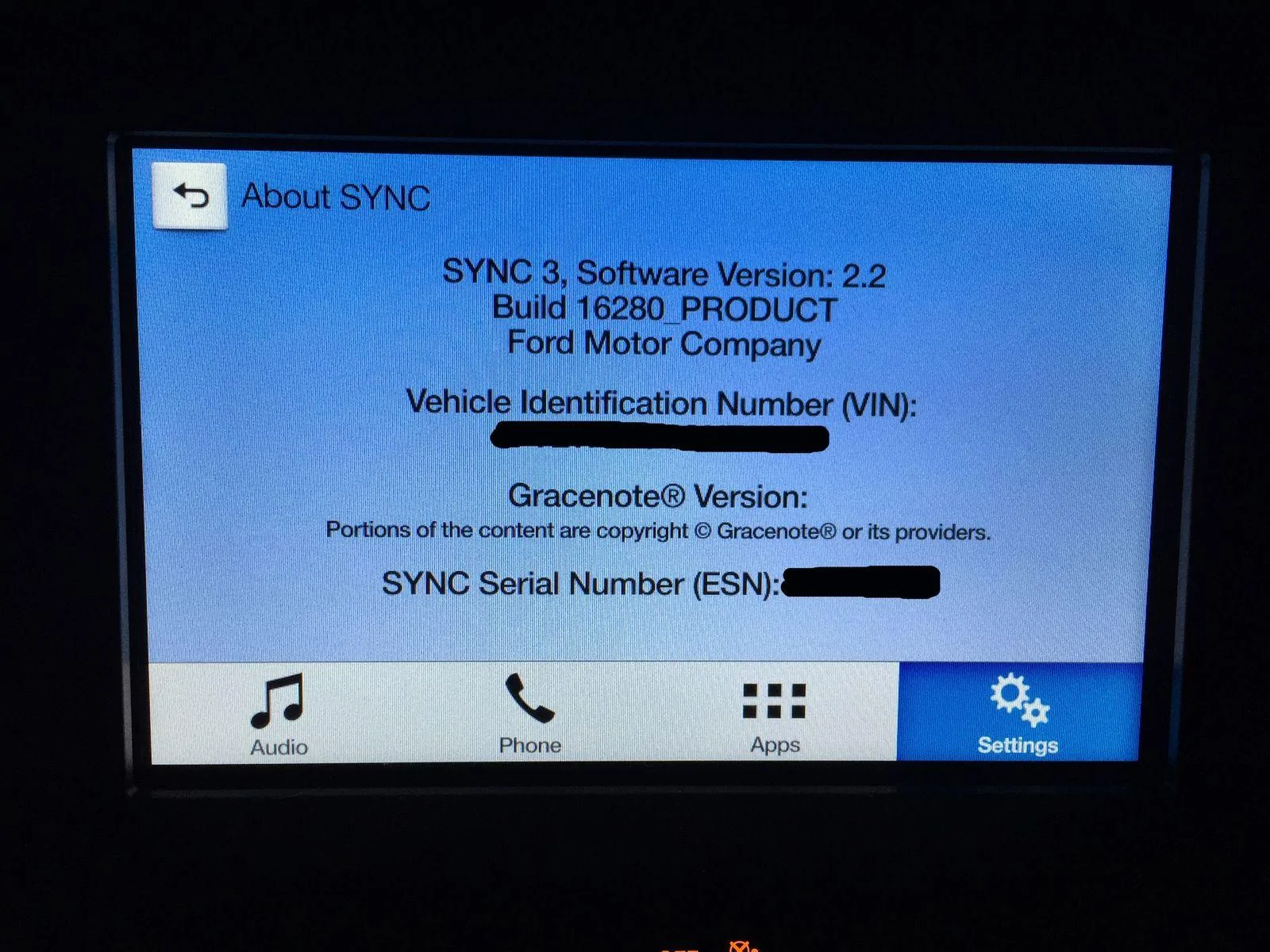
NEW SYNC 3.0 Build 20204 Nav Android Auto/Apple Carplay

OP
OP
HizliBullet

HizliBullet

GT350
Joined
Nov 16, 2015
Threads
76
Messages
2,491
Reaction score
874
Location
Canada
First Name
Mustang
Vehicle(s)
16 GT350, 17 Edge Sport
Vehicle Showcase
1
Im curious about something. How do the non navs use andriod/apple play? Do you guys have the big screen but just no navi on it?

@JuRuKi looks like this for non-nav users, same screen just without the
4-point-star.webp


80-sync3_non_nav_v1_to_v22_zip_32d458ba5052de7522e30c0cad071fe67ca21bd5.webp
Sponsored


Dirtyblueshirt

Award Winning Taste™
Joined
Jun 18, 2015
Threads
33
Messages
1,371
Reaction score
579
Location
Anaheim, CA
First Name
Aaron
Vehicle(s)
2022 Ford Ranger Lariat Tremor
It's alive!


Edit: I put a hotel room key (or similar plastic card) behind the faceplate that holds the USB port and the 12V power outlet, then use a flat head screwdriver to gently pop out the panel. from there it's easy to disconnect and pop out the USB module. Total time, about 5 minutes. And most of that was figuring out what I could use to pop out the faceplate.

View attachment 109186
View attachment 109187
View attachment 109188
 
Last edited:

JuRuKi

Well-Known Member
Joined
May 2, 2016
Threads
71
Messages
937
Reaction score
244
Location
SoCaL
Vehicle(s)
2016 GT/PP
how do you guys pull the usb port out? screwdriver?
 

Dirtyblueshirt

Award Winning Taste™
Joined
Jun 18, 2015
Threads
33
Messages
1,371
Reaction score
579
Location
Anaheim, CA
First Name
Aaron
Vehicle(s)
2022 Ford Ranger Lariat Tremor
how do you guys pull the usb port out? screwdriver?
I put a hotel room key (or similar plastic card) behind the faceplate that holds the USB port and the 12V power outlet, then use a flat head screwdriver to gently pop out the panel. from there it's easy to disconnect and pop out the USB module.

 
OP
OP
HizliBullet

HizliBullet

GT350
Joined
Nov 16, 2015
Threads
76
Messages
2,491
Reaction score
874
Location
Canada
First Name
Mustang
Vehicle(s)
16 GT350, 17 Edge Sport
Vehicle Showcase
1
I put a hotel room key (or similar plastic card) behind the faceplate that holds the USB port and the 12V power outlet, then use a flat head screwdriver to gently pop out the panel. from there it's easy to disconnect and pop out the USB module.
true you dont wanna pry the plastic with a screw driver directly @JuRuKi..OUCH
 

Sponsored

Dirtyblueshirt

Award Winning Taste™
Joined
Jun 18, 2015
Threads
33
Messages
1,371
Reaction score
579
Location
Anaheim, CA
First Name
Aaron
Vehicle(s)
2022 Ford Ranger Lariat Tremor

JuRuKi

Well-Known Member
Joined
May 2, 2016
Threads
71
Messages
937
Reaction score
244
Location
SoCaL
Vehicle(s)
2016 GT/PP
Oddly you replace the USB hub in the armrest console, but CarPlay will only work on the front USB port under the radio. Go figure.
Wait what? Why would Apple play only work on the front one? I ordered the 1 port USB just to keep the front one functional but i would rather use the one on the armrest.

Can anyone else confirm this?
 

Dirtyblueshirt

Award Winning Taste™
Joined
Jun 18, 2015
Threads
33
Messages
1,371
Reaction score
579
Location
Anaheim, CA
First Name
Aaron
Vehicle(s)
2022 Ford Ranger Lariat Tremor
Wait what? Why would Apple play only work on the front one? I ordered the 1 port USB just to keep the front one functional but i would rather use the one on the armrest.

Can anyone else confirm this?
Not really sure. But without the updated hub, the front port does not work with CarPlay, so there's something about the new armrest hub. I do know (I'm pretty sure anyways) the front port is an extension of the armrest port (which is why the armrest hub has 2 USB connections). But yeah, I admit it's kind of odd that way.
 

DanMc85

The Source
Joined
Aug 12, 2016
Threads
0
Messages
128
Reaction score
87
Location
New England, USA
First Name
Dan
Vehicle(s)
2014 Ford Fusion Titanium AWD 2.0L
I looked into this, it began way back in 2015 when sync 3 first came out, you may want to have the dealer check it out, as our updates are only for sync 3 software itself, not touching anything to do with nav side, thats a separate update altogether. check this out, video from dec 2015, and someone else's post in another forum

http://www.allfordmustangs.com/foru...cussion/912962-sync-3-navigation-failure.html
Dec 2 2015
So two days in a row now I've gotten this error popping up on my 2016 Mustang GT Cali Special. Everything installed fine and it doesn't always happen, but when it does it's locked like this until I restart the car. Anyone else experiencing this?


Hold down RIGHT SEEK and EJECT

Go into Testing Settings

You can clear the navigation fault, calibration and some other stuff in there. I forget the exact options off the top of my head.
 

Sponsored

JuRuKi

Well-Known Member
Joined
May 2, 2016
Threads
71
Messages
937
Reaction score
244
Location
SoCaL
Vehicle(s)
2016 GT/PP

How did u guys disconnect this cable? I've been pulling on it but it doesnt wanna come off. Is there something i need to press to disconnect? Dont wanna break anything. Thx in advance!
 

stanglife

Well-Known Member
Joined
Jul 6, 2014
Threads
180
Messages
7,046
Reaction score
5,785
Location
FL
First Name
Jeff
Vehicle(s)
1993 Coyote Coupe
FYI, ordered the single port from TASCA on Thursday and it's scheduled to arrive tomorrow. Fast.
 

NightmareMoon

Well-Known Member
Joined
Nov 22, 2015
Threads
62
Messages
7,081
Reaction score
6,351
Location
Austin
Vehicle(s)
2016 Mustang GT PP w/ Voodoo
Vehicle Showcase
1
Wait what? Why would Apple play only work on the front one? I ordered the 1 port USB just to keep the front one functional but i would rather use the one on the armrest.

Can anyone else confirm this?
I just checked and Apple Play works in both my armrest or front ports with the HU5Z-19A387-A (which arrived today, and works great).

Also, I fixed my 'EU/US' region issue. It wasn't the Sync patch, it was a setting in the as-built config which I shouldn't have set. Fixed it back and its all good now, I'm seeing the familiar US Sync stuff, except for that little 'u' currency symbol instead of the '$'.
 

NightmareMoon

Well-Known Member
Joined
Nov 22, 2015
Threads
62
Messages
7,081
Reaction score
6,351
Location
Austin
Vehicle(s)
2016 Mustang GT PP w/ Voodoo
Vehicle Showcase
1
+1 My car is US Spec but I'm in Europe and I'd love to get the even decimal radio stations here
So there is an as-built setting which seems related. Best to go read the thread in the DYI subforum if you're interesting in modifying that. It requires some extra hardware and some unfriendly PC software.

This line: APIM*07D0-02-01 5553 XXXX XXXX
If you change the 5553 to 5753 and it seems to configure some parts of SYNC to think its in the EU region. That bit's behavior seems different in 2.2 than it was in 2.0, so YMMV and all that.
 

X0AYHAM0X

Banned
Banned
Banned
Joined
Mar 29, 2016
Threads
43
Messages
556
Reaction score
118
Location
United Arab Emirates
Vehicle(s)
Mustang 2015 V6
I just checked and Apple Play works in both my armrest or front ports with the HU5Z-19A387-A (which arrived today, and works great).

Also, I fixed my 'EU/US' region issue. It wasn't the Sync patch, it was a setting in the as-built config which I shouldn't have set. Fixed it back and its all good now, I'm seeing the familiar US Sync stuff, except for that little 'u' currency symbol instead of the '$'.

Are you gonna tell us which block it is in the as-built? :confused:
Sponsored


Top