Sponsored

SYNC Start up imagery - can it be replaced?

Cobra Jet

Well-Known Member
Joined
Feb 12, 2015
Threads
771
Messages
17,554
Reaction score
19,981
Location
NJ
Vehicle(s)
2018 EB Prem. w/PP and 94 Mustang Cobra
So before someone replies with “Forscan” or using the (2) buttons on the face of the unit, hold off - because we know the imagery can be changed using Forscan or the buttons by selecting the other Ford pre-loaded images.


Here’s what I’m asking:

Is there a way to getting into the software data file where the pre-loaded imagery is stored and being able to upload one’s own image or additional pictures into that same file location?

Has anyone tried to “hack” it?
Sponsored
 

HoosierDaddy

Well-Known Member
Joined
Jan 2, 2016
Threads
263
Messages
4,564
Reaction score
8,962
Location
Winchestertonfieldville (ok, Scottsdale), AZ
First Name
Randy
Vehicle(s)
2016 GT Premium PP, 2023 Tesla Model 3 Performance, 1978 Trans Am WS6, etc.
So before someone replies with “Forscan” or using the (2) buttons on the face of the unit, hold off - because we know the imagery can be changed using Forscan or the buttons by selecting the other Ford pre-loaded images.


Here’s what I’m asking:

Is there a way to getting into the software data file where the pre-loaded imagery is stored and being able to upload one’s own image or additional pictures into that same file location?

Has anyone tried to “hack” it?
No doubt it CAN be done. Just need someone determined enough to do it. I am waiting to sing their praise!
 

StangTime

Well-Known Member
Joined
Apr 16, 2019
Threads
81
Messages
3,594
Reaction score
4,091
Location
Ontario 🇨🇦
First Name
Todd
Vehicle(s)
19' GT PP1 Manual
Can't be done. Unless you have some special Sync developer platform on your PC. I.E. you work for Ford or Blackberry. From what I have read, the system is locked down pretty tight to prevent hacking. You can't just edit a file folder and upload a GIF to it. You can only use the images that Ford has already coded into the software.
 

dgc333

Well-Known Member
Joined
Dec 6, 2014
Threads
13
Messages
1,637
Reaction score
461
Location
MA
First Name
Dave
Vehicle(s)
15 Mustang Ecoboost Premium
So before someone replies with “Forscan” or using the (2) buttons on the face of the unit, hold off - because we know the imagery can be changed using Forscan or the buttons by selecting the other Ford pre-loaded images.
What are the (2) buttons on the face of the unit?
 
OP
OP
Cobra Jet

Cobra Jet

Well-Known Member
Joined
Feb 12, 2015
Threads
771
Messages
17,554
Reaction score
19,981
Location
NJ
Vehicle(s)
2018 EB Prem. w/PP and 94 Mustang Cobra
What are the (2) buttons on the face of the unit?
Here ya go, watch the vid and the guy shows the “trick” where you can change the home screen wallpaper to another without the need of Forscan:
https://www.mustang6g.com/forums/threads/test-settings-screens.126080/#post-2614996

1) When in the audio screen in SYNC 3, hold down the Right Seek and Eject button simultaneously
2) at the next screen, tap End Test
3) then navigate the menus to see all the options (I don’t recall the exact submenu that contains the background images, but you can see it in the video)


———
There has to be a way of being able to hack the software to inserting ones own images...
 

Sponsored

dgc333

Well-Known Member
Joined
Dec 6, 2014
Threads
13
Messages
1,637
Reaction score
461
Location
MA
First Name
Dave
Vehicle(s)
15 Mustang Ecoboost Premium
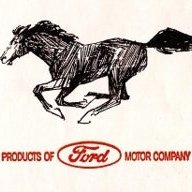
I tried it and it works BUT it reverts back to the galloping pony start up screen after the system has been powered down.

Did I miss something?
 

Bikeman315

Well-Known Member
Joined
Apr 12, 2015
Threads
581
Messages
16,183
Reaction score
21,909
Location
Myrtle Beach, SC
First Name
Ira
Vehicle(s)
2019 Mustang GT/CS, 2021 Volvo XC60
Here ya go, watch the vid and the guy shows the “trick” where you can change the home screen wallpaper to another without the need of Forscan:
https://www.mustang6g.com/forums/threads/test-settings-screens.126080/#post-2614996

1) When in the audio screen in SYNC 3, hold down the Right Seek and Eject button simultaneously
2) at the next screen, tap End Test
3) then navigate the menus to see all the options (I don’t recall the exact submenu that contains the background images, but you can see it in the video)
———
There has to be a way of being able to hack the software to inserting ones own images...
Hopefully they will restore this feature in 3.4.

Edit: just ran though a few threads on the F150 forum as it seems to be the place to go for Sync hacks. No one there has found a way to do what you want, yet.
 
Last edited:

el-guapin

Well-Known Member
Joined
Oct 30, 2018
Threads
33
Messages
913
Reaction score
381
Location
LSU - Geaux Tigers!
Website
www.tesla.com
Vehicle(s)
1949 UFO
I tried it and it works BUT it reverts back to the galloping pony start up screen after the system has been powered down.

Did I miss something?
Nope. That's what it supposed to do. Its part of the "TEST" settings. Only way to change it permanently is though Forscan. And at That, you can only change it to the ones programmed in.
 

CrashOverride

Well-Known Member
Joined
Aug 18, 2018
Threads
45
Messages
680
Reaction score
376
Location
Under a hood
Vehicle(s)
2015 Mustang GT
I played around with this a while ago looking at the Sync update files. I cannot say it can be done for sure, but unless there is some special magic, it should work.

Sync is basically a QNX RTOS (Real-Time Operating System). QNX used to be more "open" than it is now. RIM/Blackberry bought them and tightened them up quite a bit, but on the other hand made it profitable. QNX is an amazing but quirky OS. Somewhat like Linux, but much more restricted - not a whole lot of commands are available to the end user. You can read more than you care about it here.

If you decompress the sync files, you will end up with a QNX filesystem-in-a-file. You can then mount it using Linux - I think I used the latest Ubuntu but I can't remember. Once I mounted it, because I am not well versed in Linux tools, I copied all of the filesystem contents to a flash drive that I "shared" to the Ubuntu virtualbox. I then started poking around with it in Windows and was able to identify the startup screens. I think I was able to open/view them with VLC, but I cannot remember if the file extension is a typical (mkv/vob/mpg/avi/mov) or if it is a custom extension even though it is a standard file type.

I have a habit of digging into stuff like this and then getting board and stopping. I suppose I should had taken notes, but eh, what can I say, I got bored. My point is, the files are there. You would have to create a new video file, then save the QNX filesystem, re-compress everything and then re-load it. I'm not positive if the update hashes the archives or QNX filesystem-in-a-file or if the video has to be a certain number of frames long, etc... That being said, many of the things you see could be changed. Not just the video, I'm talking about what the buttons look like, the icons, etc... It would be cool if Ford would write a theme builder of sorts, but manufacturers don't get much added value from it, and instead get security/vulnerability dings, so I just answered my own question I guess.

Poking around I found the pre-recorded vehicle crash audio recording. I'm guessing it is what it plays to the 911 service, through your phone, when it detected a crash. Spooky.
 
OP
OP
Cobra Jet

Cobra Jet

Well-Known Member
Joined
Feb 12, 2015
Threads
771
Messages
17,554
Reaction score
19,981
Location
NJ
Vehicle(s)
2018 EB Prem. w/PP and 94 Mustang Cobra
I played around with this a while ago looking at the Sync update files. I cannot say it can be done for sure, but unless there is some special magic, it should work.

Sync is basically a QNX RTOS (Real-Time Operating System). QNX used to be more "open" than it is now. RIM/Blackberry bought them and tightened them up quite a bit, but on the other hand made it profitable. QNX is an amazing but quirky OS. Somewhat like Linux, but much more restricted - not a whole lot of commands are available to the end user. You can read more than you care about it here.

If you decompress the sync files, you will end up with a QNX filesystem-in-a-file. You can then mount it using Linux - I think I used the latest Ubuntu but I can't remember. Once I mounted it, because I am not well versed in Linux tools, I copied all of the filesystem contents to a flash drive that I "shared" to the Ubuntu virtualbox. I then started poking around with it in Windows and was able to identify the startup screens. I think I was able to open/view them with VLC, but I cannot remember if the file extension is a typical (mkv/vob/mpg/avi/mov) or if it is a custom extension even though it is a standard file type.

I have a habit of digging into stuff like this and then getting board and stopping. I suppose I should had taken notes, but eh, what can I say, I got bored. My point is, the files are there. You would have to create a new video file, then save the QNX filesystem, re-compress everything and then re-load it. I'm not positive if the update hashes the archives or QNX filesystem-in-a-file or if the video has to be a certain number of frames long, etc... That being said, many of the things you see could be changed. Not just the video, I'm talking about what the buttons look like, the icons, etc... It would be cool if Ford would write a theme builder of sorts, but manufacturers don't get much added value from it, and instead get security/vulnerability dings, so I just answered my own question I guess.

Poking around I found the pre-recorded vehicle crash audio recording. I'm guessing it is what it plays to the 911 service, through your phone, when it detected a crash. Spooky.
Now, THAT’s what I’m talking about... M6G members who have the know how and can confirm that there is the probability the files *could be* accessed and changed to a user’s own chosen image.

—-
Regarding the finding of the 911 recording... LOL, not funny to wreck a car or be injured in same, but could that recording also be changed to “uh oh, hot dogging it now cost you some bucks and that’s not going to buff out”...
 

Sponsored

CrashOverride

Well-Known Member
Joined
Aug 18, 2018
Threads
45
Messages
680
Reaction score
376
Location
Under a hood
Vehicle(s)
2015 Mustang GT
Now, THAT’s what I’m talking about... M6G members who have the know how and can confirm that there is the probability the files *could be* accessed and changed to a user’s own chosen image.

—-
Regarding the finding of the 911 recording... LOL, not funny to wreck a car or be injured in same, but could that recording also be changed to “uh oh, hot dogging it now cost you some bucks and that’s not going to buff out”...
From a technical standpoint, there are no issues that would prevent it (From my admittedly very quick poking around). It would be really cool to pull in some CAN bus data LOL "The user that just got in a crash was NOT doing 124MPH in 3rd gear banging off the rev limiter"
 
OP
OP
Cobra Jet

Cobra Jet

Well-Known Member
Joined
Feb 12, 2015
Threads
771
Messages
17,554
Reaction score
19,981
Location
NJ
Vehicle(s)
2018 EB Prem. w/PP and 94 Mustang Cobra
From a technical standpoint, there are no issues that would prevent it (From my admittedly very quick poking around). It would be really cool to pull in some CAN bus data LOL "The user that just got in a crash was NOT doing 124MPH in 3rd gear banging off the rev limiter"

LMAO - good one there!!

Hey thanks for adding the tech input - if or when you have time, if you can recall any other steps on how to back track on possibly changing the files for the images - just come back to this thread.

I’m going to check out that link you had provided as I’m not all that familiar with “QNX”, but great info no doubt and that may also benefit others seeking to change up SYNC...
 

eddison

Guest
Extracting the files is the “easy” part. Sync/QNX does a signing certificate and hash check before installing each update file. If you edit the contents of the install files and recompile it, the hash changes, no longer matches the cert, and is therefore no longer valid for installation. If you extract any of the Sync update file .tar.gz’s, you’ll find a certificate, that when opened in Notepad/other text viewer, contains the hash of the other files in the archive.
 
Last edited by a moderator:

CrashOverride

Well-Known Member
Joined
Aug 18, 2018
Threads
45
Messages
680
Reaction score
376
Location
Under a hood
Vehicle(s)
2015 Mustang GT
Thanks for the info, I was wondering if they did something similar. Is the certificate just a plain text file that could be edited, or is it generated by a CA?

If it's just a hash listing of the files, then that wouldn't be difficult to change, so long as it being a "normal" hash. I haven't used python in a year or so, but one could very quickly throw together a script to regenerate the hash listing file.

I just saw another thread that you participated in with @UofMEngineer. If they are part of the Sync team, they probably have a better understanding of the build tool and the compilation process. When I was poking around, I did find some stuff about the compilation, but I more or less ignored it as I was looking for the animation stuff.
 

eddison

Guest
It's a cert signed from Ford's internal CA, saved in DER format. It looks like the file hash recorded in the cert is SHA-256.
Sponsored


Top