
Sponsored

ihasnostang
Well-Known Member
- Joined
- Sep 28, 2018
- Threads
- 38
- Messages
- 674
- Reaction score
- 428
- Location
- MN
- Website
- www.youtube.com
- Vehicle(s)
- Saturn ion, 2019 201A, EB PP1, Ruby Red
i've tried this too and yeah you can configure it but afaik it won't activate with seeing a clutch pushed in?Can auto’s even use launch control?

Charlemagne
Well-Known Member
- Joined
- Jan 14, 2021
- Threads
- 1
- Messages
- 1,974
- Reaction score
- 3,482
- Location
- Czech Republic (Europe)
- First Name
- Nick
- Vehicle(s)
- Tempest 2021 Mustang Mach 1 Velocity Blue M3440
- Vehicle Showcase
- 1
Now that's a problemi've tried this too and yeah you can configure it but afaik it won't activate with seeing a clutch pushed in?


swoop1156
Well-Known Member
If it works, it might be some fancy trial and error like pulling in both paddles and when you let go, boom!i've tried this too and yeah you can configure it but afaik it won't activate with seeing a clutch pushed in?

Sponsored
Charlemagne
Well-Known Member
- Joined
- Jan 14, 2021
- Threads
- 1
- Messages
- 1,974
- Reaction score
- 3,482
- Location
- Czech Republic (Europe)
- First Name
- Nick
- Vehicle(s)
- Tempest 2021 Mustang Mach 1 Velocity Blue M3440
- Vehicle Showcase
- 1
It's probably easier with robotic dual clutch transmission than with torque converter, I read that those automatic transmissions don't like launch control (aka launch at higher rpm).The GT500 has launch control

Proshop
Well-Known Member
You are correct about that! Wengerd Performance offers a launch control tune but has said the transmission longevity will be greatly diminished.It's probably easier with robotic dual clutch transmission than with torque converter, I read that those automatic transmissions don't like launch control (aka launch at higher rpm).

Weeee
Well-Known Member
I'd see Launch Control helping us skip the step of break-torquing off the starting line. I've found 1800 RPM to be a pretty solid launch but would like to experiment more.
Weeee
Well-Known Member
Coastal-Mach
Well-Known Member
- Joined
- Oct 21, 2021
- Threads
- 22
- Messages
- 2,053
- Reaction score
- 4,101
- Location
- Wilmington, NC
- First Name
- Anthony
- Vehicle(s)
- 2023 BMW M440i, 2026 GMC Denali, 2021 Jeep JK
I thought ours was adjusted through the drive modes. Keep this updated if you find something different. Thanks.I've got Obdlink EX cable on the way to try it myself. I'm wondering if there is a setting in Forscan that will be able to unlock the adjustable suspension button that the GT350/GT500 have on their steering wheels. Thanks for getting me fired up @IanKar
Sponsored
Weeee
Well-Known Member
It absolutely is. There have been attempts in the past to get the suspension settings to be independently set - https://www.mustang6g.com/forums/th...spension-settings-on-the-mach-1.176679/page-2I thought ours was adjusted through the drive modes. Keep this updated if you find something different. Thanks.
Coastal-Mach
Well-Known Member
- Joined
- Oct 21, 2021
- Threads
- 22
- Messages
- 2,053
- Reaction score
- 4,101
- Location
- Wilmington, NC
- First Name
- Anthony
- Vehicle(s)
- 2023 BMW M440i, 2026 GMC Denali, 2021 Jeep JK
I remember that thread now, from the posts, it doesn't look like it will work. Thanks for the link and let us know if you figure it out.It absolutely is. There have been attempts in the past to get the suspension settings to be independently set - https://www.mustang6g.com/forums/th...spension-settings-on-the-mach-1.176679/page-2
Taco_Rocket
Member
Anyway to get this working with OBDLink on iOS? Haven’t messed with Forscan yet but I will if I can’t get it going on mobile.
any ideas? My issue is that it doesn’t read the IPC module for PIDs. I’m using a MX+ if that helps
any ideas? My issue is that it doesn’t read the IPC module for PIDs. I’m using a MX+ if that helps
MLO 351
Well-Known Member
Thanks for the detail you provided here, followed your instructions and I now have the Shift Indicator active. Much appreciated.OK got it to work! I'm going to keep notes in case when I get vehicle serviced they reset codes etc.
1. Downloaded Forscan and also downloaded Extended License (free for 2 months). Purchased it for a year. Cheap enough. In case the factory setting gets restored.
2. Purcahsed OBDLink MX+
3. Connected OBDLink to OBD2 port and computer.
4. Switched ignition on (did not start car), opened Forscan and connected vehicle (small plug icon at bottom left of screen).
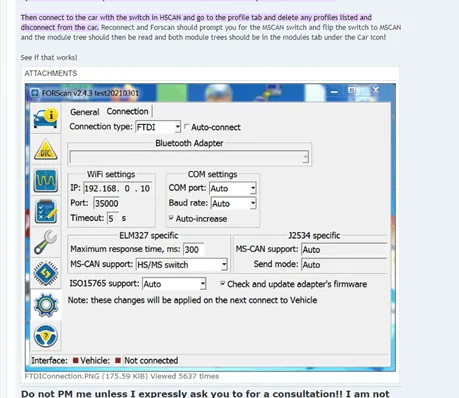
5. Went to 'Setting' on left margin - looks like a gear - selected "connection" tab. Then as per my earlier post and also below pic - shows the settings. (When opening Forscan it comes up with a window stating you have to be in 'HS/MS Switch')
6. Went to 'Configuration & Programming" icon on the left margin - looks like a micro chip.
7. In the 'Config & Prog' tab - look for IPC Module. Not any others that say IPC etc. Just 'IPC Module'.
8. Highlight 'IPC Module' and select "RUN" - Small forward looking button at the bottom left of screen.
9. The 3rd tab appears - "IPC Module Configuration". Select.
10. Scroll down the list and look for 'Performance Shift' & 'Performance Shift Indicator'. Double click and and 'enable' each one in turn.
11. Then save the settings - there are some small blue 'tick marks' to confirm. It runs and a window opens showing both and you confirm. Follow the prompts about your ignition.
12. It loads the update and then you can disconnect the OBD2.
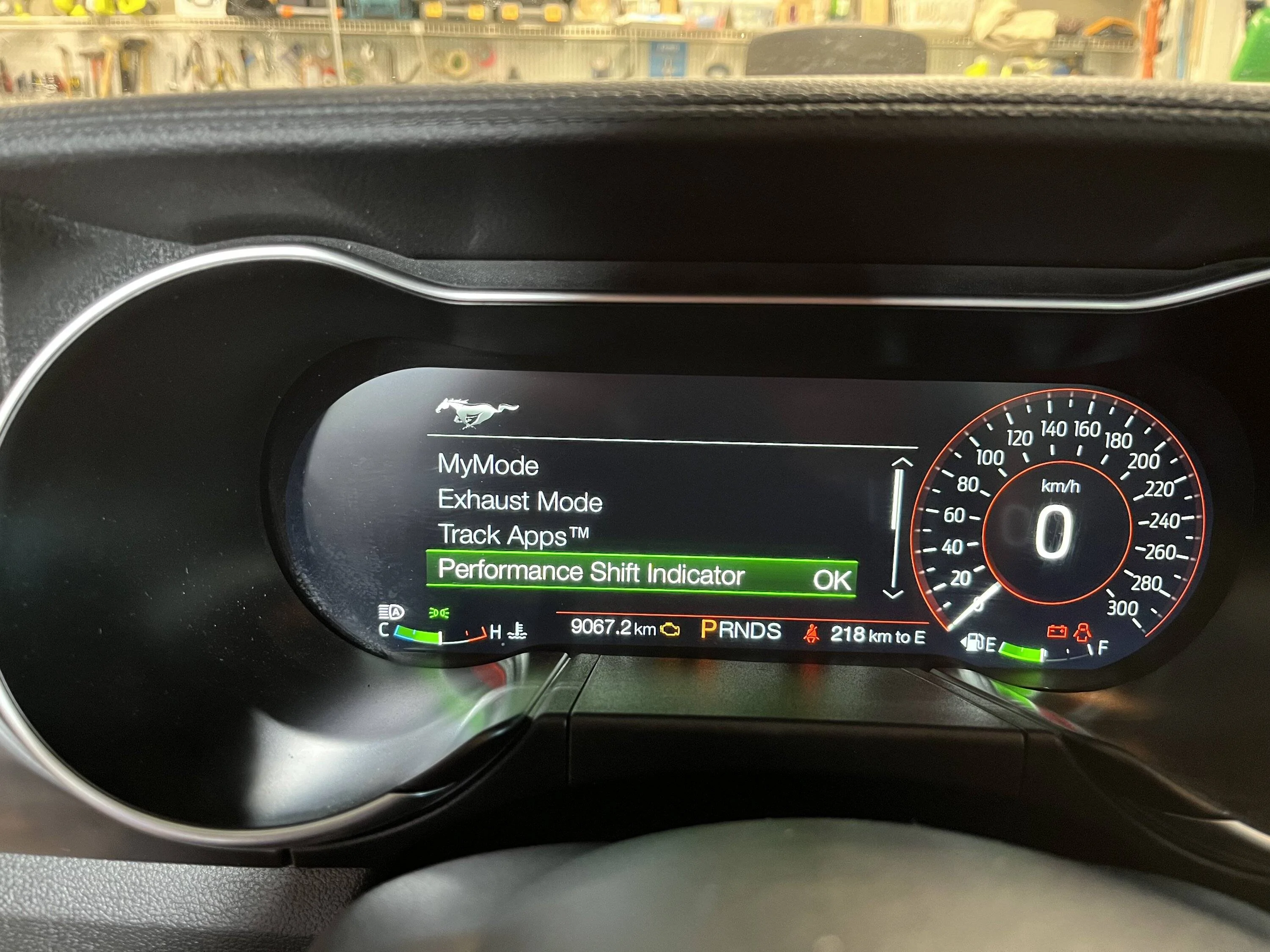
13. Go to your vehicle settings by selecting the horse by your steering wheel.
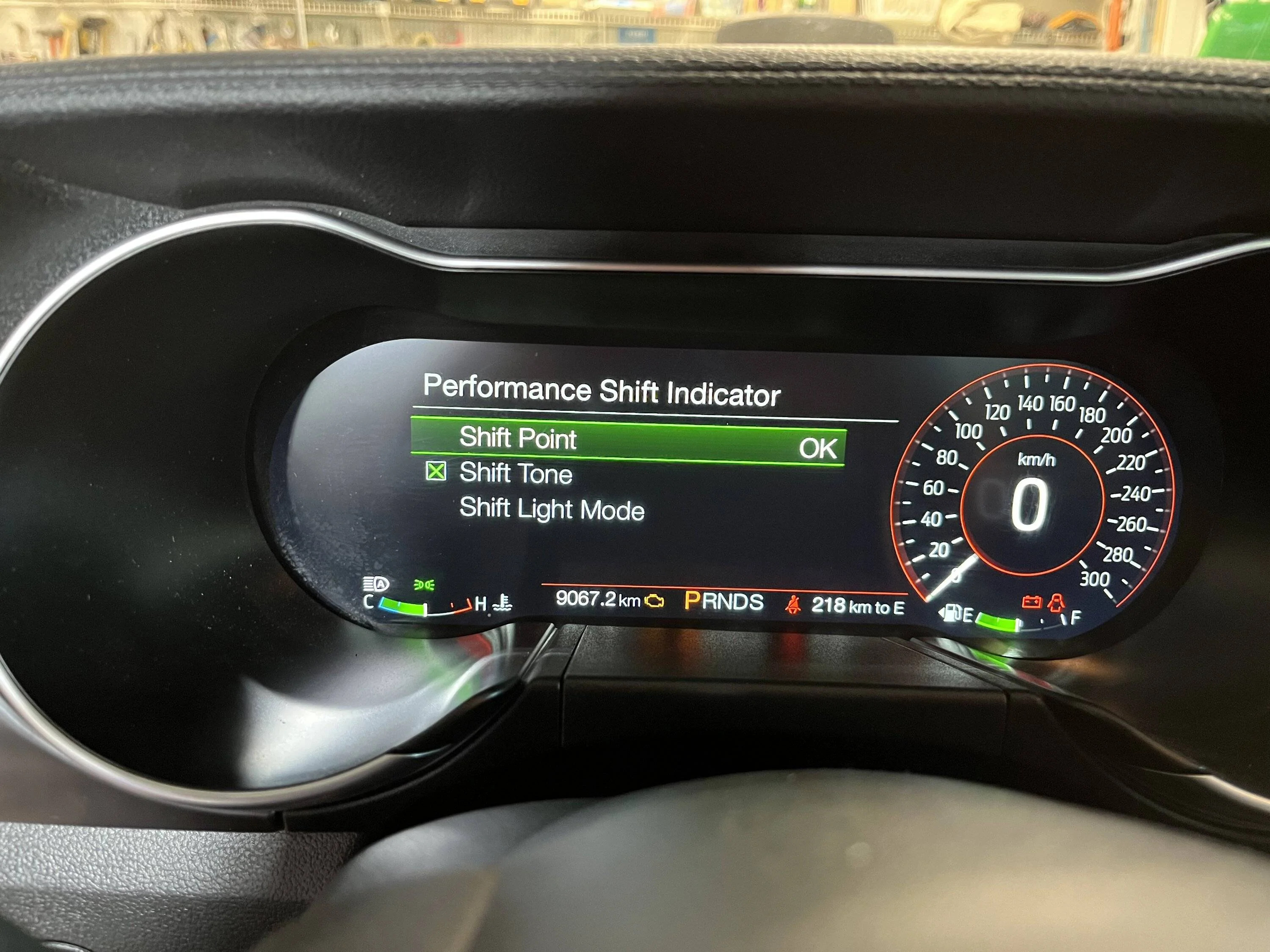
14. You'll see the 'Performance Shift Indicator' and then you can select and adjust the settings.
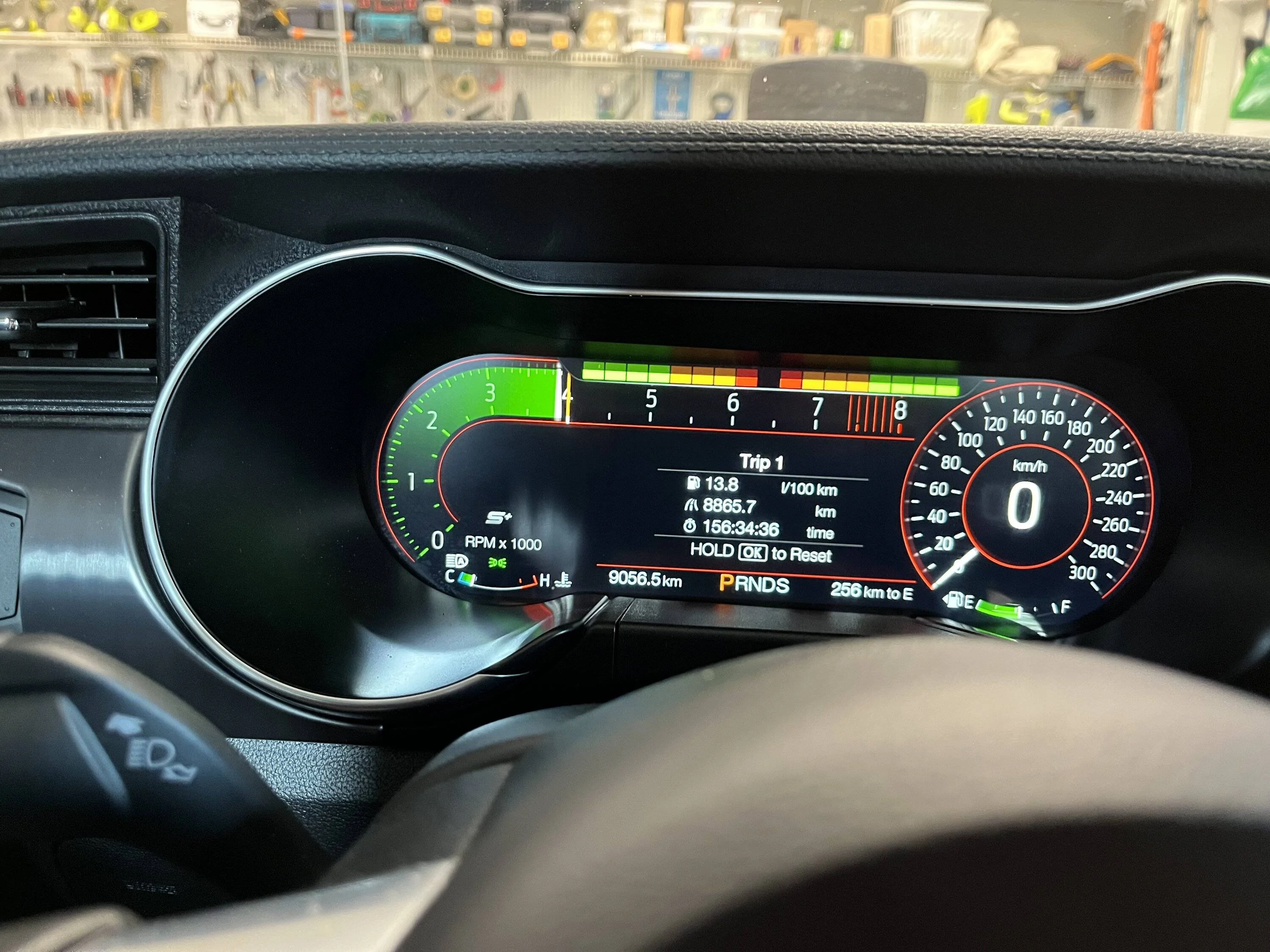
15. 'Shift Point' you can adjust the max up or down before it warns you to shift(when it goes red); 'Shift Tone' if you want it to beep when you hit your shift point; 'Shift Light' mode whether you want it to be on your 'Tachometer' or 'Track' if you want the lights to warn you like in F1 etc. See pic below. There is also 'Drag' mode and not sure how that displays yet. I set my shift point to 4000 so I could test it and then I'll probably set it higher at 6500 or more for the track.
Thanks to all who pitched in with help. So now hopefully this step by step process will help those who aren't so "savvy" like me.


Sponsored


