Sponsored

IN STOCK!!! New Sync3 theme navigation from Moddiction!

Status
Not open for further replies.

V8Venom

700 Club
Joined
Jan 27, 2015
Threads
91
Messages
1,964
Reaction score
1,175
Location
SoCal
First Name
Mike
Vehicle(s)
2020 Shelby GT500
Vehicle Showcase
2
It uses the stock ones. You just swap those over.
Ok cause the instructions were saying new rubber. Thanks. In my TomTop I just used the stock one. Appreciate the clarification. :thumbsup:
Sponsored


Badluck

Well-Known Member
Joined
Jun 8, 2016
Threads
1
Messages
70
Reaction score
33
Location
Sherwood, Arkansas
First Name
Will
Vehicle(s)
2016 Mustang GT
I won't either, plus it hot than the sun in Little Rock. I may have to do it at 2am when it's only 80 outside!
 

4V Mayhem

Well-Known Member
Joined
May 20, 2016
Threads
9
Messages
1,368
Reaction score
529
Location
US
Vehicle(s)
2015 Mustang GT Premium M6
Question. Does this upgrade Sync 2 to Sync 3 or is it just a Sync 3 display and graphincs with Sync 2 functionality? I ask because Sync 2 is very slow and I've heard that Sync 3 is much faster with no lag time. So if this is just the Sync 3 graphics while retaining Sync 2 functionality, how much would it be to just upgrade to a complete Sync 3 system?
 
OP
OP
Moddiction

Moddiction

Well-Known Member
Joined
Oct 20, 2015
Threads
82
Messages
1,806
Reaction score
341
Location
Mooresville, NC
Vehicle(s)
2016 Mustang GT PP
This is sync 3 theme only. It does not change your sync system. You reuse the stock sync system and radio with this.
 

4V Mayhem

Well-Known Member
Joined
May 20, 2016
Threads
9
Messages
1,368
Reaction score
529
Location
US
Vehicle(s)
2015 Mustang GT Premium M6
Ok thanks for the info. Do you offer or will you at some point have any complete Sync 3 upgrades?
 

Sponsored

Jshsharp03

Well-Known Member
Joined
May 22, 2014
Threads
1
Messages
76
Reaction score
2
Location
Nashvegas
Vehicle(s)
2015 Mustang
I just rewatched the demo video for the 10th time and noticed that the radio does not display the song name when playing?
 

tcman54

Stanghead
Joined
Apr 11, 2016
Threads
167
Messages
1,520
Reaction score
787
Location
Palm Coast, FL
First Name
Terry
Vehicle(s)
2016 Ecoboost
Vehicle Showcase
1
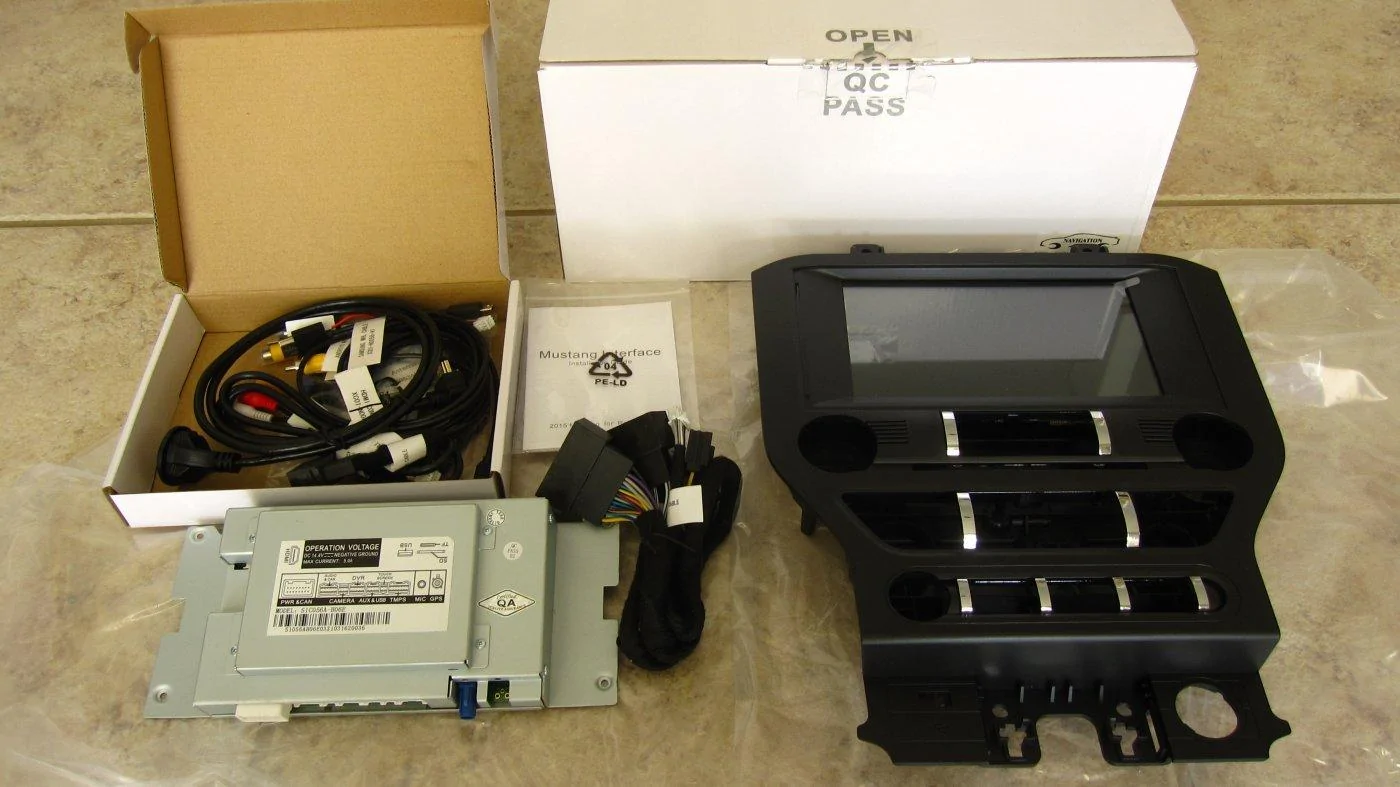
Got mine via 2 day shipping today, right on time. Very impressed with the build quality of everything, even the box, lol. Can't wait until tomorrow to install it.
IMG_8206.webp
 

EddieGT

Well-Known Member
Joined
Jan 17, 2016
Threads
0
Messages
408
Reaction score
89
Location
San Diego, CA
First Name
Eddie
Vehicle(s)
2016 Mustang GT, 2012 Challenger SRT8, 67 Fastback
Mine should be here within the hour. Im starting to take the radio apart so I can be ready.
 

EddieGT

Well-Known Member
Joined
Jan 17, 2016
Threads
0
Messages
408
Reaction score
89
Location
San Diego, CA
First Name
Eddie
Vehicle(s)
2016 Mustang GT, 2012 Challenger SRT8, 67 Fastback


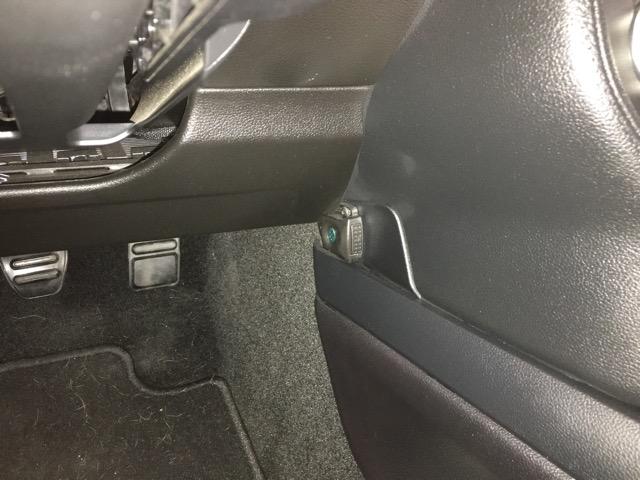
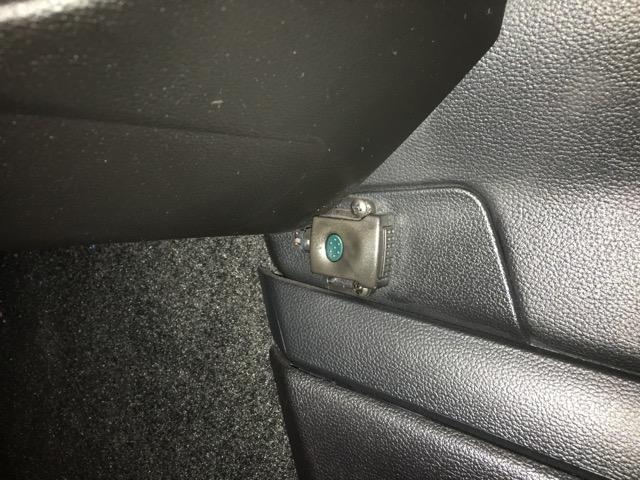
Does anyone know what that little box with the green button is for?
 

Sponsored

Rabid74

Well-Known Member
Joined
Feb 7, 2016
Threads
9
Messages
194
Reaction score
30
Location
South Florida
First Name
Arnold
Vehicle(s)
2015 DIB Premium PP Mustang GT
Finished the install everything is working great very easy I had to cut the key pad for the buttons on the top and I didn't get any double sided tape to tape down the gps antenna. Also I cannot get the time to change from 24 hour the button is there but it will not do anything when I push it. Also when I turned it on the gps kept saying directory not found so I browsed for it and chose the primo exe and now that works.
 
OP
OP
Moddiction

Moddiction

Well-Known Member
Joined
Oct 20, 2015
Threads
82
Messages
1,806
Reaction score
341
Location
Mooresville, NC
Vehicle(s)
2016 Mustang GT PP
24/12 hour option should definitely work. I've been using 12 hour option for months. I checked each unit when installing software before shipping and all worked to change to 24 hour then. You just have to push a little to the side on that screen to change it. Not directly only the numbers.
Sponsored

 
Status
Not open for further replies.


Top