Sponsored

NEW SYNC 3.0 Build 20204 Nav Android Auto/Apple Carplay

mkenny28

Well-Known Member
Joined
Nov 10, 2014
Threads
2
Messages
721
Reaction score
115
Location
New Orleans, LA
First Name
Michael
Vehicle(s)
2015 Magnetic Mustang GT Premium Convertible
I did the 2.2 upgrade on my Sync 3 retrofit in my 2015 Mustang GT Vert and everything works perfectly except for an error at startup telling me to remove the USB hub. All USB ports still work and Android Auto works perfectly. My Ford owner site still doesn't recognize that my 2015 has Sync 3 but I suspect it never will.
Sponsored
 

HoosierDaddy

Well-Known Member
Joined
Jan 2, 2016
Threads
263
Messages
4,571
Reaction score
8,969
Location
Winchestertonfieldville (ok, Scottsdale), AZ
First Name
Randy
Vehicle(s)
2016 GT Premium PP, 2023 Tesla Model 3 Performance, 1978 Trans Am WS6, etc.
While I appreciate what's been done here, I must wait for the part number confirmation from Ford... and since I've no use for Android Auto, no reason to move to v2.2 until the part exists.
2.2 also improves Sync so its worth it to anyone who cares about that.
 

DraXxus1549

Well-Known Member
Joined
Apr 21, 2016
Threads
1
Messages
49
Reaction score
10
Location
New England
Vehicle(s)
2016 Mustang GT
one workaround to that is save your music in your google music account and stream them through android auto.. tried it it works:cheers: nowadays music is so flexible you can move it wherever you want
I would kill my data that way unless I can save Google music for offline use.
 

Boggus

Well-Known Member
Joined
Jan 6, 2016
Threads
22
Messages
325
Reaction score
68
Location
Cypress
Vehicle(s)
16 Mustang GT PP
Being that HC3Z-19A387-B is backordered for years and from what I see GJ7Z-19A387-B is the same other than white in color and can be found, maybe that works also as a HUB until someone can establish what is actually in the 2017 Mustang. I am aware the color has nothing to do with function. This was posted because folks are ordering the HC3Z unit which is on back order when they could order the GJ7Z and get Apple CarPlay working sooner. It installs in the arm rest console anyways. Both appear to work with the update.

Single unit is HS7Z-19C149-A but not sure if that fits in the console for a direct replacement to retain the front USB under the switches.
 
Last edited:

DanMc85

The Source
Joined
Aug 12, 2016
Threads
0
Messages
128
Reaction score
87
Location
New England, USA
First Name
Dan
Vehicle(s)
2014 Ford Fusion Titanium AWD 2.0L
Being that HC3Z-19A387-B is backordered for years and from what I see GJ7Z-19A387-B is the same other than white in color and can be found, maybe that works also as a HUB until someone can establish what is actually in the 2017 Mustang.
Color is irrelevant... you need the hub with the Apple CarPlay MFI Authentication Chip inside of it. Otherwise just buying any random new USB Interface will not give you Apple CarPlay.
 

Sponsored

DanMc85

The Source
Joined
Aug 12, 2016
Threads
0
Messages
128
Reaction score
87
Location
New England, USA
First Name
Dan
Vehicle(s)
2014 Ford Fusion Titanium AWD 2.0L
Thanks a lot, I just ordered one too. Since this part has 2 usb jacks, do you think both will work, along with the one in front of the shifter?
If you use a dual port USB Interface you will lose one of your USB Port locations.

Here are some pics I took... the correct Mustang USB hub will have two 5 pin usb ports on the back. The dual port USB Interface only has one 5 pin port because the USB chain terminates here. On the mustang one, one 5 pin goes in and another 5 pin goes out to your other USB port location.

So both will not work...


Link to more pics:
http://www.2gfusions.net/showthread.php?tid=3881&pid=94199#pid94199


`
 

Clump

Well-Known Member
Joined
Nov 19, 2015
Threads
18
Messages
389
Reaction score
363
Location
Frederick, MD
Vehicle(s)
2019 Ranger
My Mustang is a base radio, but I have a '16 Escape with Sync 3. The update took over an hour. Screen shows version 2.2 and some things have definitely changed. AA doesn't work. I've tried several cables, including the 1 that came with my Galaxy S6. It recognizes the phone when I plug it in, but that's it. If I search for apps it doesn't find any additional. Doesn't matter if I have the AA app running on the phone or not.

Any thoughts?
 

xraystyle

Well-Known Member
Joined
Oct 25, 2016
Threads
23
Messages
170
Reaction score
53
Location
Los Angeles
Vehicle(s)
2016 Ecoboost Premium, Magnetic
While I plan to hold off on the update, I'm grabbing the ZIP file for non-nav just in case Ford doesn't ever release this.

Can anyone verify the MD5 hash of the non-nav file? Maybe even post or link to it in the OP or This Thread
Non-nav MD5 for me came out to 7ef063cc41276783c066737e39ba95f8. Does this check for you?
 

keltymd

Well-Known Member
Joined
Aug 27, 2016
Threads
41
Messages
1,096
Reaction score
234
Location
Murfreesboro
Vehicle(s)
2017 PP
If you use a dual port USB Interface you will lose one of your USB Port locations.

Here are some pics I took... the correct Mustang USB hub will have two 5 pin usb ports on the back. The dual port USB Interface only has one 5 pin port because the USB chain terminates here. On the mustang one, one 5 pin goes in and another 5 pin goes out to your other USB port location.

So both will not work...


`
Me Im good with that never use the front one anyway
 

Glex25

Well-Known Member
Joined
Oct 25, 2015
Threads
9
Messages
255
Reaction score
91
Location
North Jersey
Vehicle(s)
2016 GT PP
My Mustang is a base radio, but I have a '16 Escape with Sync 3. The update took over an hour. Screen shows version 2.2 and some things have definitely changed. AA doesn't work. I've tried several cables, including the 1 that came with my Galaxy S6. It recognizes the phone when I plug it in, but that's it. If I search for apps it doesn't find any additional. Doesn't matter if I have the AA app running on the phone or not.

Any thoughts?
Make sure you have android auto on your phone
Make sure you have android auto enabled for your phone on the headunit
 

Sponsored

chrisgonzales

Well-Known Member
Joined
Aug 20, 2015
Threads
10
Messages
748
Reaction score
402
Location
Birmingham, AL
First Name
Chris
Vehicle(s)
2016 Magnetic [wrap'd grey] GT Premium PP
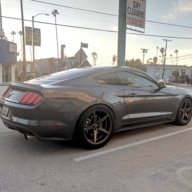
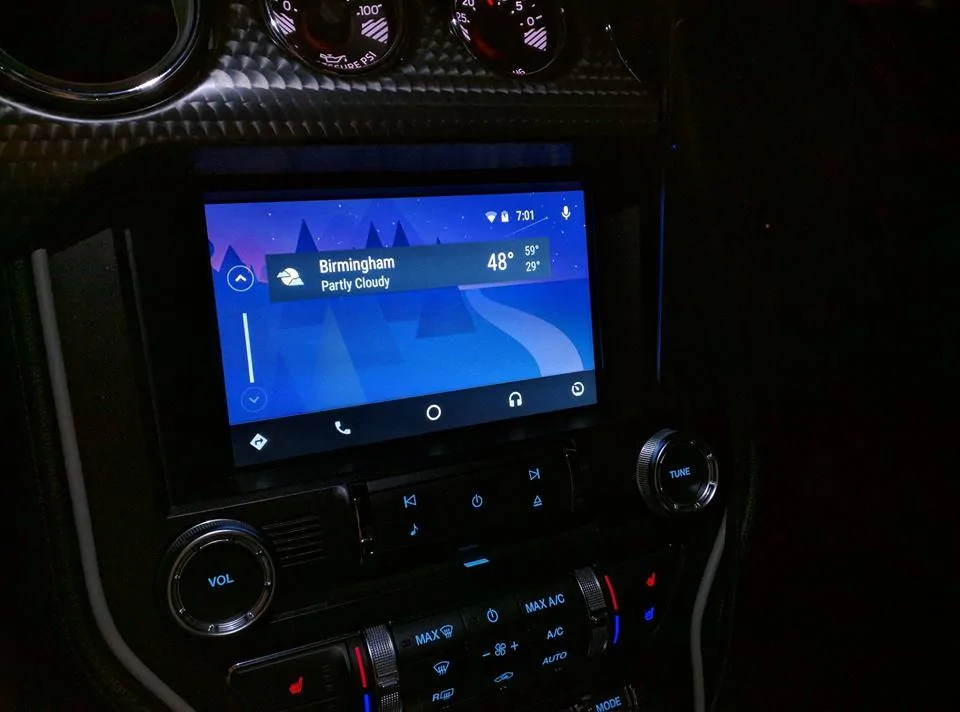
Want to say Non-Nav here and just finished up and IT WORKS!!!. Thanks for all those involved now have Android Auto.
15492451_10157988010625201_3453508730205445239_n.webp
 

IsolatedSnail

Well-Known Member
Joined
Jun 6, 2016
Threads
3
Messages
54
Reaction score
10
Location
Texas
First Name
Kyle
Vehicle(s)
2016 Deep Impact Blue GT/CS
I would kill my data that way unless I can save Google music for offline use.
You can, i do it often for flights. Just go into google music, tell it "save for offline play". Next time your on wifi it will download the files to your phone.
 

DraXxus1549

Well-Known Member
Joined
Apr 21, 2016
Threads
1
Messages
49
Reaction score
10
Location
New England
Vehicle(s)
2016 Mustang GT
You can, i do it often for flights. Just go into google music, tell it "save for offline play". Next time your on wifi it will download the files to your phone.
I was just looking into this actually. I think something is wrong with my library as I don't see any option to save or download.
 

IsolatedSnail

Well-Known Member
Joined
Jun 6, 2016
Threads
3
Messages
54
Reaction score
10
Location
Texas
First Name
Kyle
Vehicle(s)
2016 Deep Impact Blue GT/CS
I was just looking into this actually. I think something is wrong with my library as I don't see any option to save or download.
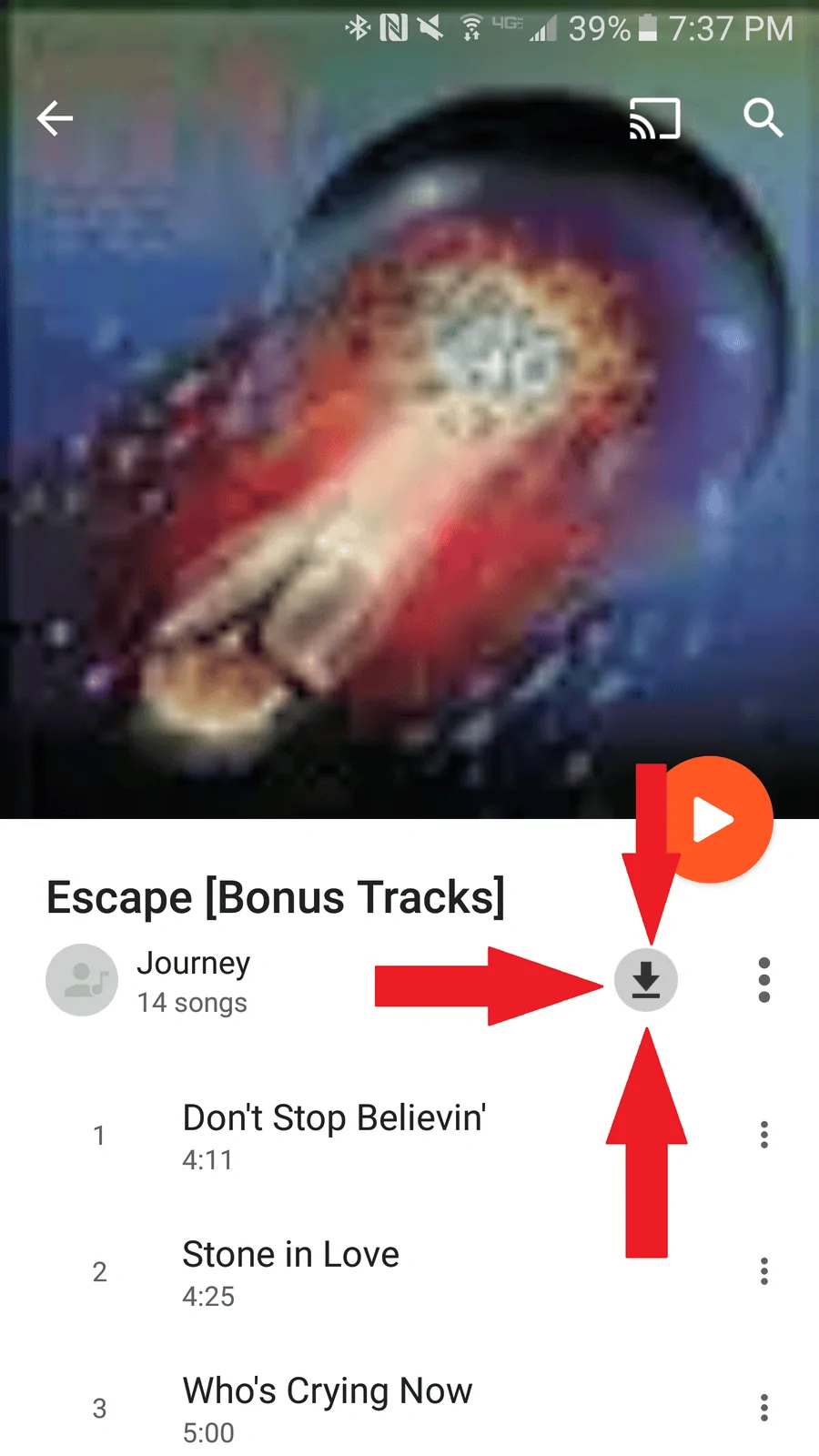
Do you have this button? Screenshot from my Galaxy S7 Edge. Once it downloads, you can open your slide out / side menu and flip the toggle at the bottom for "downloaded only".

NpjFVWR.webp
Sponsored


Top