Sponsored

Sync Update Help

favio10

New Member
Joined
Jun 1, 2016
Threads
1
Messages
1
Reaction score
0
Location
New Jersey
Vehicle(s)
Mustang 2015
Hello all,

I hope anyone can help me. I am having connectivity problems with my sync unit and my iPhone. The bluetooth gets disconnected or sometimes the buttons on the wheel dont work. I have the base model and I know there is an update for sync but every time I download it and try to update it, it gives me a error saying it cant find the files. I called sync support to see if they can help me with this but its been 2 weeks and they haven't contacted me back and my stupid dealer is under construction and they dont know anything. if anybody have the update and can send it to me I would appreciate it. :hail::hail:

Thanks in advance.
Sponsored

 

Zefmeister

Active Member
Joined
Nov 9, 2015
Threads
2
Messages
32
Reaction score
4
Location
Jacksonville, FL
Vehicle(s)
2015 V6
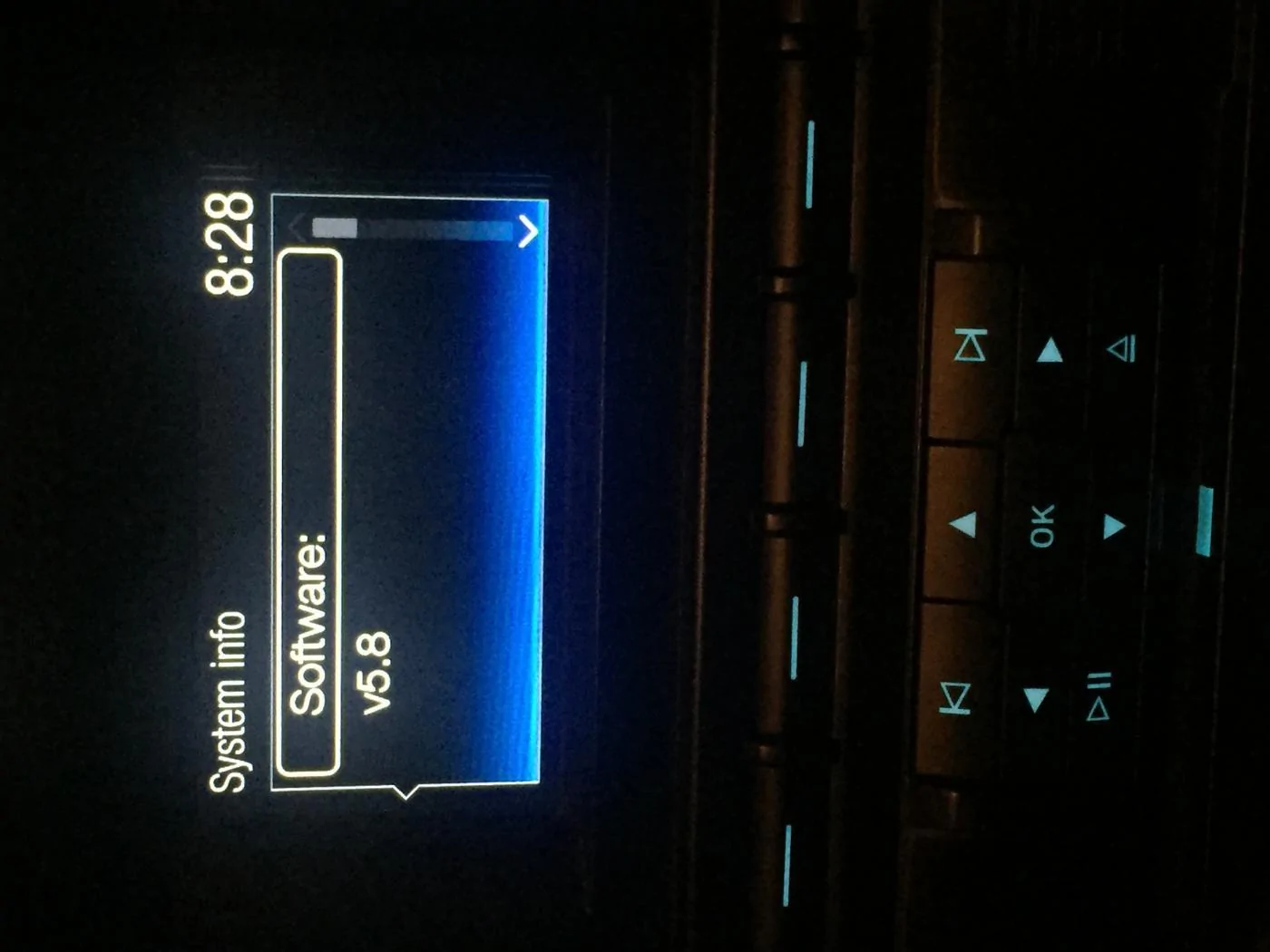
It seems you have the latest update. try resetting the system through the settings and then reset the sync system itself by pushing and holding the power button and next track button and something like "sync transmission reset successfully". This is similar to pulling the sync fuse to reset.
 

Sponsored

Zefmeister

Active Member
Joined
Nov 9, 2015
Threads
2
Messages
32
Reaction score
4
Location
Jacksonville, FL
Vehicle(s)
2015 V6
Thats how I got it. I've been trying to update it but I keep getting an error message when I stick the USB.
what exactly did you download and put onto your flash drive and is there other things on that flash drive or did you format it before you put the sync update on it?
 

favio20

Member
Joined
Jun 1, 2016
Threads
0
Messages
10
Reaction score
1
Location
New Jersey
Vehicle(s)
Mustang Ecoboost
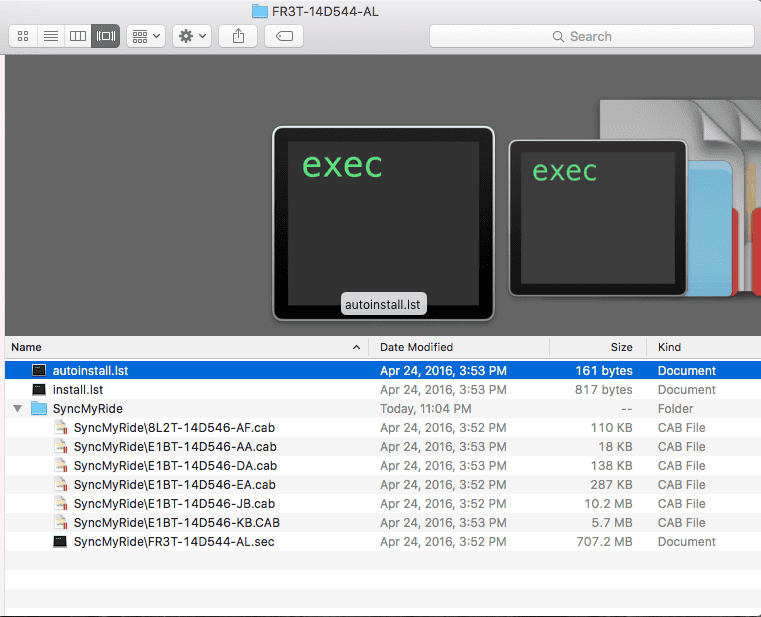
what exactly did you download and put onto your flash drive and is there other things on that flash drive or did you format it before you put the sync update on it?
This is what I downloaded from ford's website.
Screen Shot 2016-06-01 at 11.05.04 PM.png
 

Sponsored

Zefmeister

Active Member
Joined
Nov 9, 2015
Threads
2
Messages
32
Reaction score
4
Location
Jacksonville, FL
Vehicle(s)
2015 V6
This is what I downloaded from ford's website.
okay so what you do is format your usb drive. make sure nothing is on your flash drive. Then copy all of those files so that includes the autoinstall.lst,, install,lst and the syncmyride folder to the root of the usb drive. If you do this correctly you shouldn't get any errors.
 

favio20

Member
Joined
Jun 1, 2016
Threads
0
Messages
10
Reaction score
1
Location
New Jersey
Vehicle(s)
Mustang Ecoboost
okay so what you do is format your usb drive. make sure nothing is on your flash drive. Then copy all of those files so that includes the autoinstall.lst,, install,lst and the syncmyride folder to the root of the usb drive. If you do this correctly you shouldn't get any errors.
Ford has instructions on how to unzip the files. They have to be in a certain folder structure.

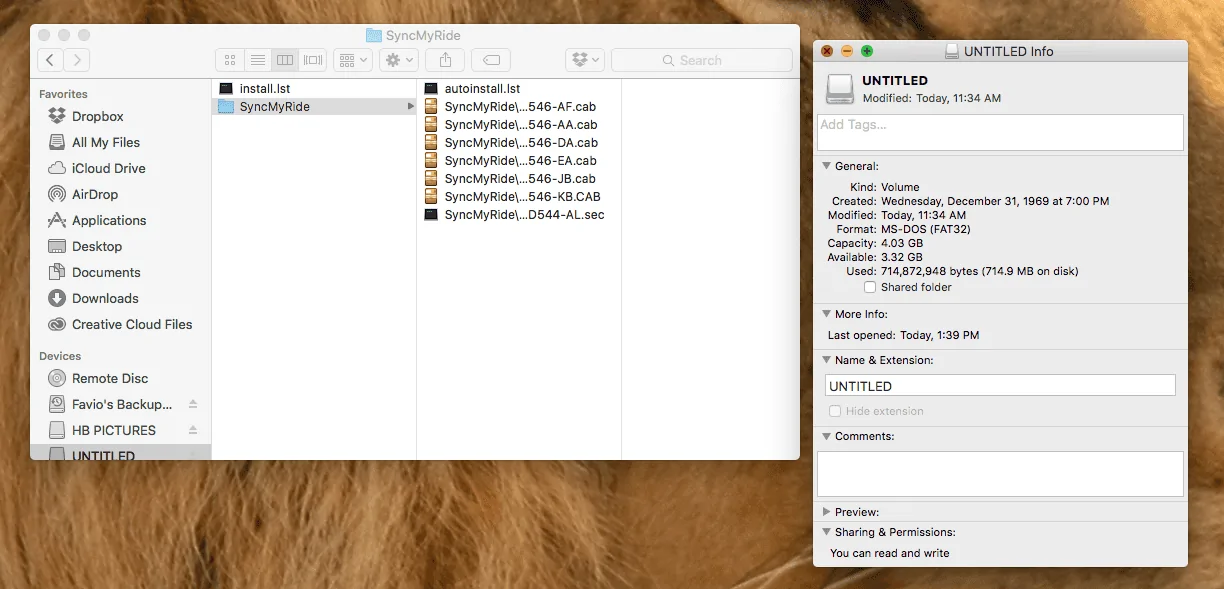
ok, I redownloaded the update again and formated my USB but still sync gives me an error. What am I doing wrong? :frusty::frusty::frusty::frusty::frusty:
Screen Shot 2016-06-02 at 1.39.57 PM.webp
 

Fuse

Well-Known Member
Joined
Apr 3, 2016
Threads
24
Messages
901
Reaction score
136
Location
États-Unis d'Amérique
Vehicle(s)
2016 Mustang V6
The autoinstall.lst should not be in the SyncMyRide folder, if I remember correctly. It should be outside the folder.
Your usb should list it as:
autoinstall.lst
install.lst
SyncMyRide folder

If that doesn't work try formatting on Windows based machine to FAT32.
 
Last edited:

jperls

Well-Known Member
Joined
Nov 22, 2015
Threads
48
Messages
715
Reaction score
285
Location
Thousand Oaks
First Name
Jason
Vehicle(s)
2015 Magnetic Metallic V6, 1970 mustang convertible
ok, I redownloaded the update again and formated my USB but still sync gives me an error. What am I doing wrong? :frusty::frusty::frusty::frusty::frusty:
Problem is you are using a Mac. I have the same problem. What the idiots over at Ford Engineering failed to do was to ensure that the files were labeled properly after unzipping on a Mac. Right now, you have the files named as a file-path and not the actual name of the file.

What you need to do is go to the dealer, tell them the problem, and have them install the upgrade for you... Ford has not bothered to fix this problem.

Others here on the forum have reported success using google chrome or Mozilla Firefox if you download from a windows computer.

Personally, I would leave it be and save up some money to have OEMRadio help you replace the stupid STYNC 2 with Sync 3.

Hey if any Ford people are reading this...get your software downloading and installing stuff together...seriously..it really STYNCS!
Sponsored


Top