Sponsored

How to set APIM date?

17GT350R

Member
Joined
Apr 7, 2025
Threads
1
Messages
8
Reaction score
2
Location
Santa Rosa, California
First Name
Ian
Vehicle(s)
2017 GT350R, 2022 Mach1 Mustang
I've jail-broken my Sync 3 and have installed a few mods from F-Mods (reverse camera on demand, video player, custom backgrounds, transparent bars). The latest one that I added is called enhanced calm screen. When I purchased my vehicle from the dealer, the calm screen was disabled. Using Forscan, I enabled the calm screen in the APIM config.

In the display options, I'm now able to access the calm screen. However, the floating date is incorrect. Does anyone here know how to change the date? When viewing my clock options all that I see is the ability to change hours and minutes. I even was digging around in Forscan but didn't see any options to change the date.
Sponsored

 
Last edited:
m2016v6

Well-Known Member
Joined
Mar 13, 2024
Threads
10
Messages
202
Reaction score
75
Location
USA
First Name
AB
Vehicle(s)
2016 V6 Base Convertible
I've jail-broken my Sync 3 and have installed a few mods from F-Mods (reverse camera on demand, video player, custom backgrounds, transparent bars). The latest one that I added is called enhanced calm screen. When I purchased my vehicle from the dealer, the calm screen was disabled. Using Forscan, I enabled the calm screen.
Wait, you can do this? How?
 

Rebmo

Active Member
Joined
Apr 2, 2025
Threads
0
Messages
25
Reaction score
27
Location
SE WI
First Name
Steve
Vehicle(s)
2020 Bullitt Mustang
What is the “calm screen“?
 

Sponsored

OP
OP

17GT350R

Member
Joined
Apr 7, 2025
Threads
1
Messages
8
Reaction score
2
Location
Santa Rosa, California
First Name
Ian
Vehicle(s)
2017 GT350R, 2022 Mach1 Mustang
Last edited:
OP
OP

17GT350R

Member
Joined
Apr 7, 2025
Threads
1
Messages
8
Reaction score
2
Location
Santa Rosa, California
First Name
Ian
Vehicle(s)
2017 GT350R, 2022 Mach1 Mustang
What is the “calm screen“?
The calm screen, by default, is basically just a display option that shows a large digital clock and nothing else on the screen. It doesn't interfere with the audio playing in the background. On the F-Mods website, they host a couple different mods for the calm screen.

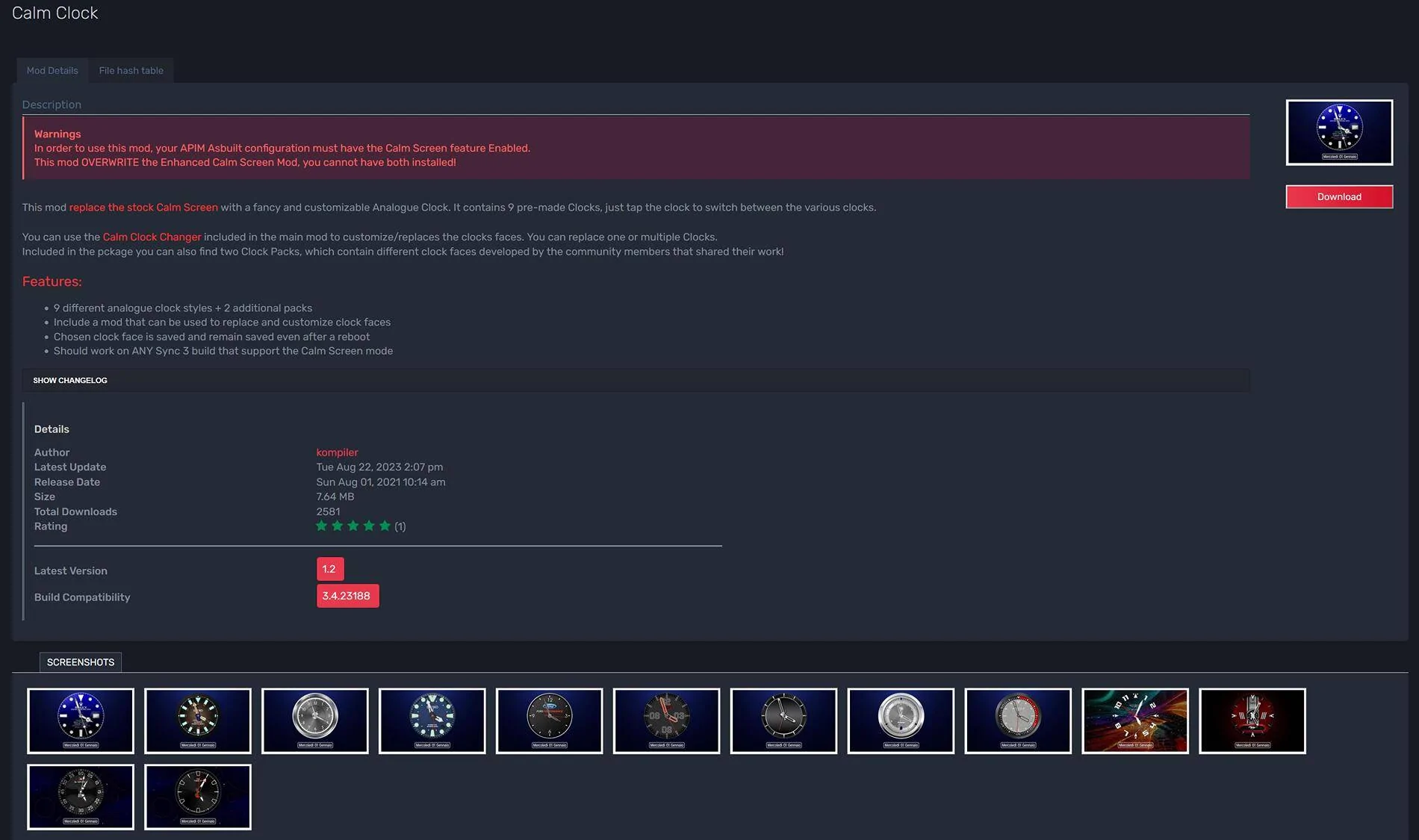
One is called Calm Clock which displays an analog watch face with the current time. That one comes with several different watch face options (Rolex, Ford Performance, etc). I haven't tried running this mod yet.

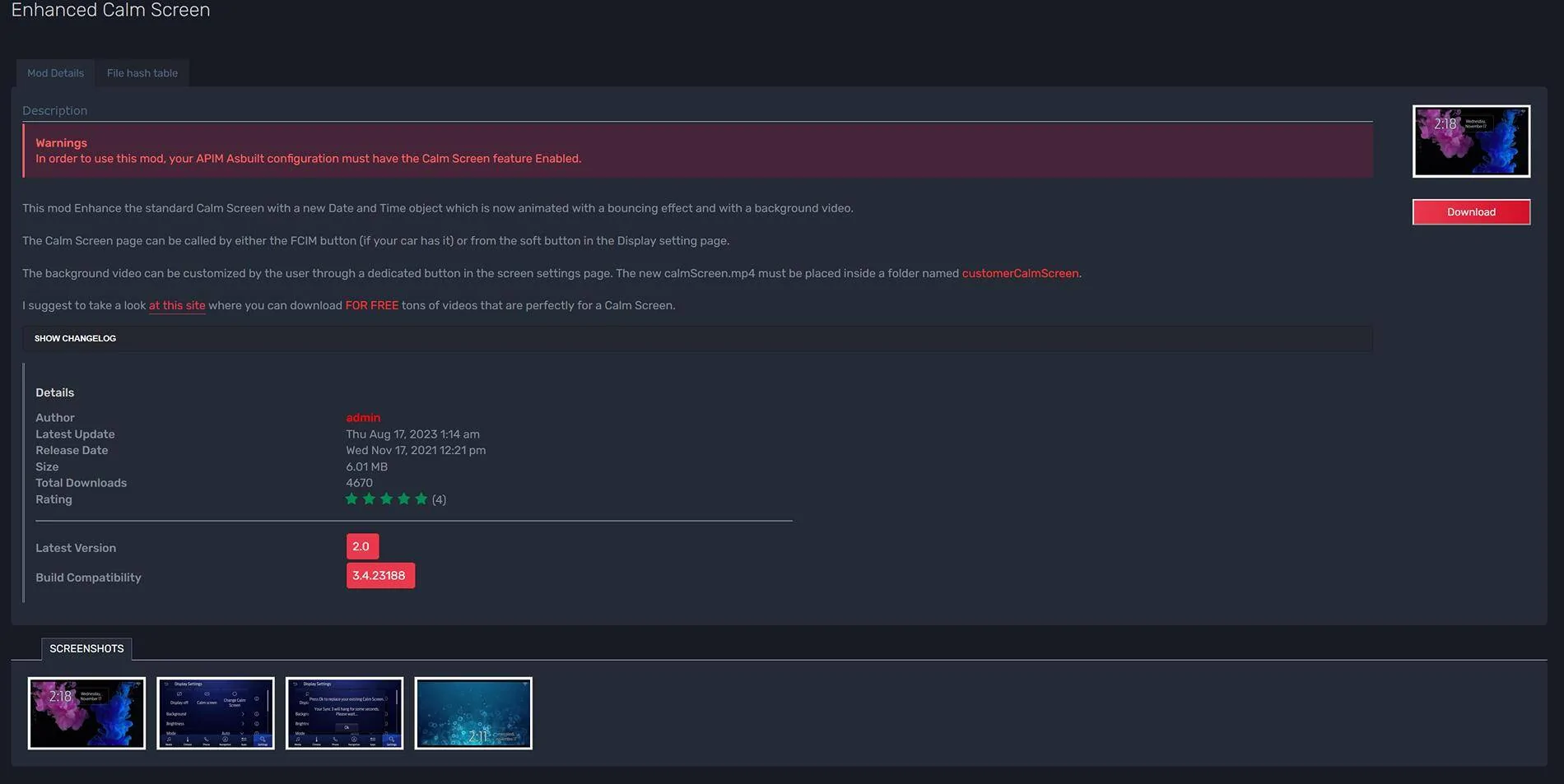
The other one, that I'm running, is called Enhanced Calm Screen. The mod allows you to play a repeating video with a clock on the screen. The mod maker suggests downloading a free video from this site https://pixabay.com/videos/search/abstract/. Of course, you could upload your own video too. I downloaded about twenty videos from that website and decided on one to use first.

The only problem is, the date is incorrect and I can't figure out a way to edit it. I'm pretty sure that I can fix it via GPS. My GPS antenna recently failed, so I ordered a replacement. Once that comes in, hopefully, my date error issue will be resolved. Not being able to edit the date without GPS is irritating though.

My Sync 3, 8.0" touchscreen also recently failed (stopped responding to touch). I ordered and installed the upgraded Sync 4, 8.46" HD screen from AllThingsSync.com . I'm running Sync 3.4 Build 23188 for reference.

I've uploaded a low quality video inside my vehicle which shows my calm screen (with wrong date), the reverse camera mod, custom backgrounds mod, transparent bars mod.

Screenshot 2025-04-10 210722.jpg


Screenshot 2025-04-10 210818.jpg


Last edited:

MiamiGT350

Well-Known Member
Joined
Nov 22, 2021
Threads
16
Messages
834
Reaction score
697
Location
S. Florida
Vehicle(s)
2018
The only problem is, the date is incorrect and I can't figure out a way to edit it. I'm pretty sure that I can fix it via GPS. My GPS antenna recently failed, so I ordered a replacement. Once that comes in, hopefully, my date error issue will be resolved. Not being able to edit the date without GPS is irritating though.
You are correct. The car is going to synchronize its time with the GPS satellite.

You can try connecting the car to the Ford App, and it might correctly set it from there. If you care about data privacy, just be aware the app is going to send all your telematics data (driving patterns, location, etc) to Ford.
Sponsored


Top