
Sponsored

CrazyHippie
Well-Known Member
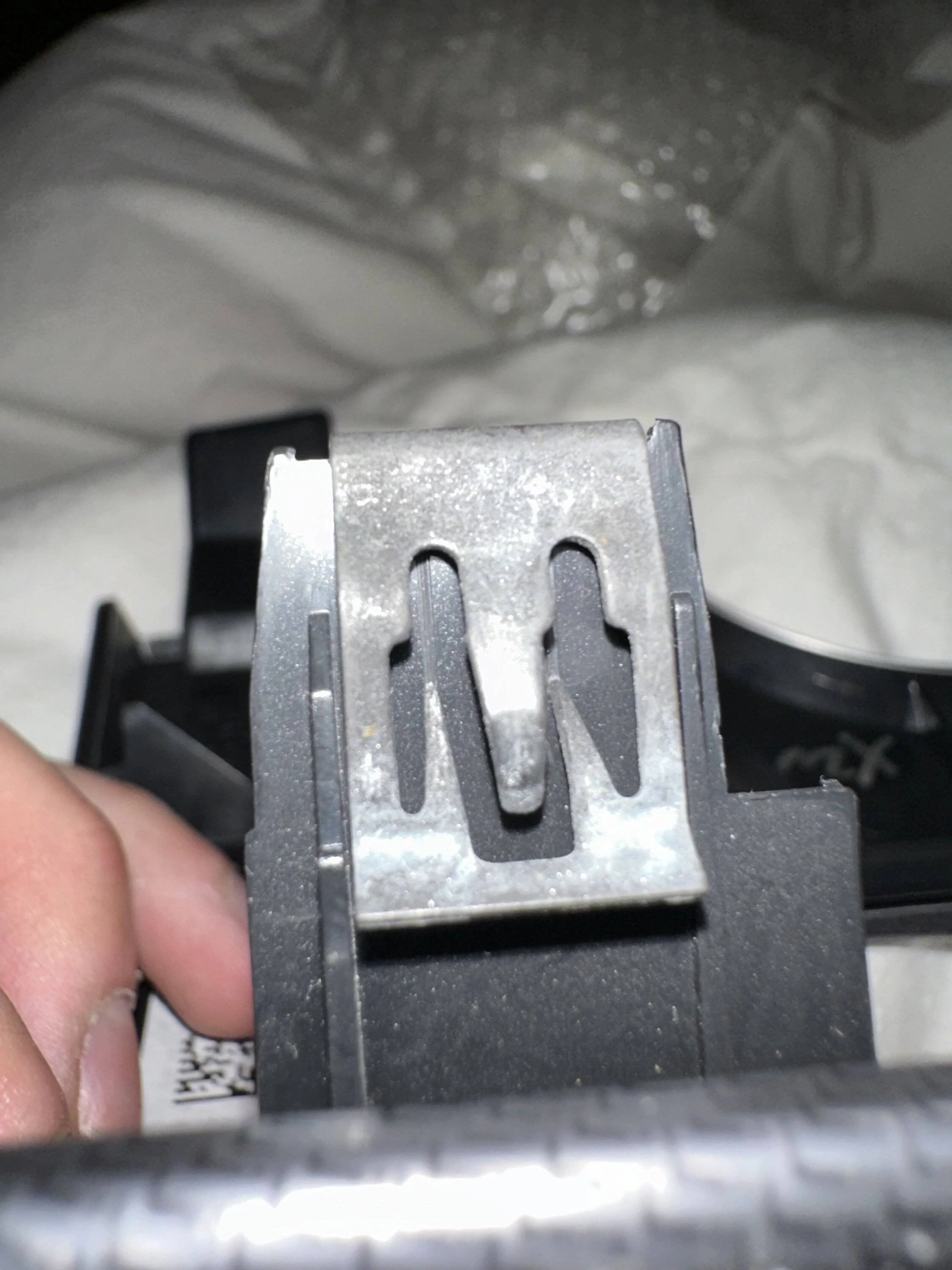
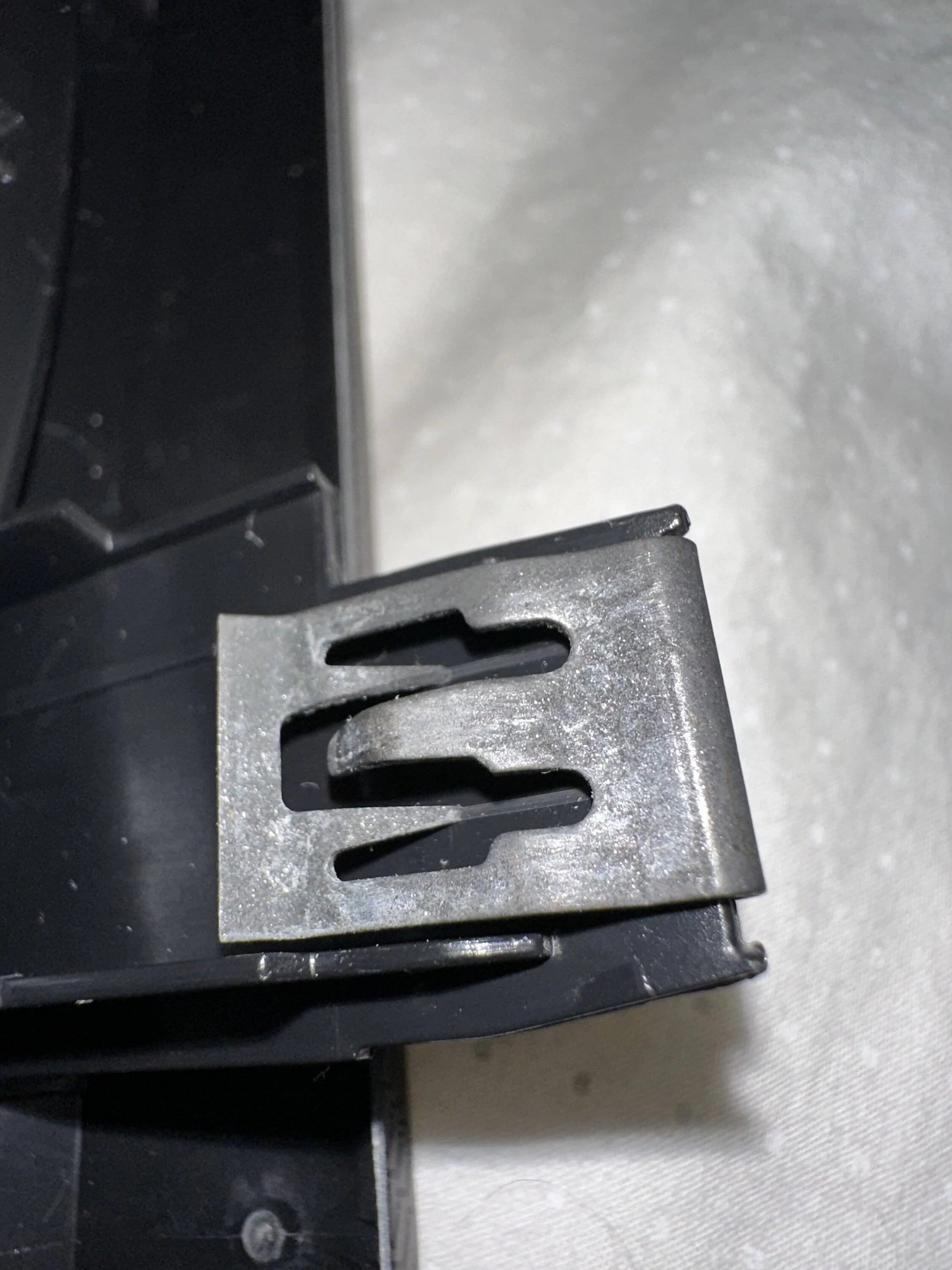
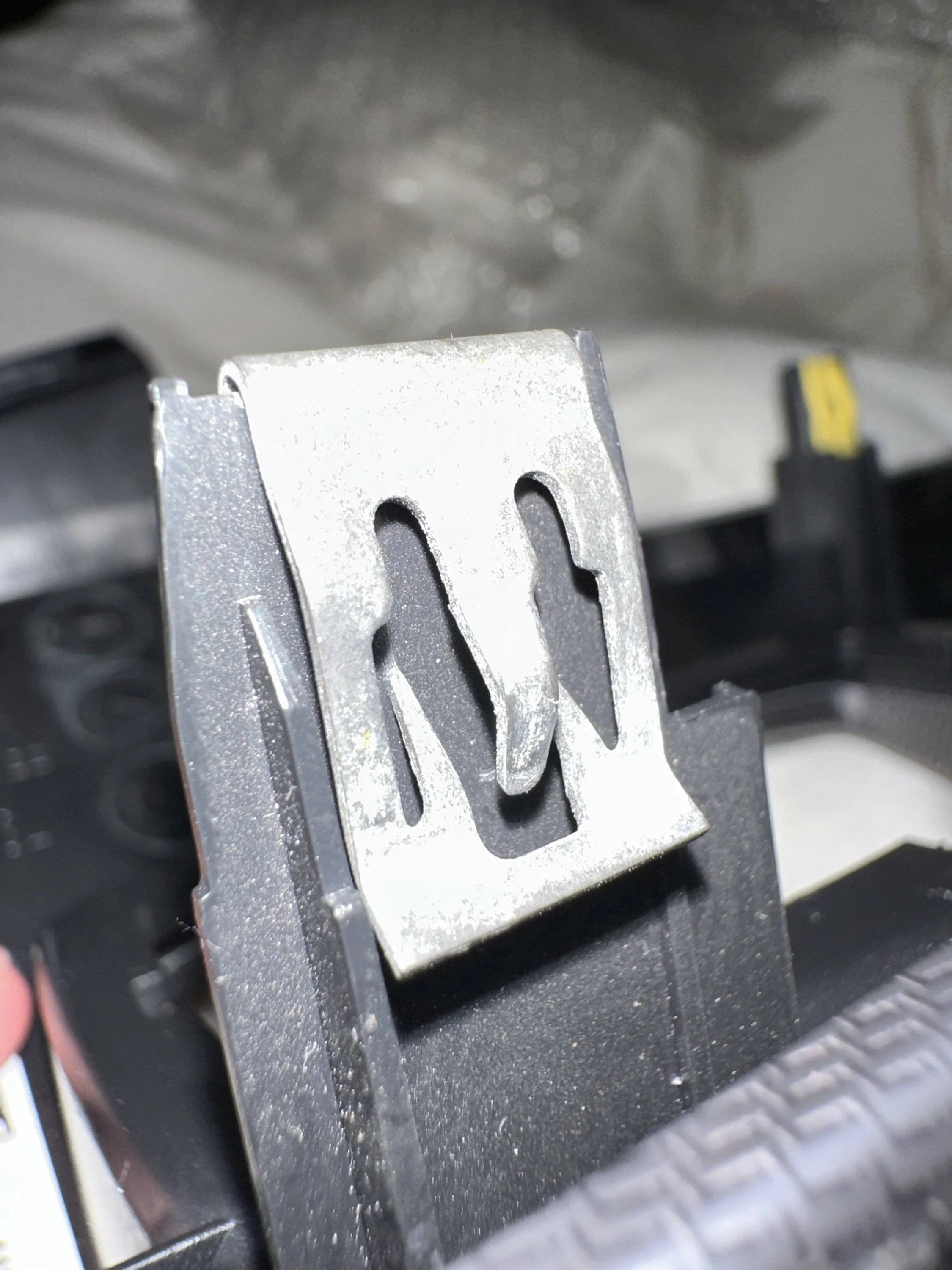
Gently pry up the two pointed tabs on either side of the main center tab with a small flat screwdriver. Once these are lifted, the clip should just slide off. Bend the two pointed tabs back down before installing on the new trim. They kind of dig into the plastic to prevent the clip from backing out.

geep81
Well-Known Member
- Joined
- Sep 29, 2018
- Threads
- 58
- Messages
- 1,466
- Reaction score
- 1,510
- Location
- Cleveland OH
- Vehicle(s)
- 2020 GT Premium
Those two forks are digging in to the plastic on both sides. You have to slide something/gently pry them up (but not much so that they deform) and they slide off.

MiamiGT350
Well-Known Member
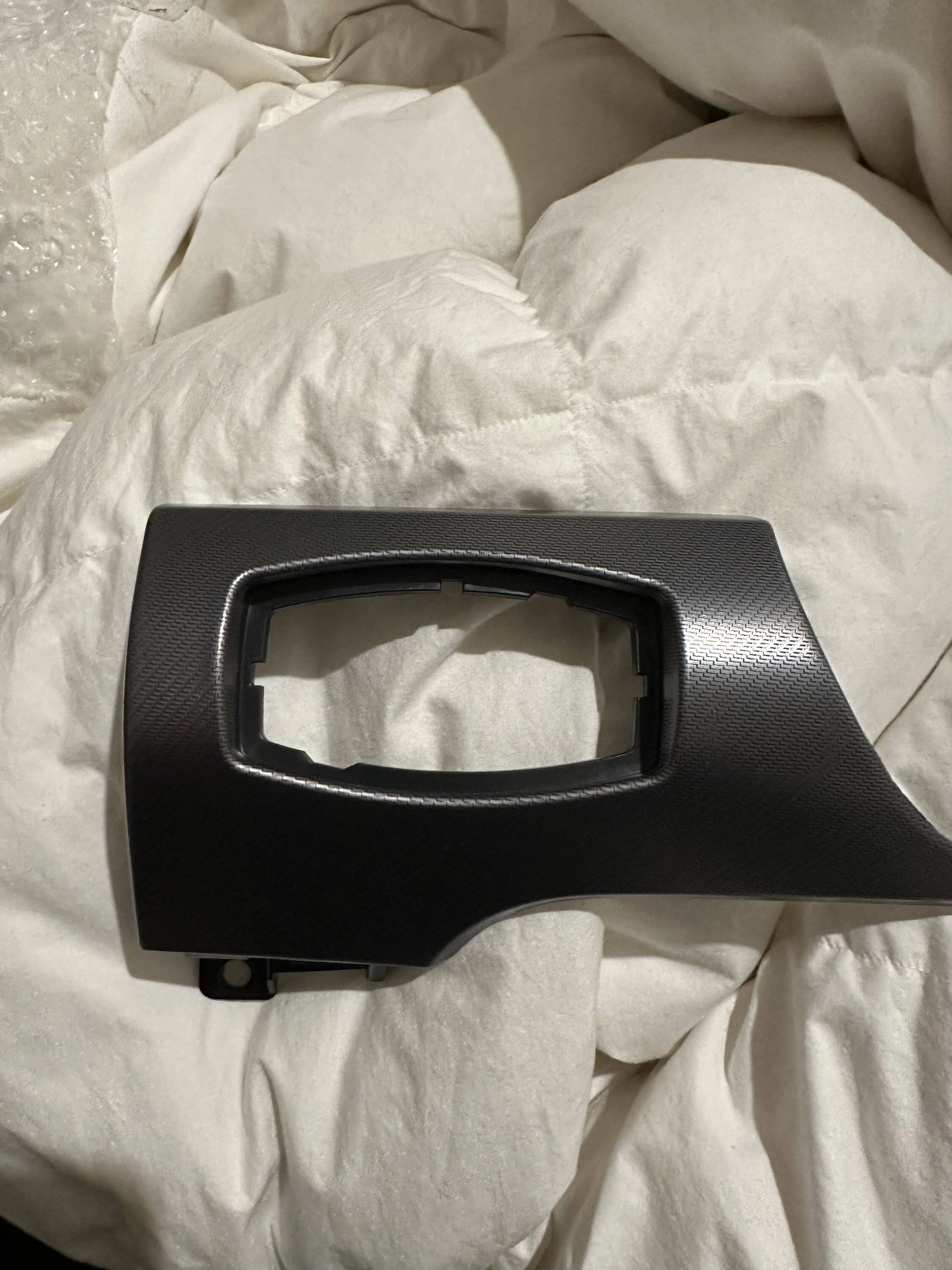
What trim are you going coming from and going to?

Crew4991
Well-Known Member
- Joined
- Sep 11, 2020
- Threads
- 14
- Messages
- 1,254
- Reaction score
- 2,595
- Location
- Phoenix Arizona / Denver Colorado
- First Name
- Crew
- Vehicle(s)
- Ford Mustang GT/CS, Dodge Viper SRT10
Those clips can be a pain in the rear but you will want to pry up on the two inside prongs on both sides for it to come loose to reuse. I really dislike them but dang they sure do hold well.
Sponsored

JetGray_Mach1
Well-Known Member
- Joined
- Jun 29, 2021
- Threads
- 11
- Messages
- 2,245
- Reaction score
- 3,904
- Location
- Southern California
- First Name
- Martin
- Vehicle(s)
- 2022 Mach 1 (HP)
Get your self some interior trim removal. You need to be a little forceful and pry at the corners with it equally. What usually breaks the clips or trim piece is pry on it hard on 1 side. Gently wiggle on each corner.

RazzaRossa
Well-Known Member
- Joined
- May 23, 2020
- Threads
- 7
- Messages
- 575
- Reaction score
- 670
- Location
- West Coast of Florida
- First Name
- Ron
- Vehicle(s)
- 2019 Mustang 6spd GT Premium PP1
Go to your local auto parts store and buy the 5 piece trim removal kit, comes with a couple pry bars that look like tiny forks. The kit is all plastic tools, or go on Amazon and do a search for trim removal tools
AK72X
Member
- Thread starter
- #9
I tried to pry the two diggers and bend them a little but no luck, they always get back to the same position. However, I managed to take the clip out by lifting them up and inserting a very thin plastic card (iFixit phone repairing cards) cut into a small square. Once inserted into both sides (each side has a small plastic card fitted underneath the diggers), the clip could slide off easily since it’s not biting the trim anymore.Gently pry up the two pointed tabs on either side of the main center tab with a small flat screwdriver. Once these are lifted, the clip should just slide off. Bend the two pointed tabs back down before installing on the new trim. They kind of dig into the plastic to prevent the clip from backing out.
AK72X
Member
- Thread starter
- #10
managed to take the clip out by lifting them up and inserting a very thin plastic card (iFixit phone repairing cards) cut into a small square. Once inserted into both sides (each side has a small plastic card fitted underneath the diggers), the clip could slide off easily since it’s not biting the trim anymore.Those clips can be a pain in the rear but you will want to pry up on the two inside prongs on both sides for it to come loose to reuse. I really dislike them but dang they sure do hold well.
they do hold well indeed
Sponsored
CrazyHippie
Well-Known Member
Perfect!I tried to pry the two diggers and bend them a little but no luck, they always get back to the same position. However, I managed to take the clip out by lifting them up and inserting a very thin plastic card (iFixit phone repairing cards) cut into a small square. Once inserted into both sides (each side has a small plastic card fitted underneath the diggers), the clip could slide off easily since it’s not biting the trim anymore.
Sponsored


