Bull Run
Well-Known Member
- Thread starter
- #1
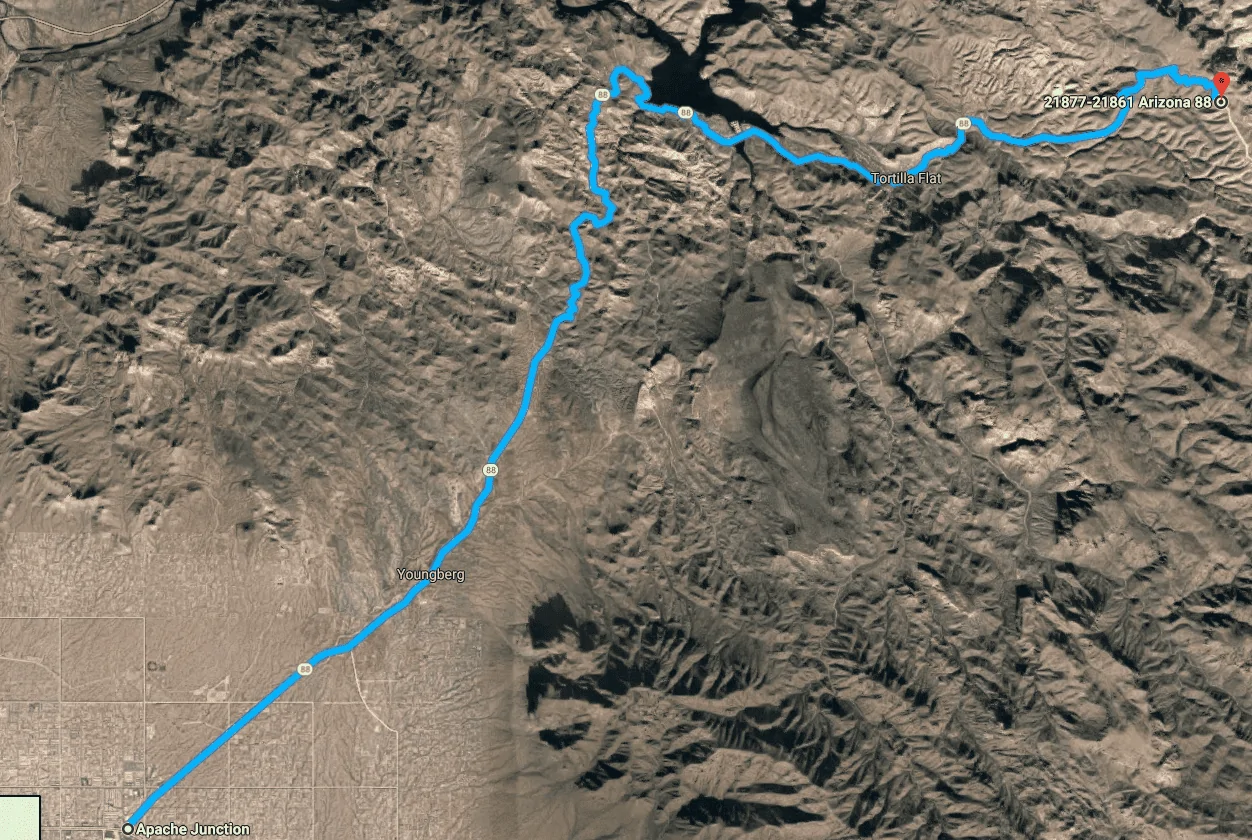
After much discussion about a cruise with my friends and co-works, we finally pulled the trigger and executed it today. We let our most experienced driver pick the route and he picked the Apache Trail, which has many sharp curves.

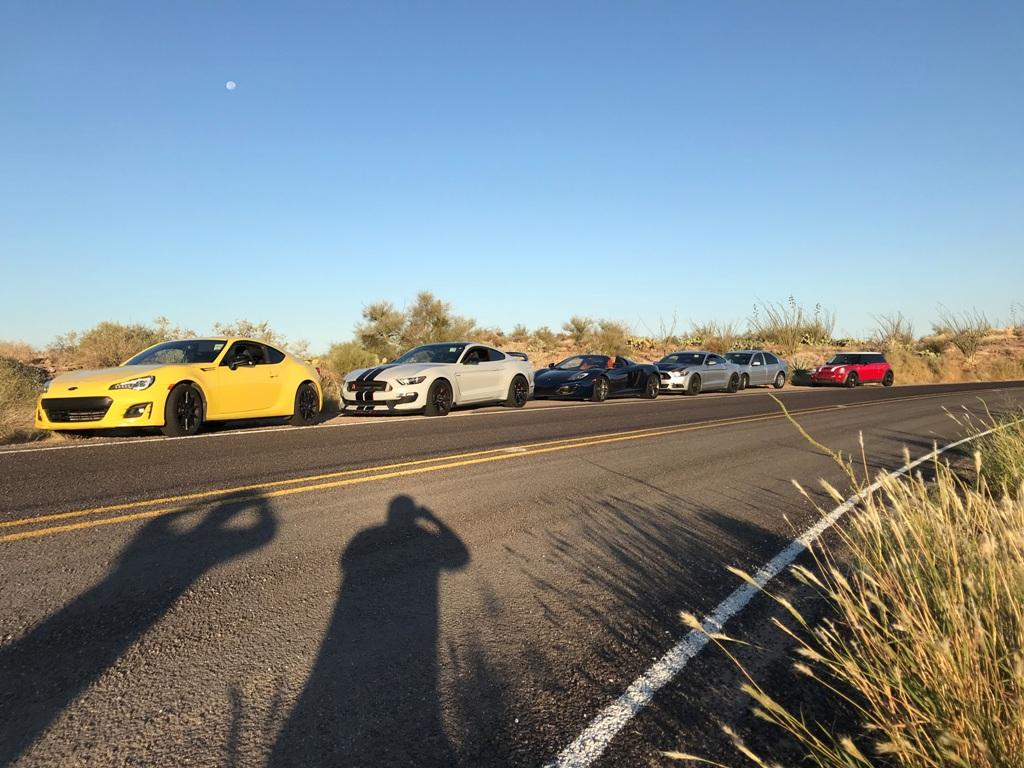
In order to prevent slow cars/drivers from holding up the convoy, we placed the cars based on the driver skill and car's capability.
#1 BRZ, he's the most experienced and skilled driver of the group and regularly tracks his car. He also drove this route many times. BRZ may not be powerful but it's not much of a handicap as acceleration will be limited by the tight curves for this drive.
#2 GT350R, he's the second most experienced and skilled driver of the group and semi-regularly tracks his car. He switched to MPS4s because Cup 2's were wearing out too fast.
#3 C12 Spider, he used to go to tracks but hasn't for a long time. He has a collection of Lotuses for spirited driving sessions but decided to try a McLaren after his Elise was wrecked (not his fault). C12's the most capable car in the group and while he won't be able to take advantage of the top speed, C12 has excellent power to weight ratio and also has plenty of low-end torque thanks to the twin turbos.
#4 EBPP, I never been to a track before but wanted to test my mods before heading to the track. The car has all the power mods a stock block can handle, with plenty of handling and braking mods to go with it. I'm thinking that trying to pace a C12 will be a good test.
#5 Jetta TDI, youngest guy of the group, mostly power mods at this time. Son of a friend (#6).
#6 Stock Mini with SC, he has much more capable Audi but wanted to take his daughter's car for a spin as she's away at the college and the car's been just sitting around. Father of #5.

A stock block EBs has no chance against a C12 on straight line acceleration as C12 has more power while being lighter
I was able to pace the C12 once we got to the twisties, as handling and weightloss mods narrowed the performance gap. He only drove several hundred miles in the C12 so far, so I'm sure that he'll be able to drive it faster after he logs more hours in it.
The beginning of the Apache Trail
Steering wasn't smooth in the beginning as I was getting used to back-to-back sharp turns, but it improved as we progressed through the drive.
Heading toward the midpoint
With more confidence in the car and steering, I was able to narrow the gap with the C12. However, the sun was starting to get into our eyes.
Heading toward the turnaround point
We were on a smooth road up to this point, but it got rough after the midway point. Aside from the sun really getting into our eyes at this point, we started seeing more gravel on the road and increased our interval as we neared the turnaround point.
On the way back, midpoint to the starting point
The drive back was more pleasant as we didn't have to deal with the sun in our eyes.
Thoughts on the performance of mods
Power: The car's been on FBO + turbo + WMI for over 1.5 years without issues and today was no different. I was playing around with the paddle shifter and found that it's hard to shift with the steering wheel turned. Tuned EBs have broad low-end torque so the engine felt more responsive between 3K to 4K RPM mark rather than revving it up.
Handling: The car took sharp turns like a champ. There was little to no roll and tires didn't squeal. It's more capable than me but I didn't want to test its limits on a mountain road, either.
Braking: Had no issues with repeated braking. OEM pads would've been fine since we weren't going that fast but it felt like I was able to better control the braking force with G-LOC pads vs. stock pads.
Seats: Upgrading to bucket seats paid off as the seat held me firm during sharp turns, which enabled me to relax my grip on the steering wheel.
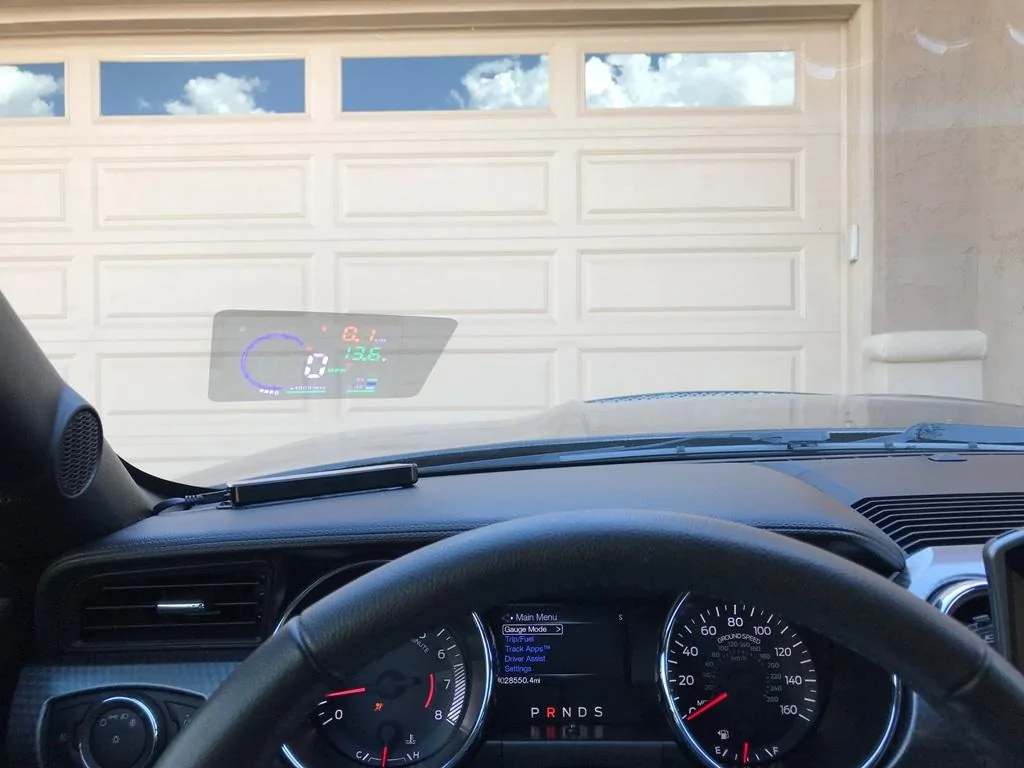
HUD: I tried a cheap $40 HUD off of Amazon. It was neat to see the RPM, speed, and coolant temperature without having to take my eyes off of the road. It did reset on me twice during the drive, but it could've been due to an aggressive setting for voltage based auto-shutoff. Changed the config back to the default.
In order to prevent slow cars/drivers from holding up the convoy, we placed the cars based on the driver skill and car's capability.
#1 BRZ, he's the most experienced and skilled driver of the group and regularly tracks his car. He also drove this route many times. BRZ may not be powerful but it's not much of a handicap as acceleration will be limited by the tight curves for this drive.
#2 GT350R, he's the second most experienced and skilled driver of the group and semi-regularly tracks his car. He switched to MPS4s because Cup 2's were wearing out too fast.
#3 C12 Spider, he used to go to tracks but hasn't for a long time. He has a collection of Lotuses for spirited driving sessions but decided to try a McLaren after his Elise was wrecked (not his fault). C12's the most capable car in the group and while he won't be able to take advantage of the top speed, C12 has excellent power to weight ratio and also has plenty of low-end torque thanks to the twin turbos.
#4 EBPP, I never been to a track before but wanted to test my mods before heading to the track. The car has all the power mods a stock block can handle, with plenty of handling and braking mods to go with it. I'm thinking that trying to pace a C12 will be a good test.
#5 Jetta TDI, youngest guy of the group, mostly power mods at this time. Son of a friend (#6).
#6 Stock Mini with SC, he has much more capable Audi but wanted to take his daughter's car for a spin as she's away at the college and the car's been just sitting around. Father of #5.
A stock block EBs has no chance against a C12 on straight line acceleration as C12 has more power while being lighter
I was able to pace the C12 once we got to the twisties, as handling and weightloss mods narrowed the performance gap. He only drove several hundred miles in the C12 so far, so I'm sure that he'll be able to drive it faster after he logs more hours in it.
The beginning of the Apache Trail
Steering wasn't smooth in the beginning as I was getting used to back-to-back sharp turns, but it improved as we progressed through the drive.
Heading toward the midpoint
With more confidence in the car and steering, I was able to narrow the gap with the C12. However, the sun was starting to get into our eyes.
Heading toward the turnaround point
We were on a smooth road up to this point, but it got rough after the midway point. Aside from the sun really getting into our eyes at this point, we started seeing more gravel on the road and increased our interval as we neared the turnaround point.
On the way back, midpoint to the starting point
The drive back was more pleasant as we didn't have to deal with the sun in our eyes.
Thoughts on the performance of mods
Power: The car's been on FBO + turbo + WMI for over 1.5 years without issues and today was no different. I was playing around with the paddle shifter and found that it's hard to shift with the steering wheel turned. Tuned EBs have broad low-end torque so the engine felt more responsive between 3K to 4K RPM mark rather than revving it up.
Handling: The car took sharp turns like a champ. There was little to no roll and tires didn't squeal. It's more capable than me but I didn't want to test its limits on a mountain road, either.
Braking: Had no issues with repeated braking. OEM pads would've been fine since we weren't going that fast but it felt like I was able to better control the braking force with G-LOC pads vs. stock pads.
Seats: Upgrading to bucket seats paid off as the seat held me firm during sharp turns, which enabled me to relax my grip on the steering wheel.
HUD: I tried a cheap $40 HUD off of Amazon. It was neat to see the RPM, speed, and coolant temperature without having to take my eyes off of the road. It did reset on me twice during the drive, but it could've been due to an aggressive setting for voltage based auto-shutoff. Changed the config back to the default.
Sponsored
Last edited: