Sponsored

VCM Scanner: how to monitor Knock Count and Retard?

Clint81

Well-Known Member
Joined
Nov 20, 2021
Threads
5
Messages
85
Reaction score
89
Location
Atlanta
First Name
Clint
Vehicle(s)
2022 Mach 1
I was wondering if some of the HP Tuner folks here might have some insight before I try over at the HP Tuners forum.
I am just beginning to learn VCM Scanner in earnest and I feel like I can't get it configured correctly; I seem to be missing some common channels I see used here, youtube, etc.
I have done the "scan for parameters" several times (car running, car on, car off) and tried setting the User OS in the Vehicle Profile, but my available channel selection doesn't change one way or another. For example, the only entry in Engine->Spark is Spark Advance.

Is there something else I need to be doing in order to log KC and KR? Are these custom functions I need to add?
Is this a RTFM moment or am I missing something?

2022 Mach 1
HP Tuners Suite 5.04
MPVI3

Thanks very much,
Clint
Sponsored

 

junits15

Well-Known Member
Joined
Jul 7, 2022
Threads
19
Messages
1,192
Reaction score
1,310
Location
MA
First Name
Justin
Vehicle(s)
2019 Mustang GT
Monitor "Knock Retard"

I don't monitor knock count, just KR as it contains all the info you need. A large knock will set KR to a high value, many knocks in a row will also set KR to a high value.

Positive value is removing spark, negative value is adding spark.

I put the following all on one plot:
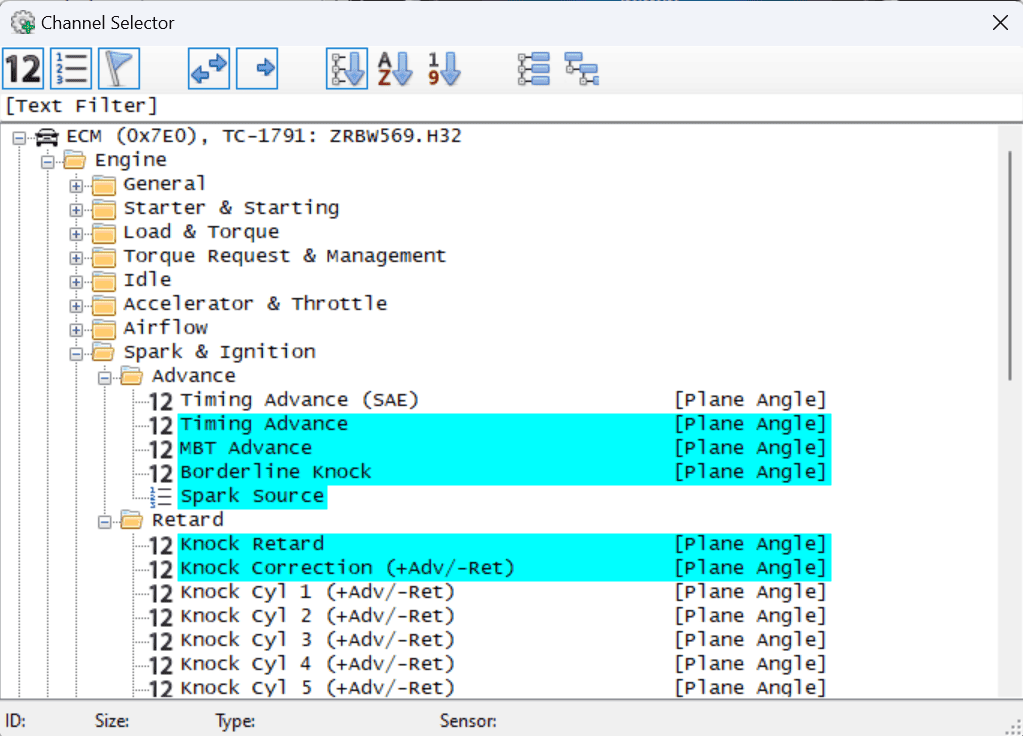
  • Knock Retard
  • Timing Advance
  • MBT Advance
  • Borderline Knock

This lets you see everything thats happening all at once.
 
Last edited:

J17GT

Well-Known Member
Joined
Apr 21, 2019
Threads
9
Messages
838
Reaction score
739
Location
IL
Vehicle(s)
2017 Mustang GT PP
Need to add those channels to you view:

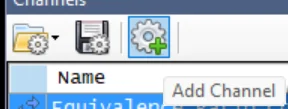
Gear at the top with the green +
1701460675934.webp


Then look under Engine -> Spark & Ignition
1701460625217.png
 
OP
OP
Clint81

Clint81

Well-Known Member
Joined
Nov 20, 2021
Threads
5
Messages
85
Reaction score
89
Location
Atlanta
First Name
Clint
Vehicle(s)
2022 Mach 1
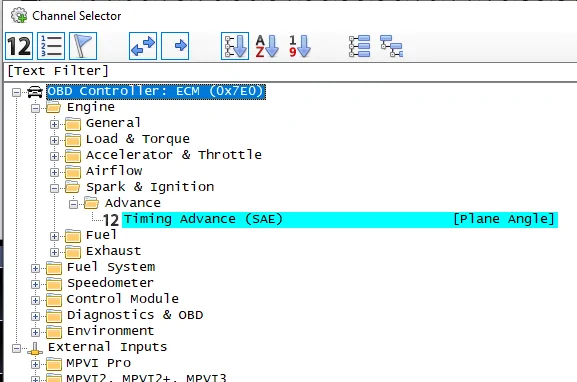
Awesome, thank you for the reply folks. So, my channel selection looks a bit different in that it does not have many of the items you are showing:

1701467457609.webp


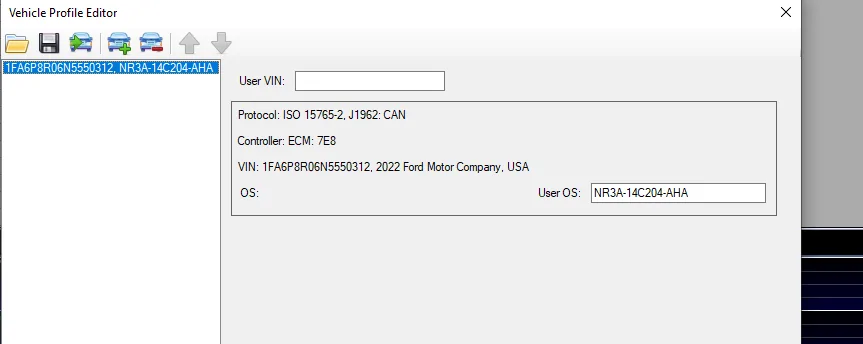
I have tried rescanning many times and this list does not change. Here is my vehicle profile, does it look OK?

1701467525627.webp


I have read where other folks solved this by opening a log from a similar (but fully functional) configuration and saved that config for later use and the channels were made available. Is that worth a try?
 

J17GT

Well-Known Member
Joined
Apr 21, 2019
Threads
9
Messages
838
Reaction score
739
Location
IL
Vehicle(s)
2017 Mustang GT PP
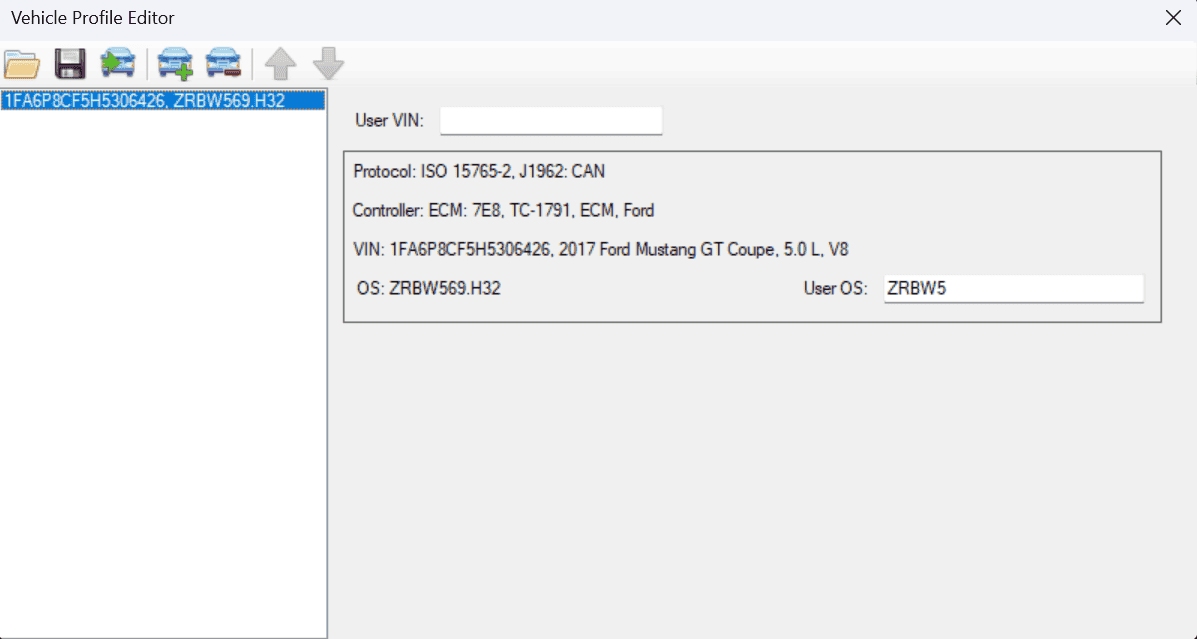
I'm guessing the User OS is incorrect in your vehicle profile. That is the only time I've had a problem with channels not populating. Seeing that it doesn't register what you have there means it's most likely the issue. I'm guessing you need to shorten what you have in that field or search out what the correct OS is for your car. You are getting a very limited default channel selection since it does not know the OS. See my Whipple OS as an example:
1701468294263.png
 

Sponsored

OP
OP
Clint81

Clint81

Well-Known Member
Joined
Nov 20, 2021
Threads
5
Messages
85
Reaction score
89
Location
Atlanta
First Name
Clint
Vehicle(s)
2022 Mach 1
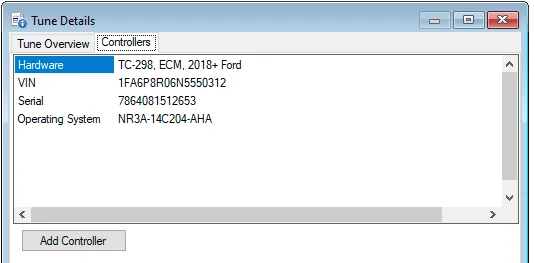
That makes sense, it seemed like the profile was really lacking some details. Also, I wonder if the Editor did not pull much or enough from the stock tune originally.

1701468640367.webp
 

J17GT

Well-Known Member
Joined
Apr 21, 2019
Threads
9
Messages
838
Reaction score
739
Location
IL
Vehicle(s)
2017 Mustang GT PP
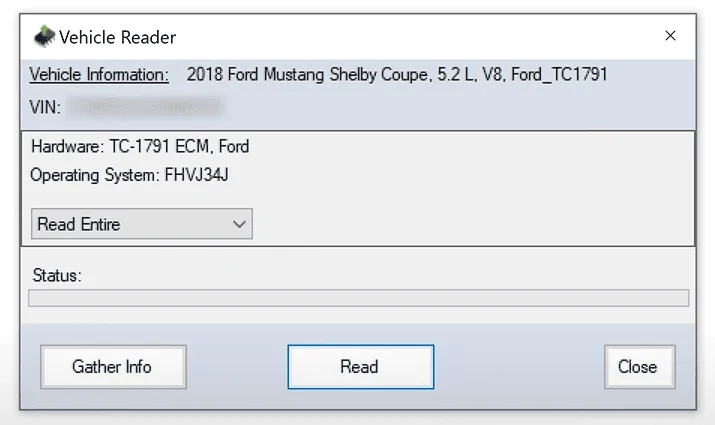
Can you do another read with the VCM editor? While it's doing it, it will show you the OS. Got the below from this video:


1701468949354.webp
 
OP
OP
Clint81

Clint81

Well-Known Member
Joined
Nov 20, 2021
Threads
5
Messages
85
Reaction score
89
Location
Atlanta
First Name
Clint
Vehicle(s)
2022 Mach 1
I will go try that right now
 

Ruiner46

Well-Known Member
Joined
Aug 12, 2016
Threads
16
Messages
492
Reaction score
291
Location
Colorado
Vehicle(s)
2016 CO GT PP
Most likely your OS isn't mapped out by HPTuners yet. You'll probably have to send them a read and then wait for support to answer and add your OS.
 

J17GT

Well-Known Member
Joined
Apr 21, 2019
Threads
9
Messages
838
Reaction score
739
Location
IL
Vehicle(s)
2017 Mustang GT PP
Most likely your OS isn't mapped out by HPTuners yet. You'll probably have to send them a read and then wait for support to answer and add your OS.
Could be, but I've put the long version of my OS in that field before and had the exact issue of channels not populating.
 

Sponsored
OP
OP
Clint81

Clint81

Well-Known Member
Joined
Nov 20, 2021
Threads
5
Messages
85
Reaction score
89
Location
Atlanta
First Name
Clint
Vehicle(s)
2022 Mach 1
1701470061999.webp


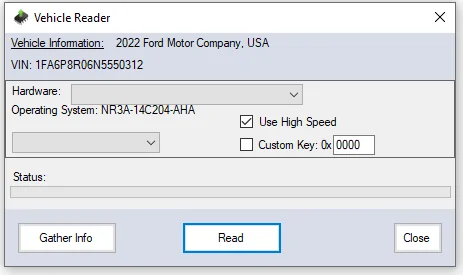
You may be right; this is what I get when I read the vehicle. Hardware box is a drop-down. When I read the binary I selected TC-298 and all has seemingly been OK but.... well this could be a problem.
 
OP
OP
Clint81

Clint81

Well-Known Member
Joined
Nov 20, 2021
Threads
5
Messages
85
Reaction score
89
Location
Atlanta
First Name
Clint
Vehicle(s)
2022 Mach 1
well that is what it looks like after I click "Gather Info", should have been more specific.
 

J17GT

Well-Known Member
Joined
Apr 21, 2019
Threads
9
Messages
838
Reaction score
739
Location
IL
Vehicle(s)
2017 Mustang GT PP
Sounds like reaching out to HPTuners is the next step!
 
OP
OP
Clint81

Clint81

Well-Known Member
Joined
Nov 20, 2021
Threads
5
Messages
85
Reaction score
89
Location
Atlanta
First Name
Clint
Vehicle(s)
2022 Mach 1
Thanks very much for everyone's help today!
 

Ruiner46

Well-Known Member
Joined
Aug 12, 2016
Threads
16
Messages
492
Reaction score
291
Location
Colorado
Vehicle(s)
2016 CO GT PP
Could be, but I've put the long version of my OS in that field before and had the exact issue of channels not populating.
The only time you have to use that field is when the tune is locked by a tuner so it can't be edited. I licensed my own whipple OS and don't have to fill in that field at all. When I ran a tune from a tuner, I had to put in the OS id so VCM Scanner knew which OS it was. Looking at PCMTec, it appears that the Whipple OS id is only 5 digits, so putting in anything longer is probably invalid.
Sponsored


Top