Sponsored

Sync 3 Stuck with only Navigation after Update DL

michail71

Well-Known Member
Joined
Apr 15, 2018
Threads
92
Messages
1,225
Reaction score
214
Location
Florida
Vehicle(s)
2018 GT 401a A10
I had re-setup up my WiFi today and it detected a new firmware version to download. I had left it sit for a while while on the charger. I came out out about 40 minutes later and the download progress was now gone.

I didn't see any messages or have any prompts, so I decided to turn the car off and then start the car up. I saw the Ford boot loader come up and then half of the navigation screen. That was different as I have the Ford GT theme set.

I left it set this way for about 50 minutes but there was no change. I could only see navigation on half the screen and there was no touch interactivity.

I've had a few more key cycles and no change. I've even tried the button + fast forward buttons reboot a few times.

Next step, I'll try to disconnect the battery but I'm feeling like this thing might be bricked.

Anyone have suggestions?
Sponsored

 

el-guapin

Well-Known Member
Joined
Oct 30, 2018
Threads
33
Messages
913
Reaction score
381
Location
LSU - Geaux Tigers!
Website
www.tesla.com
Vehicle(s)
1949 UFO
I had re-setup up my WiFi today and it detected a new firmware version to download. I had left it sit for a while while on the charger. I came out out about 40 minutes later and the download progress was now gone.

I didn't see any messages or have any prompts, so I decided to turn the car off and then start the car up. I saw the Ford boot loader come up and then half of the navigation screen. That was different as I have the Ford GT theme set.

I left it set this way for about 50 minutes but there was no change. I could only see navigation on half the screen and there was no touch interactivity.

I've had a few more key cycles and no change. I've even tried the button + fast forward buttons reboot a few times.

Next step, I'll try to disconnect the battery but I'm feeling like this thing might be bricked.

Anyone have suggestions?
Official Ford Sync3 3.4 Release

New Navigation map update June 29th


Spork3245

Well-Known Member
Joined
Dec 21, 2017
Threads
41
Messages
1,514
Reaction score
704
Location
NJ
Vehicle(s)
2019 GT Premium PP1 w/Magneride
The Ford GT theme no longer exists in the v3.4 update. My guess is the Forscan code you were using for that theme is now defaulting Sync3 to one of the new 10” screen themes and would explain the issues you’re experiencing.
 

UofMEngineer

Well-Known Member
Joined
Oct 14, 2015
Threads
2
Messages
233
Reaction score
124
Location
Michigan
Vehicle(s)
22' FE, 20' FE
The Ford GT theme no longer exists in the v3.4 update. My guess is the Forscan code you were using for that theme is now defaulting Sync3 to one of the new 10” screen themes and would explain the issues you’re experiencing.
I second this.
 
OP
OP

michail71

Well-Known Member
Joined
Apr 15, 2018
Threads
92
Messages
1,225
Reaction score
214
Location
Florida
Vehicle(s)
2018 GT 401a A10
Would I get that update on a 2018 Sync 3.0? I thought we couldn't get 3.4 on the older units. Perhaps it updated the whole thing without me even noticing.

Basically, it has the ford logo upon startup then goes black. If I push the music note it then displays partial navigation. I still have full control or Sirius through the steering wheel and digital dash.

I did notice the lack of the GT theme when comparing forscan codes. If the case, there are quite a few people out there that added the GT theme (of which the Ford GT itself didn't even use).
 

Sponsored

OP
OP

michail71

Well-Known Member
Joined
Apr 15, 2018
Threads
92
Messages
1,225
Reaction score
214
Location
Florida
Vehicle(s)
2018 GT 401a A10
Unfortunately, I thought I snapped a screen shot prior to running the WiFi update but I didn't actually capture it. Now I don't have a screen to even photograph.

It had been updated last around September 2019. It's a standard Sync 3.0 APIM from 2018.

The web site has me download the JR3T-14G381-AS file.

I'd try Forescan now to reset the theme but the battery was so horribly corroded I busted the negative battery terminal trying to get it off and the positive terminal is even worse. .
 

el-guapin

Well-Known Member
Joined
Oct 30, 2018
Threads
33
Messages
913
Reaction score
381
Location
LSU - Geaux Tigers!
Website
www.tesla.com
Vehicle(s)
1949 UFO
....... prior to running the WiFi update......
Never, Evar run any update on WIFI! This is Ford we talking about! So You could not have received version 3.4 update because your previous version was 3.0. So what was updated i'm guessing was your maps(NAV). This is a pretty big download. Since it was initiated on WIFI most likely it was nowhere near finish and now you have an incomplete install. Try doing a master reset. I suggest downloading the update to a USB and attempt to re-install it.
 
OP
OP

michail71

Well-Known Member
Joined
Apr 15, 2018
Threads
92
Messages
1,225
Reaction score
214
Location
Florida
Vehicle(s)
2018 GT 401a A10
LOL, At this point I'm ready to pretend I don't know anything about cars or software and go back to the dealer and pitch a fit. With any luck I may get a 3.4 APIM.

My battery is the bigger problem now. When I went to disconnect it, it was caked in corrosion and frozen to the terminals.

I think I broke the battery terminal trying to get it off.
 
OP
OP

michail71

Well-Known Member
Joined
Apr 15, 2018
Threads
92
Messages
1,225
Reaction score
214
Location
Florida
Vehicle(s)
2018 GT 401a A10
The Ford GT theme no longer exists in the v3.4 update. My guess is the Forscan code you were using for that theme is now defaulting Sync3 to one of the new 10” screen themes and would explain the issues you’re experiencing.
That was it. Thank you! I'm kind of bummed now. I hate the default theme so much! I have Sync V3.0 Build 19205. Only difference I can see is they broke Ford GT. I'll be happy if they fixed the mute button not pausing digital streams.

I was messing around with Forscan and it seems all the themes look exactly the same, with the exception of the splash screen. I can still reload GT and it goes back to the screen issue. I recall they used to look different, or at least Ford GT did?

Need to go on a Forscan dive. I was looking at a video where this guy was showing how to change the themes with just a hidden menu. He also had the black/night theme running during the day but it isn't way too dim like it is on our cars. Night mode looks great for 1.5 until the dimmer kicks in.

I'm an applications architect and I fuss over UX quite a bit. I really wish I could give the Sync 3 designers an earful. I'd not let my own team make something like that. By what I've seen, it looks like they did okay with Sync 4.
 

Sponsored

Spork3245

Well-Known Member
Joined
Dec 21, 2017
Threads
41
Messages
1,514
Reaction score
704
Location
NJ
Vehicle(s)
2019 GT Premium PP1 w/Magneride
That was it. Thank you! I'm kind of bummed now. I hate the default theme so much! I have Sync V3.0 Build 19205. Only difference I can see is they broke Ford GT. I'll be happy if they fixed the mute button not pausing digital streams.

I was messing around with Forscan and it seems all the themes look exactly the same, with the exception of the splash screen. I can still reload GT and it goes back to the screen issue. I recall they used to look different, or at least Ford GT did?

Need to go on a Forscan dive. I was looking at a video where this guy was showing how to change the themes with just a hidden menu. He also had the black/night theme running during the day but it isn't way too dim like it is on our cars. Night mode looks great for 1.5 until the dimmer kicks in.

I'm an applications architect and I fuss over UX quite a bit. I really wish I could give the Sync 3 designers an earful. I'd not let my own team make something like that. By what I've seen, it looks like they did okay with Sync 4.
Ford after hearing people are hacking Sync3 to get the Ford GT logo: if you want the privilege of the Ford GT logo at startup on a Sync3 screen, save your pennies until you have $500k worth and apply for the chance to buy one!
:bow:
 
OP
OP

michail71

Well-Known Member
Joined
Apr 15, 2018
Threads
92
Messages
1,225
Reaction score
214
Location
Florida
Vehicle(s)
2018 GT 401a A10
Ford after hearing people are hacking Sync3 to get the Ford GT logo: if you want the privilege of the Ford GT logo at startup on a Sync3 screen, save your pennies until you have $500k worth and apply for the chance to buy one!
:bow:
From the Ford GT videos I've seen, they were not even running the GT theme. I figured it's a Mustang GT, fits a little?

Looks like it's got to be baby powder blue or a brown Lincoln theme. :puke: Only other differences I could pick out were colored buttons on the Mustang theme and dark blue buttons on the others.
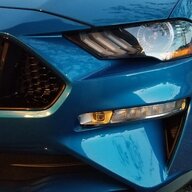
If I could only have night mode without night dimming, I would be happy. It looks amazing for 2 seconds. Their software designers just aren't thinking. Dimming and theme are two different things.

Oh, I enabled the ambient light tile but it doesn't seem to control the ambient lighting.
 

StangTime

Well-Known Member
Joined
Apr 16, 2019
Threads
81
Messages
3,594
Reaction score
4,091
Location
Ontario 🇨🇦
First Name
Todd
Vehicle(s)
19' GT PP1 Manual
That was it. Thank you! I'm kind of bummed now. I hate the default theme so much! I have Sync V3.0 Build 19205. Only difference I can see is they broke Ford GT. I'll be happy if they fixed the mute button not pausing digital streams.

I was messing around with Forscan and it seems all the themes look exactly the same, with the exception of the splash screen. I can still reload GT and it goes back to the screen issue. I recall they used to look different, or at least Ford GT did?

Need to go on a Forscan dive. I was looking at a video where this guy was showing how to change the themes with just a hidden menu. He also had the black/night theme running during the day but it isn't way too dim like it is on our cars. Night mode looks great for 1.5 until the dimmer kicks in.

I'm an applications architect and I fuss over UX quite a bit. I really wish I could give the Sync 3 designers an earful. I'd not let my own team make something like that. By what I've seen, it looks like they did okay with Sync 4.
If you don't like the blue theme and prefer a more black/white and grey with beige being the highlight color enable Lincoln black theme:
First line has to be set to Lincoln (8)
The Mustang animation will still work.
Lincoln MY20 is the only code that worked to change the theme (2)

7D0-01-02 8xxx xxxx xxxx
7D0-03-01 xxxx x2xx xxxx

After your APIM restarts you can go to display settings and chose NIGHT mode. Go look at the background colors and pick your favorite shade of darkness. During the day NIGHT mode is automatically brighter. One thing I did notice is the toggle option for mobile apps seems to be turned off. Android Auto works just fine. I have been running with this theme for a week and really like it. Although I would prefer the original on-screen volume/temperature pop-up. The Lincoln one looks funny.
 
Last edited:
OP
OP

michail71

Well-Known Member
Joined
Apr 15, 2018
Threads
92
Messages
1,225
Reaction score
214
Location
Florida
Vehicle(s)
2018 GT 401a A10
If you don't the blue theme and prefer a more black/white and grey with beige being the highlight color enable Lincoln black theme:
First line has to be set to Lincoln (8)
The Mustang animation will still work.
Lincoln MY20 is the only code that worked to change the theme (2)

7D0-01-02 8xxx xxxx xxxx
7D0-03-01 xxxx x2xx xxxx

After your APIM restarts you can go to display settings and chose NIGHT mode. Go look at the background colors and pick your favorite shade of darkness. During the day NIGHT mode is automatically brighter. One thing I did notice is the toggle option for mobile apps seems to be turned off. Android Auto works just fine. I have been running with this theme for a week and really like it. Although I would prefer the original on-screen volume/temperature pop-up. The Lincoln one looks funny.
Is that with 3.4 or 3.0? I don't seem to have background color options anywhere unless it's just in the Lincoln theme. I've seen people mention it a few times. I'll give the above a try. I've only been doing the predefined forscan options and messing with the test menu.
 

StangTime

Well-Known Member
Joined
Apr 16, 2019
Threads
81
Messages
3,594
Reaction score
4,091
Location
Ontario 🇨🇦
First Name
Todd
Vehicle(s)
19' GT PP1 Manual
Is that with 3.4 or 3.0? I don't seem to have background color options anywhere unless it's just in the Lincoln theme. I've seen people mention it a few times. I'll give the above a try. I've only been doing the predefined forscan options and messing with the test menu.
Sync 3 ver 3.4
I believe they first offered the 4 background color options in V3.4.
Sorry, I thought you had the new 3.4 installed.
Sponsored


Top