Sponsored

TOMTOP 8" Touchscreen Upgrade: Post-Install Issues & Help Thread

SULSIDE

Well-Known Member
Joined
Mar 2, 2016
Threads
0
Messages
61
Reaction score
16
Location
San Diego, CA
Vehicle(s)
2015 Ecoboost
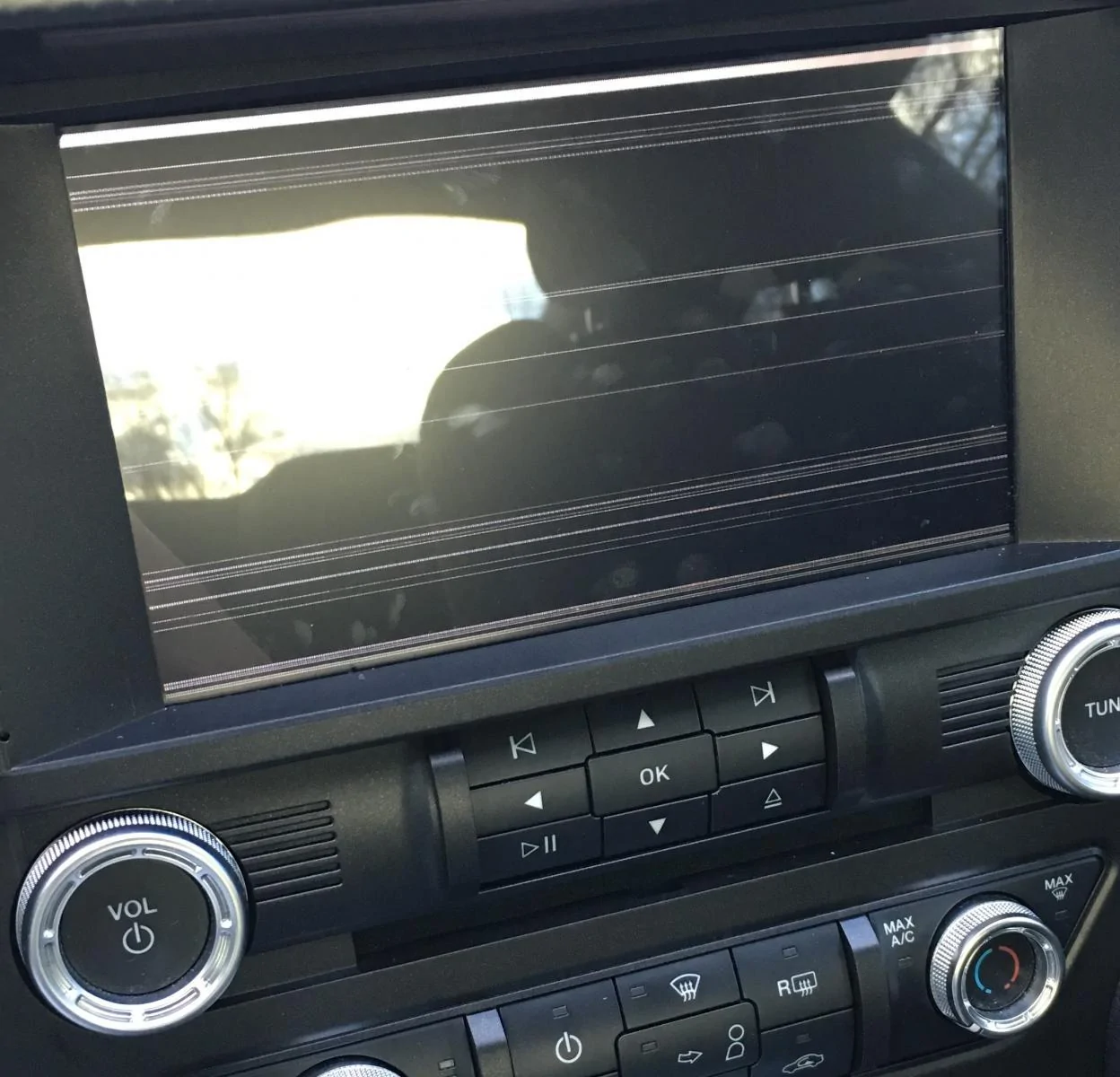
So I installed my unit today, and it worked great for about an hour. I was driving, and put the car in reverse then the screen went black. Everything works on it still even the touchscreen (changes AM to FM, Aux, etc, by guessing their locations) just nothing displayed but a black screen. I took it apart and reconnected all the connections with the same result. Any ideas? I contacted the seller through eBay hopefully I can get a replacement.
Do a system reset, Hit the " I " Icon and reset the system, see if that works
Sponsored


pinero61

Well-Known Member
Joined
Dec 3, 2014
Threads
20
Messages
2,166
Reaction score
412
Location
Houma, La
Vehicle(s)
'15 Ruby Red Base GT PP
I have the guts left over from mine if you need them. I used the bezel to retrofit MFT in mine.
 

SULSIDE

Well-Known Member
Joined
Mar 2, 2016
Threads
0
Messages
61
Reaction score
16
Location
San Diego, CA
Vehicle(s)
2015 Ecoboost
Did you click on any of the other settings? Usually people do and they wonder why its not working anymore.....
 

alonsogaldean

Member
Joined
Nov 9, 2015
Threads
0
Messages
17
Reaction score
0
Location
Greeley, CO
Vehicle(s)
Ecoboost Mustang
I can't see where the i icon is since the screen is black, from memory I remember its in the lower middle right? And no I didn't change any settings, I was driving, put the car in reverse and went black.
 

alonsogaldean

Member
Joined
Nov 9, 2015
Threads
0
Messages
17
Reaction score
0
Location
Greeley, CO
Vehicle(s)
Ecoboost Mustang
I might need them, I'll wait from a response from the seller on eBay unless I get it working. I'll let you know tho :)
 

Sponsored

SULSIDE

Well-Known Member
Joined
Mar 2, 2016
Threads
0
Messages
61
Reaction score
16
Location
San Diego, CA
Vehicle(s)
2015 Ecoboost
SO the screen does not turn on at all? from what you had put on your first post it looks like you can get into the settings but now your telling me the screen is all black. So what is it?
 

SULSIDE

Well-Known Member
Joined
Mar 2, 2016
Threads
0
Messages
61
Reaction score
16
Location
San Diego, CA
Vehicle(s)
2015 Ecoboost
also make sure all the connections are push in , sometimes if its not pushed in all the way the screen will turn off from what I have read
 

SULSIDE

Well-Known Member
Joined
Mar 2, 2016
Threads
0
Messages
61
Reaction score
16
Location
San Diego, CA
Vehicle(s)
2015 Ecoboost
OK, I just did the upgrade on the Maps to 2015 Q2 on this unit since they ship them with 2012 Q3 maps. I may do a video showing you that I did update mine and If anyone wants to update them I may host the files for you to download.
 

Sponsored

Jpjr21

Well-Known Member
Joined
Jun 9, 2015
Threads
7
Messages
194
Reaction score
61
Location
United States
Vehicle(s)
2015 Mustang GT, 2015 Mustang V6 (traded)
^ yes please! Are all the functions the same as before? Please let us know how to do the update too.
 

jkmskfk

Well-Known Member
Joined
Oct 21, 2015
Threads
51
Messages
198
Reaction score
9
Location
TX
Vehicle(s)
Mustang Eco
I need that !!


OK, I just did the upgrade on the Maps to 2015 Q2 on this unit since they ship them with 2012 Q3 maps. I may do a video showing you that I did update mine and If anyone wants to update them I may host the files for you to download.
 

SULSIDE

Well-Known Member
Joined
Mar 2, 2016
Threads
0
Messages
61
Reaction score
16
Location
San Diego, CA
Vehicle(s)
2015 Ecoboost
Yes all the functions are the same. I am thinking of hosting the files so that you guys just have to buy a SD card just like the one that came with the unit and just copy and paste the files and your done. Because If I do a whole write up I know a lot of people will get confuse and will mess up their navi. So its best to have a Copy and paste version
Sponsored


Top