
Sponsored

Thread for simple things technofobes can do.

stevec

Well-Known Member
Joined
Apr 28, 2014
Threads
63
Messages
2,772
Reaction score
1,199
Location
hastings
Vehicle(s)
2015 Mustang GT!!
Started this thread so that young and hip people like [MENTION=20131]Manders Mustang[/MENTION] and [MENTION=14295]Kristian87[/MENTION] can teach the likes of me to do techno type stuff with the stang and we can ask things for you cleverer people to teach us.

For example, I know that I can press the voice button thingy on the steering wheel and say 'I'm Hungry' and the satnav will come up with a load of suggestions on places to go and eat. What waht else can I do like this?

I know that you can download apps. What sort of apps a=can you download and are they worth doing?

One thing I am interested in is this spotify thing. How do I do this? I guess I download it to the phone and then what? How do I connect it to the car and use it and all that stuff.

So yeh, someone answer that for me first and once thats done and I am all connected, use this thread for other techni and interesting type stuff.
Sponsored

 

slowhand99

Well-Known Member
Joined
May 3, 2015
Threads
61
Messages
3,141
Reaction score
944
Location
Surrey, England
First Name
Ben
Vehicle(s)
Mustang GT Vert Race Red ord 26/03/15 del 24/03/16
Spotify? I don't use it. Got 6,000 songs and podcasts on my iPod to get through first.

You can talk to Siri through the voice thingy.

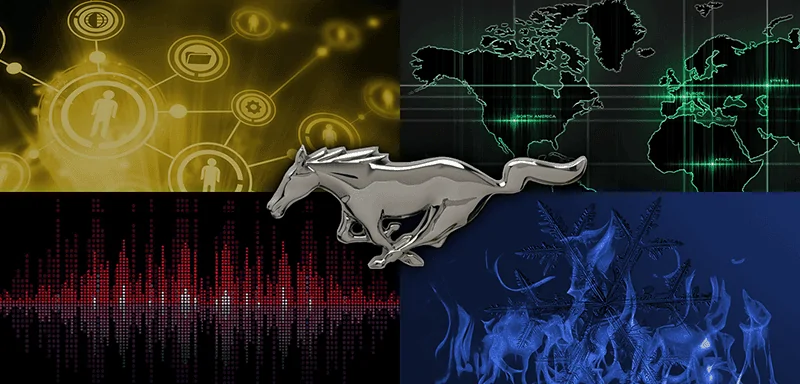
Download a background pic onto a usb stick, stick it in the car and update your wall paper (which you can't do with Sync 3 apparently).
e.g.
MustangLogoQuad.webp
 

Lone Survivor

Banned
Banned
Banned
Joined
Jun 5, 2015
Threads
46
Messages
2,251
Reaction score
760
Location
Glasgow, Scotland
Vehicle(s)
Priscilla McMustang GT Ruby Team DS
Steve, the Spotify is played through the Bluetooth, one of my daughters paired her phone to the car and you select the Bluetooth option on the entertainment.
 

Manders Mustang

The Boss
Joined
Dec 3, 2015
Threads
96
Messages
12,999
Reaction score
2,441
Location
Birmingham - United Kingdom
First Name
Steve
Vehicle(s)
2016 Race Red Ecoboost
Vehicle Showcase
1
So... the voice thing is good, worth just sitting on your drive and having a play about with it. Setting things up like 'Home' and 'favourites' works for quickly going to/from places on the nav.

You can say 'Im hungry' but there's a few other commands I think my dealer mentioned one for petrol stations, another for hotels etc.

You can change the background on your car, fairly simple, i've got a silver shiny mustang logo on mine, get a USB stick, transfer it from your computer (it'll have to be a certain pixel size and certain file size), but you can then preload them into your car. (Menu -> settings -> display -> edit wallpaper -> add -> add from usb)

I'm sure you know by now that the lights change colour and you can preset certain lights. (Ambient and Gauge)

Spotify is easy, bluetooth your phone up, hit play on the phone, press on the 'M' on the right side of the steering wheel (Between vol + and vol - , it's the middle one) scroll through until you hit bluetooth, alternativley if you're parked up, just press the bottom left quadrant on sync, on the left in the media screen scroll down to 'bluetooth' and it'll begin playing, you can then skip with the arrows on the sides. If you have music on a USB you can do the same, but use USB not bluetooth, and if you don't have spotify, just play whatever it is you're playing and it should come through your cars speakers.

Apps wise I haven't got into downloading, doubt they'll be that good if i'm honest though!

Any other questions give me a shout, i'll try help, still getting used to all the gadgets inside the car!
 

Actual

Well-Known Member
Joined
Sep 4, 2014
Threads
16
Messages
448
Reaction score
138
Location
Bracknell, UK
First Name
Mark
Vehicle(s)
2015 Mustang 5.0 V8 GT Auto Fastback Black
One thing I am interested in is this spotify thing. How do I do this? I guess I download it to the phone and then what? How do I connect it to the car and use it and all that stuff.
Use Bluetooth to pair your phone with Sync 2.

You can now make calls and that just works for outgoing and incoming calls.

To stream apps like Spotify you need to change the Sync 2 audio source to your phone which is a bit of a pain because you need to scroll past AM, FM, DAB etc. to the Phone button and then select your phone. Now start Spotify and anything you play will go though the car audio system and the current track will be announced on Sync 2 and you can change tracks using the Sync 2 touch screen and the steering wheel controls.

Make sure the audio on your phone is turned up or you will spend hours trying to work out why you can't hear anything.
 
OP
OP
stevec

stevec

Well-Known Member
Joined
Apr 28, 2014
Threads
63
Messages
2,772
Reaction score
1,199
Location
hastings
Vehicle(s)
2015 Mustang GT!!
Fanks guys, will try in the morrow
Phone already bluetoothed to car and all that so I am halfway there
Sponsored


Top