Sponsored

Apps not working on Android Auto v3.4

Chola

Well-Known Member
Joined
Oct 10, 2019
Threads
18
Messages
175
Reaction score
118
Location
Laurel, MD
First Name
Rajarajan
Vehicle(s)
Honda Accord 2005. 2019 Mustang GT PP1 6MT
I have a '19 GT PP1 and the system has auto updated sync to version 3.4.
Now I am noticing none of my apps show up on Android Auto.
My phone is a Samsung Note 8 with Android version 9

What puzzles me is that the phone connects via USB (and Bluetooth) to the car, it shows call/text info on the head unit, but no apps show up.
I have uninstalled/reinstalled Android Auto on the phone, but no change. On the head unit the Android App list shows up as empty.
Toggling the default USB configuration (in Android settings) did not help either.

The only app I use regularly from the phone is Waze, not that the default car nav is bad, but I like the police/RLC notification on the car screen.

Any suggestions would be appreciated.
Sponsored

 

Bikeman315

Well-Known Member
Joined
Apr 12, 2015
Threads
581
Messages
16,183
Reaction score
21,909
Location
Myrtle Beach, SC
First Name
Ira
Vehicle(s)
2019 Mustang GT/CS, 2021 Volvo XC60
I have a '19 GT PP1 and the system has auto updated sync to version 3.4.
Now I am noticing none of my apps show up on Android Auto.
My phone is a Samsung Note 8 with Android version 9

What puzzles me is that the phone connects via USB (and Bluetooth) to the car, it shows call/text info on the head unit, but no apps show up.
I have uninstalled/reinstalled Android Auto on the phone, but no change. On the head unit the Android App list shows up as empty.
Toggling the default USB configuration (in Android settings) did not help either.

The only app I use regularly from the phone is Waze, not that the default car nav is bad, but I like the police/RLC notification on the car screen.

Any suggestions would be appreciated.
Start with a master reset of Sync 3. solves lots of issues. Hopefully your is one. Good luck!

https://owner.ford.com/support/how-tos/sync/sync/setup/how-to-do-a-sync-master-reset.html
 

NoVaGT

Banned
Banned
Banned
Joined
Sep 29, 2016
Threads
115
Messages
5,621
Reaction score
4,377
Location
Northern Virginia
Vehicle(s)
2019 PP1 GT Kona
I had the same thing, after SYNC updated. Turning the car and the phone off, then re-starting everything, fixed it.
 

george g

Well-Known Member
Joined
May 16, 2020
Threads
7
Messages
57
Reaction score
24
Location
baltimore,md
First Name
george
Vehicle(s)
2020 mustang gt, 2004 gto
Mine did the same,shut the car off and came out later and it started working.
 
OP
OP
Chola

Chola

Well-Known Member
Joined
Oct 10, 2019
Threads
18
Messages
175
Reaction score
118
Location
Laurel, MD
First Name
Rajarajan
Vehicle(s)
Honda Accord 2005. 2019 Mustang GT PP1 6MT
Start with a master reset of Sync 3. solves lots of issues...

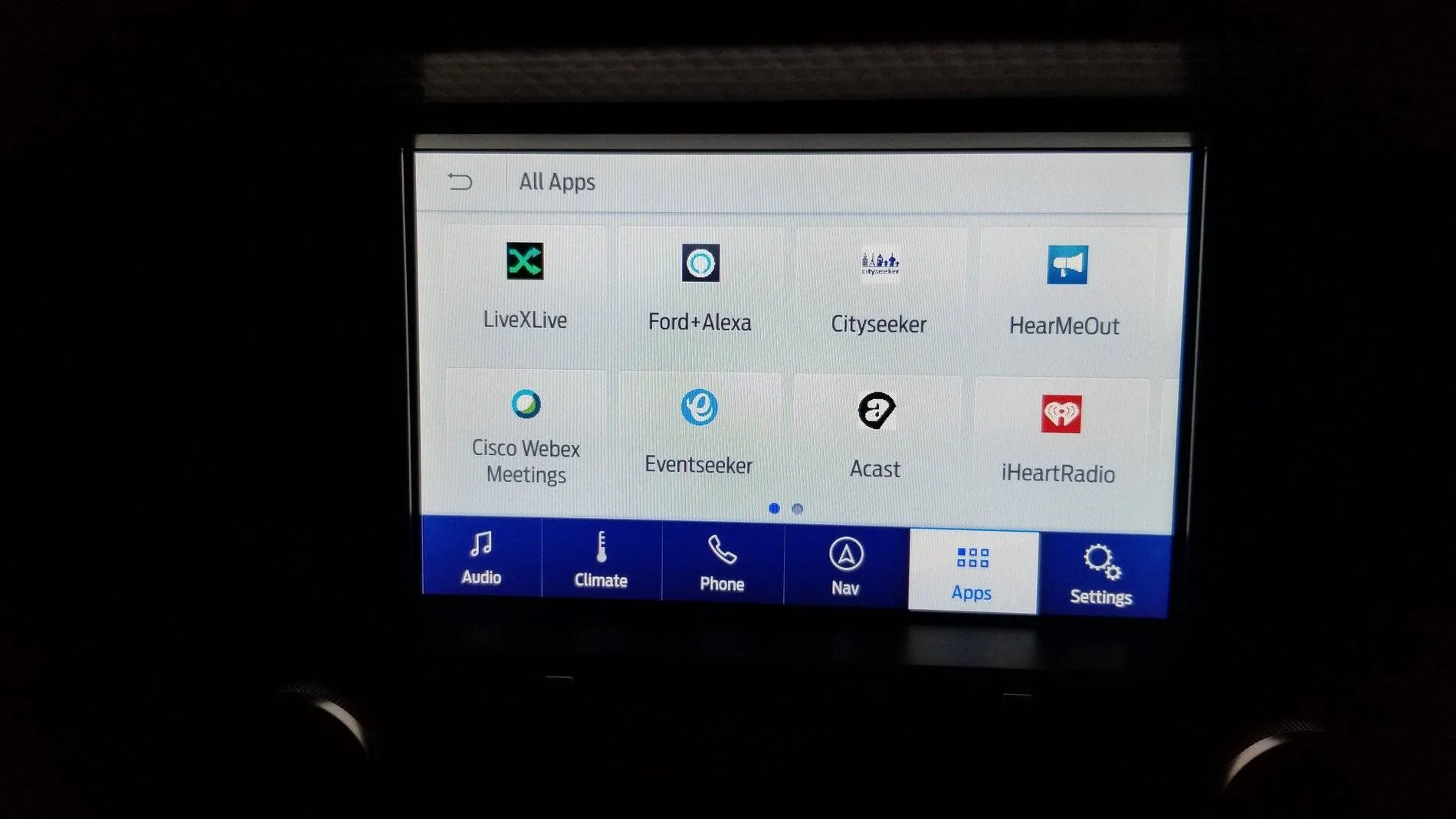
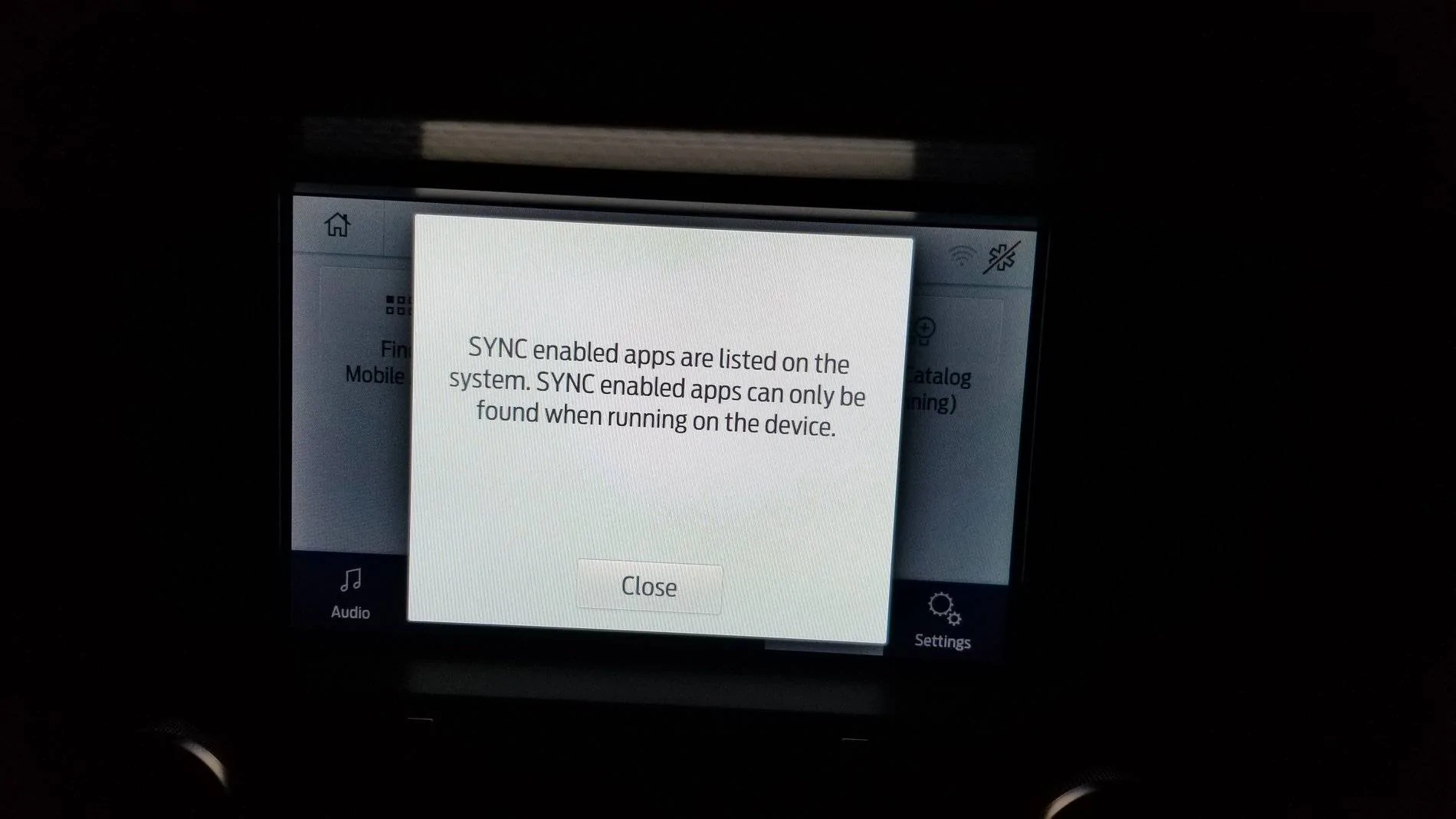
No luck. I did a master reset and had to add the vehicle back in ford pass. But the mobile app screen does not show any apps from the phone. Bluetooth connectivity works as before fir texts, calls.

Screenshots attached
20200909_193635.webp


It shows some apps that I don't even have on my phone, and the app catalog is blank
20200909_193606.webp
 

Sponsored

jrsimon27

Well-Known Member
Joined
Apr 3, 2015
Threads
74
Messages
655
Reaction score
149
Location
Outside the USA
Vehicle(s)
Mustang GT 2016 PP
I have sync 3.4 android auto with a galaxy s9plus and not one single problem try change the cable that you are using to conect the phone
 
OP
OP
Chola

Chola

Well-Known Member
Joined
Oct 10, 2019
Threads
18
Messages
175
Reaction score
118
Location
Laurel, MD
First Name
Rajarajan
Vehicle(s)
Honda Accord 2005. 2019 Mustang GT PP1 6MT
I cant remember the setting or what its called but there is a option in sync to scan your phone for apps. maybe try that. maybe it needs to find them again.
Thats the App catalog widget, it didn't work. It shows the hourglass icon for some time and then comes up with a blank. I'll try switching cables once I get home from work
 

sotek2345

Well-Known Member
Joined
Apr 6, 2014
Threads
1
Messages
185
Reaction score
135
Location
Upstate NY
First Name
Tom
Vehicle(s)
2019 GT350, 2016 F-150
Thats the App catalog widget, it didn't work. It shows the hourglass icon for some time and then comes up with a blank. I'll try switching cables once I get home from work
Mine loses all my apps every time I get in the car. I have to start the app on the phone, then search for it from Sync. It is a huge pain.
 
OP
OP
Chola

Chola

Well-Known Member
Joined
Oct 10, 2019
Threads
18
Messages
175
Reaction score
118
Location
Laurel, MD
First Name
Rajarajan
Vehicle(s)
Honda Accord 2005. 2019 Mustang GT PP1 6MT
I finally got it to work. Changing the cable did not work but somewhere inside the phone Android auto app, there is the setting for Auto Launch Android App, turning that on did the trick. Now the apps show up as soon as I connect via USB.
Sponsored

 
Last edited:


Top