Sponsored

TOMTOP 8" Touchscreen Upgrade: Post-Install Issues & Help Thread

djshaffer

Member
Joined
Jan 5, 2016
Threads
0
Messages
11
Reaction score
6
Location
Pittsburgh, PA
Vehicle(s)
2015 Ford Mustang V6 - 51A Package
Hey,

you are the second person that has the clock working properly,

Did you connect the 7 loose individual wires that come in the harness ?

thanks in advance :)
I did not, i just zip tied them together and tucked them behind the unit. im 90% sure thoose loose wires are just for the av input option and front camera option. The only thing i really did in settings was changed the time zone to mine, and it automatically changed to the correct time. At first every time i put the car in drive, it would display a blue screen.. then i found out that the screen has an option to have a front camera.. you can also turn this automatic blue screen off in the settings too.
Sponsored


Steeeliskt

Well-Known Member
Joined
Sep 24, 2015
Threads
14
Messages
346
Reaction score
72
Location
CA
Vehicle(s)
2015 Mustang GT Manual
I also have had no issues with the clock. I set my time zone and adjusted the time to the correct time and it has been working ever since.
 

futbol90x

Well-Known Member
Joined
Mar 4, 2015
Threads
50
Messages
385
Reaction score
24
Location
Plainfield, IL
Vehicle(s)
mustang 2005 & 2015 mustang gt pp
I also have had no issues with the clock. I set my time zone and adjusted the time to the correct time and it has been working ever since.
I havent done dat yet so ill try it once i get home can you guys please verify if your unit shuts off when in acc mode?
 

JStang091

Well-Known Member
Joined
Dec 3, 2015
Threads
1
Messages
88
Reaction score
23
Location
Pittsburgh, PA
Vehicle(s)
2015 Mustang Ecoboost PP
I havent done dat yet so ill try it once i get home can you guys please verify if your unit shuts off when in acc mode?
I just made a 20 minute video (uploading it now) and most of the time my car was in ACC and it did not shut off that quick.
 

Steeeliskt

Well-Known Member
Joined
Sep 24, 2015
Threads
14
Messages
346
Reaction score
72
Location
CA
Vehicle(s)
2015 Mustang GT Manual
I havent done dat yet so ill try it once i get home can you guys please verify if your unit shuts off when in acc mode?
I just always make sure it is off when leaving the car. I believe you can just hit the power button by pressing the volume nob in the center to turn it on/off whether car is in acc mode or not
 

Sponsored

JStang091

Well-Known Member
Joined
Dec 3, 2015
Threads
1
Messages
88
Reaction score
23
Location
Pittsburgh, PA
Vehicle(s)
2015 Mustang Ecoboost PP
I also had a software glitch problem idk how and what i did but everytime i would tried to go to nav screen it would kick me off to home screen then after a while i keep messing with the unit and it fixed it self.
How many minutes before it shut off (estimate) ?
Maybe 15-20 minutes. Didn't seem any longer or shorter than before
 

futbol90x

Well-Known Member
Joined
Mar 4, 2015
Threads
50
Messages
385
Reaction score
24
Location
Plainfield, IL
Vehicle(s)
mustang 2005 & 2015 mustang gt pp
Maybe 15-20 minutes. Didn't seem any longer or shorter than before
Maybe my battery was lower than normal and some how the system wanted to saved battery. I havent turned on my car for 2 weeks until yesterday after i got tired of the system shutting off in acc mode every few mins.
 

futbol90x

Well-Known Member
Joined
Mar 4, 2015
Threads
50
Messages
385
Reaction score
24
Location
Plainfield, IL
Vehicle(s)
mustang 2005 & 2015 mustang gt pp
Update i tried again and my screen didnt shut off at all weird when acc mode so im good :)))) the annoying beep thou:doh:
 

Sponsored

Steeeliskt

Well-Known Member
Joined
Sep 24, 2015
Threads
14
Messages
346
Reaction score
72
Location
CA
Vehicle(s)
2015 Mustang GT Manual
where is this option at i cant seem to find it!
Not in front of it now but I believe you click the settings cog on right side of home button and it is somewhere in there. Some people have reported not having that option so it may mean you have an older unit. It was in a fairly obvious location titled date and time or something similar to that.
 

futbol90x

Well-Known Member
Joined
Mar 4, 2015
Threads
50
Messages
385
Reaction score
24
Location
Plainfield, IL
Vehicle(s)
mustang 2005 & 2015 mustang gt pp
Not in front of it now but I believe you click the settings cog on right side of home button and it is somewhere in there. Some people have reported not having that option so it may mean you have an older unit. It was in a fairly obvious location titled date and time or something similar to that.

I dont see it. Can you send me a pic whenever you are on your whip?
 

tritran18518

Well-Known Member
Joined
Jan 6, 2015
Threads
5
Messages
148
Reaction score
36
Location
United States
Vehicle(s)
2015 Mustang GT Base
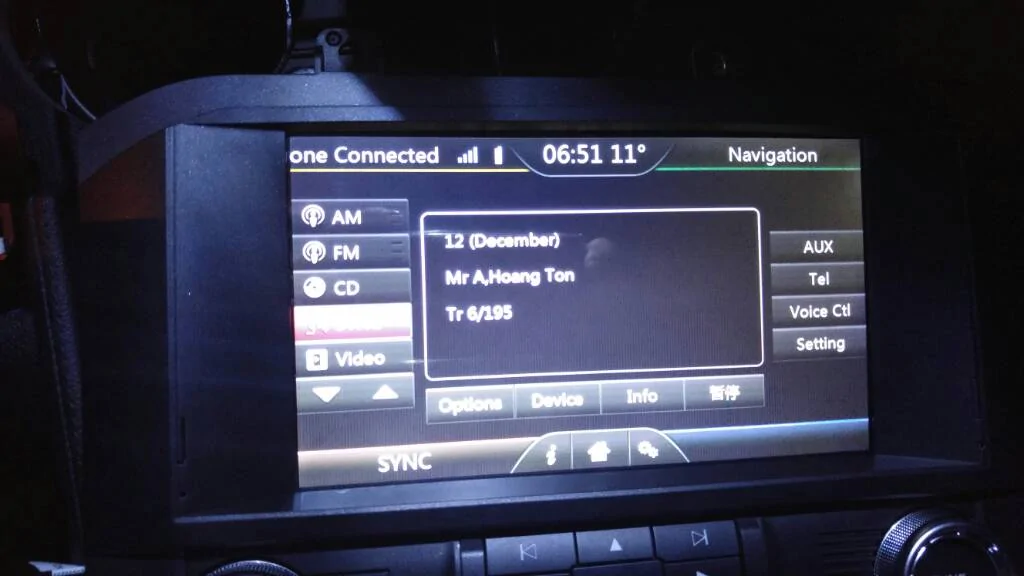
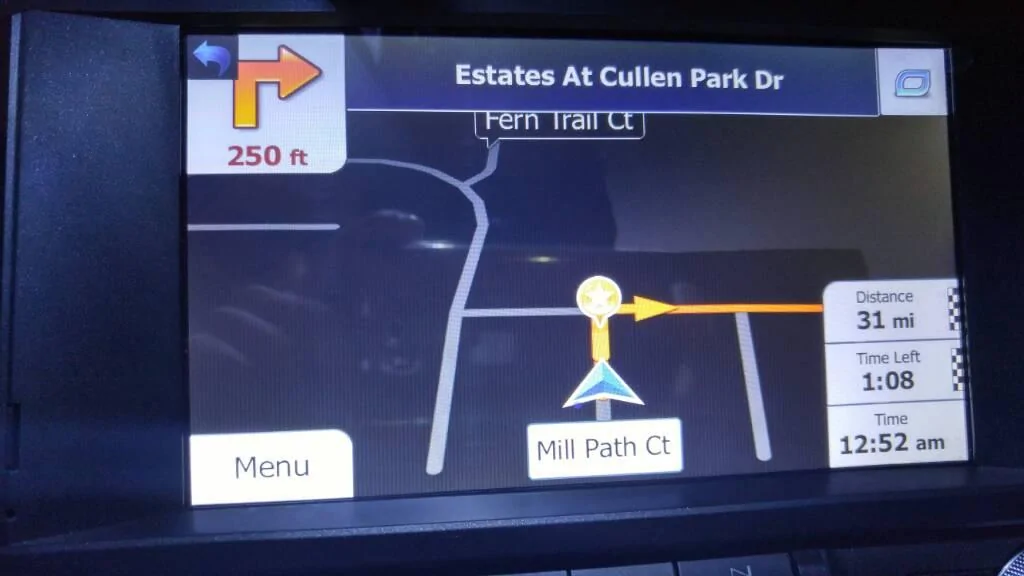
Installed my unit today and clock shows correct .
uploadfromtaptalk1452041973575.webp
uploadfromtaptalk1452041993957.webp


Sent from my LG-H811 using Tapatalk
 
Last edited:

djshaffer

Member
Joined
Jan 5, 2016
Threads
0
Messages
11
Reaction score
6
Location
Pittsburgh, PA
Vehicle(s)
2015 Ford Mustang V6 - 51A Package
There is a settings menu in the navigation app itself.. go to the nav screen-settings on bottom left- then regional- then click time zone.


Top