Sponsored

The Photography Hangout Thread

Khyber

it's a hard parked life
Joined
Nov 28, 2014
Threads
141
Messages
7,615
Reaction score
3,581
Location
Lexington/Myrtle Beach, SC
First Name
Landon
Vehicle(s)
2015 GT PP CO
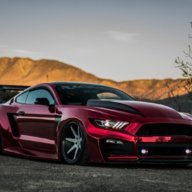
That p1.... I saw one in person pass me last Saturday.... 1st time I've seen one in person. Fap fap fap. Car is unbelievable.
Sponsored

 

e2blade

Banned
Well-Known Member
Banned
Joined
Mar 21, 2016
Threads
0
Messages
60
Reaction score
76
Location
Tempe, AZ
Website
www.ffperformance.co
First Name
Charles
Vehicle(s)
2016 Ford Mustang Ecoboost
Vehicle Showcase
1

Grimace427

Well-Known Member
Joined
Dec 6, 2013
Threads
14
Messages
6,467
Reaction score
1,702
Location
NoVA
Vehicle(s)
2011 Mustang 5.0
Can the experts chime in on prints? I have access to a professional printer and I just finished two small albums and I don't know how I feel about the results. They seem a lot softer with less contrast and in certain areas I can see what looks like pixilation that is not in the file when viewed in Lightroom or even as a jpeg in the standard photo viewer on my laptop.

The files were exported from Lightroom as TIFF files then converted in Photoshop as PDF's. The prints were 5x7 for some child portraits and some dogs. I also did 8x10 for some of the photos in the dog album. I printed a landscape shot in 11x17 which actually came out great other than a minor white dot that showed up out of nowhere.

I can immediately tell I need a calibrated monitor as all the photos came out darker than what my screen was showing me, even though I do use the histogram for exposure adjustments.

First, when using Lightroom how are you exporting the files? I've seen people say it is best to use PDF but that requires exporting from Photoshop(at least my version of LR doesn't allow PDF exports).

What do you set the dpi? The brief glance I got at the printer's screen showed a default of 600dpi which is what we used for the prints. The jpegs used as proofs for the client(first paying client!) were 300dpi which was the max.

For color space, I realized after this first print batch that I exported the files in sRGB which has less color information than AdobeRGB or ProPhoto. I'll change that next go 'round.

The paper was 80lb semi gloss card stock. My girlfriend who is doing all the printing for me throws out paper terminology like I use photography terms. I know nothing about paper so I'm following her judgment here.

Lastly, how do you feel about watermarks? Only for files posted online? Does your signature change over time or do you try to make a lasting design right from the beginning? I'm no graphics designer so I would likely find someone to make one for me.


Any and all assistance is greatly appreciated!


Some of the photos I printed:


DarkSubRosa

GTFO_0027
Joined
Dec 9, 2013
Threads
47
Messages
2,065
Reaction score
858
Location
Nolensville, TN
Vehicle(s)
2024 Audi RS3 / 2023 Porsche GT4
For printing material. Industry standard is 300dpi for print. Now as you get into larger format things you'll see a 150 dpi requirement due to viewing distance and file sizes. So as things get bigger for print they'll lower the dpi, for say like a billboard you'll be submitting a 72 dpi file a lot of the times.

So for printing photos, I would discuss with your printer how they would like the files prepped. If they are capable of printing a super high quality 600 dpi image then prep for it. You can always go down in size, you can never go up. Once you've downsized your files if you didn't keep your original RAW you're hosed. Sizing an image up requires the program to make up that information and leads to pixelized images.

JPGs are always terrible for quality as a rule of thumb. Also use a different format for printing. A TIF would be an ok format for flattened images.
 

Sponsored

Grimace427

Well-Known Member
Joined
Dec 6, 2013
Threads
14
Messages
6,467
Reaction score
1,702
Location
NoVA
Vehicle(s)
2011 Mustang 5.0
I gave her tiff files today to see if their program accepts it. Waiting on word back. They normally use PDF files but then again they are normally printing graphics.

Do you think going too high a DPI could negatively affect the image? I was reading on the differences between photos and graphics and learned a lot but also had even more questions than before.
 

DarkSubRosa

GTFO_0027
Joined
Dec 9, 2013
Threads
47
Messages
2,065
Reaction score
858
Location
Nolensville, TN
Vehicle(s)
2024 Audi RS3 / 2023 Porsche GT4
I gave her tiff files today to see if their program accepts it. Waiting on word back. They normally use PDF files but then again they are normally printing graphics.

Do you think going too high a DPI could negatively affect the image? I was reading on the differences between photos and graphics and learned a lot but also had even more questions than before.
PDF is industry standard for print projects, no matter the content. Now that's from an advertising standpoint. I'm not sure for high end photography though. You're not going to have any negative problem from having a higher dpi other than file sizes. The world of print, like magazines, advertising etc. is different than the photography world so that's why I suggested just talking to the printer themselves. I deal in the print world daily but not in the photo world, if that makes sense.
 

Khyber

it's a hard parked life
Joined
Nov 28, 2014
Threads
141
Messages
7,615
Reaction score
3,581
Location
Lexington/Myrtle Beach, SC
First Name
Landon
Vehicle(s)
2015 GT PP CO
anybody recommend any place online to print on canvas?
 

Diego Narwhal

Well-Known Member
Joined
Dec 27, 2015
Threads
4
Messages
132
Reaction score
120
Location
Colorado
First Name
Howard
Vehicle(s)
Ruby Red 2015 GT PP
anybody recommend any place online to print on canvas?
I typically use mpix for canvas gallery wraps and I've been pleased with the results. I also have used them for metal prints, which are stunning. I want to get a metal print of my Mustang, if I can ever get a shot that's worthy.
 

Sponsored

e2blade

Banned
Well-Known Member
Banned
Joined
Mar 21, 2016
Threads
0
Messages
60
Reaction score
76
Location
Tempe, AZ
Website
www.ffperformance.co
First Name
Charles
Vehicle(s)
2016 Ford Mustang Ecoboost
Vehicle Showcase
1
anybody recommend any place online to print on canvas?
Canvas Pro, shit they'll even give you 3 free ones just for signing up.
 

Diego Narwhal

Well-Known Member
Joined
Dec 27, 2015
Threads
4
Messages
132
Reaction score
120
Location
Colorado
First Name
Howard
Vehicle(s)
Ruby Red 2015 GT PP
Can the experts chime in on prints? I have access to a professional printer and I just finished two small albums and I don't know how I feel about the results. They seem a lot softer with less contrast and in certain areas I can see what looks like pixilation that is not in the file when viewed in Lightroom or even as a jpeg in the standard photo viewer on my laptop.

The files were exported from Lightroom as TIFF files then converted in Photoshop as PDF's. The prints were 5x7 for some child portraits and some dogs. I also did 8x10 for some of the photos in the dog album. I printed a landscape shot in 11x17 which actually came out great other than a minor white dot that showed up out of nowhere.

I know that some commercial presses specify PDF as their preferred format, but most of the photographic services I work with (primarily mpix and White House Custom Color) specify jpg format.

I can immediately tell I need a calibrated monitor as all the photos came out darker than what my screen was showing me, even though I do use the histogram for exposure adjustments.

First, when using Lightroom how are you exporting the files? I've seen people say it is best to use PDF but that requires exporting from Photoshop(at least my version of LR doesn't allow PDF exports).

What do you set the dpi? The brief glance I got at the printer's screen showed a default of 600dpi which is what we used for the prints. The jpegs used as proofs for the client(first paying client!) were 300dpi which was the max.

I usually output at 300dpi and 100% quality. That's actually a bit of overkill, since mpix asks for only 85% quality, but better safe than sorry.

For color space, I realized after this first print batch that I exported the files in sRGB which has less color information than AdobeRGB or ProPhoto. I'll change that next go 'round.

Most printers these days prefer sRGB. Adobe RGB is usually acceptable too, but it pays to check with your service. ProPhoto has the largest color gamut, but many print services don't mess with it. I wouldn't use it unless I was specifically told to by the printer.

The paper was 80lb semi gloss card stock. My girlfriend who is doing all the printing for me throws out paper terminology like I use photography terms. I know nothing about paper so I'm following her judgment here.

Lastly, how do you feel about watermarks? Only for files posted online? Does your signature change over time or do you try to make a lasting design right from the beginning? I'm no graphics designer so I would likely find someone to make one for me.

I HAVE a watermark, but I use it only occasionally. My take on it is that if you use a watermark, keep it subtle. Overpowering a picture with a big old nasty watermark just ruins the viewing experience, IMHO.

just my 2 cents worth...
 

Khyber

it's a hard parked life
Joined
Nov 28, 2014
Threads
141
Messages
7,615
Reaction score
3,581
Location
Lexington/Myrtle Beach, SC
First Name
Landon
Vehicle(s)
2015 GT PP CO
Canvas Pro, shit they'll even give you 3 free ones just for signing up.
well mothers day figured out then for my wife and mother! lol


Top