Sponsored

Need help with error code in Safari

Cobra Jet

Well-Known Member
Joined
Feb 12, 2015
Threads
771
Messages
17,559
Reaction score
19,993
Location
NJ
Vehicle(s)
2018 EB Prem. w/PP and 94 Mustang Cobra
Ok, I can’t seem to figure this one out... trying to access the forums over on SCMC and I’m consistently getting this single error message;
“Safari cannot open the page”
“The error was: Safari cannot decode raw data”


This is the main home page:
https://www.svtcobraclub.com/mainpage.html

Which I can see....and click around... but as soon as I try to view the forums (even after logging in), I keep getting that above error message.

I’ve cleared my caches, history, etc... I’m on an iPad 5 w/most current iOS and using Safari. I’ve tried Chrome, it bombs too.

Can anyone else successfully access the forum there? Does anyone know the site owner to relay the issue to?

I've been a member there for years too, just can’t figure out why all the sudden I’m having an issue with the connection there...

any ideas? Is there something I need to check in Safari settings or Chrome?
Sponsored
 

br_an

Well-Known Member
Joined
Jun 28, 2019
Threads
23
Messages
1,314
Reaction score
1,749
Location
Boise, Idaho
First Name
Bran
Vehicle(s)
2016 Shelby GT350, 2020 Ford F150
Ok, I can’t seem to figure this one out... trying to access the forums over on SCMC and I’m consistently getting this single error message;
“Safari cannot open the page”
“The error was: Safari cannot decode raw data”


This is the main home page:
https://www.svtcobraclub.com/mainpage.html

Which I can see....and click around... but as soon as I try to view the forums (even after logging in), I keep getting that above error message.

I’ve cleared my caches, history, etc... I’m on an iPad 5 w/most current iOS and using Safari. I’ve tried Chrome, it bombs too.

Can anyone else successfully access the forum there? Does anyone know the site owner to relay the issue to?

I've been a member there for years too, just can’t figure out why all the sudden I’m having an issue with the connection there...

any ideas? Is there something I need to check in Safari settings or Chrome?
Have you tried accessing from another device like a PC? Wondering if the web server for the forum is having problems. If it happens on multiple devices it's the server and not your iPad
 

MaskedRacerX

Driver
Joined
Sep 20, 2015
Threads
73
Messages
5,611
Reaction score
4,688
Location
Vilano Beach, FL
First Name
DT
Vehicle(s)
'21_JWS4XE / '21_TM3P
I checked on Safari and Chrome on MacOS (10.14.6) and Safari and Chrome on iPadOS (14.4.2), and everything is working as expected, both the landing page and the forums.

That's generally some kind of raw binary stream being send from the page, and in iOS, it can't be handled properly, like it's a compressed file or some kind of script - it actually sounds like some kind of malicious data being sent from an injected source like maybe a bogus ad.
 
OP
OP
Cobra Jet

Cobra Jet

Well-Known Member
Joined
Feb 12, 2015
Threads
771
Messages
17,559
Reaction score
19,993
Location
NJ
Vehicle(s)
2018 EB Prem. w/PP and 94 Mustang Cobra
I checked on Safari and Chrome on MacOS (10.14.6) and Safari and Chrome on iPadOS (14.4.2), and everything is working as expected, both the landing page and the forums.

That's generally some kind of raw binary stream being send from the page, and in iOS, it can't be handled properly, like it's a compressed file or some kind of script - it actually sounds like some kind of malicious data being sent from an injected source like maybe a bogus ad.
Would the issue still exist even after clearing the Safari and Chrome caches/history? Is there another way to “purge”?

I’m also using the app “AdGuard Pro” to block many ad pop ups etc. I’ve even made sure that all is updated. I tried putting the site into my “white list” on it, but doesn’t seem to matter.
 

br_an

Well-Known Member
Joined
Jun 28, 2019
Threads
23
Messages
1,314
Reaction score
1,749
Location
Boise, Idaho
First Name
Bran
Vehicle(s)
2016 Shelby GT350, 2020 Ford F150
Would the issue still exist even after clearing the Safari and Chrome caches/history? Is there another way to “purge”?

I’m also using the app “AdGuard Pro” to block many ad pop ups etc. I’ve even made sure that all is updated. I tried putting the site into my “white list” on it, but doesn’t seem to matter.
What happens if you disable the ad blocker as a test?
 

Sponsored

OP
OP
Cobra Jet

Cobra Jet

Well-Known Member
Joined
Feb 12, 2015
Threads
771
Messages
17,559
Reaction score
19,993
Location
NJ
Vehicle(s)
2018 EB Prem. w/PP and 94 Mustang Cobra
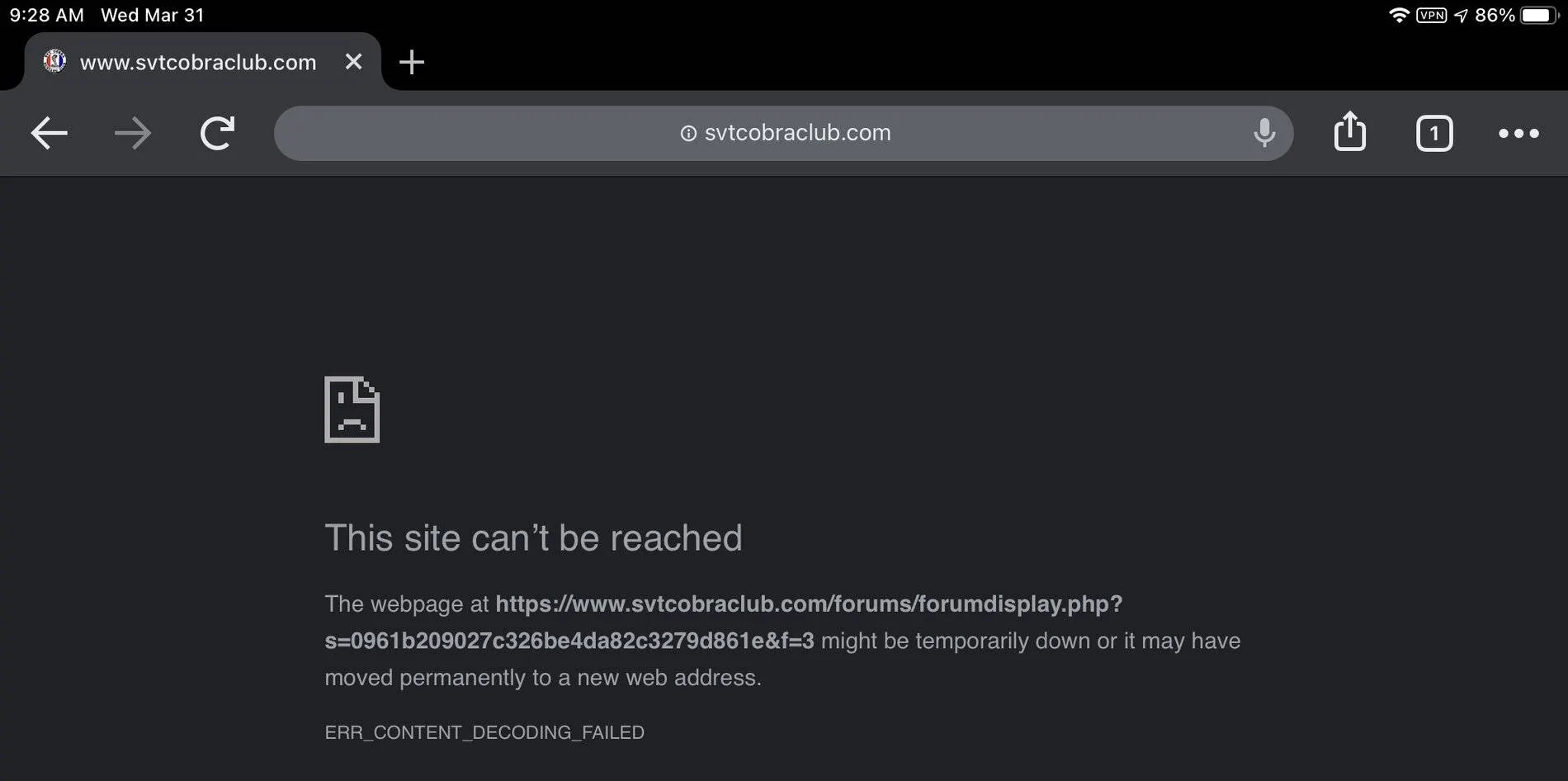
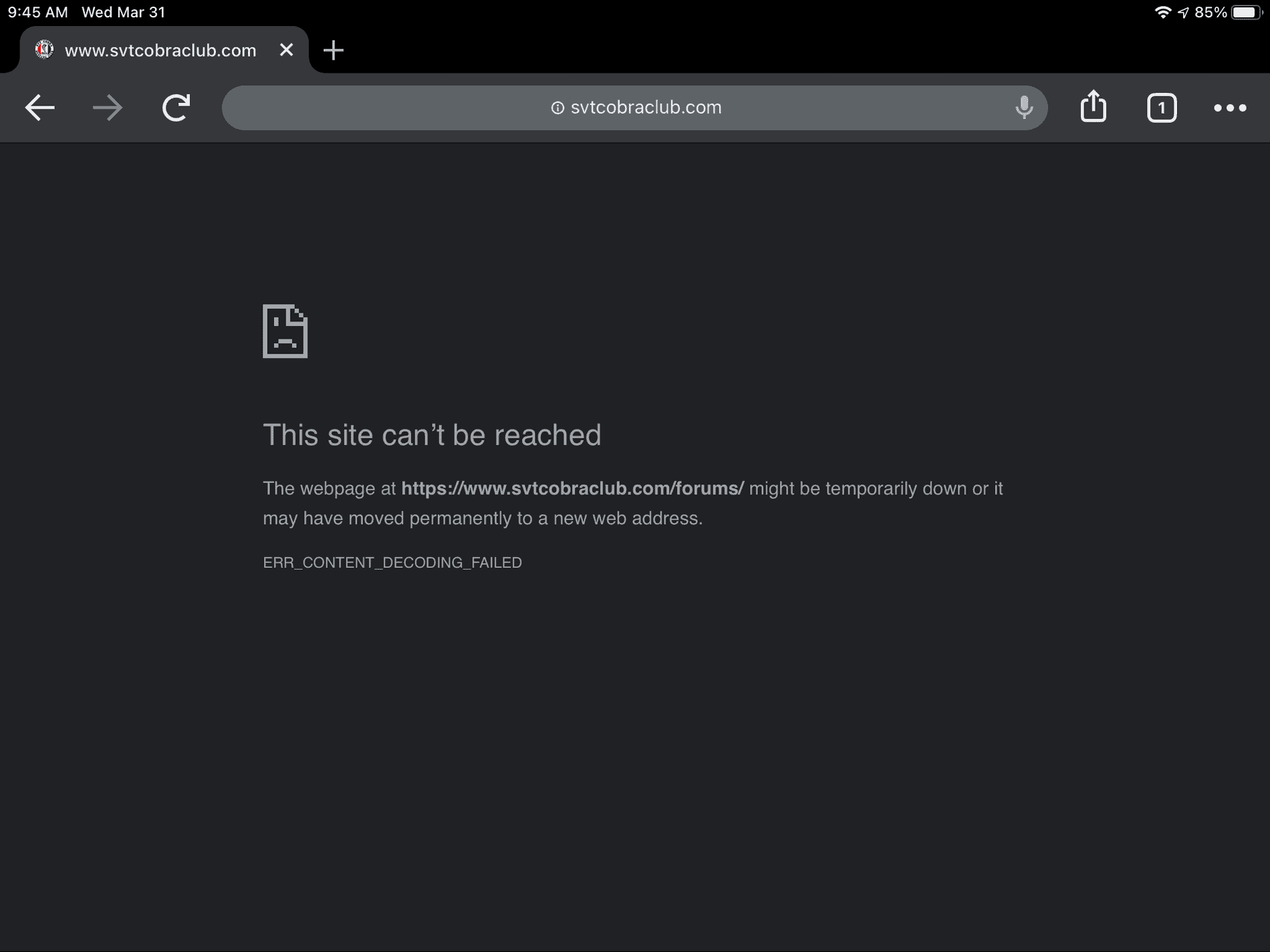
This is what I get trying to view from Chrome on the iPad:
2F67187A-5D66-408C-9A48-90D8582FA10B.webp
AEAD2066-7C3C-48A8-AE6D-4906454CA51E.webp


Again that is with a “fresh” Chrome, no cache, no history.

Is it perhaps my AdGuard Pro, even though I have the site in my white list?

This is really bizarre, considering I don’t have the issue on any other forum.
 
OP
OP
Cobra Jet

Cobra Jet

Well-Known Member
Joined
Feb 12, 2015
Threads
771
Messages
17,559
Reaction score
19,993
Location
NJ
Vehicle(s)
2018 EB Prem. w/PP and 94 Mustang Cobra
What happens if you disable the ad blocker as a test?
Just disabled it and went through Chrome again - same exact issue.

??
BFDD6593-E51E-484B-8571-53EC08CF635B.png
 
Last edited:

br_an

Well-Known Member
Joined
Jun 28, 2019
Threads
23
Messages
1,314
Reaction score
1,749
Location
Boise, Idaho
First Name
Bran
Vehicle(s)
2016 Shelby GT350, 2020 Ford F150
This may be a long-shot, but have you rebooted the iPad after disabling the ad blocker and clearing the cache on the browsers?
 

br_an

Well-Known Member
Joined
Jun 28, 2019
Threads
23
Messages
1,314
Reaction score
1,749
Location
Boise, Idaho
First Name
Bran
Vehicle(s)
2016 Shelby GT350, 2020 Ford F150
Do you have anything running on your router that be interfering with or monitoring your traffic from that site like an anti-virus? If so, maybe there are logs you can view
 

Sponsored

lacanteen

Well-Known Member
Joined
Apr 18, 2019
Threads
37
Messages
3,482
Reaction score
24,326
Location
Louisiana: Cajun Country
First Name
George
Vehicle(s)
2022 EB premium vert, 2013 Escape, 2017 F150 SC5.0
I'm running Chrome with Adblock Plus and have no trouble. Adblocker is not picking up anything to block. I was also able to access those forums on my iPhone 7 with Safari and the latest IOS. Strange.
 

MaskedRacerX

Driver
Joined
Sep 20, 2015
Threads
73
Messages
5,611
Reaction score
4,688
Location
Vilano Beach, FL
First Name
DT
Vehicle(s)
'21_JWS4XE / '21_TM3P
It's very likely something specific to that endpoint, that's basically fetching content and something in the response stream is flipping out the browser, probably something the header, and since it's a forum with dynamic content, including ads/scripts/etc. (regardless of what you have blocking), it could also be very specific to him vs. anyone else.
 
OP
OP
Cobra Jet

Cobra Jet

Well-Known Member
Joined
Feb 12, 2015
Threads
771
Messages
17,559
Reaction score
19,993
Location
NJ
Vehicle(s)
2018 EB Prem. w/PP and 94 Mustang Cobra
This may be a long-shot, but have you rebooted the iPad after disabling the ad blocker and clearing the cache on the browsers?
Yes, here’s what I did:

Disabled AdGuard Pro and confirmed it’s totally off
Chrome - deleted all cache/history, closed any existing tab, cleared cache/history again and closed Chrome
Cleared all Safari cache/history as well in same manner.
Rebooted iPad (not just a turn off/on)

Went and tried the SCMC forums again, received the same failure errors as posted above.
 
OP
OP
Cobra Jet

Cobra Jet

Well-Known Member
Joined
Feb 12, 2015
Threads
771
Messages
17,559
Reaction score
19,993
Location
NJ
Vehicle(s)
2018 EB Prem. w/PP and 94 Mustang Cobra
Post the exact link from above here, maybe in CODE tags (so it doesn't get parsed), let me try it.
Is this what you need?
https://svtcobraclub.com/forums/forumdisplay.php?s=ea2d6e9181754cadd0dd50d563afc20e&f=81

https://www.svtcobraclub.com/forums/forumdisplay.php?s=b448310fb89bc1a7171c2f04c885c0bb&forumid=2

I can get and view this fine:
https://www.svtcobraclub.com/mainpage.html

As soon as I click on any hyperlink to the RIGHT side where the forums list is on that home page is when I get instant failure errors.

doesn’t make sense...
 
OP
OP
Cobra Jet

Cobra Jet

Well-Known Member
Joined
Feb 12, 2015
Threads
771
Messages
17,559
Reaction score
19,993
Location
NJ
Vehicle(s)
2018 EB Prem. w/PP and 94 Mustang Cobra
I’m on an Xfinity ISP and using the Xfi gateway router. Is there something specific I can check or look for in the admin portion?
Sponsored


Top