TentacleKitty
Tentacle Kitty
- Thread starter
- #1
I found another way to track vehicle production, using the ford.com website and watching SYNC system updates on that website. My Window Sticker became viewable last week, and my vehicle's Blend (build) Date was yesterday (2/16), so please keep that in mind when reading things below, and with respect to your own vehicle and its blend/build date.
Below I have put some instructions and screenshots of my experience, in hopes it can help any of you wanting to try the same.
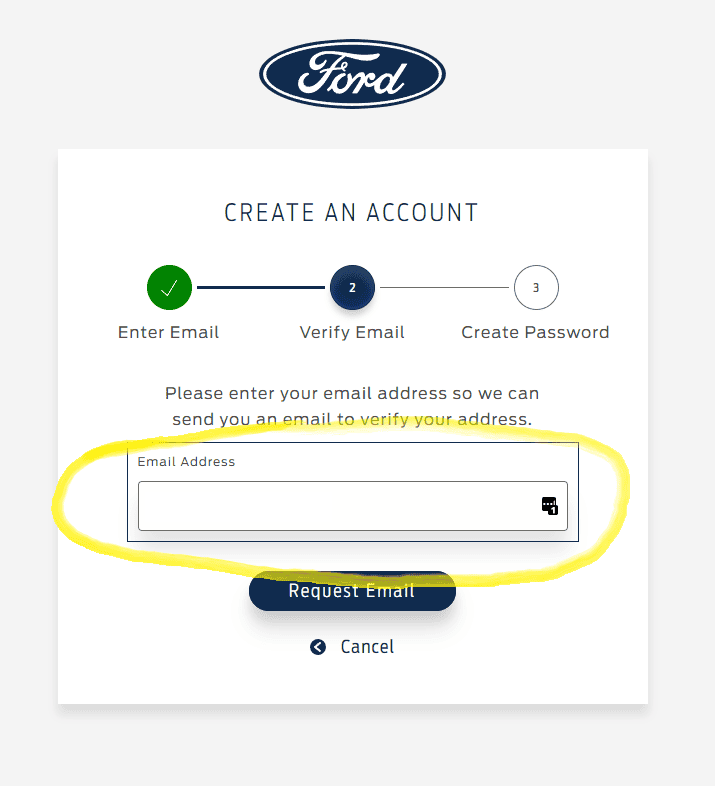
1. If you don't already have an account on ford.com, then create it. (See screenshot below) I used the same email address as when I placed my order with my dealer, but I am not sure that matters. If needed, through the email registration, and sign-in process. You might also get an email that you need to click on a link to verify the ford.com account you created.

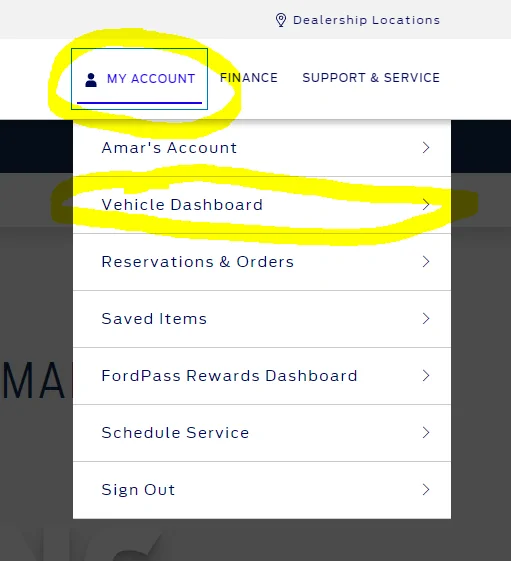
2. Once you have an account on ford.com, sign in and go to the Vehicle Dashboard. This is under the "My Account" section of the website after you log in. NOTE: In my example and screenshots, I've previously added my VIN, but if this is your first time adding one, then your view of the screen might be different.

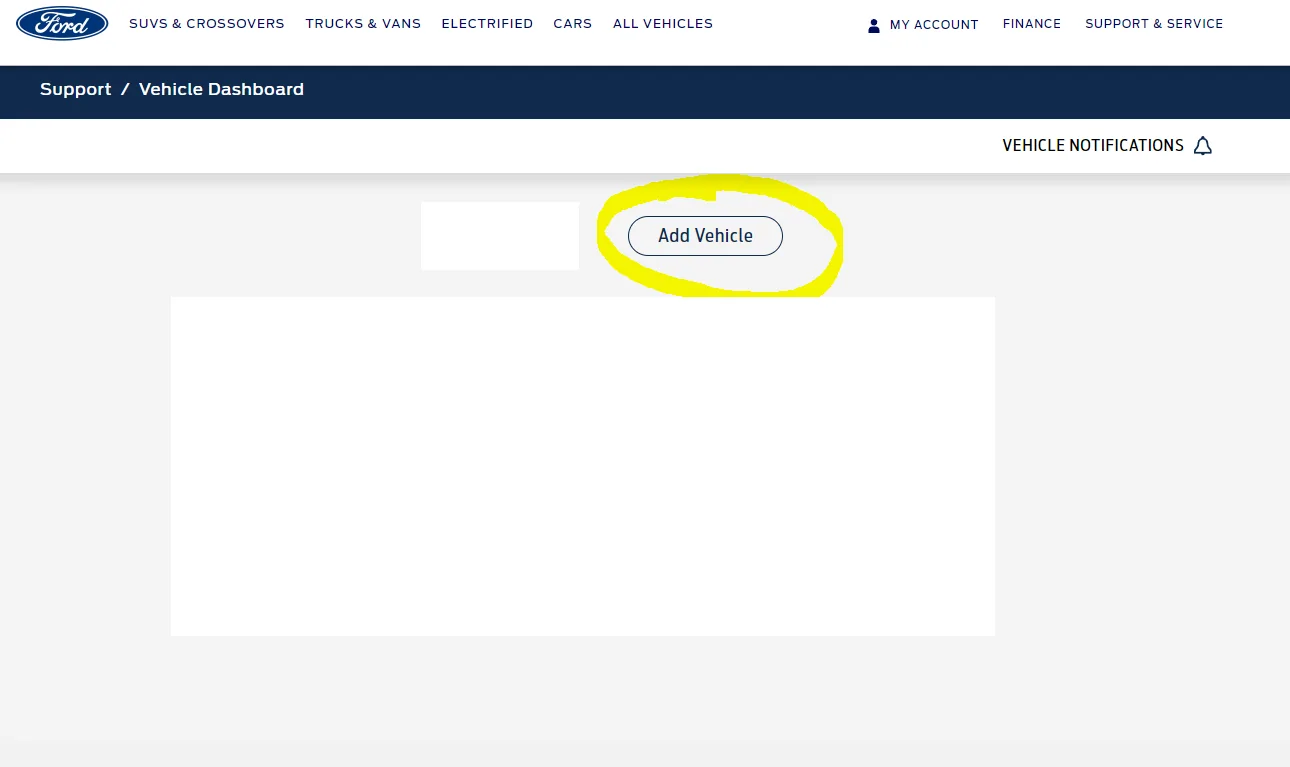
3. If you need to add your vehicle VIN, then click on the "Add Vehicle" button. See screenshot below.

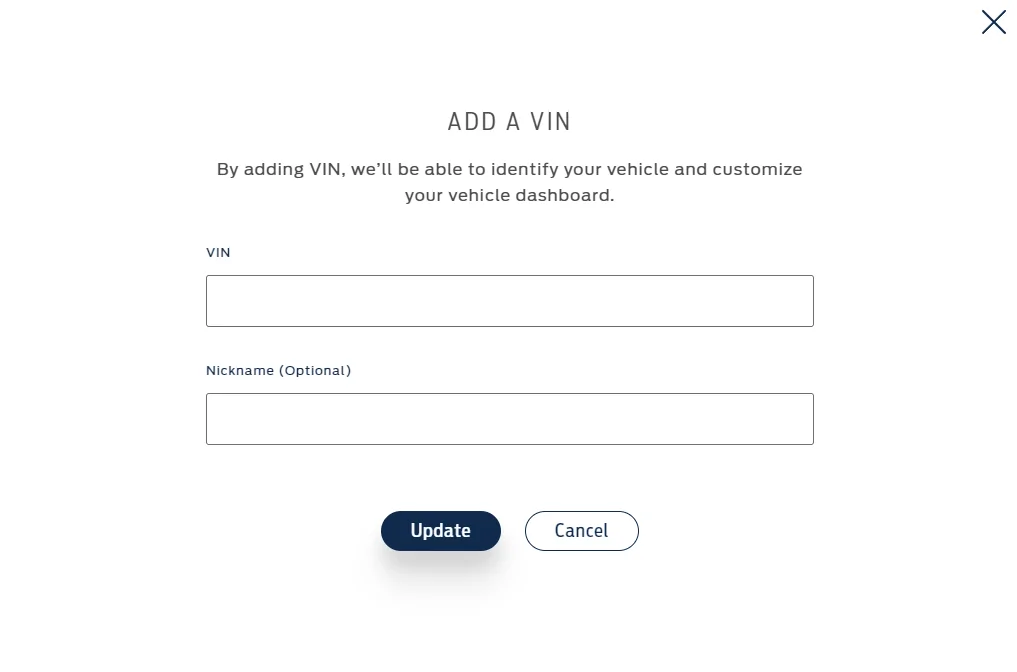
4. In the "Add A VIN" dialog screen, add your VIN and an optionally a Nickname.

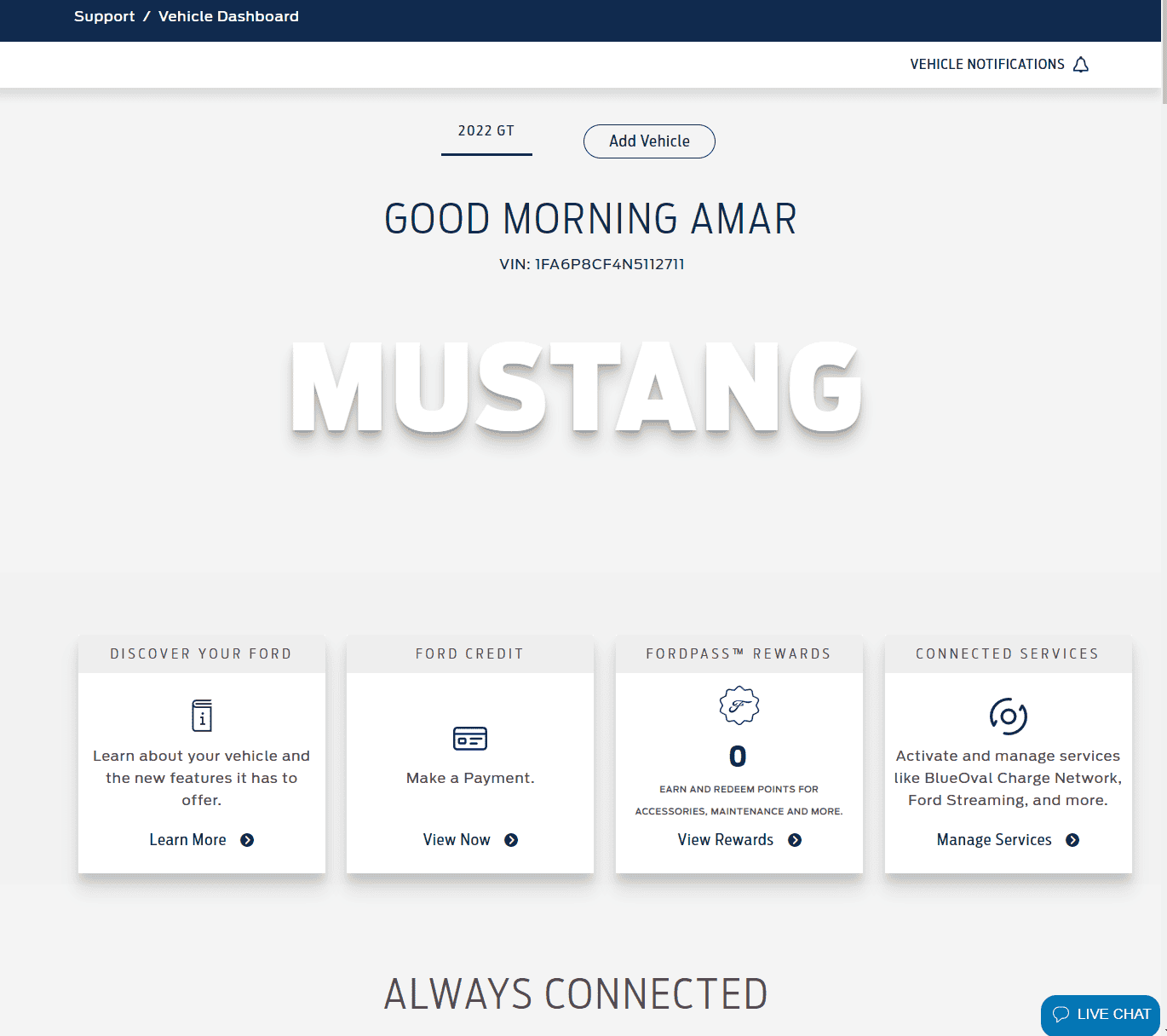
5. Once your VIN is added, you might see a screen like the one below when back at the Vehicle Dashboard. Note my VIN and "Nickname" appears in the screenshot.

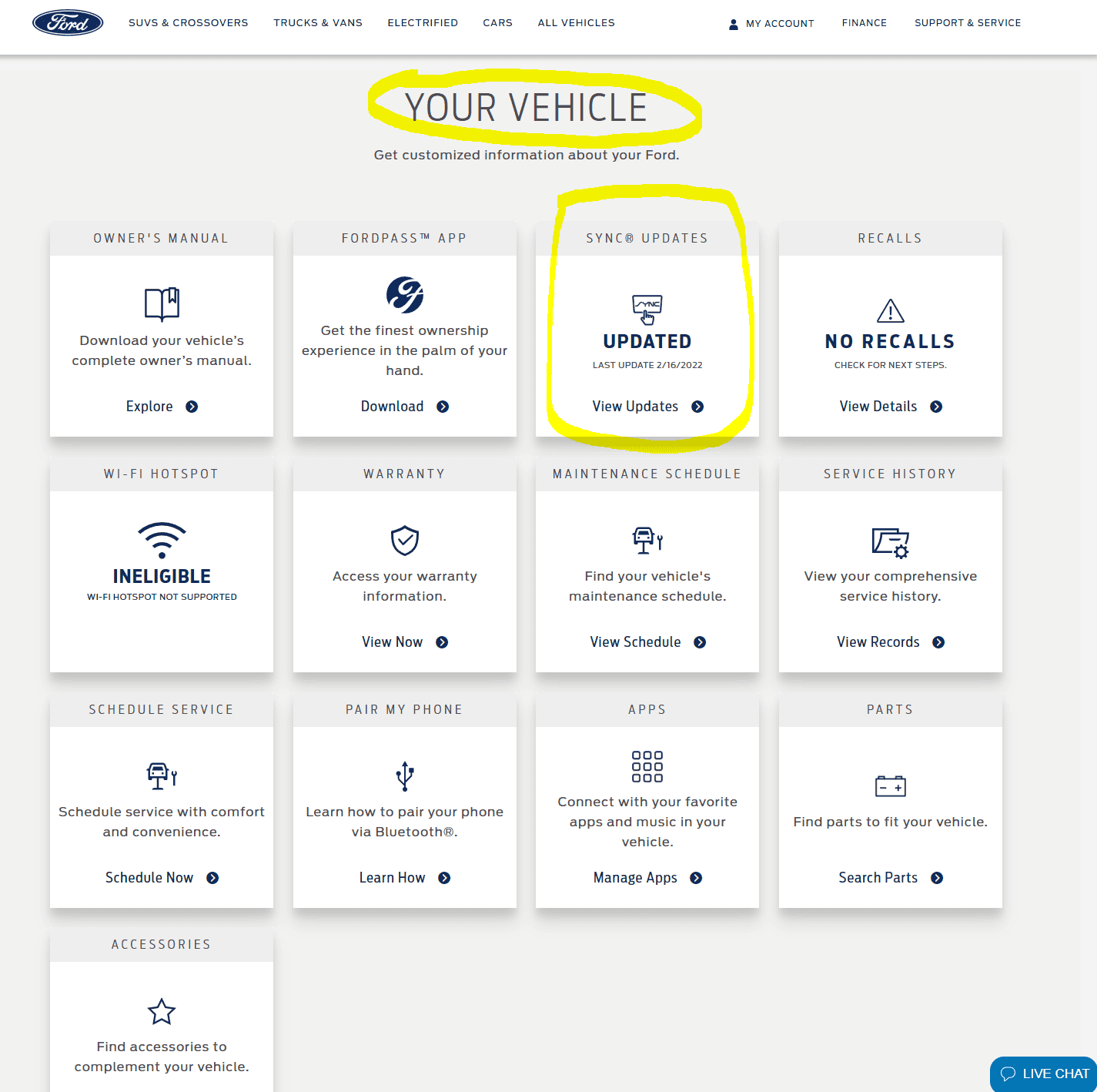
6. Scroll down on that web page to the "YOUR VEHICLE" section. Take note of the SYNC UPDATES section. If your vehicle had its SYNC System initialized/programmed at the Factory then there will be a "LAST UPDATE" date. Mine was yesterday (2/16/2022). See screenshot below.

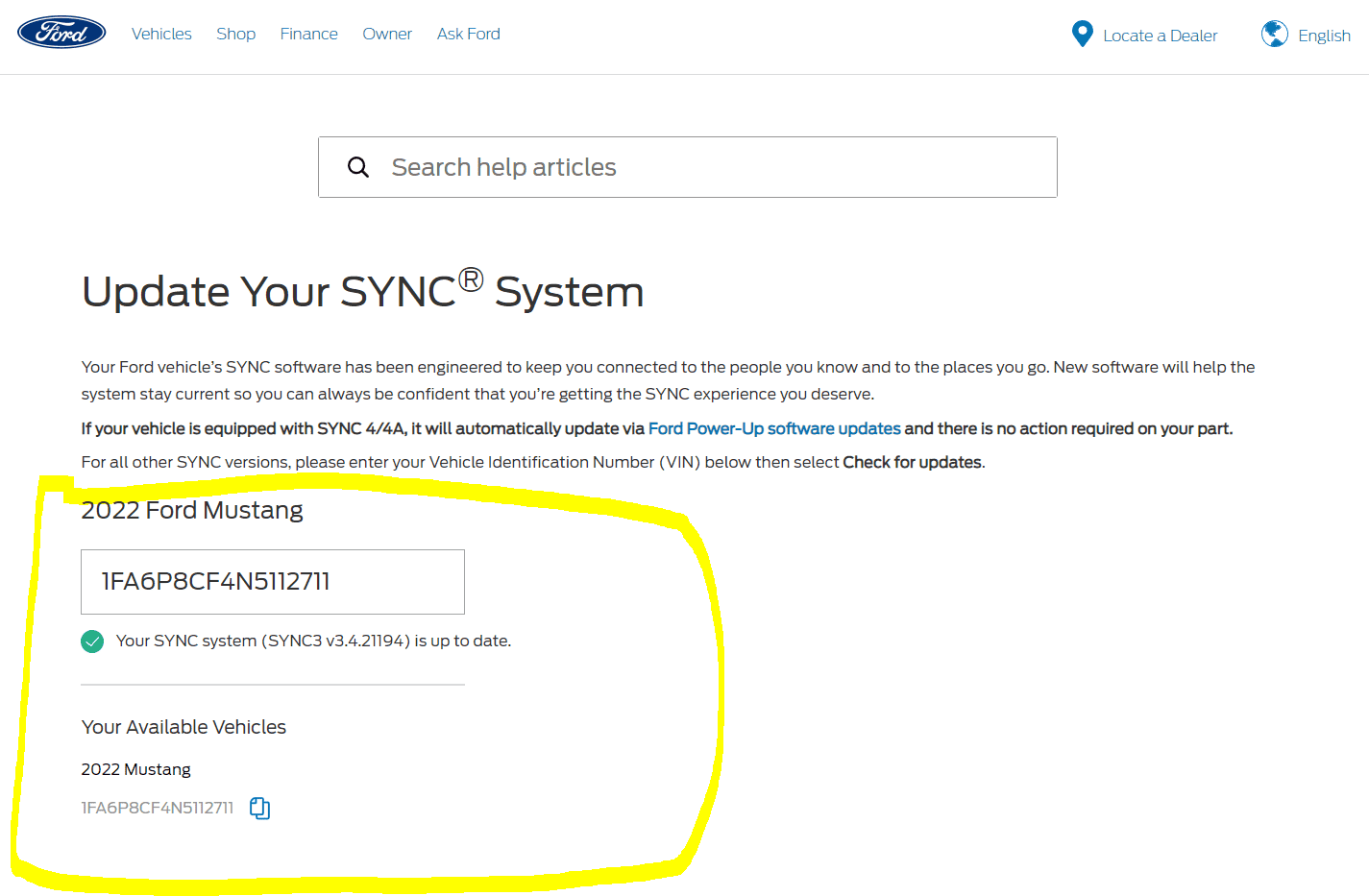
7. Click the "View Updates" link on the SYNC UPDATES section, and it will take you to the page seen below. This is just confirming that the SYNC system has been programmed and is up to date.

In summary, this was my journey and experience, and I just wanted to share it here for any others who want yet another way to track aspects of vehicle production.
Below I have put some instructions and screenshots of my experience, in hopes it can help any of you wanting to try the same.
1. If you don't already have an account on ford.com, then create it. (See screenshot below) I used the same email address as when I placed my order with my dealer, but I am not sure that matters. If needed, through the email registration, and sign-in process. You might also get an email that you need to click on a link to verify the ford.com account you created.
2. Once you have an account on ford.com, sign in and go to the Vehicle Dashboard. This is under the "My Account" section of the website after you log in. NOTE: In my example and screenshots, I've previously added my VIN, but if this is your first time adding one, then your view of the screen might be different.
3. If you need to add your vehicle VIN, then click on the "Add Vehicle" button. See screenshot below.
4. In the "Add A VIN" dialog screen, add your VIN and an optionally a Nickname.
5. Once your VIN is added, you might see a screen like the one below when back at the Vehicle Dashboard. Note my VIN and "Nickname" appears in the screenshot.
6. Scroll down on that web page to the "YOUR VEHICLE" section. Take note of the SYNC UPDATES section. If your vehicle had its SYNC System initialized/programmed at the Factory then there will be a "LAST UPDATE" date. Mine was yesterday (2/16/2022). See screenshot below.
7. Click the "View Updates" link on the SYNC UPDATES section, and it will take you to the page seen below. This is just confirming that the SYNC system has been programmed and is up to date.
In summary, this was my journey and experience, and I just wanted to share it here for any others who want yet another way to track aspects of vehicle production.
Sponsored