
Sponsored
Loading
tritran18518
Well-Known Member
- Joined
- Jan 6, 2015
- Threads
- 5
- Messages
- 148
- Reaction score
- 36
- Location
- United States
- Vehicle(s)
- 2015 Mustang GT Base
While on SYNC screen, you need to press AUX button to switch between devices (bluetooth, usb..) i believe.Do you guys have a BT option on the left side menu under sync? I have sync working for use with actual calls, but cannot stream music.
brandonsmash
SMASH!
- Joined
- Aug 19, 2015
- Threads
- 58
- Messages
- 1,304
- Reaction score
- 341
- Location
- Phoenix, AZ, USA
- Vehicle(s)
- 2015 GT - PP
Just installed mine today!
A quick note: Getting the two tabs/wings out at the bottom isn't that hard. They'll migrate up through the slots just in front of them if you move the bezel diagonally up and towards you. I had way more problems with the 12v power point.
ETA: Nav works fine on mine. Features seem to work correctly so far. Clock is still off (which bothers me), units are still in C (which doesn't bother me).
When Nav fires off a couple directions in a row it tends to pause the media playing via Bluetooth. I think I can ameliorate this by making the Nav less verbose.
I'm pleased that the directional and play/pause physical buttons still work!
A quick note: Getting the two tabs/wings out at the bottom isn't that hard. They'll migrate up through the slots just in front of them if you move the bezel diagonally up and towards you. I had way more problems with the 12v power point.
ETA: Nav works fine on mine. Features seem to work correctly so far. Clock is still off (which bothers me), units are still in C (which doesn't bother me).
When Nav fires off a couple directions in a row it tends to pause the media playing via Bluetooth. I think I can ameliorate this by making the Nav less verbose.
I'm pleased that the directional and play/pause physical buttons still work!
Last edited:
schenoy1
Well-Known Member
- Joined
- Nov 3, 2015
- Threads
- 6
- Messages
- 112
- Reaction score
- 24
- Location
- Waxhaw (Charlotte area)
- First Name
- Steve
- Vehicle(s)
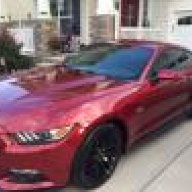
- Mustang GT 2015. Ruby Red
Take the CD player and the black Sync box out if you haven't done so yet. Then go ahead and you can hook up your new harness. The connector that was connected to the CD player is retained by a pain in the ass retainer piece. Take a screwdriver and release that piece and the wiring so you have slack to play with. I didn't take a picture but you will figure it out.
I CAN'T GET THE "PAIN IN THE ASS" RETAINER OUT. CAN'T SEE IT, AND DONT' KNOW WHAT/WHERE I'M SUPPOSED TO PUSH TO RELEASE IT. HELP!
Update. Got it! Thanks everyone!!
I CAN'T GET THE "PAIN IN THE ASS" RETAINER OUT. CAN'T SEE IT, AND DONT' KNOW WHAT/WHERE I'M SUPPOSED TO PUSH TO RELEASE IT. HELP!
Update. Got it! Thanks everyone!!
Last edited:
Sponsored

schenoy1
Well-Known Member
- Joined
- Nov 3, 2015
- Threads
- 6
- Messages
- 112
- Reaction score
- 24
- Location
- Waxhaw (Charlotte area)
- First Name
- Steve
- Vehicle(s)
- Mustang GT 2015. Ruby Red
Got it. The trick was cutting the white tape that wrapped the black wiring bundle, this gave me enough slack to pull out the CD player, and get the plug undone relatively easy.
I finished the install today, and looks/works pretty good. Love the big back up camera screen! And its showing the right time, temp is still in Celcius though.
I finished the install today, and looks/works pretty good. Love the big back up camera screen! And its showing the right time, temp is still in Celcius though.
Soliz53
Active Member
- Joined
- Apr 5, 2016
- Threads
- 0
- Messages
- 42
- Reaction score
- 2
- Location
- san antonio
- Website
- WWW.solizsales.com
- First Name
- Eusebio
- Vehicle(s)
- 2015 mustang GT
I am so fing pissed off. it worked for half a day and now the screen is blank. everything works but the picture wont show or the back up camera wont work either it just shows white with lines. the touch screen works but no picture. i have contacted them and still no reply. i am about to file a claim with ebay. i am just pissed off since i have to install my stock shit and i hate it. i have removed the part about 4 different times i have tried to reset the system ie disconnecting the batter a few times. help

nate154
Well-Known Member
- Joined
- Apr 18, 2016
- Threads
- 11
- Messages
- 102
- Reaction score
- 9
- Location
- Des Moines, Ia
- Vehicle(s)
- 16 GT PP
Where all do you connect the new harness? Just the CD player?
Last edited:
usgiorgi
Well-Known Member
- Joined
- Jun 22, 2016
- Threads
- 18
- Messages
- 727
- Reaction score
- 170
- Location
- Fairfax, va
- Vehicle(s)
- C6 Z06
Sorry to revive a dead thread. I spent 3 hours doing everything and then plugged the white connector. The screen remained blank, no sound nothing. It just didn't power on. I cycled the accessory power, but still blank screen. I had to go to work to day so I had to put the factory stuff back in. 4 hours of wasted time, I just filed a claim on ebay. FML!I am so fing pissed off. it worked for half a day and now the screen is blank. everything works but the picture wont show or the back up camera wont work either it just shows white with lines. the touch screen works but no picture. i have contacted them and still no reply. i am about to file a claim with ebay. i am just pissed off since i have to install my stock shit and i hate it. i have removed the part about 4 different times i have tried to reset the system ie disconnecting the batter a few times. help
Sponsored

Jdenkevitz
Well-Known Member
Did you connect the power to the back of the CD player unit? Make sure it is seated well. This was the most difficult part for my install.Sorry to revive a dead thread. I spent 3 hours doing everything and then plugged the white connector. The screen remained blank, no sound nothing. It just didn't power on. I cycled the accessory power, but still blank screen. I had to go to work to day so I had to put the factory stuff back in. 4 hours of wasted time, I just filed a claim on ebay. FML!
usgiorgi
Well-Known Member
- Joined
- Jun 22, 2016
- Threads
- 18
- Messages
- 727
- Reaction score
- 170
- Location
- Fairfax, va
- Vehicle(s)
- C6 Z06
Yea everything was connected. The cd player even made the weird reset sound when I connected the harness. No matter what I tried, the screen wouldn't power on. I sent the unit back to tomtop and will get a replacement sometime. Just sucks due to wasted time and shipping money. Hope the 2nd one works 
schenoy1
Well-Known Member
- Joined
- Nov 3, 2015
- Threads
- 6
- Messages
- 112
- Reaction score
- 24
- Location
- Waxhaw (Charlotte area)
- First Name
- Steve
- Vehicle(s)
- Mustang GT 2015. Ruby Red
The time issue is addressed on another thread. Mine was showing the correct time until last Spring time zone change, now its off an hour. But its a software issue (nothing to do with those extra cables) and someone cracked the code and made a firmware update. I've been unsuccessful unfortunately at getting them to share it with me. There was a download link to get the .rar file, but it dead now and hasnt been posted. If anyone has or seen it, I'd appreciate it.David,
thanks for the reply,
I was wondering if connecting one of them would have something to do w/ keeping the clock on the correct time.
There is also another sw update made that corrects the "one connected" which is supposed to read "phone" connected I think.
brandonsmash
SMASH!
- Joined
- Aug 19, 2015
- Threads
- 58
- Messages
- 1,304
- Reaction score
- 341
- Location
- Phoenix, AZ, USA
- Vehicle(s)
- 2015 GT - PP
Did I not post that .rar on Google Drive? Damn.The time issue is addressed on another thread. Mine was showing the correct time until last Spring time zone change, now its off an hour. But its a software issue (nothing to do with those extra cables) and someone cracked the code and made a firmware update. I've been unsuccessful unfortunately at getting them to share it with me. There was a download link to get the .rar file, but it dead now and hasnt been posted. If anyone has or seen it, I'd appreciate it.
There is also another sw update made that corrects the "one connected" which is supposed to read "phone" connected I think.
I'm at work and don't have access to it right now but I can re-post it when I get home. I didn't realize the link was dead.
brandonsmash
SMASH!
- Joined
- Aug 19, 2015
- Threads
- 58
- Messages
- 1,304
- Reaction score
- 341
- Location
- Phoenix, AZ, USA
- Vehicle(s)
- 2015 GT - PP
If you need it, here's the fix for the Celsius/Fahrenheit issue, as well as the clock issue (though misspellings and date errors are still there, sadly).
https://drive.google.com/open?id=0B79d-I5QP_ZKWjVaTnhiT0ptX2M
You may have to dig back to find the writeup, but there's the file!
https://drive.google.com/open?id=0B79d-I5QP_ZKWjVaTnhiT0ptX2M
You may have to dig back to find the writeup, but there's the file!
Sponsored
Similar threads


- Replies
- 746
- Views
- 134,524
