Kaps
Mustang maniac
- Thread starter
- #1
One of our fellow forum member, wanted o know how to install these REAR LED side markers. I sent a PM to him but was not able to upload the pictures. I have installed them in three of our cars so far and I thought, I might post it here, because we did not find any detailed instructions to install them.
So here it is:
I presume you have the Harness supplied with the Side Markers for EU/AU Models and a pair of T –TAP Connectors.
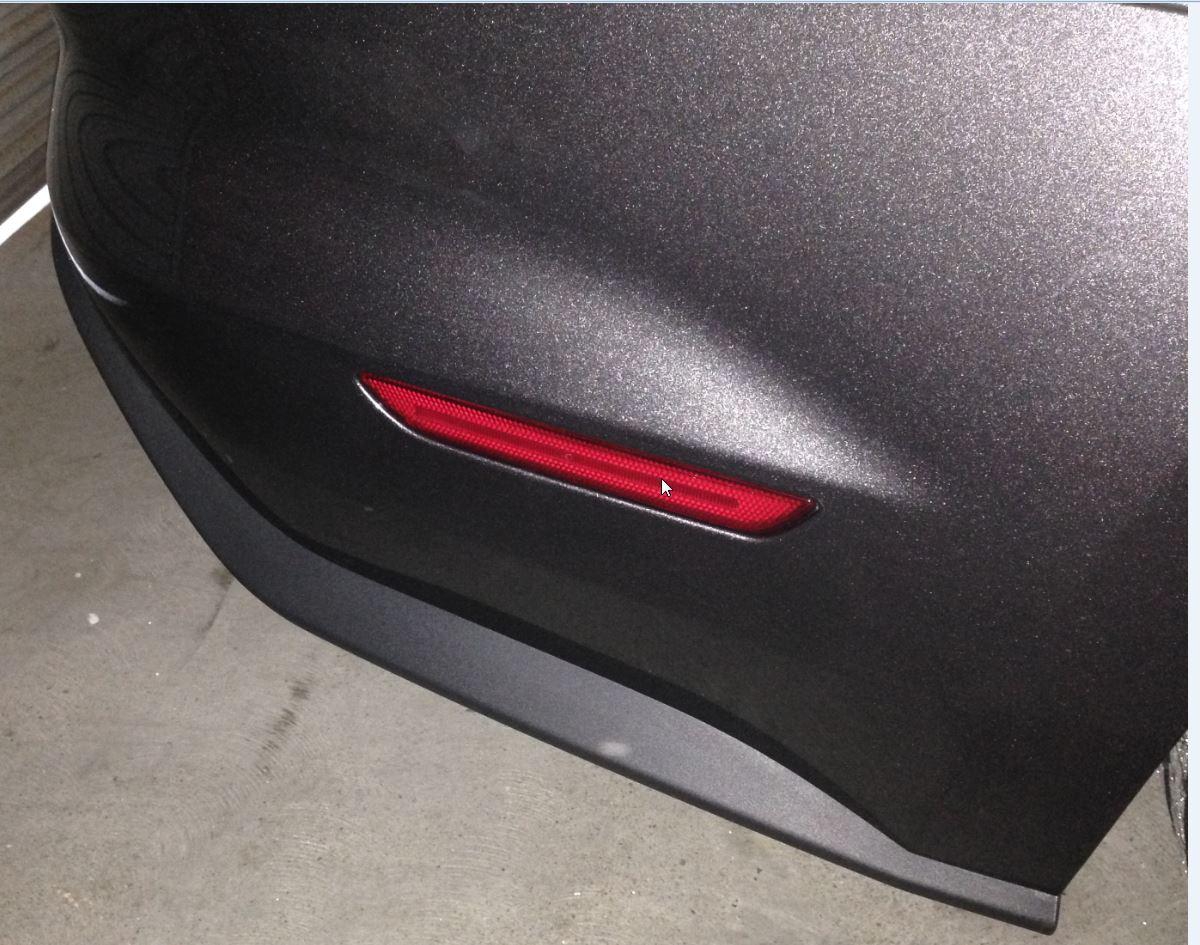
This is how they look like:

Now grab a Flat head screw driver with narrow head. You can put masking tape on it if you want to avoid damage to the plastic/paint, in case it slips.
Now get down on the floor under the license plate light and pick either one of two lights.
I picked up the one on right hand side looking from back. Then I picked up the right side of this light again because I am right handed and I found it easy to reach and work on it. If you are left handed pick the one you are comfortable working on.

You can see the clip and the gaps on both side of this clip. Reach in one of these gaps with narrow FLAT HEAD SCREW Driver and push the clip towards you from behind and it will easily popout.

I have to take off my license plate because it was too close to the License plate light and was stopping the light to come out easily.
However it worked fine without removing the license plate bracket in our other car.
Now try to pull it out as much as you can without applying any force. You will see 2 wires, purple and black.

Undo the Harness and pick the black round connectors and drop it downwards in the space from where you removed the License plate light. If it doesn’t go down, pull it out and put your fingers in there and check if there is a cable there which is stopping it, pull it a bit closer to the bumper from inside so that it doesn’t stop the harness from going down.
You can also tape the black ends temp, to help push it down from the license plate light housing. Any way once the harness can be reached behind the bumper and under the car, pull it slowly leaving the purple connectors (the other end of the harness) hanging out.
Now pickup the T-TAP connector and pick one of the wire and place it in the metal slot of T -Tap Connector. I tried to install it as far away from the light as possible so that its easy to remove the light in future but you can tap it where ever its easy for you to squeeze it.
Now close the T-Tap connector while keeping the wire in the metal slot and squeeze it until you hear click. This will ensure its locked and will also splice the cable automatically and form contact with the metal slot.

Repeat that for the second connector as well, then pick up the purple connectors of Harness and plug the RED wire in the Purple wire T-Tap connector and the Black wire in the Black wire T – Tap connector.
Make sure you push it properly and this will ensure the T –TAP connector is locked.


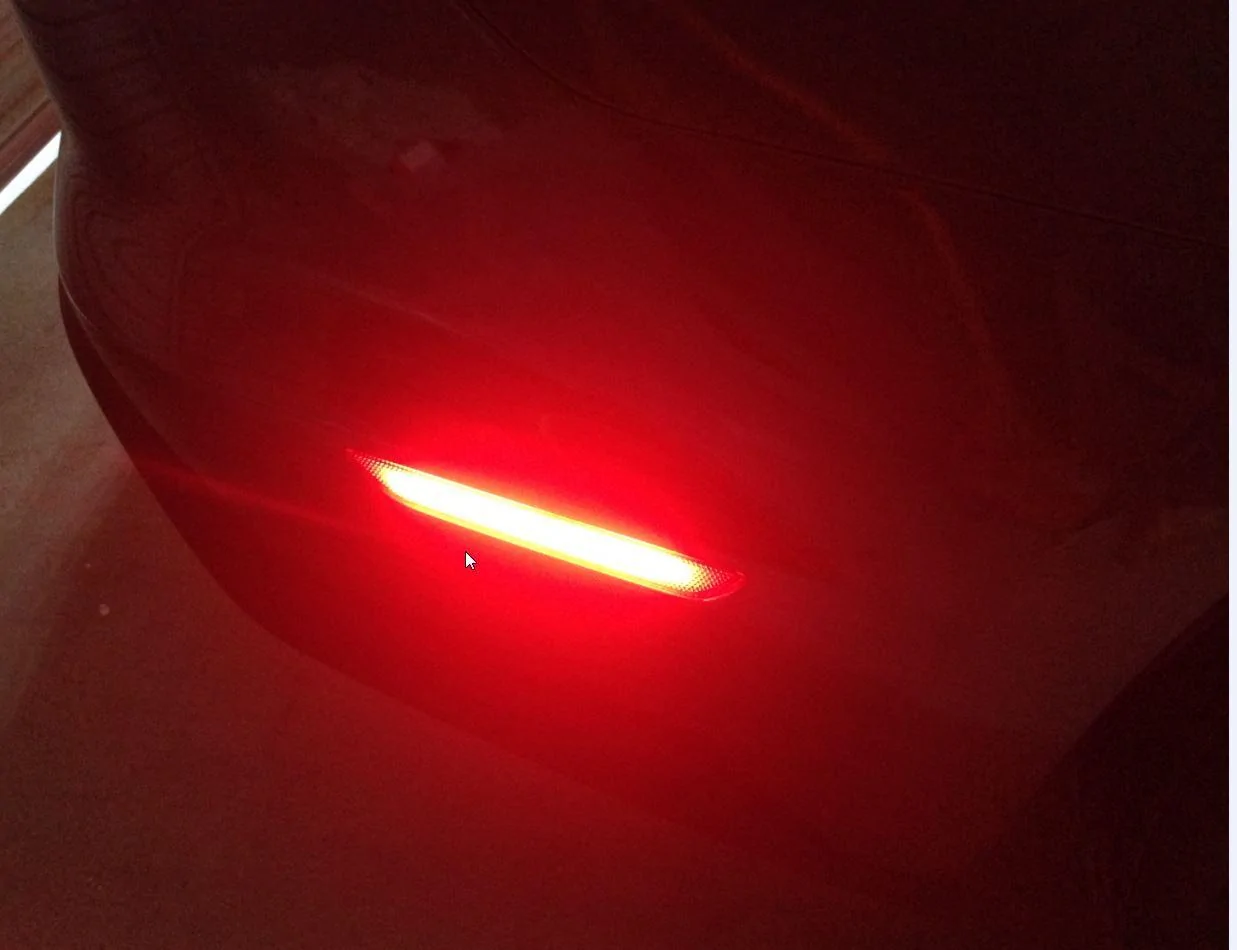
Now connect one of the Side marker to the black end of the harness and check it lights up when you unlock the car, repeat that for other side marker as well. Now that both side markers are working, take them off and keep it aside.
Now get under the car and remove the orange reflectors. Use leather gloves and a flat head strong screwdriver to push the tabs which are visible and easy to reach if you are under the car, instead of side of the car.
You might cut yourself if you are not using gloves.
Now that the reflectors are out, you can put the License plate light back in and start securing the harness.
I found this 7 MM Split conduit in Bunnings last Sunday which I installed to provide extra protection.

I used a torch and secured it nicely to keep away from exhaust. I used Velcro but you can also use cable tie or whatever suits you.
Once secured leave enough lose cable at the marker end of harness so that it can be pulled out from the holes where side markers will be installed.
Connect the side markers and test them once again. If they are working just install them and job done.


So here it is:
I presume you have the Harness supplied with the Side Markers for EU/AU Models and a pair of T –TAP Connectors.
This is how they look like:
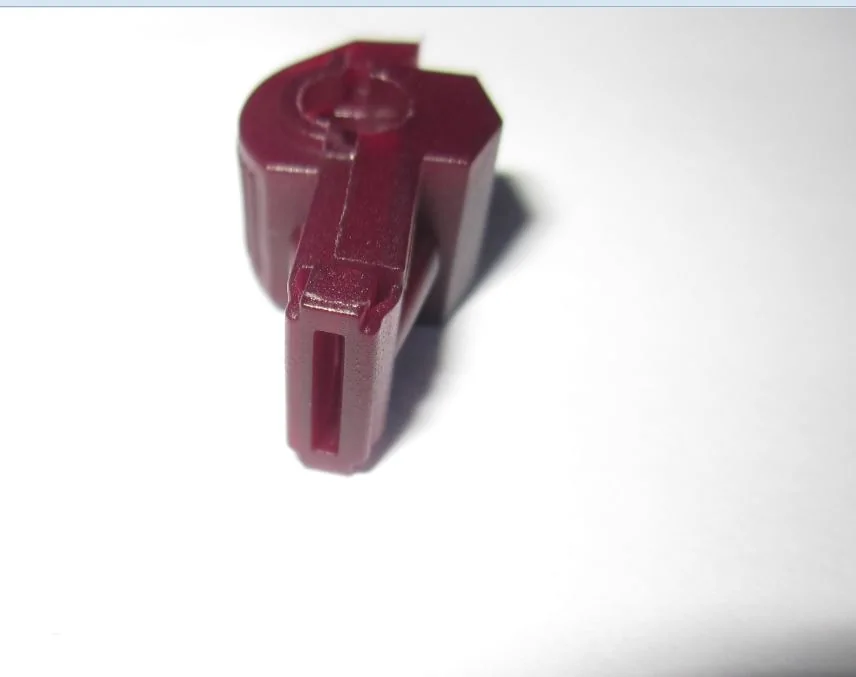
Now grab a Flat head screw driver with narrow head. You can put masking tape on it if you want to avoid damage to the plastic/paint, in case it slips.
Now get down on the floor under the license plate light and pick either one of two lights.
I picked up the one on right hand side looking from back. Then I picked up the right side of this light again because I am right handed and I found it easy to reach and work on it. If you are left handed pick the one you are comfortable working on.
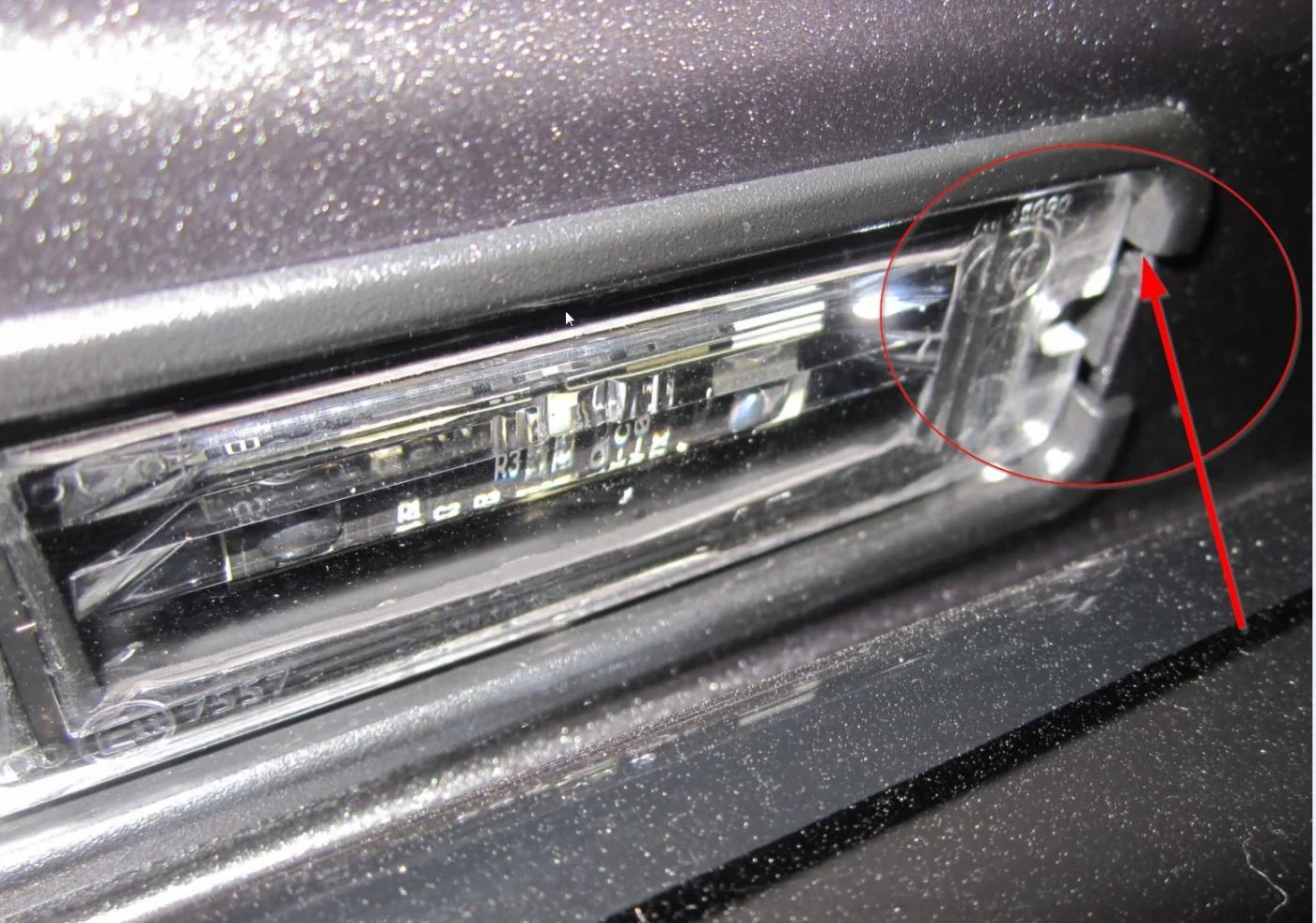
You can see the clip and the gaps on both side of this clip. Reach in one of these gaps with narrow FLAT HEAD SCREW Driver and push the clip towards you from behind and it will easily popout.
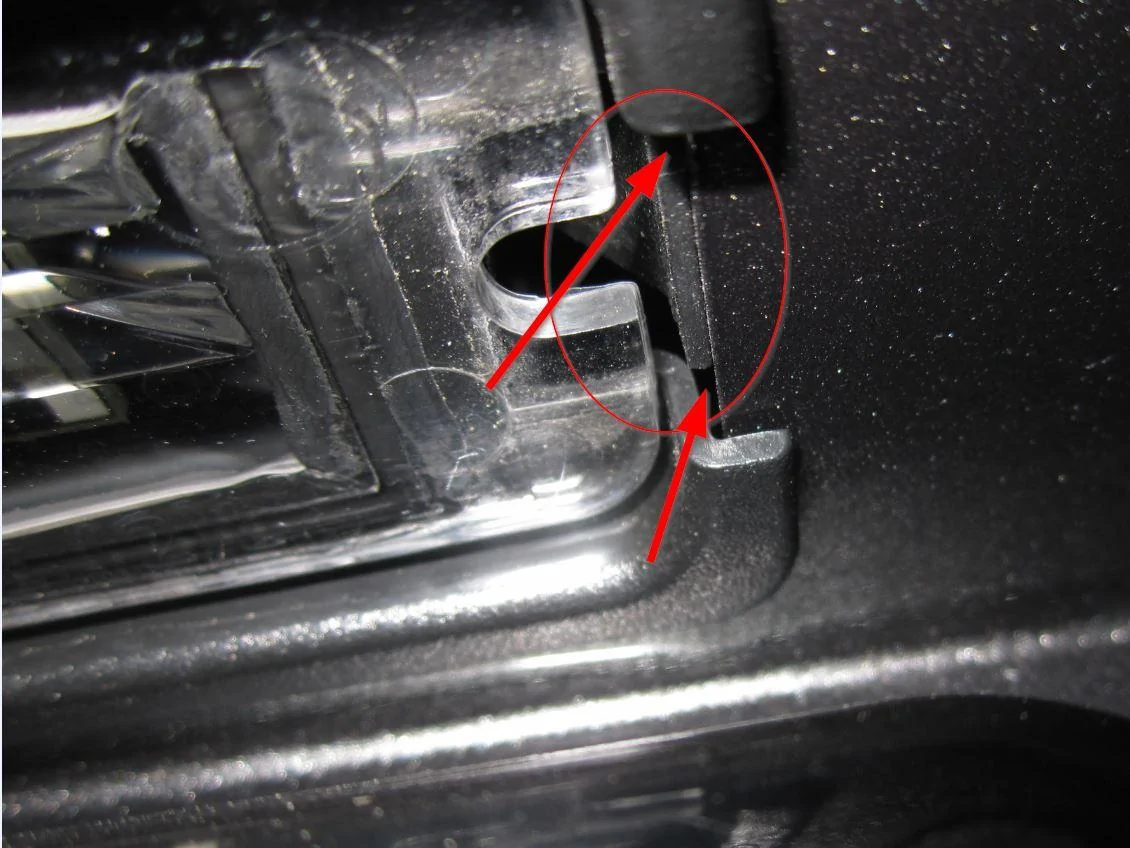
I have to take off my license plate because it was too close to the License plate light and was stopping the light to come out easily.
However it worked fine without removing the license plate bracket in our other car.
Now try to pull it out as much as you can without applying any force. You will see 2 wires, purple and black.
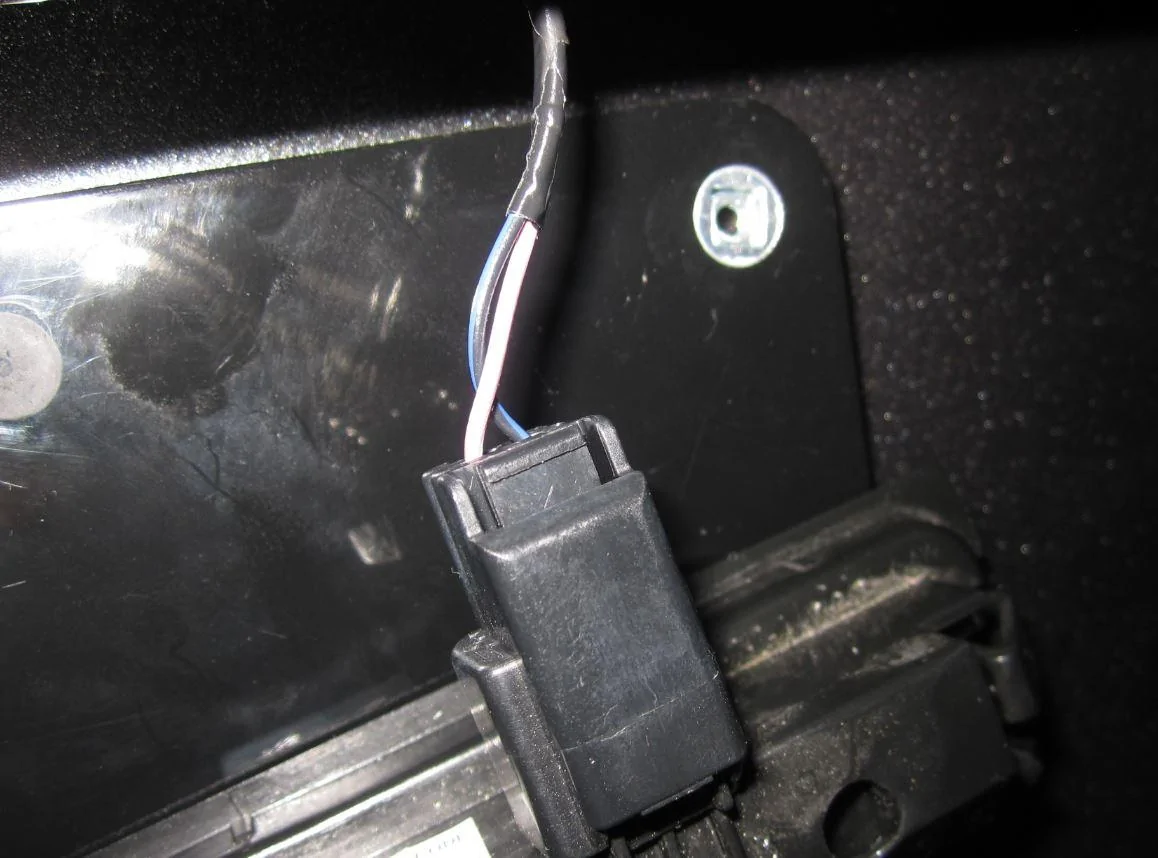
Undo the Harness and pick the black round connectors and drop it downwards in the space from where you removed the License plate light. If it doesn’t go down, pull it out and put your fingers in there and check if there is a cable there which is stopping it, pull it a bit closer to the bumper from inside so that it doesn’t stop the harness from going down.
You can also tape the black ends temp, to help push it down from the license plate light housing. Any way once the harness can be reached behind the bumper and under the car, pull it slowly leaving the purple connectors (the other end of the harness) hanging out.
Now pickup the T-TAP connector and pick one of the wire and place it in the metal slot of T -Tap Connector. I tried to install it as far away from the light as possible so that its easy to remove the light in future but you can tap it where ever its easy for you to squeeze it.
Now close the T-Tap connector while keeping the wire in the metal slot and squeeze it until you hear click. This will ensure its locked and will also splice the cable automatically and form contact with the metal slot.
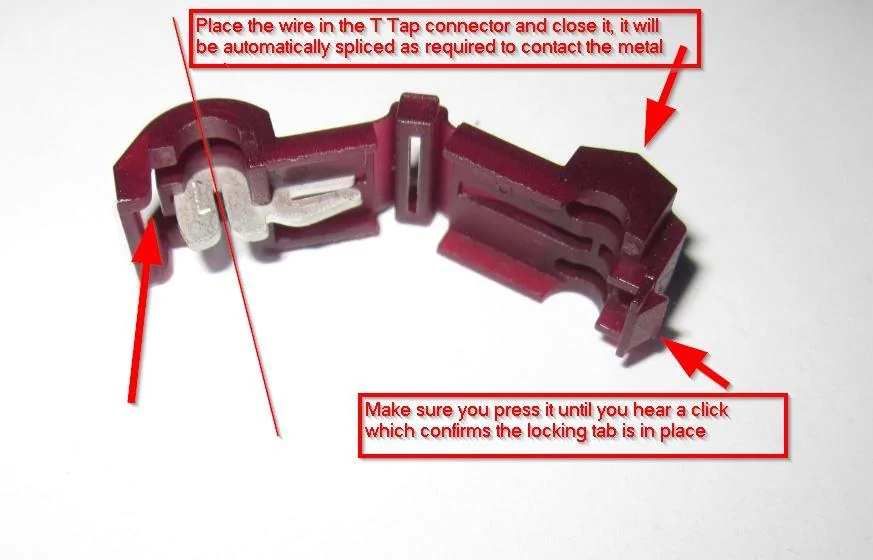
Repeat that for the second connector as well, then pick up the purple connectors of Harness and plug the RED wire in the Purple wire T-Tap connector and the Black wire in the Black wire T – Tap connector.
Make sure you push it properly and this will ensure the T –TAP connector is locked.
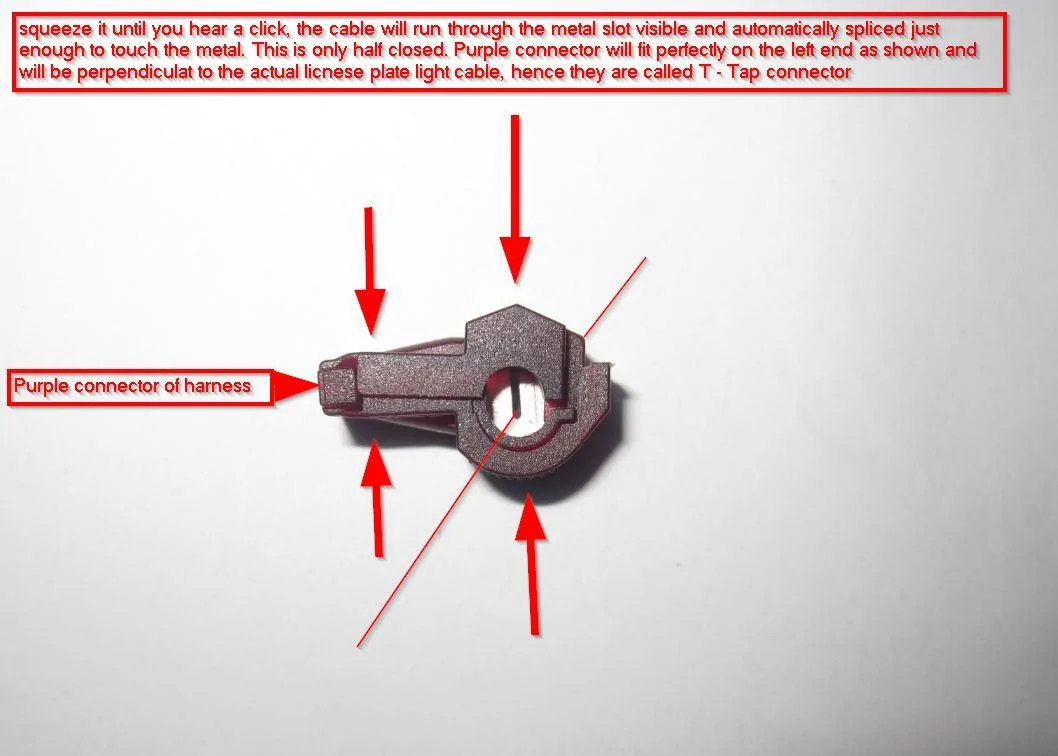
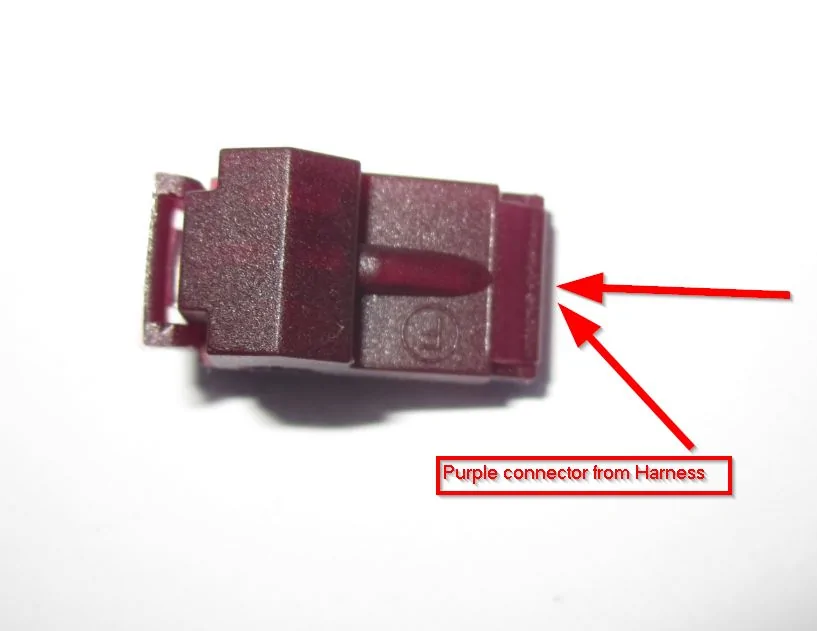
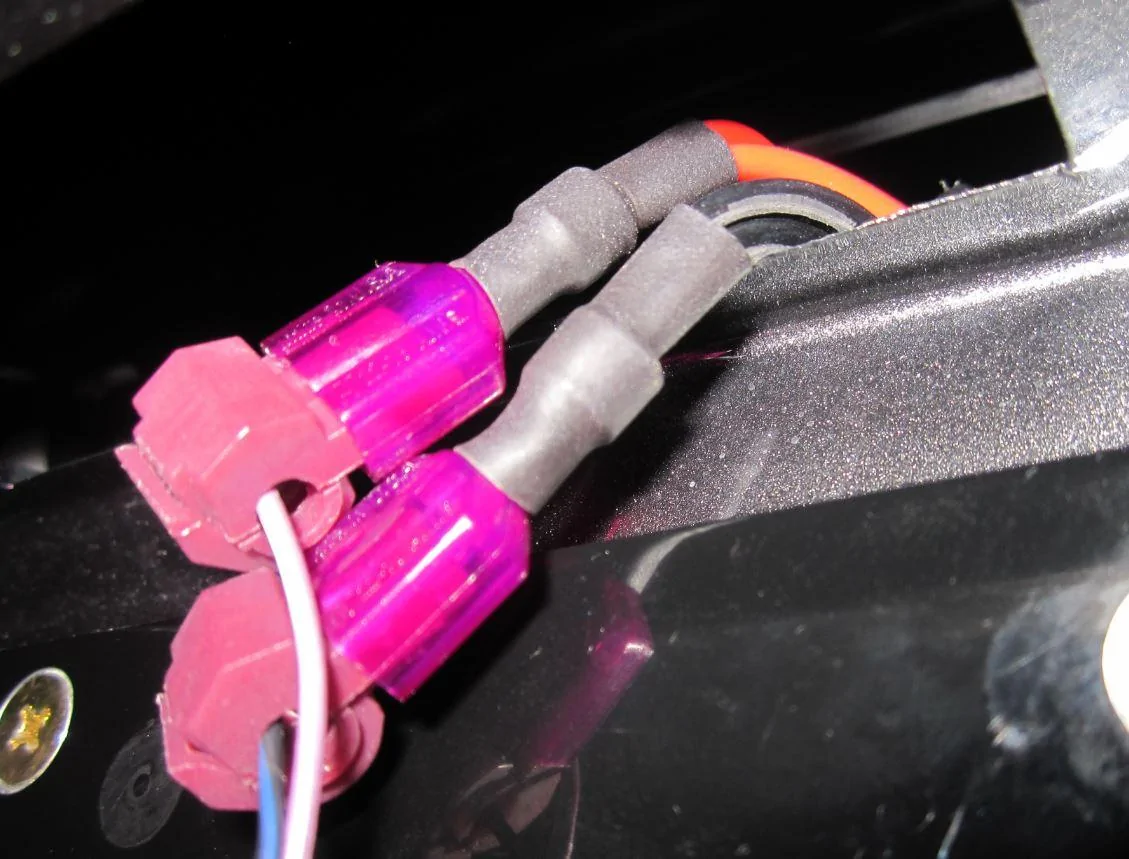
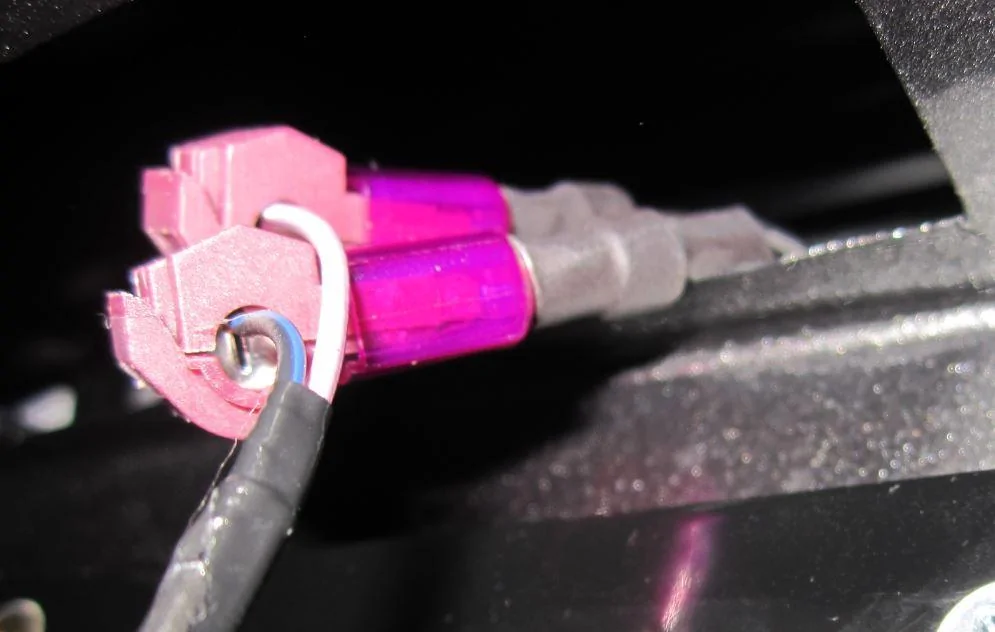
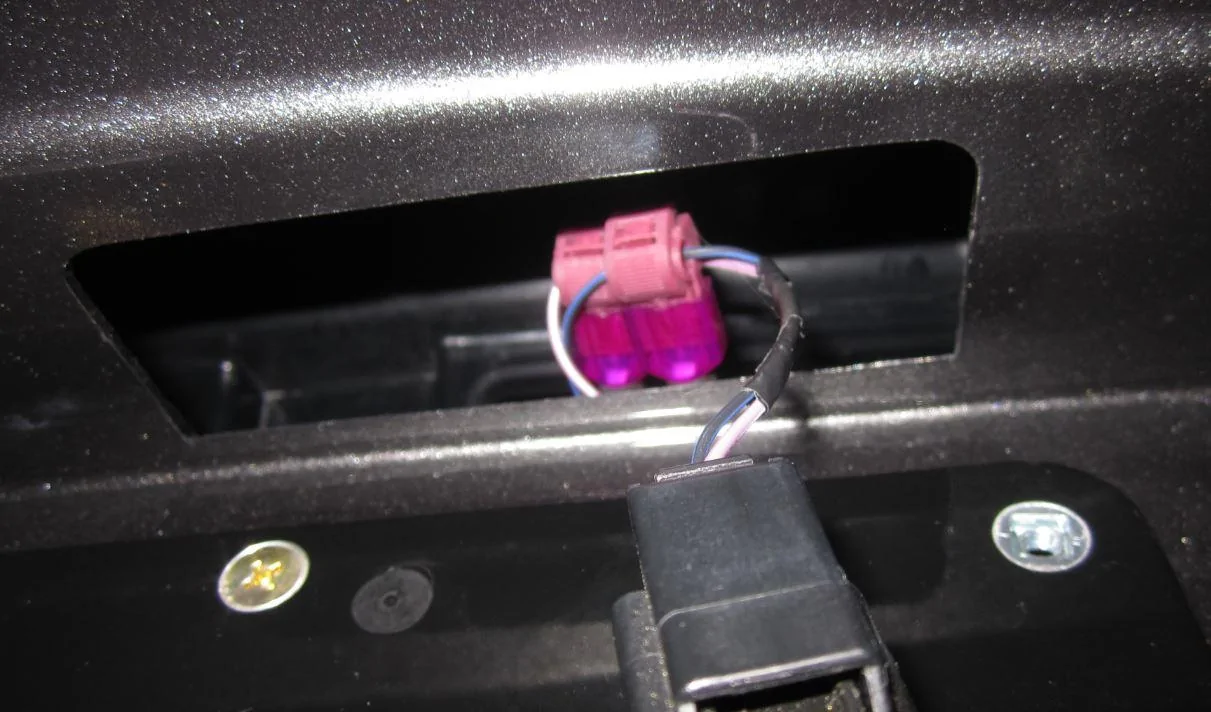
Now connect one of the Side marker to the black end of the harness and check it lights up when you unlock the car, repeat that for other side marker as well. Now that both side markers are working, take them off and keep it aside.
Now get under the car and remove the orange reflectors. Use leather gloves and a flat head strong screwdriver to push the tabs which are visible and easy to reach if you are under the car, instead of side of the car.
You might cut yourself if you are not using gloves.
Now that the reflectors are out, you can put the License plate light back in and start securing the harness.
I found this 7 MM Split conduit in Bunnings last Sunday which I installed to provide extra protection.
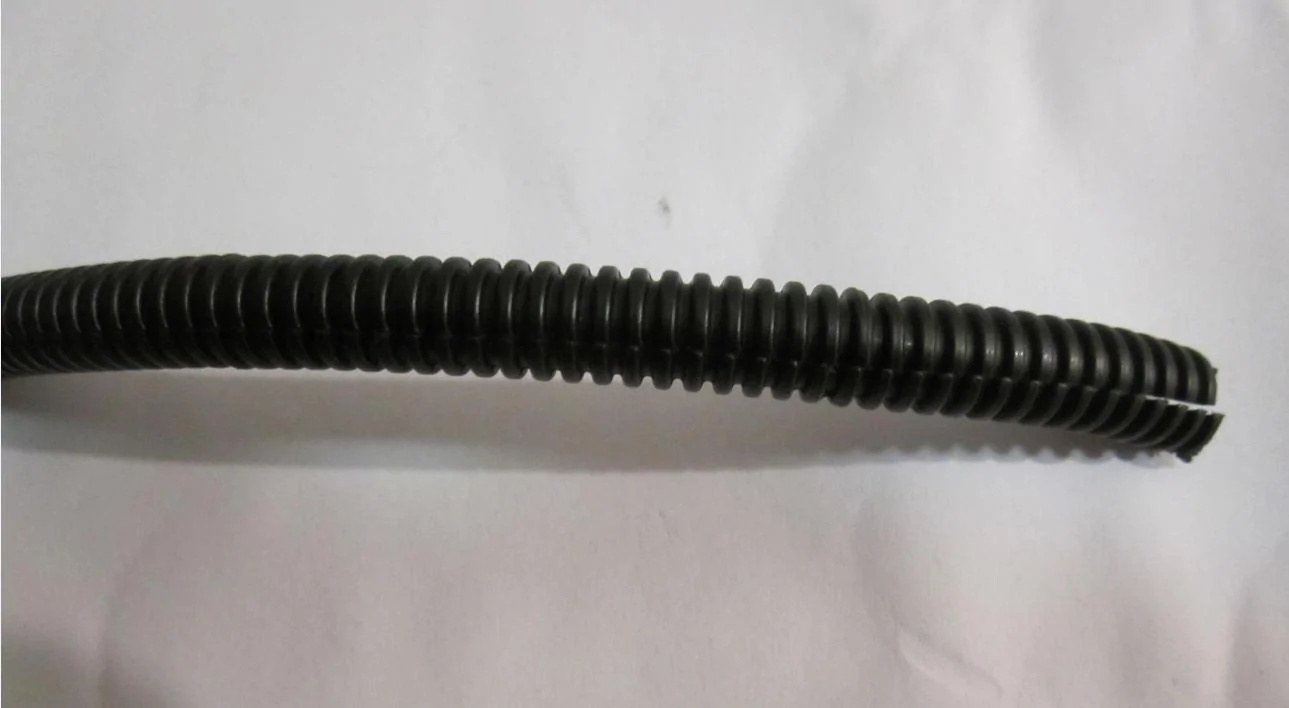
I used a torch and secured it nicely to keep away from exhaust. I used Velcro but you can also use cable tie or whatever suits you.
Once secured leave enough lose cable at the marker end of harness so that it can be pulled out from the holes where side markers will be installed.
Connect the side markers and test them once again. If they are working just install them and job done.
Sponsored
Last edited: