Sponsored

Screen question

Mustang5ohMan

Well-Known Member
Joined
Feb 24, 2020
Threads
57
Messages
1,103
Reaction score
209
Location
Florida
First Name
A
Vehicle(s)
2019 Mustang GT PP1
Two questions...

Is there a way to have no tone or audio play during navigation guidance? Like if you want it totally quiet?


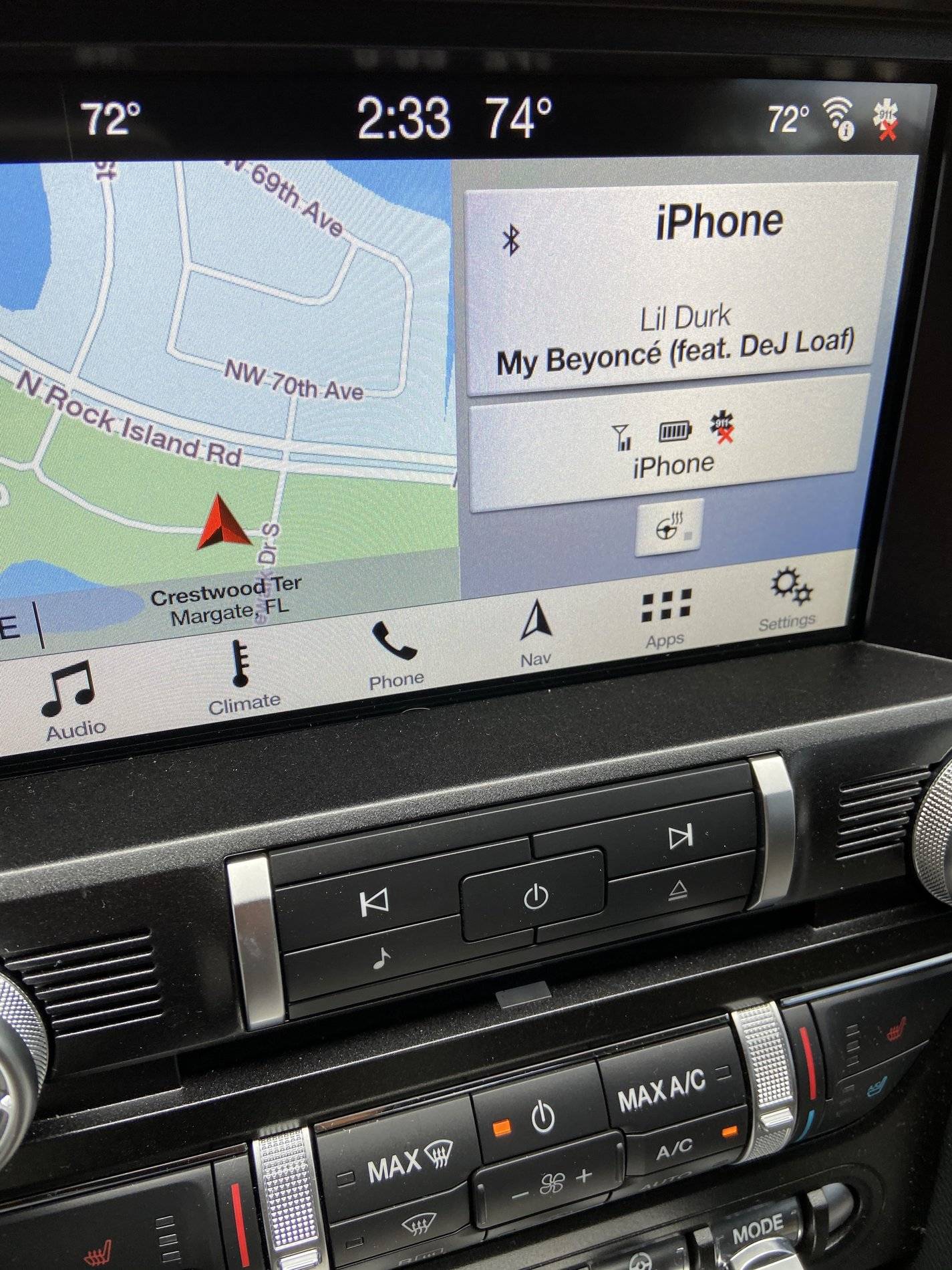
Second question can I change the look display of the icons on my screen as pictured?
EB96F84B-EA1E-4D97-B43A-59E589E1A65F.jpeg
Sponsored


Bikeman315

Well-Known Member
Joined
Apr 12, 2015
Threads
583
Messages
16,194
Reaction score
21,915
Location
Myrtle Beach, SC
First Name
Ira
Vehicle(s)
2019 Mustang GT/CS, 2021 Volvo XC60
OP
OP

Mustang5ohMan

Well-Known Member
Joined
Feb 24, 2020
Threads
57
Messages
1,103
Reaction score
209
Location
Florida
First Name
A
Vehicle(s)
2019 Mustang GT PP1
Thanks this was helpful.
Trying to catch her talking and turning down the volume is a nightmare. think I’ll go to tones or just turn it off.

I also don’t like the face on Navigation I can’t see the whole address before I click my selection.... is there a way to view the address before actually selecting which address I want?
 

Bikeman315

Well-Known Member
Joined
Apr 12, 2015
Threads
583
Messages
16,194
Reaction score
21,915
Location
Myrtle Beach, SC
First Name
Ira
Vehicle(s)
2019 Mustang GT/CS, 2021 Volvo XC60
Thanks this was helpful.
Trying to catch her talking and turning down the volume is a nightmare. think I’ll go to tones or just turn it off.

I also don’t like the face on Navigation I can’t see the whole address before I click my selection.... is there a way to view the address before actually selecting which address I want?
Honestly I alway use voice for Nav so never noticed how the address shows up. I'm betting that things like this are not changeable. Maybe this will help:

https://owner.ford.com/support/how-...set-a-navigation-destination-with-sync-3.html
Sponsored


Top