
HoosierDaddy
Well-Known Member
- Thread starter
- #1
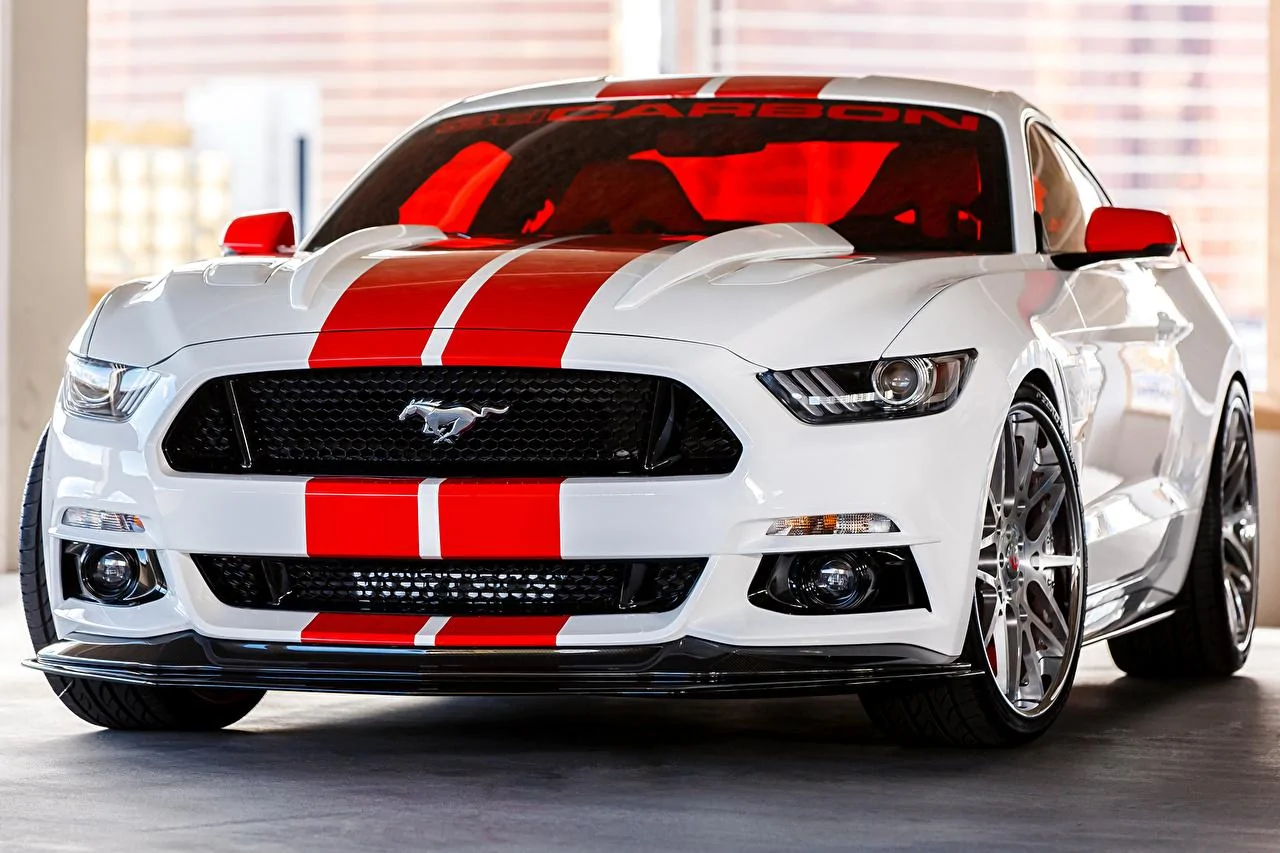
I want to find the paint formula for the stripes in this picture. And I mean as close as scientifically possible.
I started out comparing that picture to pictures of all brands of cars with various factory red paints.
That didn't work because the internet pictures were all taken with different cameras and may or may not have had post processing so the same color was all over the map.
I loaded my picture into Photoshop and was surprised to see the RGB numbers for it were 255 red and zero G and B. I'm no expert but I take that to mean as pure and as bright of red as can be displayed.
Now assuming a paint like my picture is possible (i.e my picture isn't some computer "trick") Is there some kind of formula/algorithm to convert RGB into what ever system is used for mixing paints?
I'm really mostly just looking for something less brute force than taking my picture to paint suppliers and begging to compare it to samples of all zillion reds they have in their catalog.
I realize my monitor is unlikely to be calibrated perfectly so the paint might look different in real life than on my display but I'll cross that bridge when I come to it.

I started out comparing that picture to pictures of all brands of cars with various factory red paints.
That didn't work because the internet pictures were all taken with different cameras and may or may not have had post processing so the same color was all over the map.
I loaded my picture into Photoshop and was surprised to see the RGB numbers for it were 255 red and zero G and B. I'm no expert but I take that to mean as pure and as bright of red as can be displayed.
Now assuming a paint like my picture is possible (i.e my picture isn't some computer "trick") Is there some kind of formula/algorithm to convert RGB into what ever system is used for mixing paints?
I'm really mostly just looking for something less brute force than taking my picture to paint suppliers and begging to compare it to samples of all zillion reds they have in their catalog.
I realize my monitor is unlikely to be calibrated perfectly so the paint might look different in real life than on my display but I'll cross that bridge when I come to it.
Sponsored


