
- Thread starter
- #1
We've added a new feature to the forums that allows members to create NEW EVENTS tied to the forum CALENDAR which can be found on the header bar on the top-right of the forum.

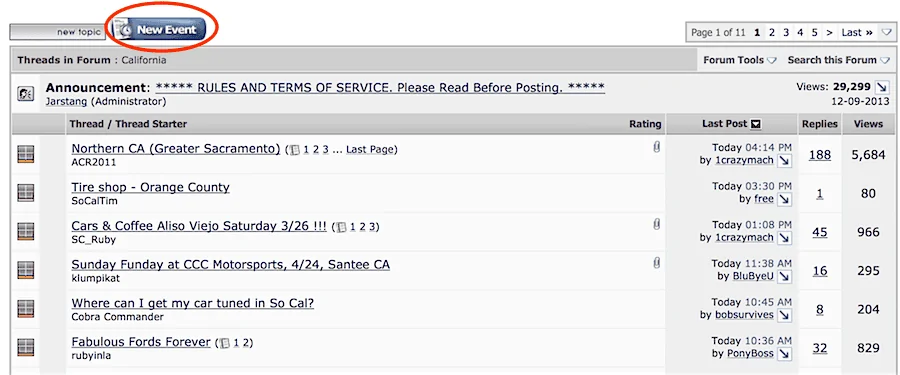
To do so, you need to be in one of the local forums/subforums. You will see a new button for "New Event" right next to the "New Topic" button.

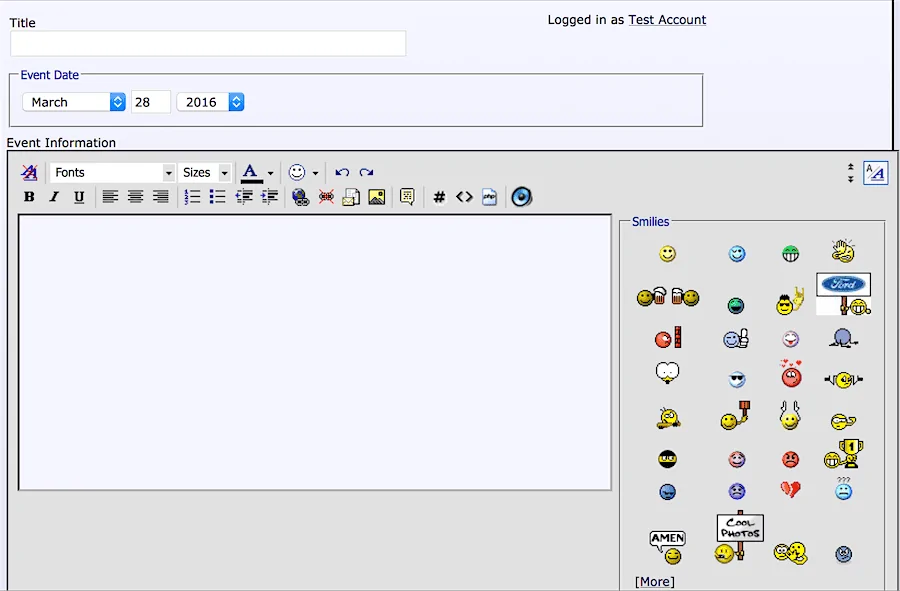
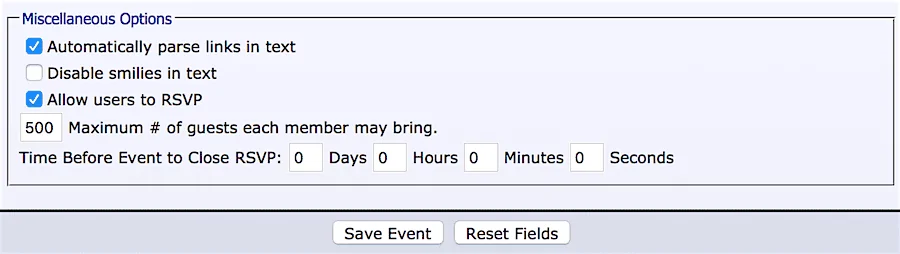
When creating a new event, enter a title, select the date of the event and provide a description like you would any standard thread. There are options below the text box that allows users to RSVP to the event (checked by default) and you can set the maximum number of guests each member can bring and set a deadline to RSVP.


Once the event is created it will appear as a regular thread in the subforum you posted it. It automatically adds the date of the event next to the title.
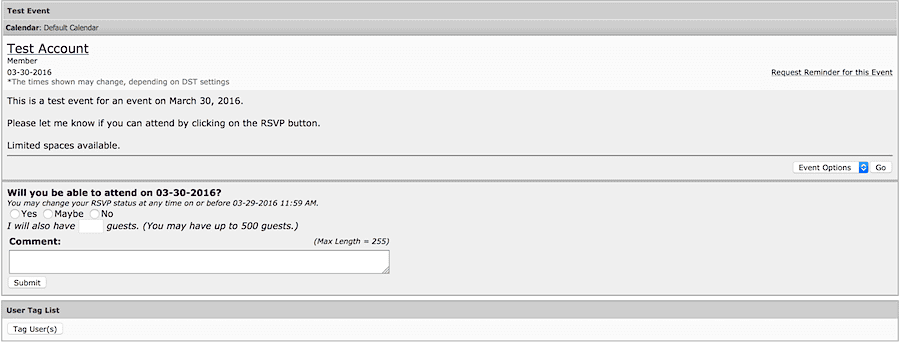
Other members can view the Event thread, RSVP (or not) and reply just like any other thread. The first post automatically updates to show the people who have RSVP'd to the event.

Creating a New Event automatically adds it to that region's subforum and that region's specific calendar.
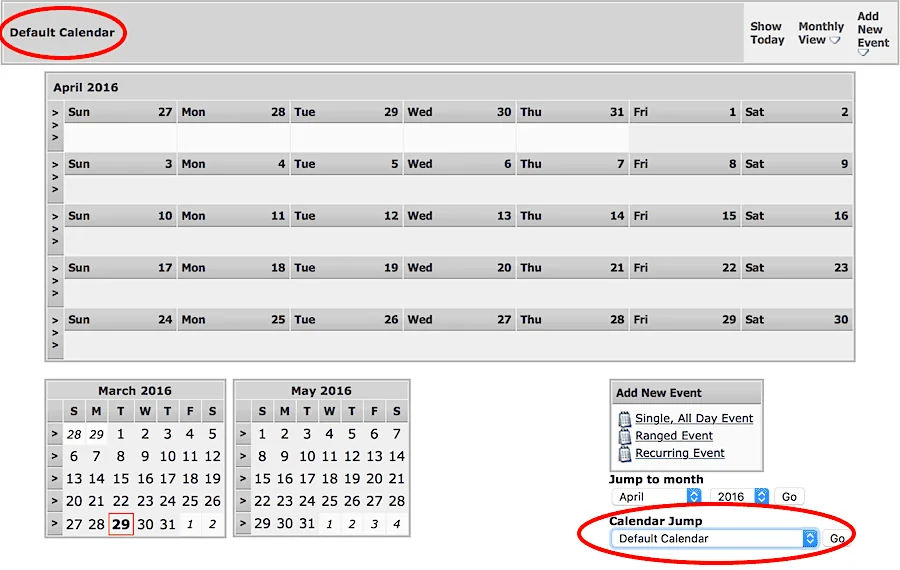
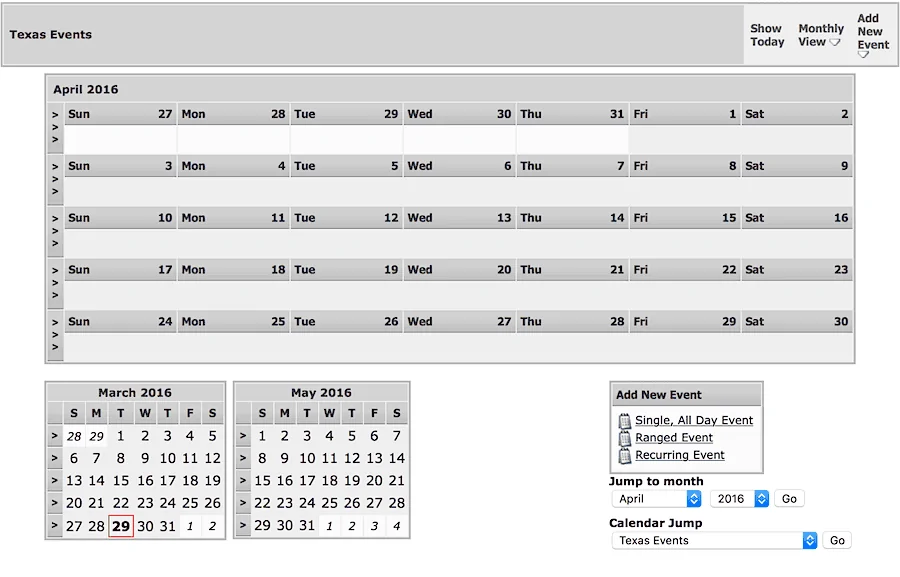
When you click on the CALENDAR on the top-right of the forum it defaults to the DEFAULT CALENDAR. Make sure to use the pull-down menu at the bottom of the calendar to select the Regional Calendar you would like.


The events in the calendar are clickable and will take you to the Event thread.
This should help with scheduling conflicts or just to get a quick overview of all upcoming events you may want to attend.

To do so, you need to be in one of the local forums/subforums. You will see a new button for "New Event" right next to the "New Topic" button.
When creating a new event, enter a title, select the date of the event and provide a description like you would any standard thread. There are options below the text box that allows users to RSVP to the event (checked by default) and you can set the maximum number of guests each member can bring and set a deadline to RSVP.
Once the event is created it will appear as a regular thread in the subforum you posted it. It automatically adds the date of the event next to the title.
Other members can view the Event thread, RSVP (or not) and reply just like any other thread. The first post automatically updates to show the people who have RSVP'd to the event.
Creating a New Event automatically adds it to that region's subforum and that region's specific calendar.
When you click on the CALENDAR on the top-right of the forum it defaults to the DEFAULT CALENDAR. Make sure to use the pull-down menu at the bottom of the calendar to select the Regional Calendar you would like.
The events in the calendar are clickable and will take you to the Event thread.
This should help with scheduling conflicts or just to get a quick overview of all upcoming events you may want to attend.
Sponsored